Google Drive Moving File Fails
Status: Closed · Asked by John Murdock on · 0 views
Hello, I am having an issue in the sequence where if I replace the spreadsheet and reconnect everything the copied file will not move.
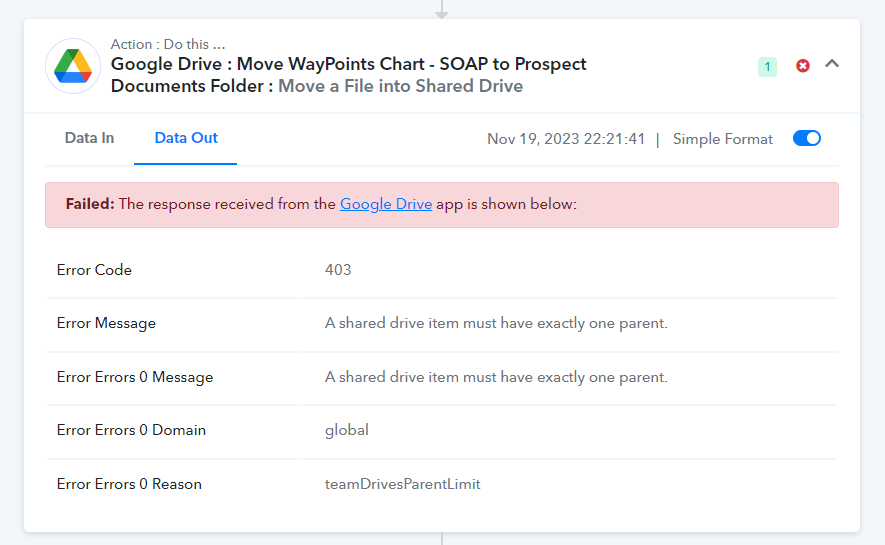
It was working, and now it is saying...
A shared drive item must have exactly one parent.
No folders or permissions have been changed. The only thing that was changed was replacing the spreadsheet we were duplicating.
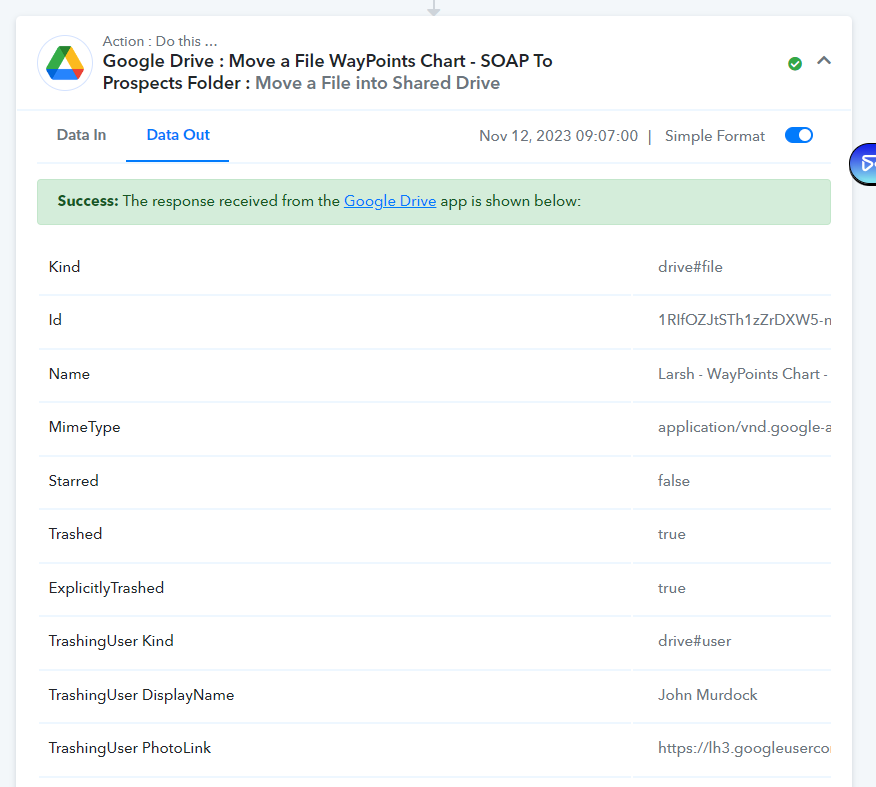
As you can see in the attached screenshot, that step used to process without issue.
Any idea what could be causing this or how to fix it?
Thanks!
Attachments
Hey @J.B. Murdock
The Google Drive API error code 403 signifies an issue where a shared drive item is expected to have only one parent within the drive's structure. This error, labeled as "teamDrivesParentLimit," occurs when an attempt is made to assign more than one parent to a shared drive item, which contradicts the API's requirement of a single parent for such items.
So, please review your Google Drive's shared drive folder once and then try again. If the issue still persists then we recommend you to contact Google Drive's support team.
I did not have to do anything with Google, the folder permissions or structure never changed.
I did however figure it out, and I am not sure if this is a Pabbly or Google error.
I had to delete the step entirely.
Rerun the previous step.
Re-add the step that was deleted.
Save and test it, and it worked again.
Hey @J.B. Murdock
Thank you for providing the update. I belive that the solution has proven effective for you.