Google Drive-Telegram Transfer
Status: Closed · Asked by radhesr on · 0 views
I Saw this Video on : Google Drive Telegram Automation - Share Files from Google Drive
youtube.com/watch?v=ASw_7YAY4y4
After following all the process and steps as shown in the video I am getting the MSG "No Chat Found". Where I am going wrong and
How to solve it.
Thanks 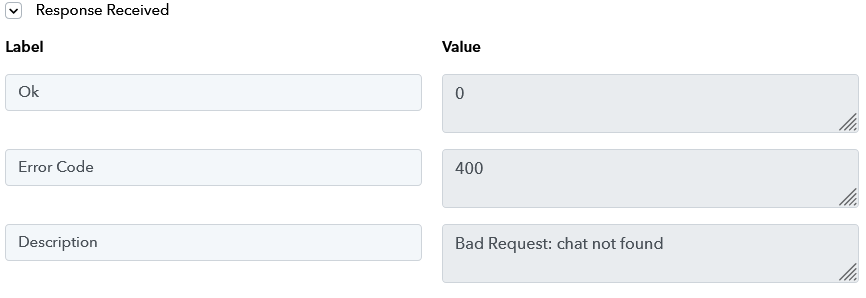
Hey @radhesr
Kindly share the workflow URL once in which you have experienced the same so that we can look into it.
https://forum.pabbly.com/threads/telegram.5079/
Once, you have configured your telegram bot through the above process, you can start configuring the action steps in Pabbly Connect.
In order to obtain a chat ID, please follow these steps:
1. Open Telegram on mobile.
2. Create a Group or Channel and add members including your bot. Ensure adding your bot has the admin permissions in the group or channel.
3. Chat ID can be obtained either from the trigger step or from the chat URL following # e.g. -1742441346 is the chat ID from the URL https://web.telegram.org/z/#-1742441346.
4. In case of channels, enter chat ID with pre-fix 100 e.g. if you have a channel id like -155545555 then, the chat id will be -100155545555
Last edited by a moderator: Apr 18, 2022