Google Events: Creating Multi-Day All-Day Events
Status: Closed · Asked by laurenmariecaparso on · 0 views
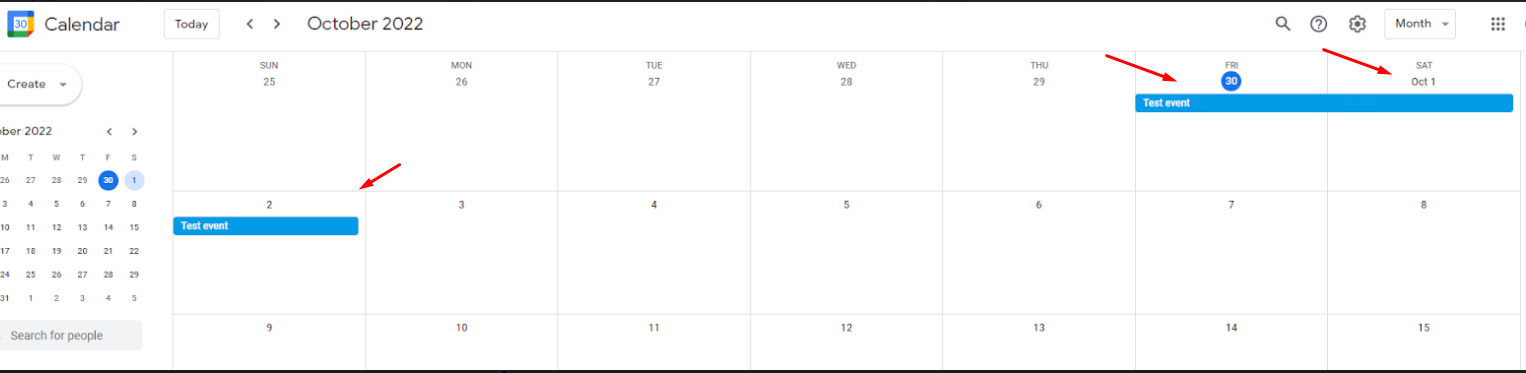
Hi! i've created a workflow to turn a jotform submission into a google calendar event. The problem is that something the submission is a multi-day event and only the first day populates in google calendar :(. Help?
Hey @laurenmariecaparso
Hi! i've created a workflow to turn a jotform submission into a google calendar event. The problem is that something the submission is a multi-day event and only the first day populates in google calendar :(. Help?
As we can see from your latest task history Id, you are now getting both the start and end date in correct format.
Please confirm that the issue has been resolved or not. Else, do share a task history Id from your history log, so that we can look into it and guide you accordingly.
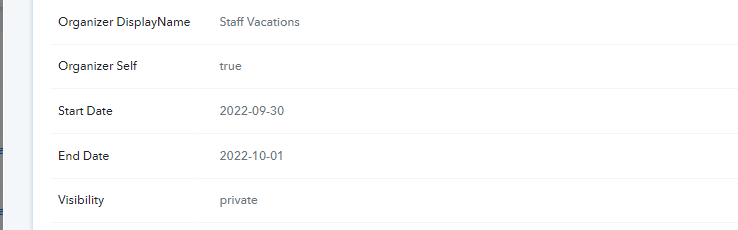
it works in the workflow as your screenshot indicates, but the google calendar event is still only scheduled for one day :(
Hey @laurenmariecaparso
Please add the end date one day after the actual date. You can also use the "Date/Time Formatter by Pabbly: Add/Subtract Time" action event to add the time.
Eg, I need to start the event on 30th Sept and want to end the event on the 3rd of Oct. Then the start date will be "30th Sept" and the end date will be "4th Sept" i.e +1 of your actual end day-