Google Form to Gmail with attachment of the uploaded file
Status: Open · Asked by Rubaru Global Real Estate on · 0 views
Hello Everyone,
I have to send monthly apartment inspection reports by email to my clients. In some cases, I need to attach the apartment photo to the email.
I have a Google form where I enter details and upload an image.
Google form data is added to the connected Google sheet.
I want to send a gmail to the client with the attachment of the image uploaded in the google form to the client.
Please assist how I can do it.
Hi @azmatpabbly,
You can follow the steps given in the video shared below to achieve this use case.
Hi Arshil,
Thanks for the reply.
My case scenario is different from above shared video,
In my case, an image/file is getting uploaded to the Google form.
I want that uploaded image/file to be sent on Gmail.
Please let me know how I can attach the uploaded image/file on Google form to Gmail.
Please setup Google Forms as your trigger application, and let me know.
Please setup Google Forms as your trigger application, and let me know.
I did it
I have added a Google Drive action step to your workflow that will provide you with a downloadable link. You need to map this downloadable link to your Gmail action step attachment field. I have made the necessary changes to your workflow on your behalf. You should now be able to send the attachments upon form submission.
Thank You Mr. Arshil for the quick assistance, Highly Appreciated.
I tested the workflow, it's working fine, if the image is uploaded in the Google form.
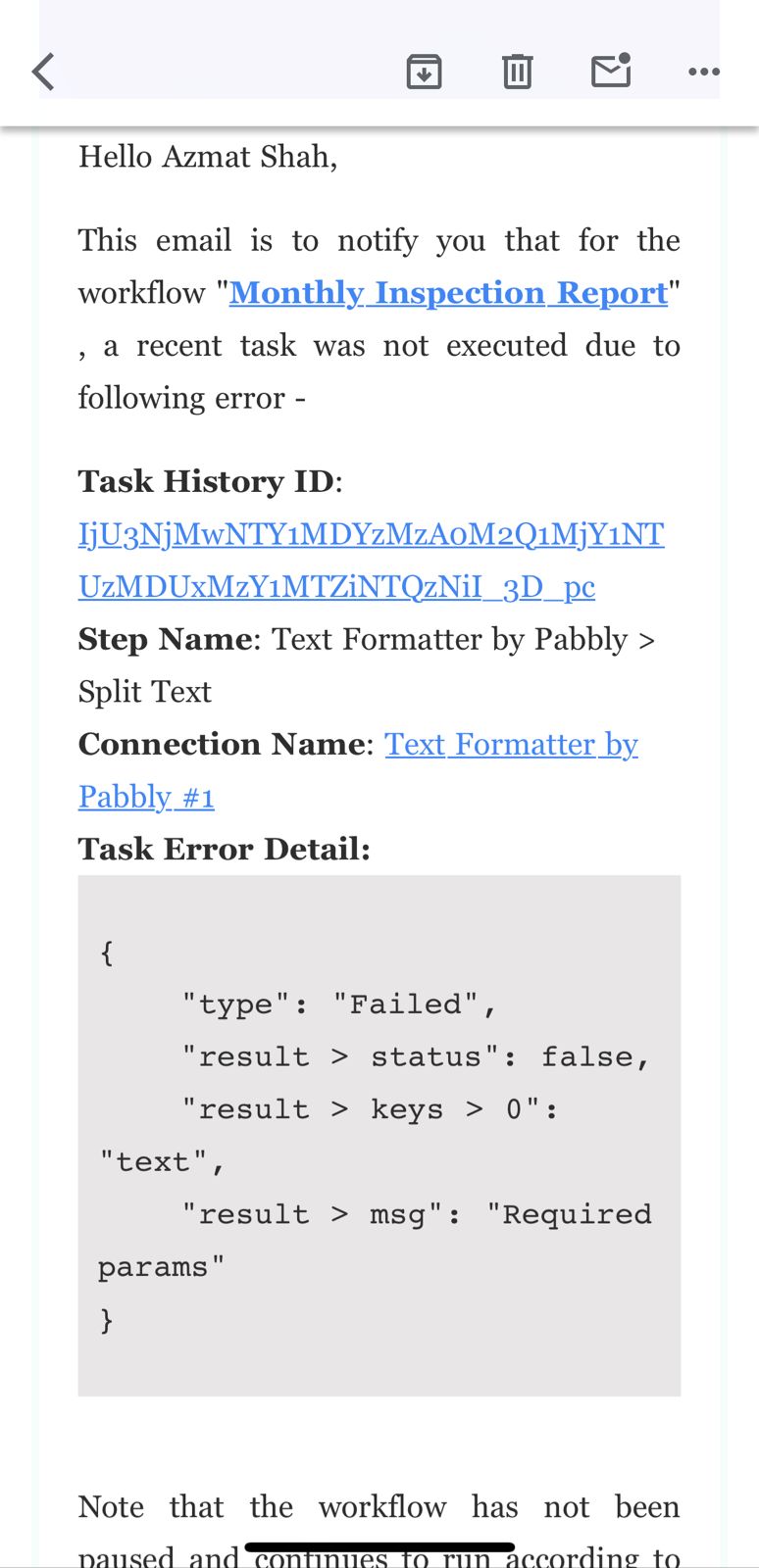
BUT, it's not working if the image is not attached, please assist in this case scenario.
Please screenshot of the error email received from Pabbly.
For this use case, you can add a Router to your workflow and set it up accordingly. This workflow serves as a reference (do not use this); you need to set up your original workflow in a similar manner.
https://connect.pabbly.com/workflow/mapping/IjU3NjUwNTZiMDYzMjA0Mzc1MjY4NTUzMjUxMzci_pc
Thanks Arshil, I am not aware of the router, can you please do it for me in the workflow.
I have added the router to your original workflow as well. You can enable this workflow.
https://connect.pabbly.com/workflow/mapping/IjU3NjUwNTZiMDYzMjA0MzQ1MjZhNTUzZDUxM2Ii_pc
For future reference, please watch the video shared below to understand how you can add a router to your workflow, as I won't always be able to set up the entire workflow on your behalf.
Thank you Mr. Arshil,
I have learned new way to make workflow, I am delighted and appreciate your assistance.
I am glad I was able to help.