Google Form to Trello Card - Input Date & Time
Status: Open · Asked by creative6 on · 0 views
My workflow is a Google Form to Trello Card creation with responses in the google form needing to be input into custom fields in the new trello card.
A few of the responses on Google Form are dates/times and when I add those dates/times to trello using the "update custom field" action, the times are incorrect by 7 hours. For example, the Google Sheet response date/time was 4/18/2023 10:11am (this is in pst) and using the action it inputs into trello as 4/18/2023 3:11am.
Google Sheet response: 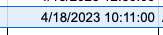
What is input into Trello: 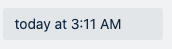
I'm not sure what this time change is, nor can I figure out how to format it correctly using the date/time formatter since the time thats in the google sheets is already correct, I tried to reformat the date/time but it was even more incorrect.
Hey @creative6,
Please share your workflow with us at the provided email address so that we can gain a better understanding of your issue.
Email: arshil.ahmad@pabbly.com
Also, remember to revoke access once your query has been resolved.
Attaching a video for your reference:
hello, you should now have access, the admin of the account added you. let me know if you don't have access. thank you
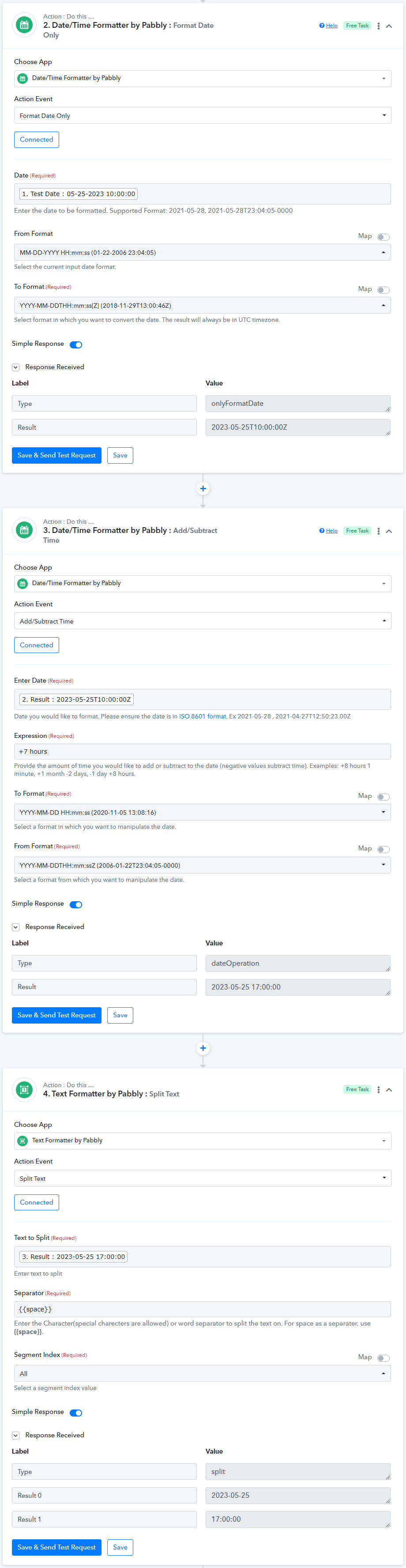
@creative6, The time zone difference between UTC and PST is 7 hours, and the responses generated by Google Forms are in UTC format. To resolve this time zone problem, you will need to add some additional steps into your workflow, as shown in the screenshot.