Google Form to Xero
Status: Closed · Asked by Zhen Wah on · 0 views
Hi,
I am having issues that my form has duplicated variables, for example, they need to key in a number of sets A, B, and C for two days and the questions are the same but in two different sections. When I want to use this data for Xero, it only shows the most recent data that has been keyed in but the earlier one will just disappear. Could I know any way for me to use both of the data under the same question?
Thanks
Hey @Zhen Wah
Can you please share your use case briefly with the help of a short video, so that we can check on it and help you accordingly?

The picture above is from my Excel and you can see there are a few duplicates column. When I send the test data to Pabbly to test it out, it only reflects the latest data for the duplicate column.
Can you make the trigger column your last column from your Google Sheets? Additionally, you can only use "Send On Event" when setting up Google Sheets if the data is coming from a Google application or if you manually enter it. If the data is coming from a third-party application, however, you may need to choose "Auto Send On Schedule" or "Send on Schedule," which will forward the data in exactly one hour.
Additionally, make sure the data was filled up to your trigger column.
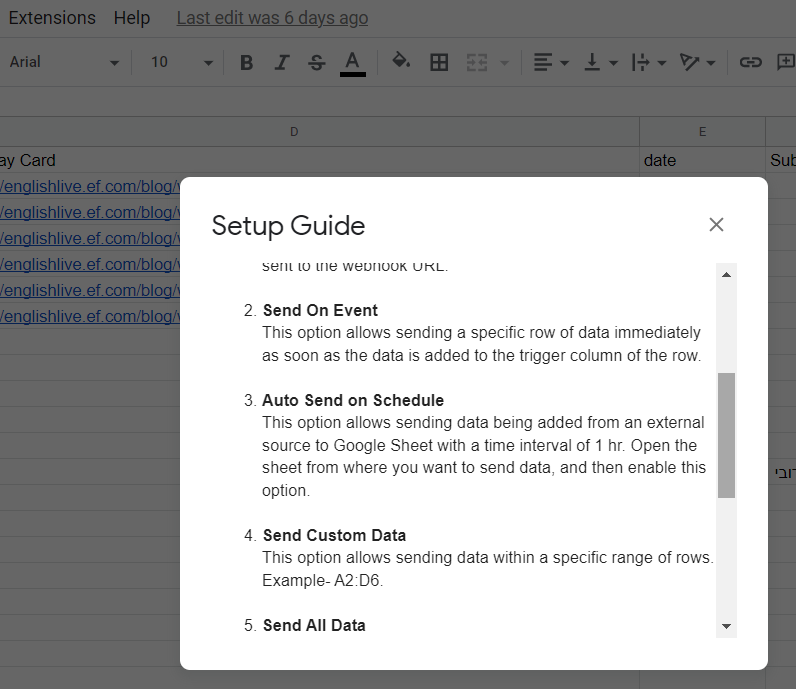
Hi I have made the trigger column my last column, and I have already set it to send on the event but when there is duplicate data, it will only capture the last duplicated data.
Hey @Zhen Wah
Can you please provide the task history Id or the data which you are facing "When there is duplicate data, it will only capture the last duplicated data?"