google group: get group id
Status: Open · Asked by Shahidul Islam Pranto on · 0 views
Hi, I would like to add a member to google group. but i require a group key, which i do not have got. please can you assist me how to add one user as a member to a google group
Workflow link: https://connect.pabbly.com/workflow/mapping/IjU3NjUwNTY1MDYzNDA0MzI1MjZhNTUzMzUxMzUi_pc
This is the action block i used.
Hi @shahidul islam pranto,
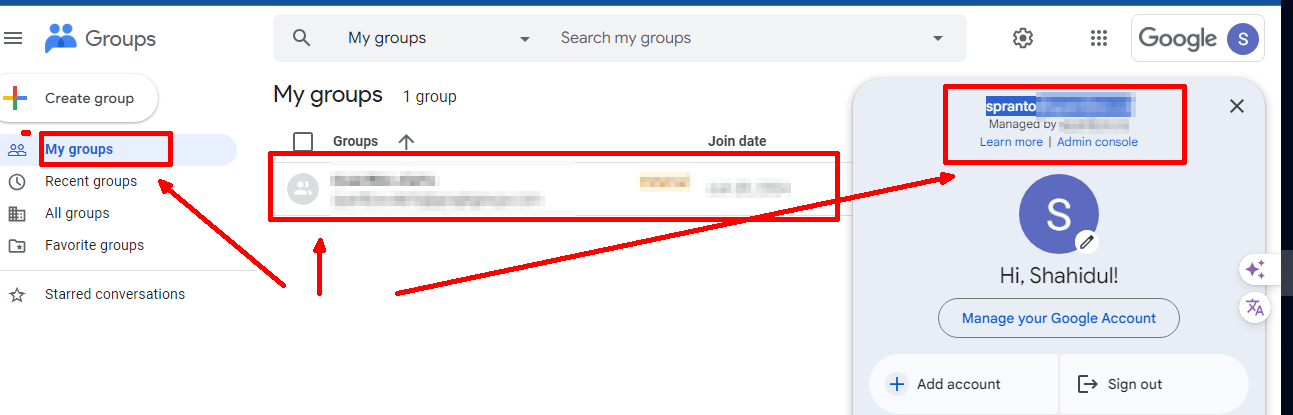
Could you please confirm whether you have any groups in your Google Groups account?
Yes, i am a member of a group. as you can see the picture below.
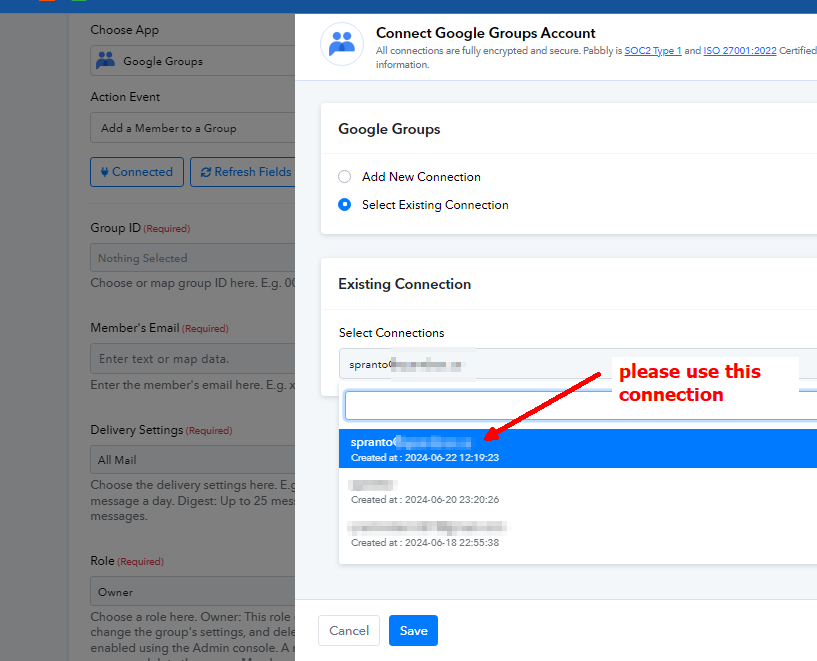
Getting the "Resource Not Found: groupKey" error in Google Groups API means the API couldn't find the group you specified. Here's why:
- Wrong group key: Double-check the email address or group ID you're using.
- Missing group: The group might not exist at all.
- Permission issues: Your account may not have access to that group.
- API limitations: Free Gmail accounts can't manage groups with Admin Directory API.
To fix it:
- Verify the group key.
- Confirm the group exists.
- Use an admin account with proper permissions.
- Use the Groups API for free accounts (if applicable).
Can you please check this action I created this app.
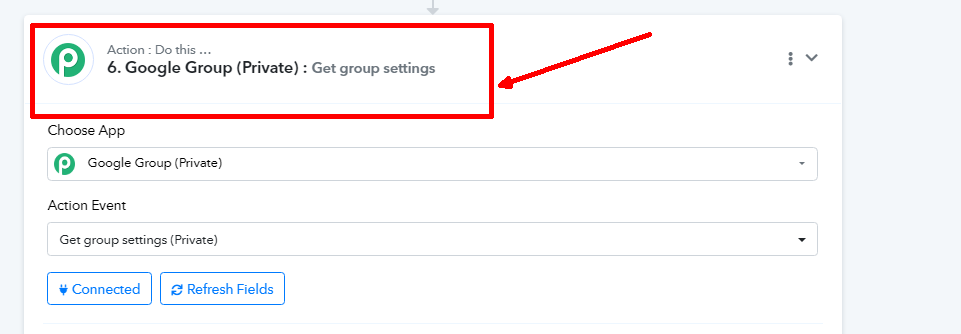
Can you please check this action? I created this app.
Please send an email to the given email address, where our integrations team can help you with the application that you have created. integrations@pabbly.com
Sent the mail. please check.
Our integration team will get back to you regarding the application concern you have.
Hi, please see the issue in this 3 min video. i request you to solve my problem. this automation is very critical for my business.
https://komododecks.com/recordings/rYmxKG6mHtxvVrcX9s0n
Workflow url: https://connect.pabbly.com/workflow/mapping/IjU3NjUwNTY1MDYzMzA0MzI1MjY5NTUzNzUxMzci_pc
Hi, please see the issue in this 3 min video. i request you to solve my problem. this automation is very critical for my business.https://komododecks.com/recordings/rYmxKG6mHtxvVrcX9s0n
Workflow url: https://connect.pabbly.com/workflow/mapping/IjU3NjUwNTY1MDYzMzA0MzI1MjY5NTUzNzUxMzci_pc
Thank you for sharing the video. Please allow us some time to look into this concern. We will get back to you shortly.
Hey @shahidul islam pranto
Kindly make sure that you must have Google Groups for Business enabled for your domain and allow end users to create groups. See Turn Groups for Business ON or OFF and Set Groups for Business sharing options for more information. These steps require Google Workspace administrator access to your domain.
Also, you must have an assigned role that includes Admin API Groups permissions, such as Super Admin or Groups Admin.
Further, we need you to visit this link - https://developers.google.com/admin-sdk/directory/reference/rest/v1/groups/list?apix_params=%7B%22customer%22%3A%22my_customer%22%7D
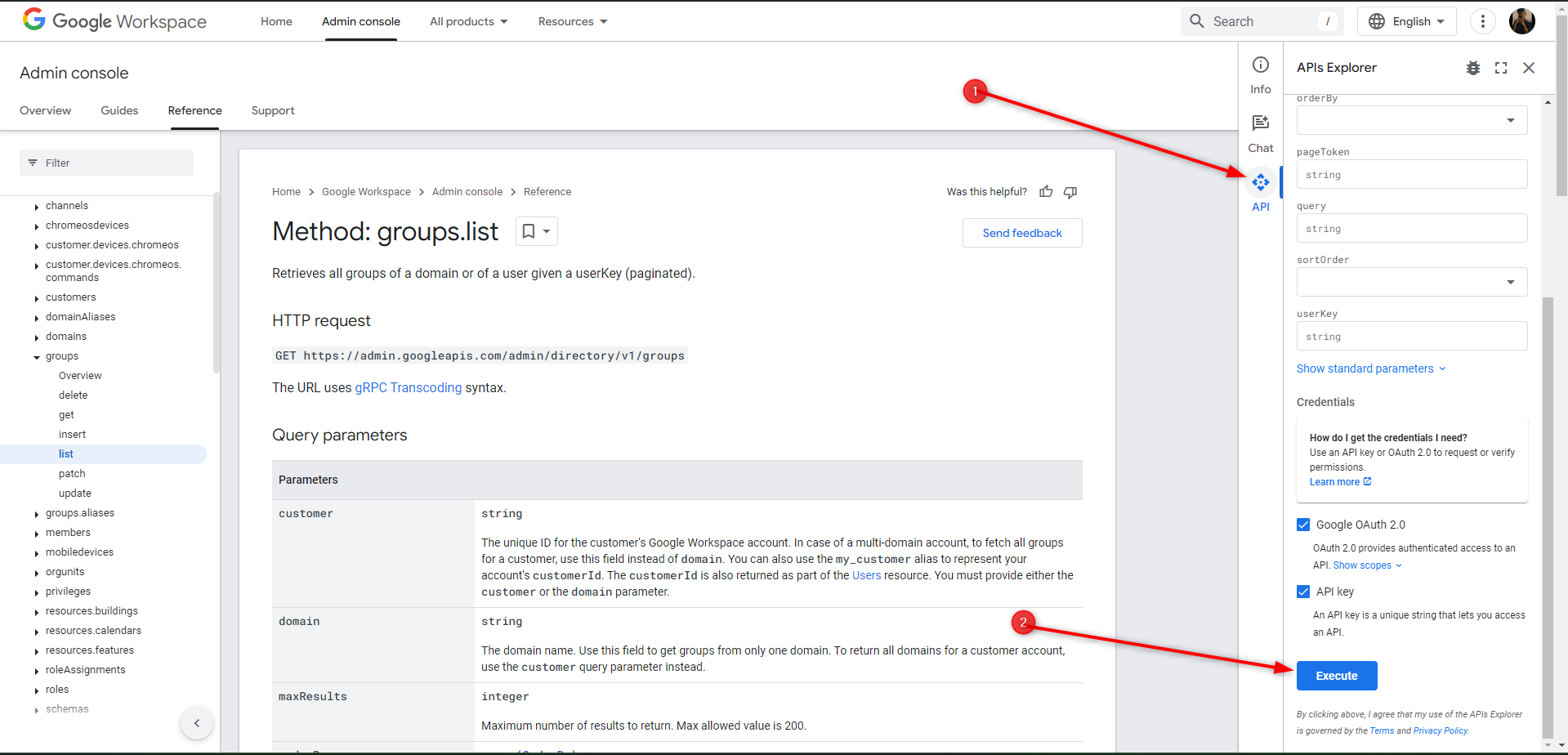
As you visit this, there will be a pop up on the right side. Kindly connect your account and execute the request and let us know the status code which is returned (For eg, 200, 500, etc.) Through which we can confirm if the issue is related to account permissions or not.
I did exactly what you said. I turned the group for business on for everyone, and I executed the api request in the above mentioned imaged. After executing, I got 400, bad request, see image
.
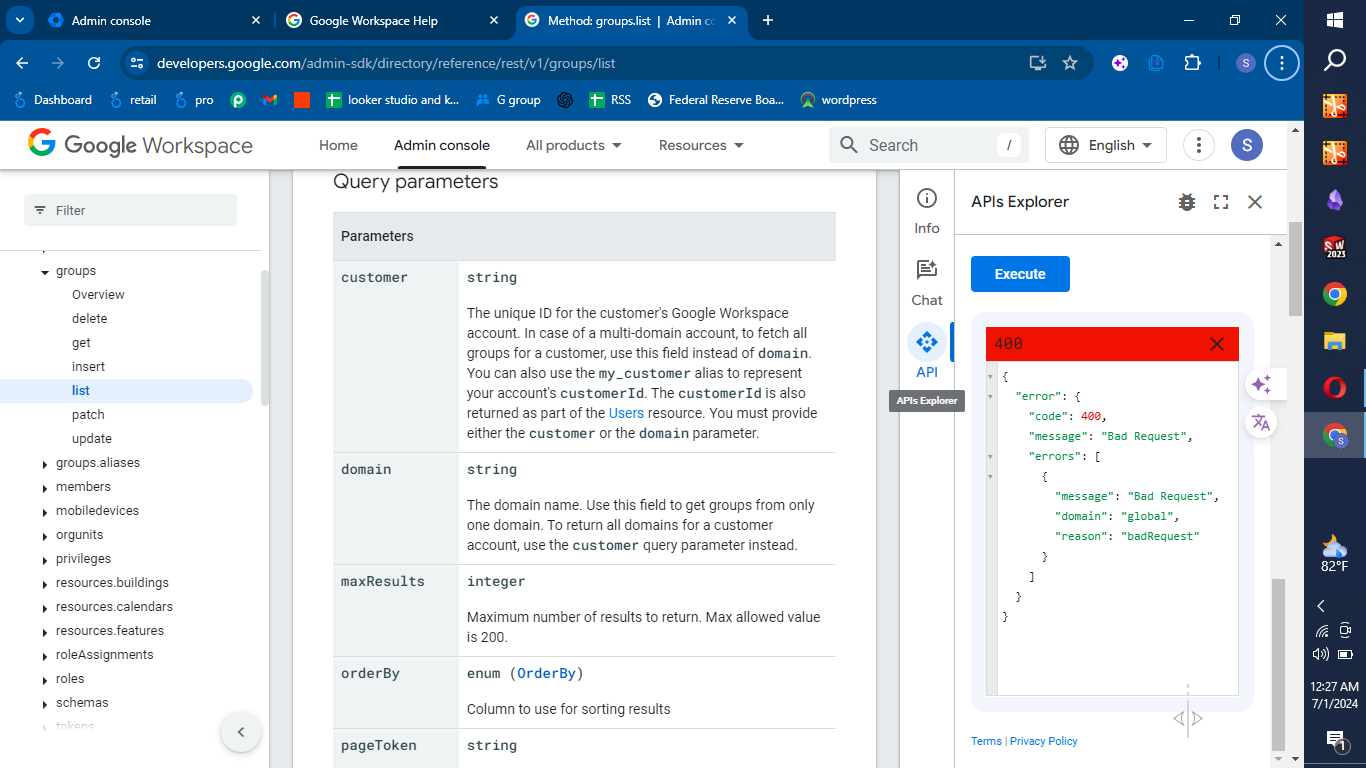
Since you are getting an error on the Google Workspace app console as well, we suggest that you get in touch with Workspace's support team to understand the exact reason why you are encountering this error.
Do you mean google support team
Yes @shahidul islam pranto , precisely Google Workspace Support.
Let us know if you have any update or issue regarding Pabbly Connect.