Google lead form sending form data to wrong api fields
Status: Closed · Asked by UTKARSH SINGH on · 0 views
Hello,
I have create a workflow (google ads to odoo api to whatsapp). The issue I'm facing is that the lead form data received by webook is sent to wrong fields. I have mapped the fields correctly multiple times according to the test data sent from google lead form. Some times the "name" field receives "mobile number" or "bhk" or "city". Please help.
Hey @utkarsh1
Upon checking your workflow, it appears that you've mapped data in the fields of WhatsApp by AiSensy action step. However, in the automation process, the fields are changing, leading to variations in the key values of the data.
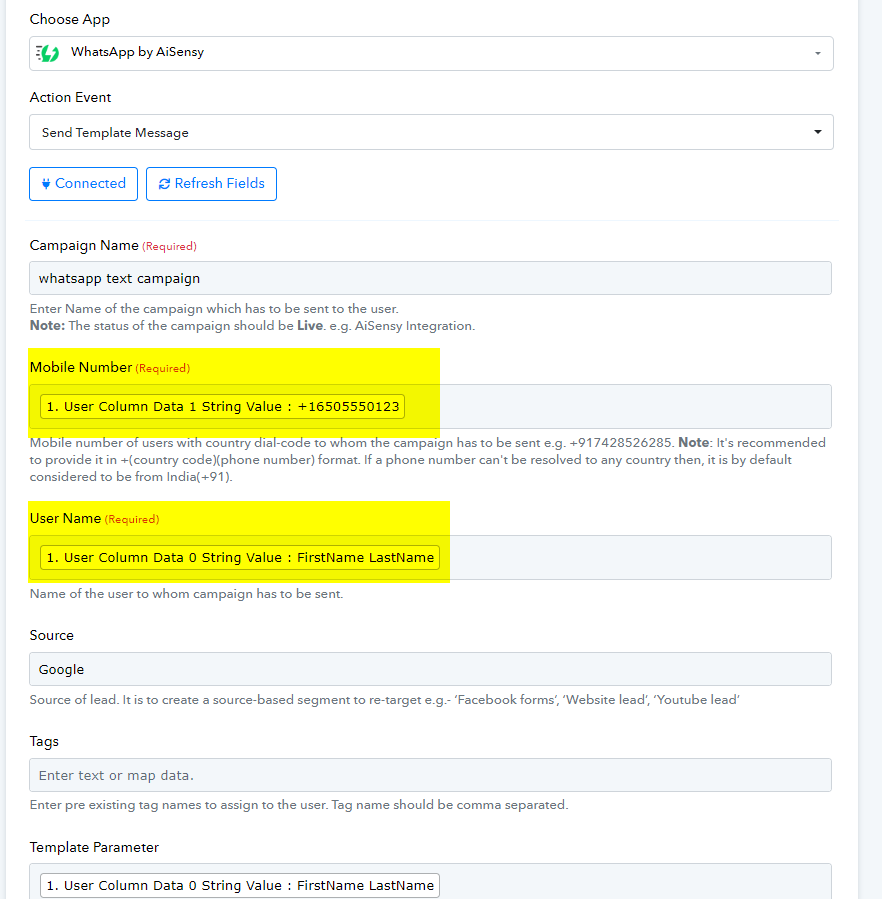
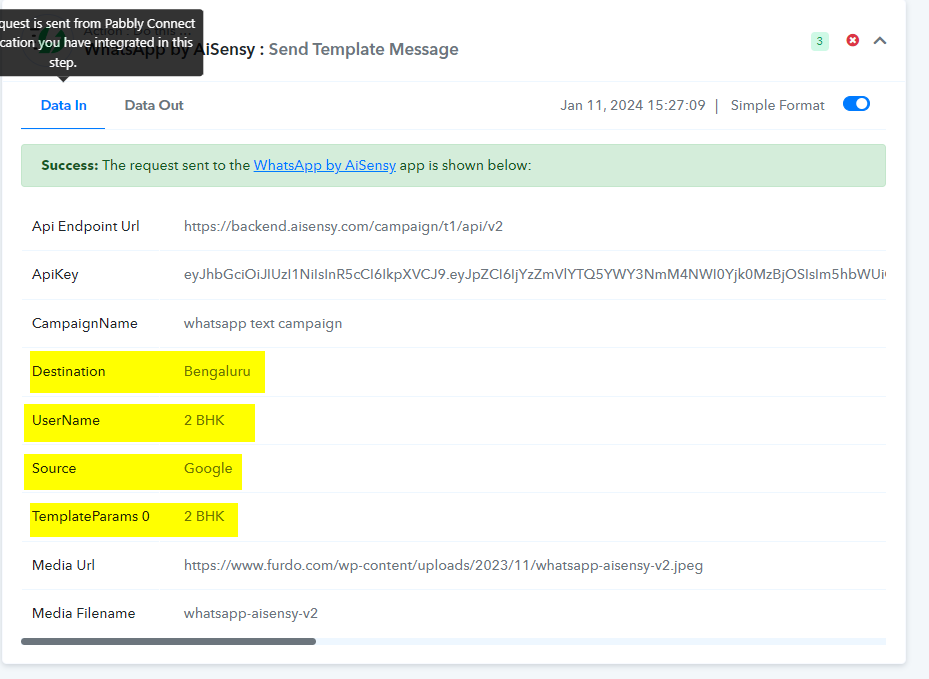
In light of this, I recommend referring to the video tutorial below, which specifically addresses your use case. Please follow the instructions provided in the tutorial, and try capturing the response again from Google Ads, followed by remapping in the WhatsApp by AiSensy action step.
Do compare both the workflow and task in the first 2 steps. The data is being received in wrong fields. The issue is there. If the 1st step is not working properly, rest won't. Have attached images of both. 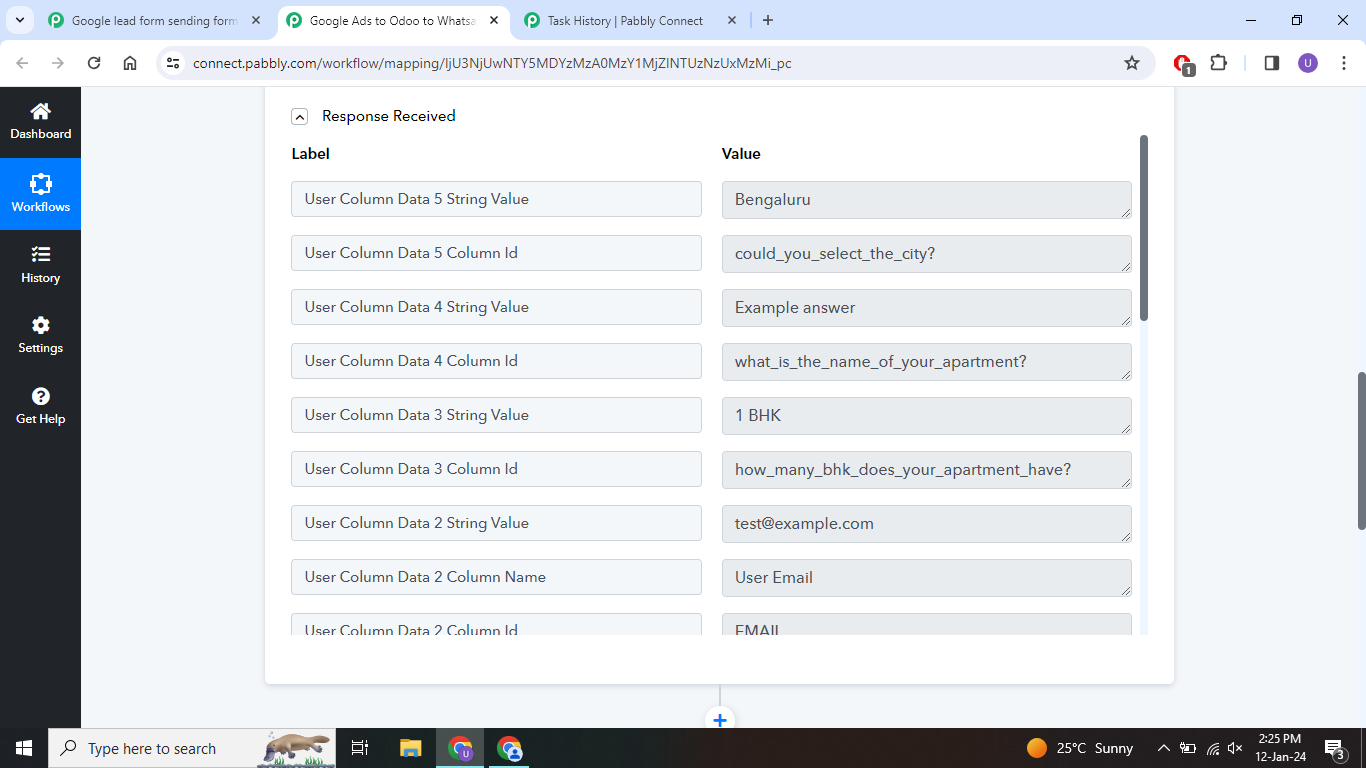
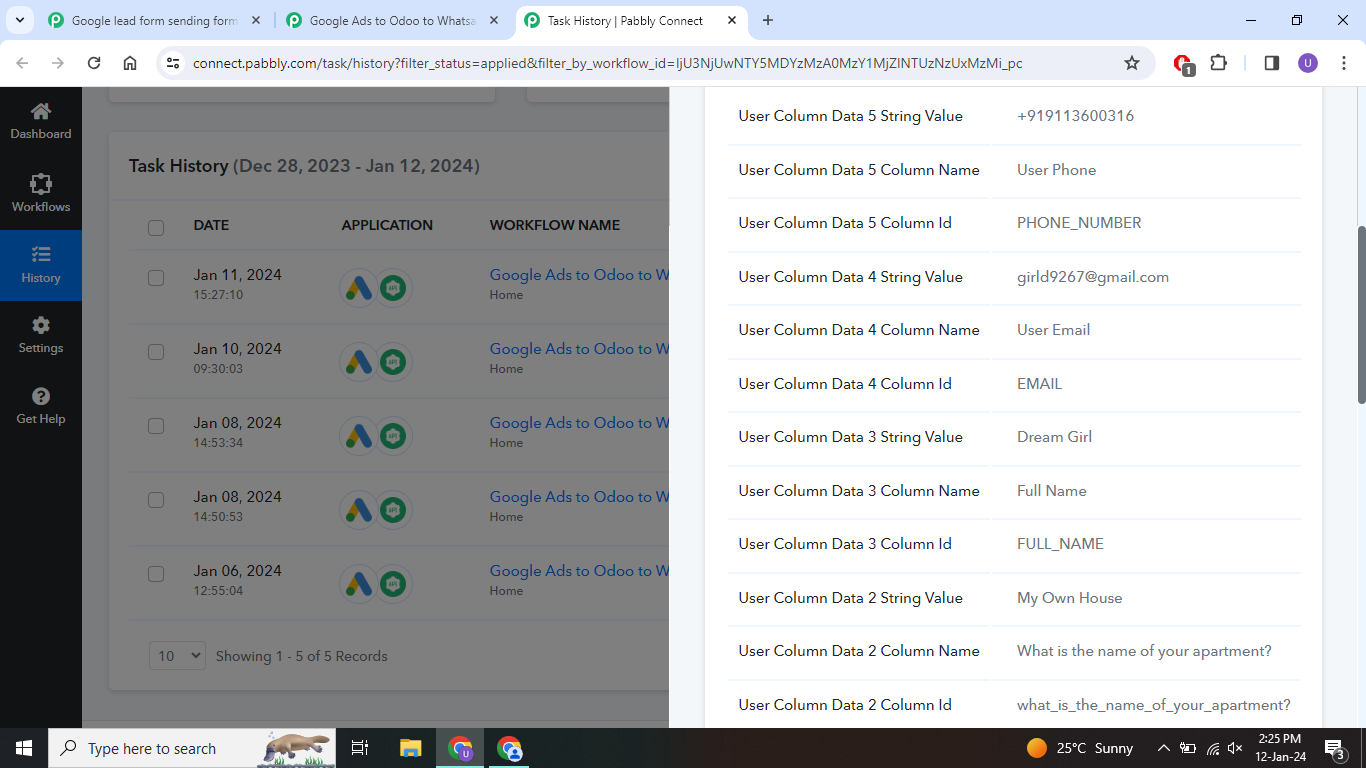
I kindly request you to recapture the response using the advanced format after turning off the simple response.
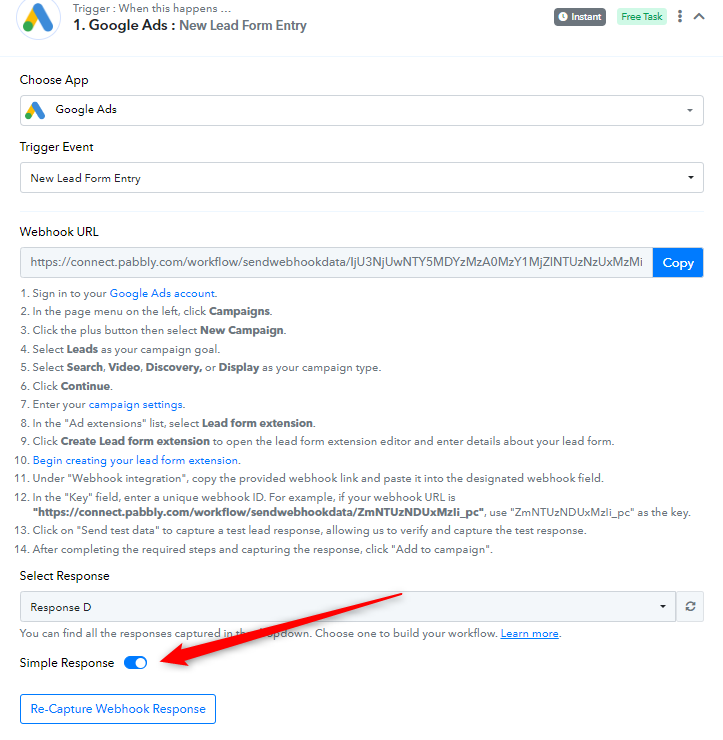
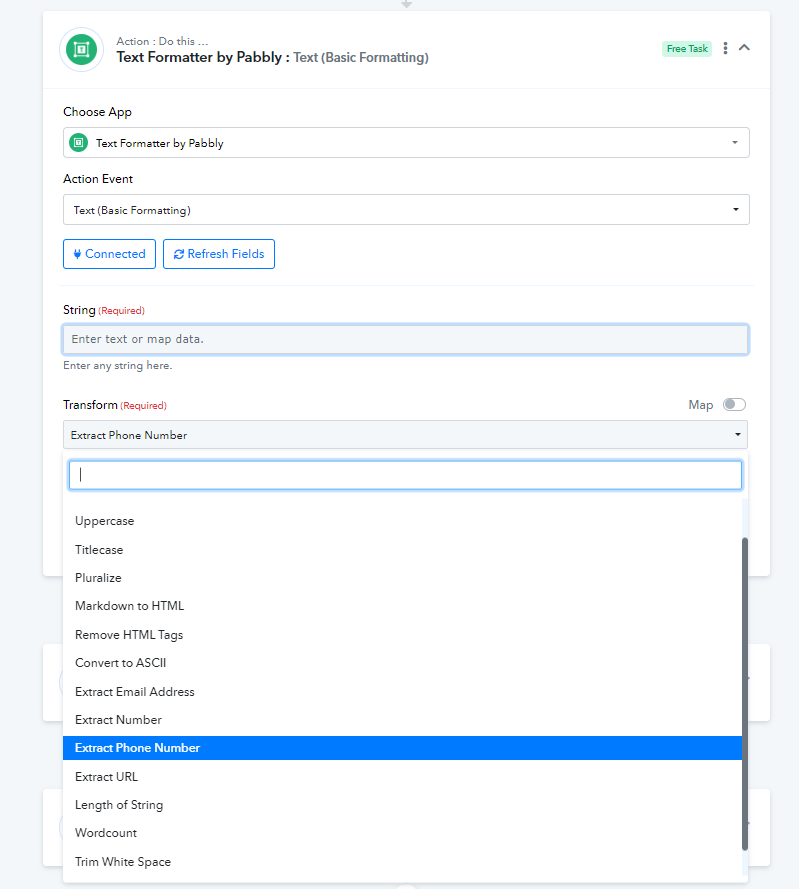
Subsequently, you have to use the Text Formatter action step to extract the phone number.
youtube.com/watch?v=fyszERE7g9o
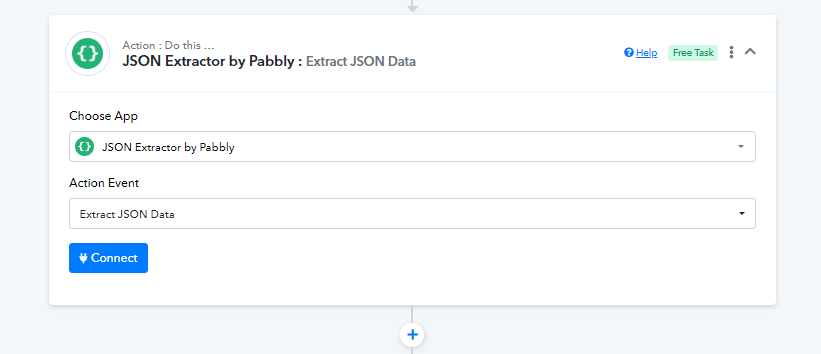
Following this, add the JSON Extractor action step to extract data from the array response.
I recommend capturing the response in the array format after turning off the simple response and then attempting the process again.