Google Shared Drive - Sub Folder - Share With Anyone
Status: Closed · Asked by PatrickInt on · 0 views
Hi
I have a workflow that creates a folder in a Shared Drive, and adds a sub folder to it. I then want to give allow anyone with the link, to upload files to the sub folder.
Creating the folders is fine, but giving access is causing issues.
1) App - Google Drive: Action Event - Create Folder in Shared Drive - Working 100%
2) App Google Drive: Action Event - Create Sub Folder in Shared Drive (created in step 1) - Working 100%
- I now need to give clients access to the folder, but without the need to sign in to Google.
3) App - Google Drive: Action Event - Share File with Anyone in
- Shared Drive (Share Drive mapped from step 1)
- File or Folder ID (Folder ID mapped from step 2)
This all works fine, but the person accessing the folder must sign in. Is there any way to allow access without sign in?
Thanks
Chris
Hey @PatrickInt
You can use the "Google Drive: Share a File or Folder by ID" action step to provide access to the folder and file.
Kindly try this at your end and let us know.
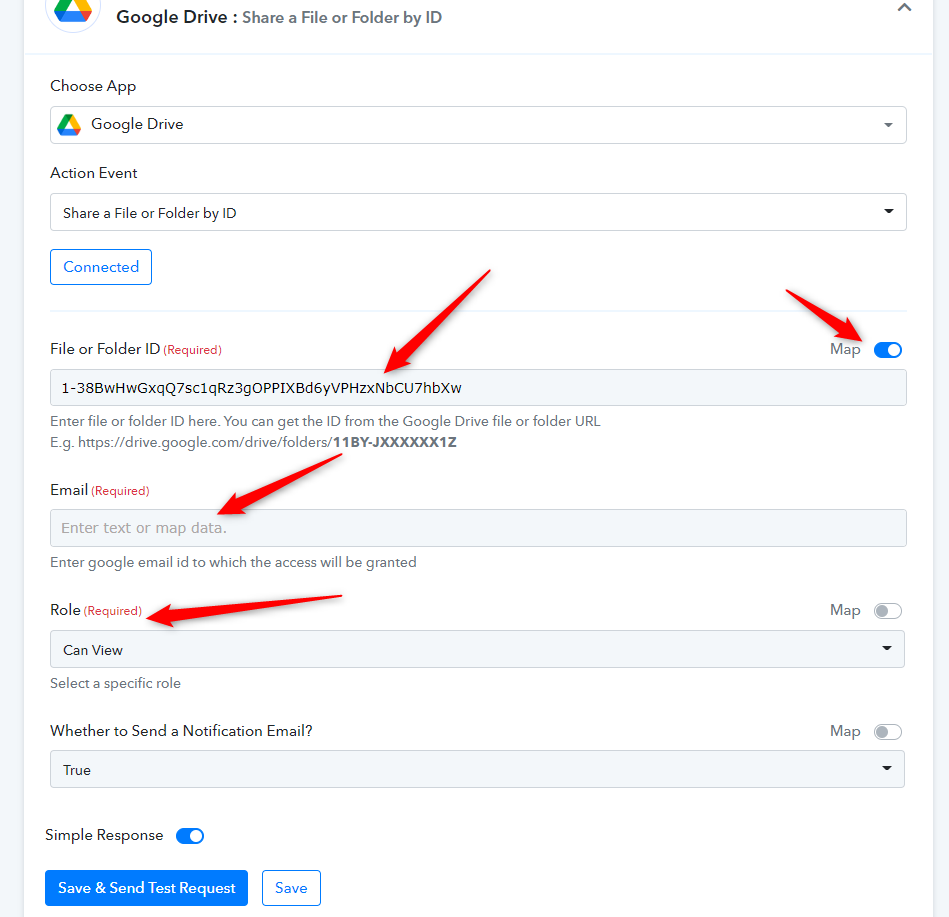
Thanks, but this doesn't work in a Shared Drive folder system.
Hey @PatrickInt
As of now, your Desired action step is not available on the platform, so you can post the request to our Integration team, to add the action event here - https://pabbly.hellonext.co/
Okay thanks for looking into this.