google sheet calender > not fireing to social
Status: Open · Asked by Limitless on · 0 views
please help.
Hey @Limitless,
Please grant me access to your workflow by adding me as a team member. This will allow me to gain a better understanding of your issue.
Once you have added me as a Team Member, do let us know the name of your workflow.
Email: arshil.ahmad@pabbly.com
Also, remember to revoke access once your query has been resolved.
Attaching a video for your reference:
Hey @Limitless,Please grant me access to your workflow by adding me as a team member. This will allow me to gain a better understanding of your issue.
Once you have added me as a Team Member, do let us know the name of your workflow.
Email: [EMAIL]arshil.ahmad@pabbly.com[/EMAIL]
Also, remember to revoke access once your query has been resolved.Attaching a video for your reference:
Done. please let me know if there a mistake so i can solve it for future workflows.
Please allow us some time to look into this issue. We will get back to you with an update soon.
Please allow us some time to look into this issue. We will get back to you with an update soon.
any update?
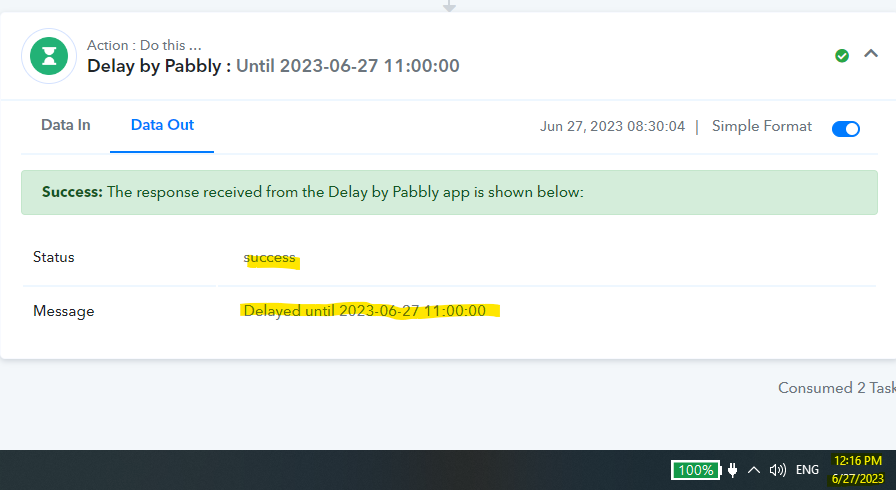
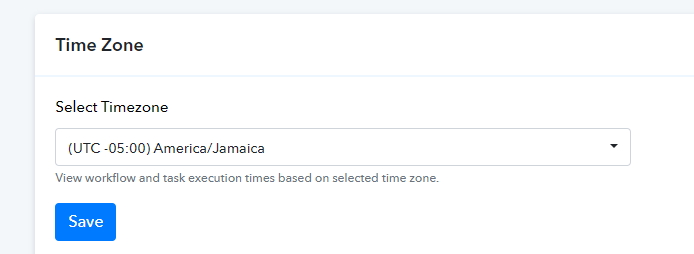
At first glance, the issue appears to be related to your Timezone.
Although we are still looking into this, in the meantime, I would suggest pausing your current workflow and setting up a new one from scratch (without cloning). Additionally, I would recommend adding a Date Time Formatter after the 'Google Sheets: Lookup Spreadsheet Rows' action step in the new workflow to correct the time.
At first glance, the issue appears to be related to your Timezone.Although we are still looking into this, in the meantime, I would suggest pausing your current workflow and setting up a new one from scratch (without cloning). Additionally, I would recommend adding a Date Time Formatter after the 'Google Sheets: Lookup Spreadsheet Rows' action step in the new workflow to correct the time.
your comment does not make much sense. My time zone format in the account is set to my current time zone, so what should I put in the date time formatter step...
At first glance, the issue appears to be related to your Timezone.Although we are still looking into this, in the meantime, I would suggest pausing your current workflow and setting up a new one from scratch (without cloning). Additionally, I would recommend adding a Date Time Formatter after the 'Google Sheets: Lookup Spreadsheet Rows' action step in the new workflow to correct the time.
So wait, delay by pabbly you mean I will need to update my whole sheet calendar to UTC+0? Can you explain exactly step by step what I should to to "correct" the time ???
So wait, delay by pabbly you mean I will need to update my whole sheet calendar to UTC+0? Can you explain exactly step by step what I should to to "correct" the time ???
No, you don't have to adjust the time in your entire Google Sheets spreadsheet; the Date Time Formatter will help you with this exact issue.
============================================================================================
Let's say you want to activate the Delay at 06:00 as per your timezone (UTC -5, America/Jamaica). So, you will enter the time in your spreadsheet as 06:00, and Pabbly Connect will capture that time from your spreadsheet.
However, the Delay considers the time to be in UTC format, which is 5 hours ahead of your time zone. So, if you directly map the time captured from your spreadsheet, the delay will be executed at 01:00 according to your time zone instead of 06:00.
To prevent this, we will add 5 hours to the captured time using Date Time Formatter, which will make it 11:00. Then, we will map that time in the Delay step. This will ensure that the delay is executed at 06:00 according to your time zone.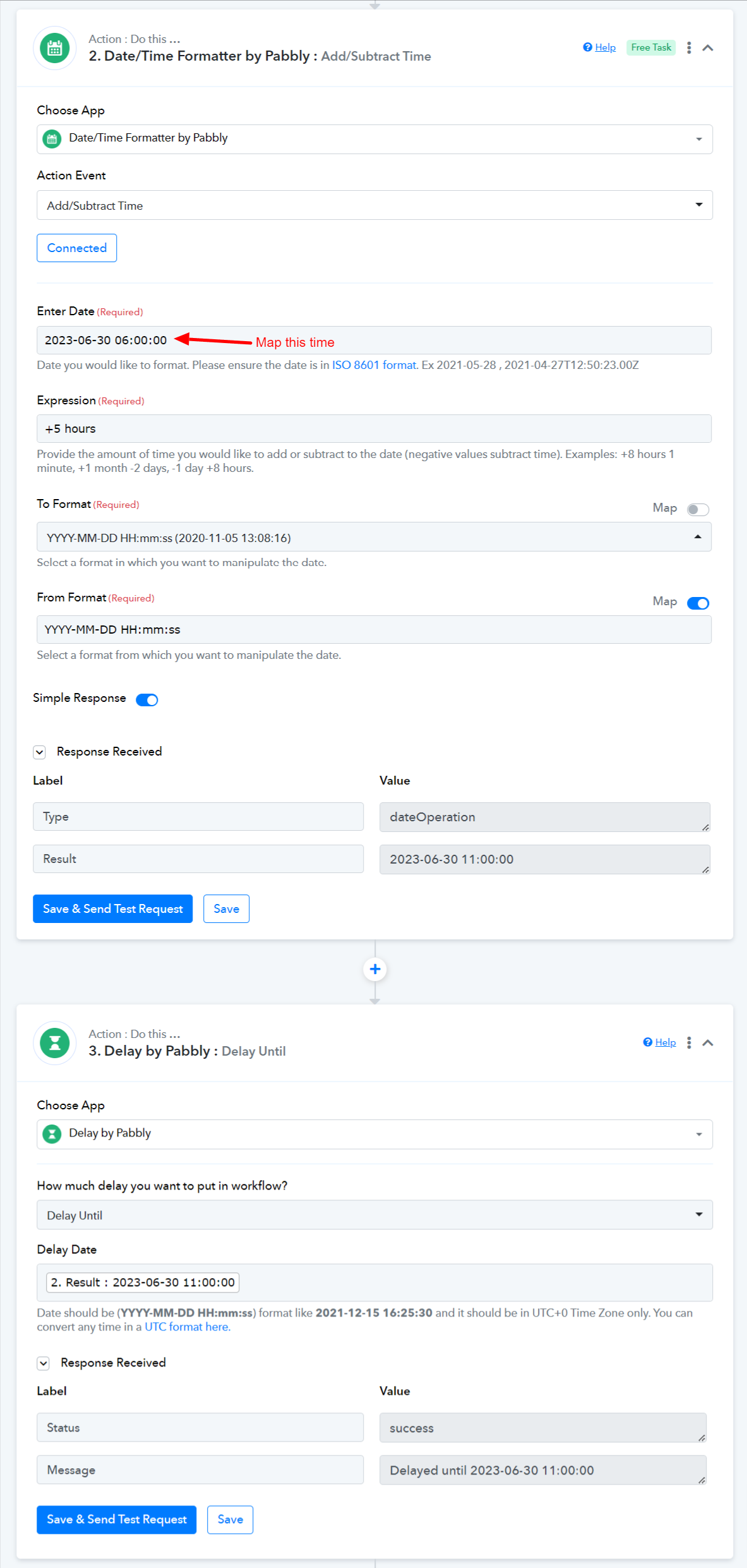
No, you don't have to adjust the time in your entire Google Sheets spreadsheet; the Date Time Formatter will help you with this exact issue.
============================================================================================Let's say you want to activate the Delay at 06:00 as per your timezone (UTC -5, America/Jamaica). So, you will enter the time in your spreadsheet as 06:00, and Pabbly Connect will capture that time from your spreadsheet.
However, the Delay considers the time to be in UTC format, which is 5 hours ahead of your time zone. So, if you directly map the time captured from your spreadsheet, the delay will be executed at 01:00 according to your time zone instead of 06:00.
To prevent this, we will add 5 hours to the captured time using Date Time Formatter, which will make it 11:00. Then, we will map that time in the Delay step. This will ensure that the delay is executed at 06:00 according to your time zone.
Thank you for the response, but creating a time formatted for multiple accounts seems a bit of a headache. Is there any other way that I can save tasks from being wasted? I think it makes sense just to fix it to fit the timezone setting in the account.
i really try to make this work for months now, and I get very confused by those instructions.
also, I have the date format in the same workflow for another purpose. Could you please create a workflow that has the whole steps so I can duplicate them? or if you know any other way to make it easier without this headache will be useful.
We understand your point of concern and the Delay until the action step shares different resources than the account level timezone.
So, to use the Delay Until Action step you would be required to convert the timezone to UTC in the given format.