Google Sheet colon in column creating issue
Status: Closed · Asked by Hugo Hamel on · 0 views
Hi,
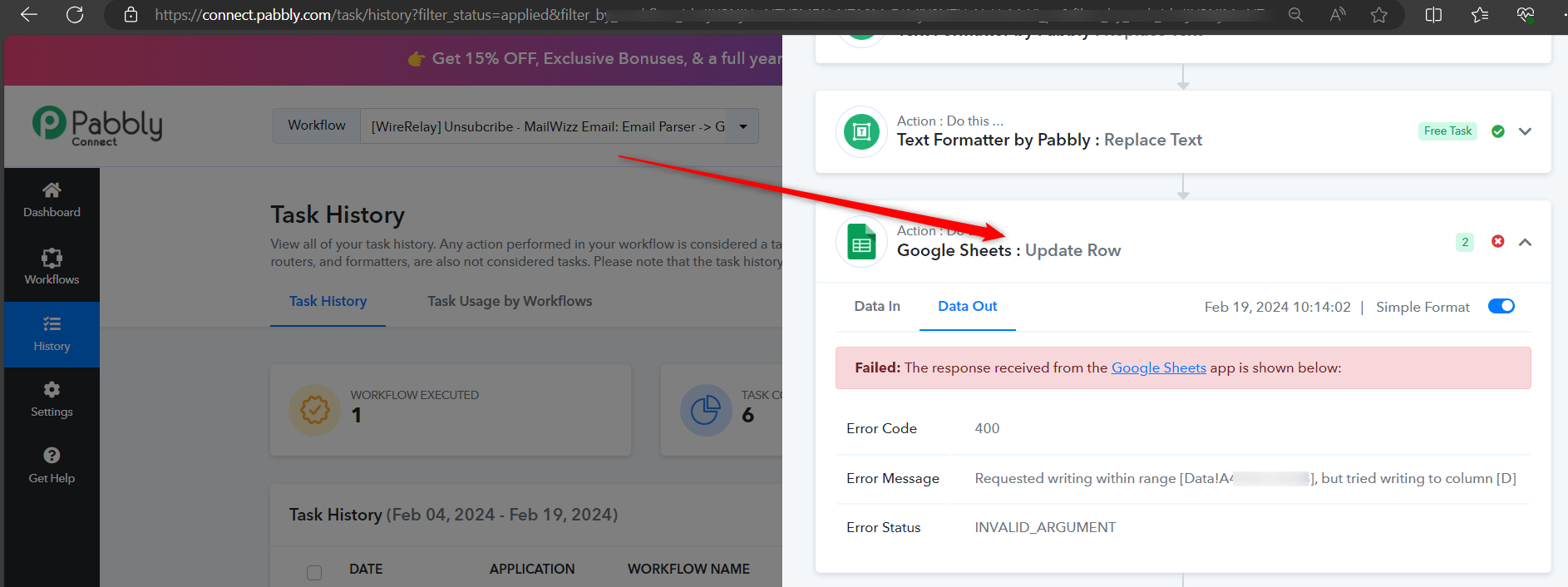
I keep getting this error:
[TABLE]
[TR]
[TD]Error Code[/TD]
[TD]400[/TD]
[/TR]
[TR]
[TD]Error Message[/TD]
[TD]Requested writing within range [Data!A4958:C4958], but tried writing to column [D][/TD]
[/TR]
[TR]
[TD]Error Status[/TD]
[TD]INVALID_ARGUMENT[/TD]
[/TR]
[/TABLE]
Following this thread: https://forum.pabbly.com/threads/google-spreadsheet-error-400.2001/ it seems that when a spreadsheet has a colon in a column it doesn't allow to update columns after it.
My column C contains the data and time (2024-02-19 10:04:04) and I am trying to update column D, but every time, it doesn't allow it for some reason.
There might be an issue on the backend of Pabbly that colon in columns disrupt the proper reading of the spreadsheet.
Thanks!
Hey @hugohamelcom
Can you please make a new connection once and then try again? Also, we cannot see the Update Row action step in your workflow concerning your desired task history ID.