Google Sheet Extension - More than 1 Trigger Column
Status: Closed · Asked by Benjamin Chew on · 0 views
Hi, is it possible to have more than 1 trigger columns for the google sheet extension?
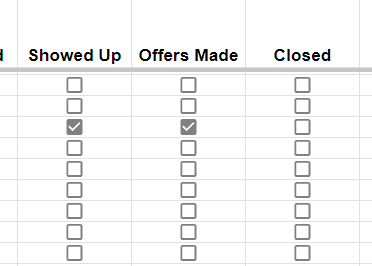
Whenever I check any of the boxes here, it triggers the automation. Is it possible?
Hey @benjaminshuu
The use case you are looking for is not possible. When setting up the Google Sheet integration, you can only select one trigger column.
For example, if you want to trigger the workflow based on column K, you need to enter the correct column as the trigger column during the setup. The trigger column should be the last filled column in the sheet. It is not possible to select multiple columns as the trigger column.