Google Sheet is not synchronizing with Pabbly Connect Workflow
Status: Open · Asked by Hasan Jubair on · 0 views
Google Sheet is not triggering the new entries with Pabbly Connect Workflow. It only triggers with a new entry when I manually add an entry to the sheet, and the sheet is open in my browser.
Help me fix this, please.
Hi @Hasan Jubair,
Could you please explain how the data is being added to your Google Sheets spreadsheet?
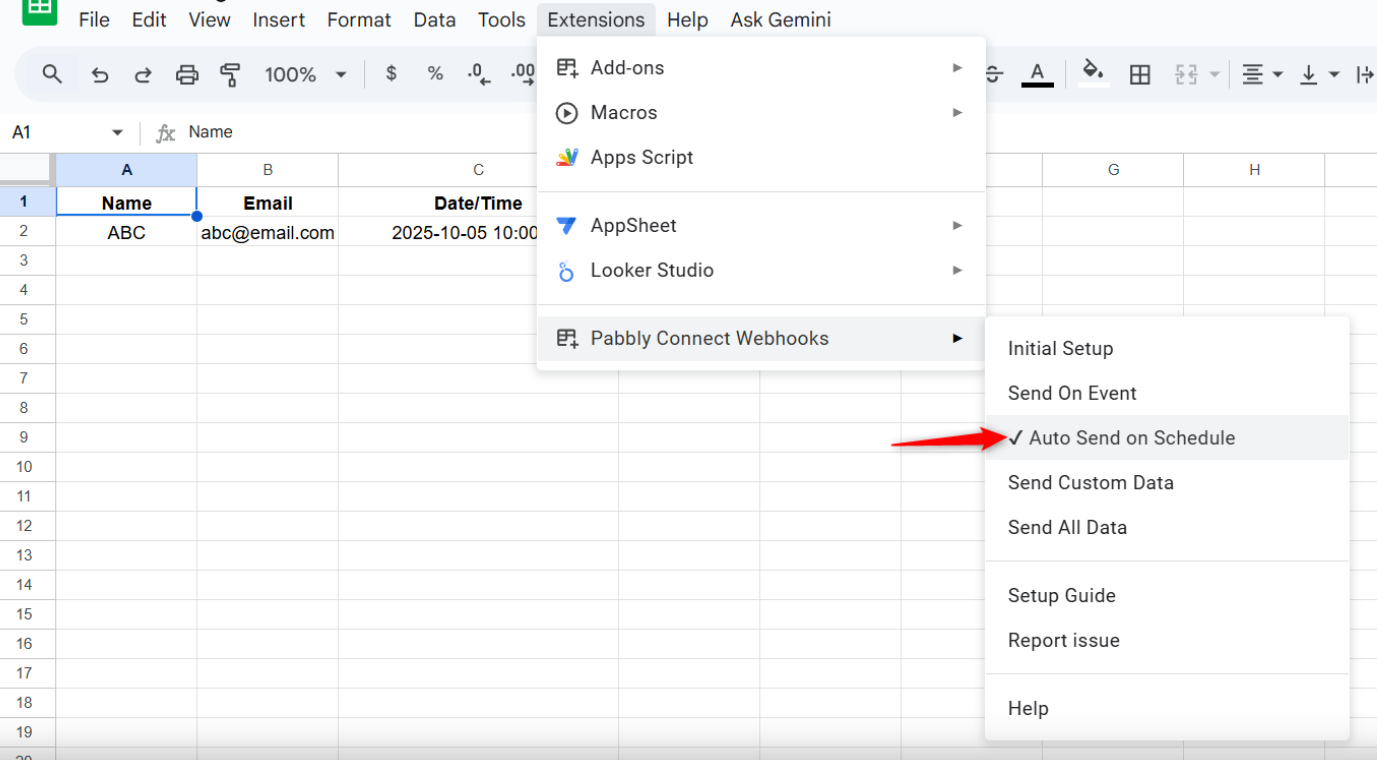
When data is added to your Google Sheets spreadsheet through a third-party application or API like Pabbly Connect, you need to enable the "Auto Send on Schedule" option. Please note that it can take up to 1 hour for your workflow to trigger when the data is added by a third-party application or API.
Thanks & Regards,
Arshil Ahmad
Customer Support Associate
Pabbly.com
?Rate your support
Thanks for the Tip. I've enabled "Auto Send on Schedule" option. let's see if it works now.
We are using Klasio's built-in CRM Google Sheet Integration. So, yes, it is a 3rd party.
Also, do I need to uncheck the "Send On Event" Option? or Both option can stay checked?
Attachments
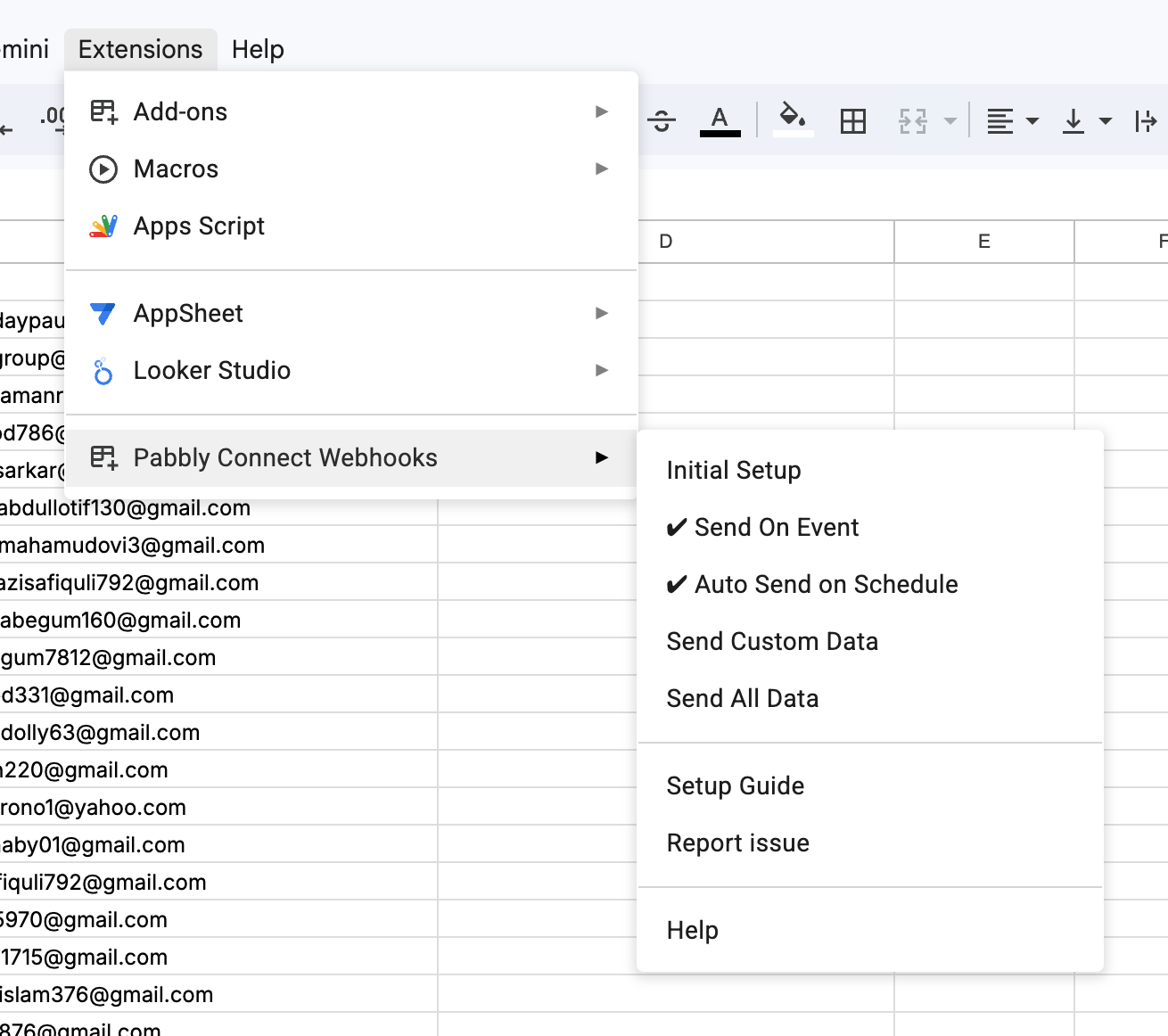
Uncheck "Send on Event" and keep only the "Auto Send on Schedule" option enabled.
Thanks & Regards,
Arshil Ahmad
Customer Support Associate
Pabbly.com
?Rate your support
Great! It's working now!
Thanks Arshil
Thank you for the update. We’re glad we were able to help.
We’d really appreciate it if you could share some quick feedback on the support you received:
https://forms.gle/GAjS4wdPYKuhnEYV9
Thank you for your time.
Thanks & Regards,
Arshil Ahmad
Customer Support Associate
Pabbly.com
?Rate your support