Google Sheet Issue
Status: Closed · Asked by mvabhi on · 0 views
Hi Team,
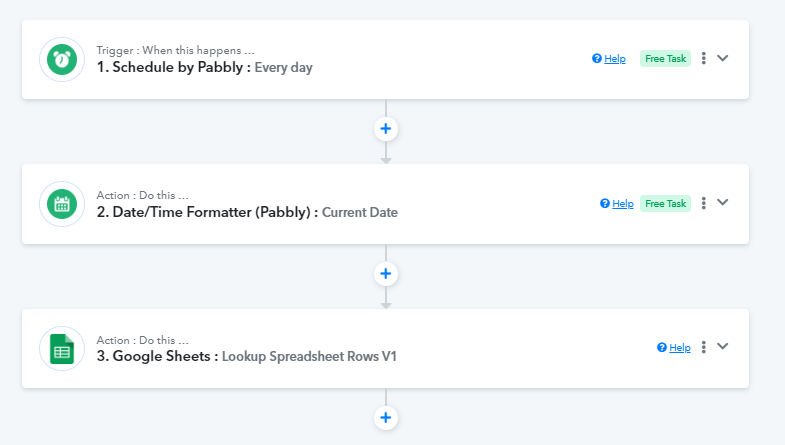
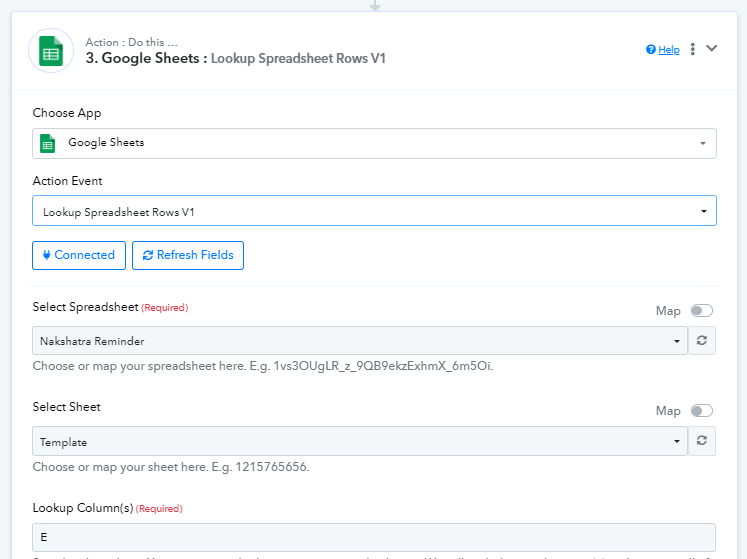
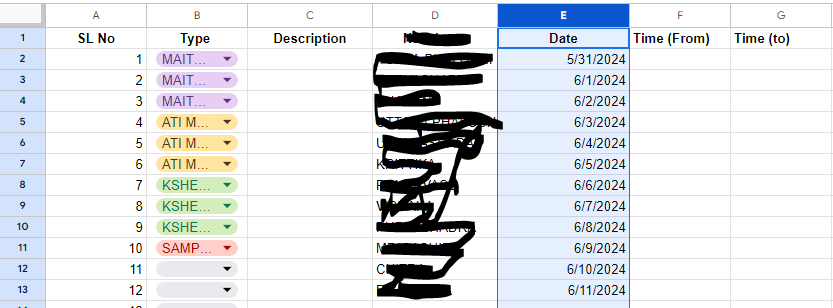
I am trying to set up a reminder based on the date column (col E) in google sheets, Idea is to set up a reminder when the dates in col E matches the current date.
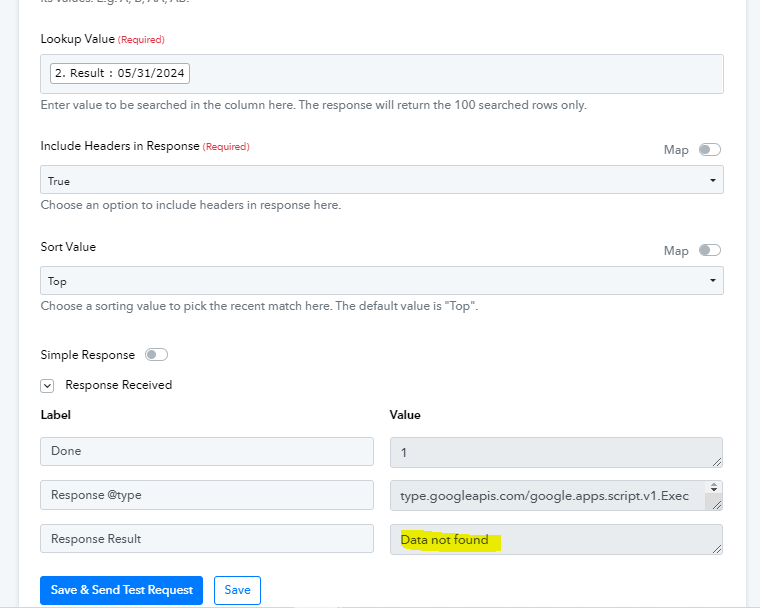
I am successfully able to connect the sheet but I am unable to fetch the data. Please help
Hi @mvabhi,
https://connect.pabbly.com/workflow/mapping/IjU3NjUwNTZhMDYzMjA0MzE1MjY5NTUzYzUxMzEi_pc
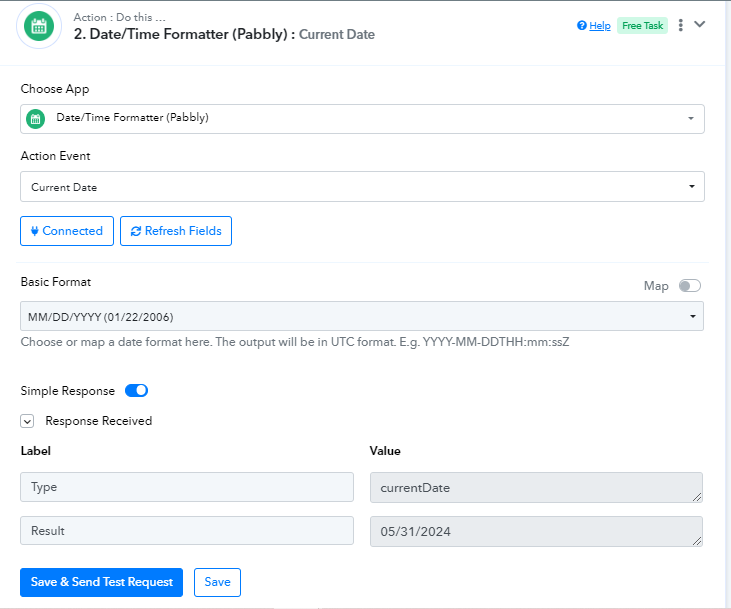
The date in your Google Sheets doesn't begin with a 0; it's 5/31/2024 in your Google Sheets spreadsheet instead of 05/31/2024. The data you map in the 'Lookup Spreadsheet Rows' action step needs to be exactly the same as in your spreadsheet.
We have added a Text Formatter to your workflow, which will convert the date into the same format as in your spreadsheet. This appears to be giving you the correct result.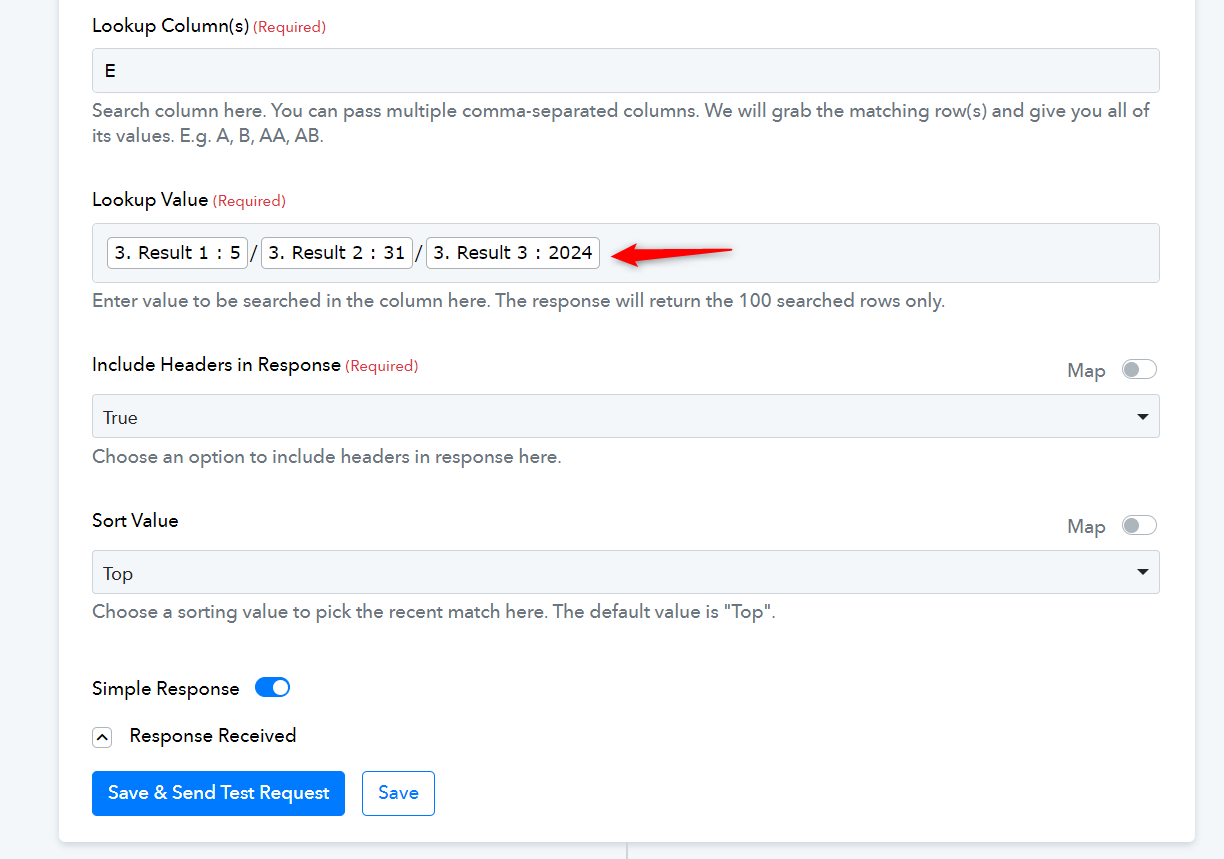
Thank you issue resolved @ArshilAhmad