Google Sheet new row trigger doesn't work
Status: Closed · Asked by lelehelloworld on · 0 views
I have two Google sheets.
What I want to do is:
When a new row is added to sheet A and column J is equal to a specific value, then the data should be added to Sheet B as a new row. (they should match with the same column name)
I have manually updated the new row in sheet A, but nothing happens in sheet B. I have already enabled 'send on event'.
Hey @lelehelloworld
It appears that you have not properly set up the webhook in your sheet A. Please refer to the video below for rectifying any error for the same.
youtube.com/watch?v=FipPt_qnW4I
Let us know if it works for you.
Hey @lelehelloworldIt appears that you have not properly set up the webhook in your sheet A. Please refer to the video below for rectifying any error for the same.
youtube.com/watch?v=FipPt_qnW4I
Let us know if it works for you.
I create a new workflow to try again and it said no data found in row 2 when I send test. But I have data in row 2.
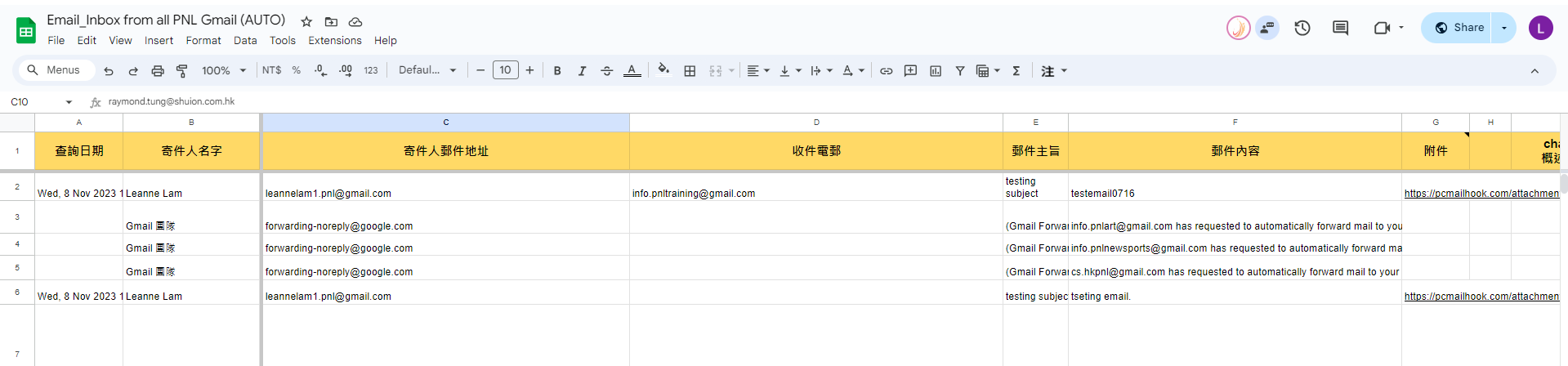
Hey @lelehelloworld
Please ensure that the 'Trigger Column' entered in the Pabbly Connect Webhook extension is not left empty. It should contain a value in Row 2.
If you encounter the issue again, please provide a screenshot of your extension setup.
Please inform us whether this resolves the issue for you.
Hey @lelehelloworldPlease ensure that the 'Trigger Column' entered in the Pabbly Connect Webhook extension is not left empty. It should contain a value in Row 2.
If you encounter the issue again, please provide a screenshot of your extension setup.
Please inform us whether this resolves the issue for you.
I have inputted the trigger column.
Please see the screen recording:
https://drive.google.com/file/d/1jbpn4TlIMYUOQDDYPRp4RQxMgBnw2H0F/view?usp=sharing
Update: the problem is solved. it turns out that there's no value on the last column for trigger.
Hey @lelehelloworld
Thanks for the update. We are glad that it worked for you.