Google sheet range is not updated
Status: Open · Asked by Sandip on · 0 views
I created a workflow for Google Sheet to Gemini AI to generate report. And then to update a cell in the Google Sheet and assigned the range accordingly. But the cell is not up dated even after the
Google sheet range updated while sending test but on subsequent trigger it is not getting updated. Please help
My Workflow link for reference: https://connect.pabbly.com/workflow/share/CEBSYF4JAGMASgVvAFNUc1tPBAADWQQ8XUQDEVFeXSVTHgJHDE0BawhEBW9fEARlBUwFbwJdBGQMGAsPAlRUJ1dNCRtcXwJ4AE0GfQZlATIIVlJ6Xj8#
Thank you
Hi @Sandip,
When updating the data into your Google Sheets, make sure to update the data in your trigger column as well in order to trigger the workflow.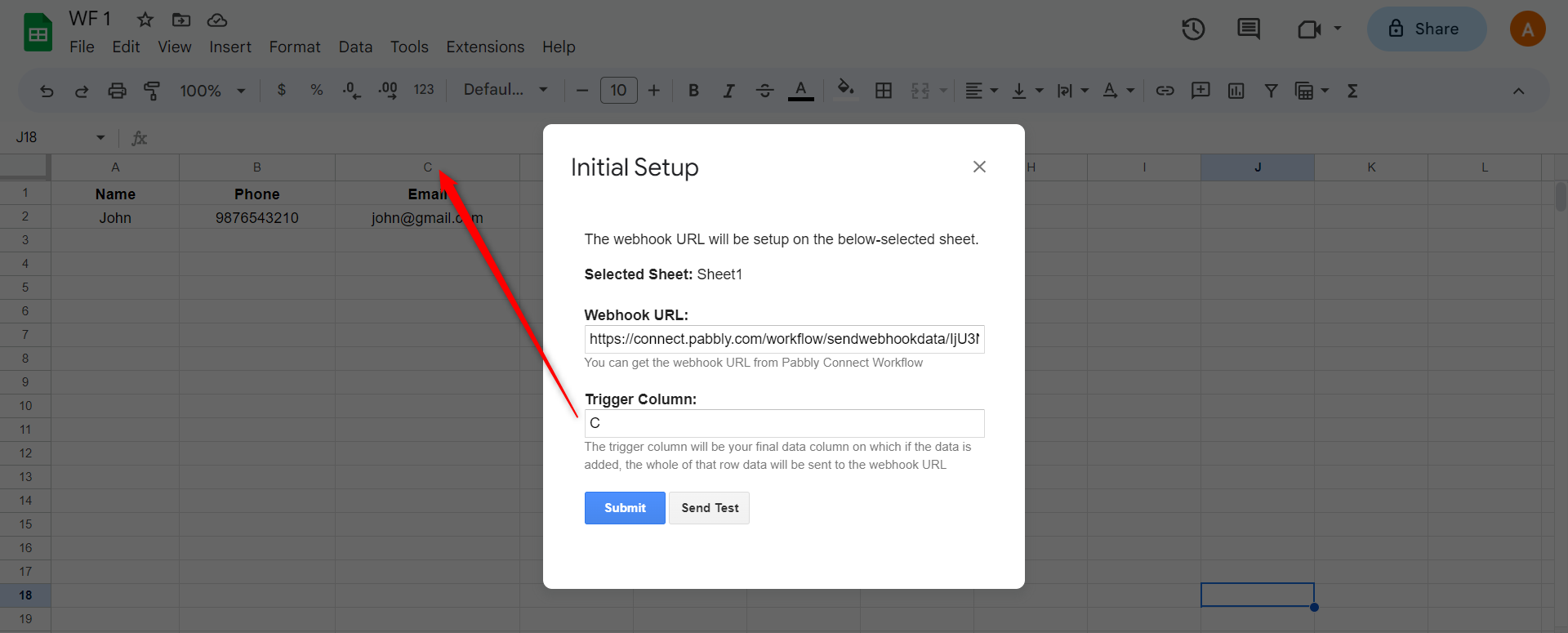
To make automation trigger, you need to enable 'Send On Event' if you're manually updating data into your Google Sheets. 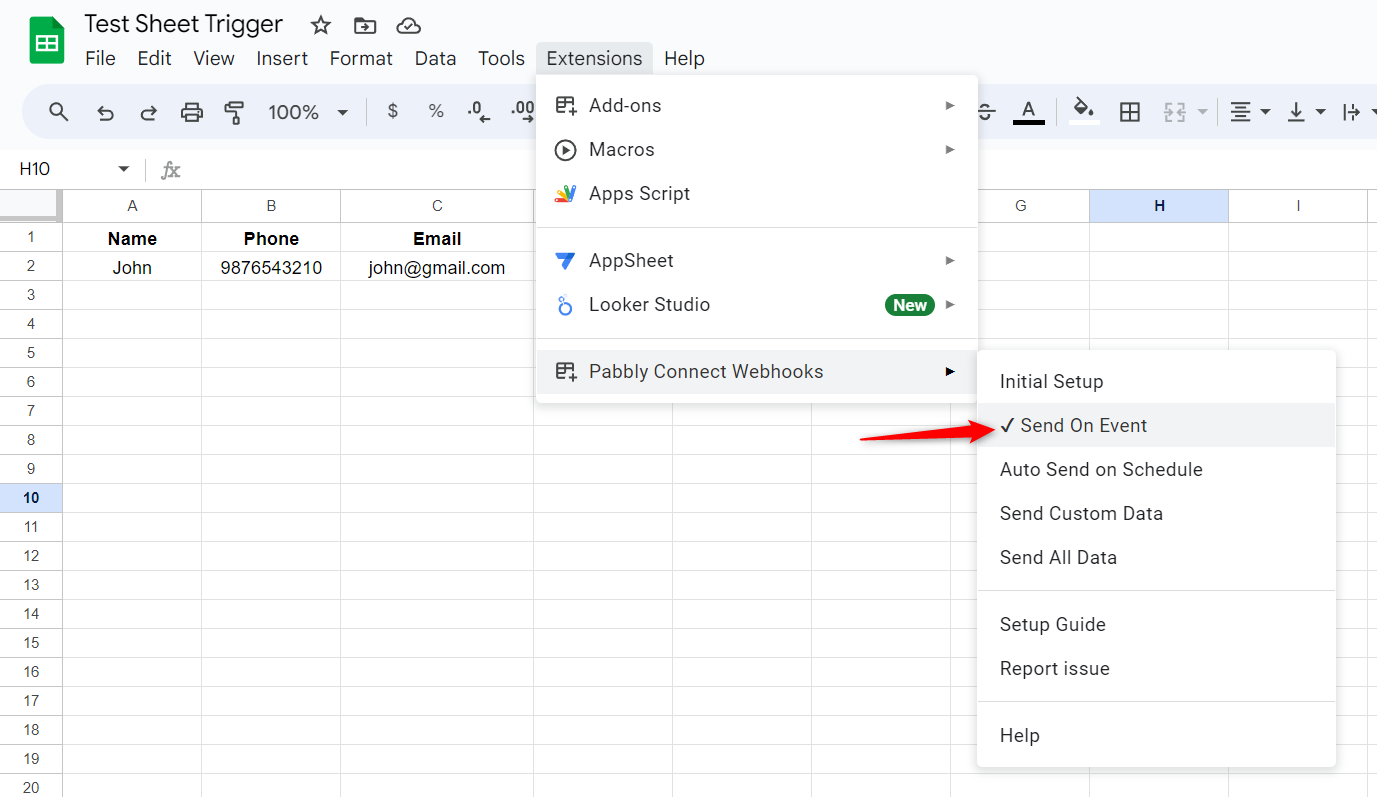
Thanks @ArshilAhmad for the response. I recreated the workflow checking all the points you suggested but still not successful. Need your further support.
Sharing the link of the workflow https://connect.pabbly.com/workflow/share/CEAFNwVSUjFfFQNpVgUFIgwYUFQIUgQ8UEkBE1ZZXCRbFghNBEUJYw5CB21WBQVkUBlTOQJdBWUOGgQAVQNUJwAZAQMHBAB6BktTKARBADMIVgUtBWQ#
Thank you
The workflow is working fine while testing for the first row but when actual update is happening in the google sheet through a google form the cell is not getting updated
Hey @Sandip
Please check the logic for creating a workflow that updates Google Sheets with the prompt from your Generative AI action step.
(Note: While we have utilized ChatGPT, you may employ your preferred Generative AI as needed.)