Google Sheet Specific Row Updated Based On Condition
Status: Open · Asked by Team on · 0 views
Hi,
I have a workflow where my goal is to reminder my customer to attend appointment
The summary of my workflow is below :
Schedule Every 1 Hour > Google Sheets (Get Rows) > Iterator (For Loop) > Google Sheet Lookup Rows > Current Timestamps > Router
Router > Equal Date > Filter > Wabot > Google Sheet Update Cell
Would anyone tell me the flaws or any improvement of my workflow?
I am attaching images as for my Google Sheet Lookup and Update.
What I want is the workflow will check the Google Sheets row by row, and if the data is matched, it will turn the status from FALSE to TRUE, then go to another rows.
In another case, if go through the row and the data is not matched , it won't change the status of FALSE to TRUE, instead will go to the next rows and continue checking.
This flow will be repeated on its own every 1 hour.
Please share any wisdom that I can implement. Thank you.
Attachments
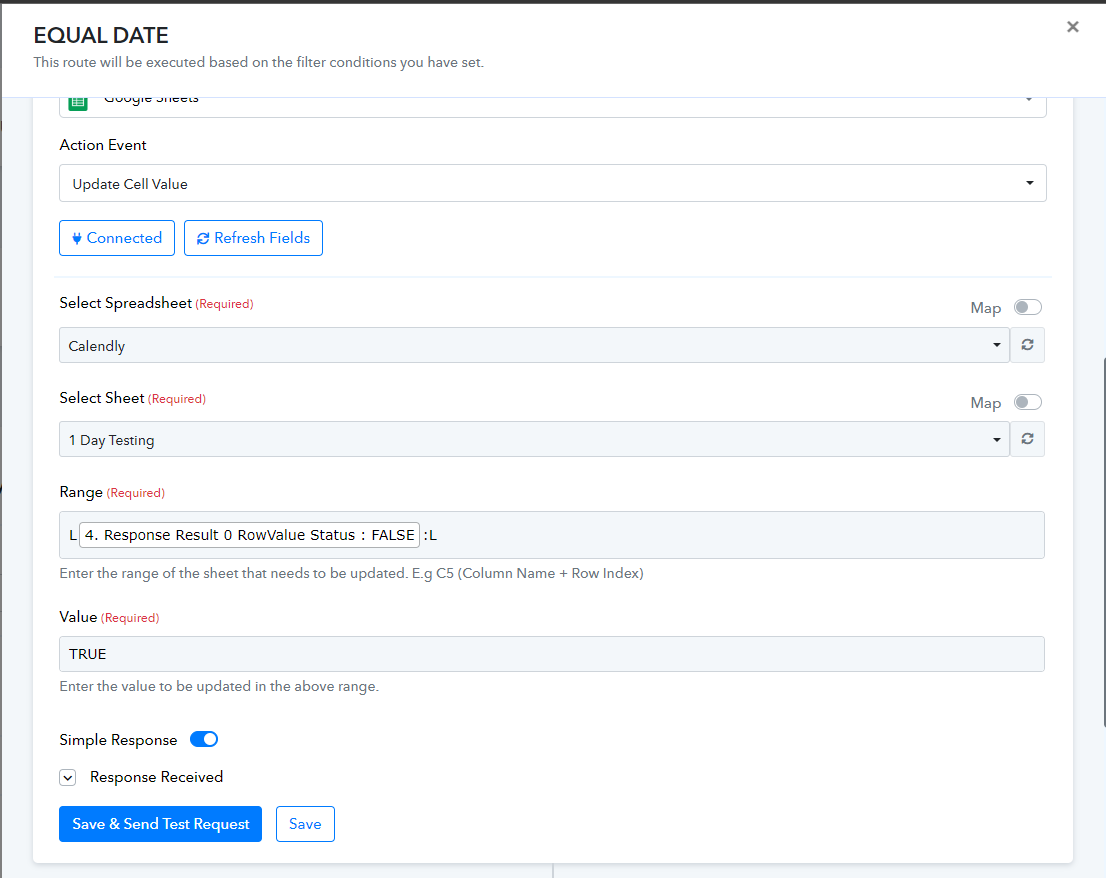
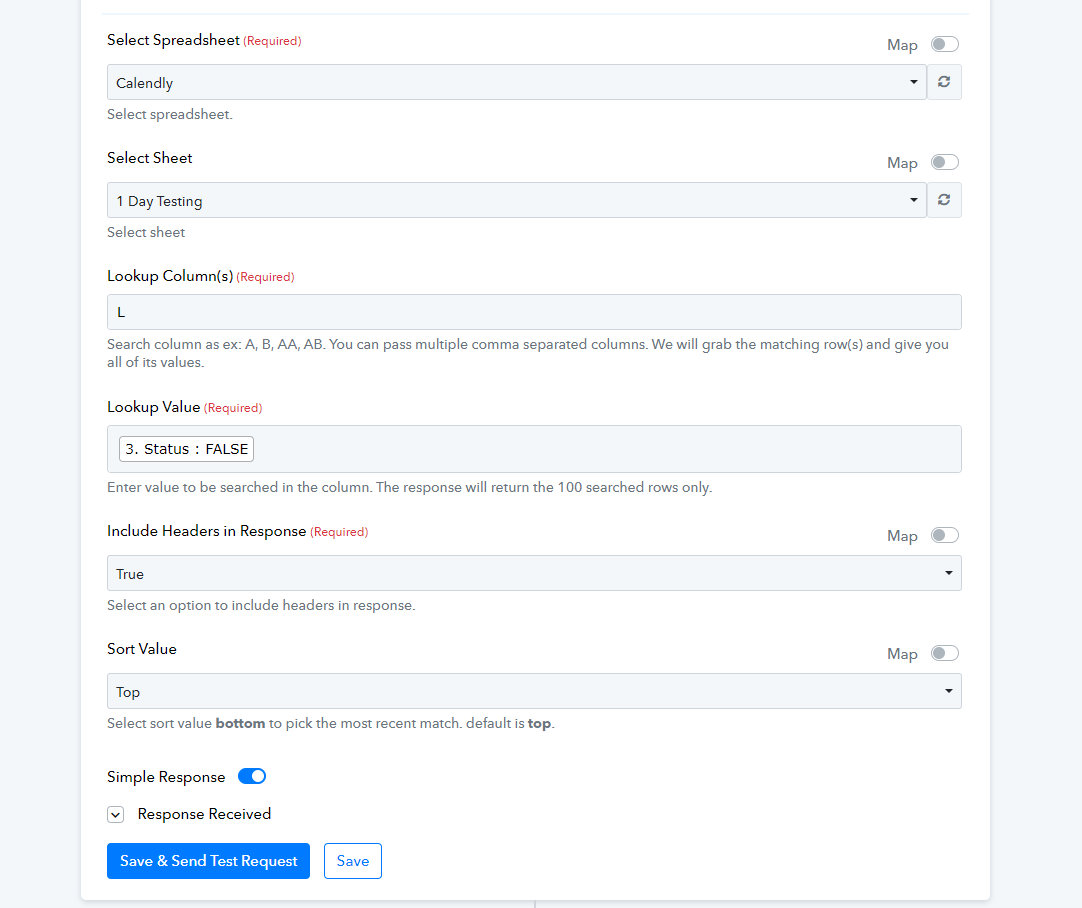
Hi @zzatisna,
Could you please share the Workflow URL in which you have this concern?
Hi @zzatisna,Could you please share the Workflow URL in which you have this concern?
Can I give you the Task History ID ?
Here : IjU3NjIwNTZkMDYzMTA0MzY1MjZhNTUzMjUxMzQ1MTY0NTQzNiI_3D_pc
Nov 06, 2023
10:35:12
In another case, if go through the row and the data is not matched , it won't change the status of FALSE to TRUE, instead will go to the next rows and continue checking.
It seems that the cell value is being formatted incorrectly, as indicated in the provided help text. Please review the following video lesson for guidance on the appropriate logic for passing the cell value.
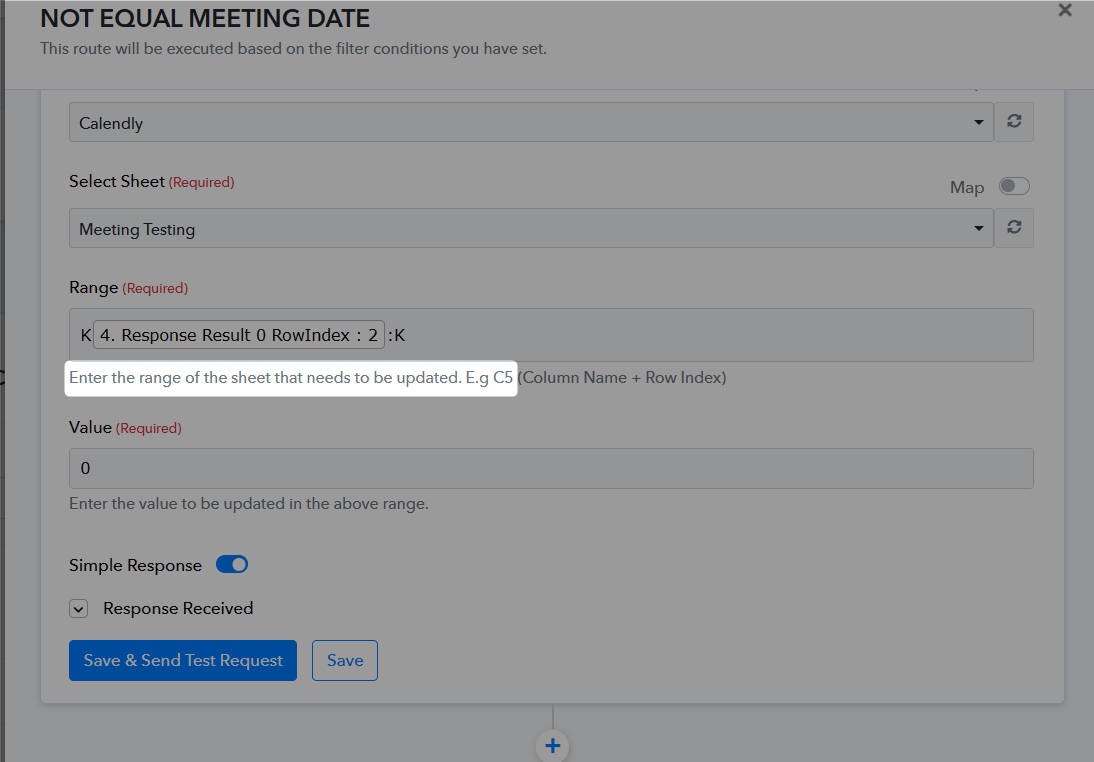
(Watch the second part of the video)