Google Sheet to Lead Connector "Email must be an email"
Status: Open · Asked by ron streamnowtv.com on · 0 views
I have a Google Sheet that should create a new contact in Lead Connector when a new row is created. The problem is almost none of these contacts give their email to us, its only a phone number. But if there is nothing in that cell on the sheet, it spits out an error saying "email must be an email". I have built this workflow in the past and it worked. What can I do?
Hi @rmv,
Could you please share the Workflow URL in which you have this concern?
Hey @rmv
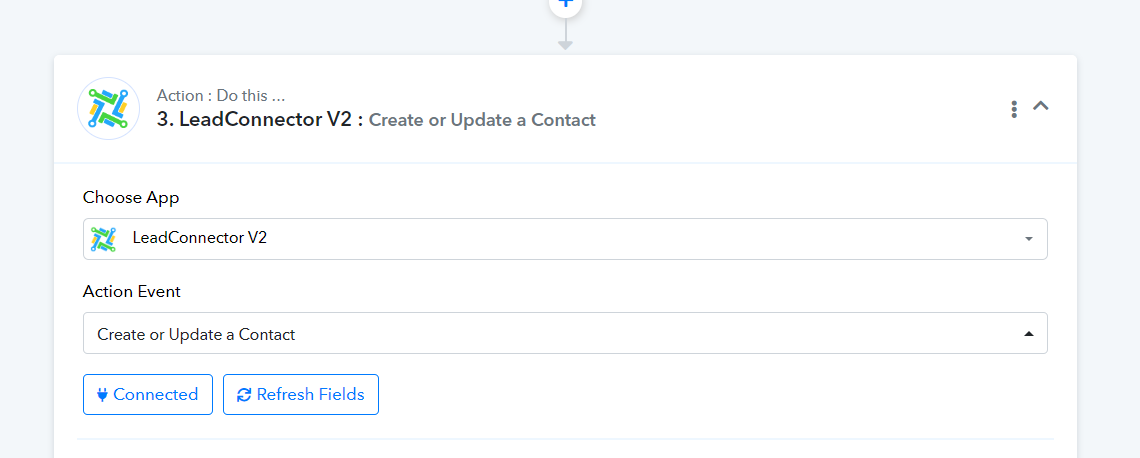
Regarding your concern, we suggest utilizing the "Create or Update Contact" action step. This feature not only creates the contact but also updates it. Additionally, if you input a phone number or an email address, you can avoid encountering errors.
Thanks that worked, but now every contact has a partial DND. How can I fix that?
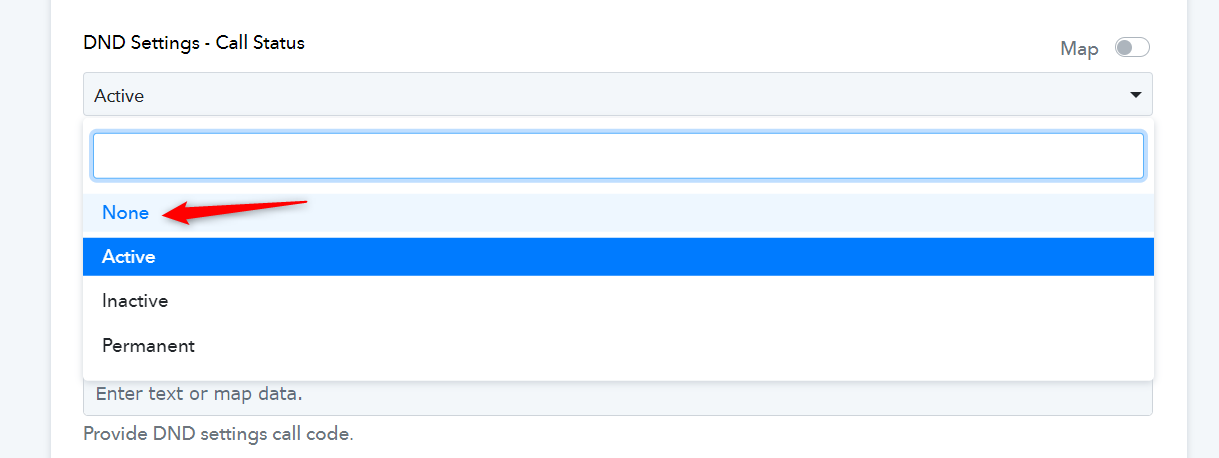
You can try selecting the DND Settings as None and see if that fixes your issue.