Google sheet to Trello
Status: Closed · Asked by lelehelloworld on · 0 views
I would like to create a work flow for which trigger event is: when one of a column in google sheet set as 'new customer' (it's a drop down list), it create new card to Trello. But I am stuck at the connect part, it keep saying Invalid user name or API key or token. But I don't see any problem with all of these. 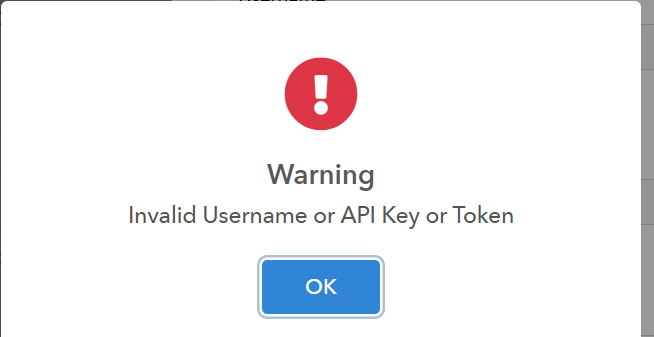
Hello @lelehelloworld from the error it seems that you are not fetching api key properly.
Please refer this url for api generate in trello.
"https://trello.com/power-ups/64fc986914552ab1fd9b965e/edit/api-key"
Contact me - https://www.facebook.com/himeshsoni07
Email - [EMAIL][email hidden][/EMAIL]
Hello @lelehelloworld from the error it seems that you are not fetching api key properly.
Please refer this url for api generate in trello.
"https://trello.com/power-ups/64fc986914552ab1fd9b965e/edit/api-key"
I've already added the Google Sheets + Trello Two-Way Sync. but still can't connect it. Do you have any tutorial video to guide how to set up step by step?
Let me explain my current situation.
I have a workflow named 'CS (客戶查詢) GMAIL to SHEET'. Now I want to add one more new action: If the column A in google sheet set value as 'new customer', I would like to create a new card to Trello board with details as the row. How should I do this? I even can't connect Pabbly to Trello via API key at the moment. please help.
Please refer this video"
youtube.com/watch v=vKHigJUEqUM
"Contact me - https://www.facebook.com/himeshsoni07
Email - [EMAIL][email hidden][/EMAIL]
Let me explain my current situation.
I have a workflow named 'CS (客戶查詢) GMAIL to SHEET'. Now I want to add one more new action: If the column A in google sheet set value as 'new customer', I would like to create a new card to Trello board with details as the row. How should I do this? I even can't connect Pabbly to Trello via API key at the moment. please help.
I've already contain a work flow (Email Parser -> Google sheet). According to my situation, should I add two more step base on my current work flow (filter and Trello) or Create a new work flow? I want to filter column A with condition it's the specific value, but I don't know how to do the setup. Besides, API matter still can't be solved.
Use filter. You need to put the condition in filter and according to that condition create task in trello.
Feel free to dm me if you need any further assistance
Contact me - https://www.facebook.com/himeshsoni07
Email - [EMAIL][email hidden][/EMAIL]
Use filter. You need to put the condition in filter and according to that condition create task in trello.
Feel free to dm me if you need any further assistance
yea I know. I add a filter step, but can't find a condition exactly go what I want. I just want it filter column A's specific 'value', then create card to Trello. Basically, once I update the drop down list of column A to 'new customer' -> create new card with data of that row.

Please refer this screenshot. First you need to give title to your column. and after that follow below screenshot.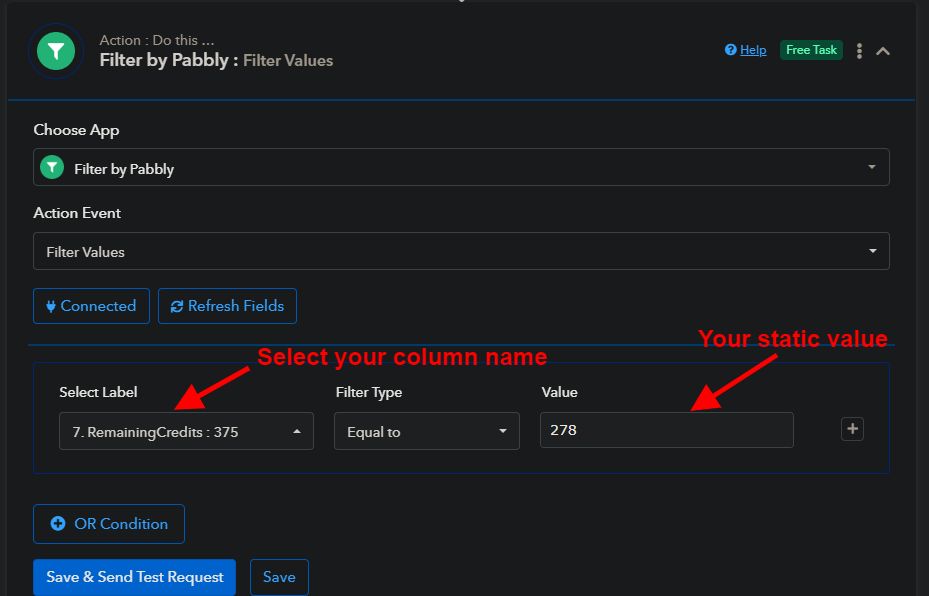
Contact me - https://www.facebook.com/himeshsoni07
Email - [EMAIL][email hidden][/EMAIL]
Please refer this screenshot. First you need to give title to your column. and after that follow below screenshot.
But i can't find the column name I want.
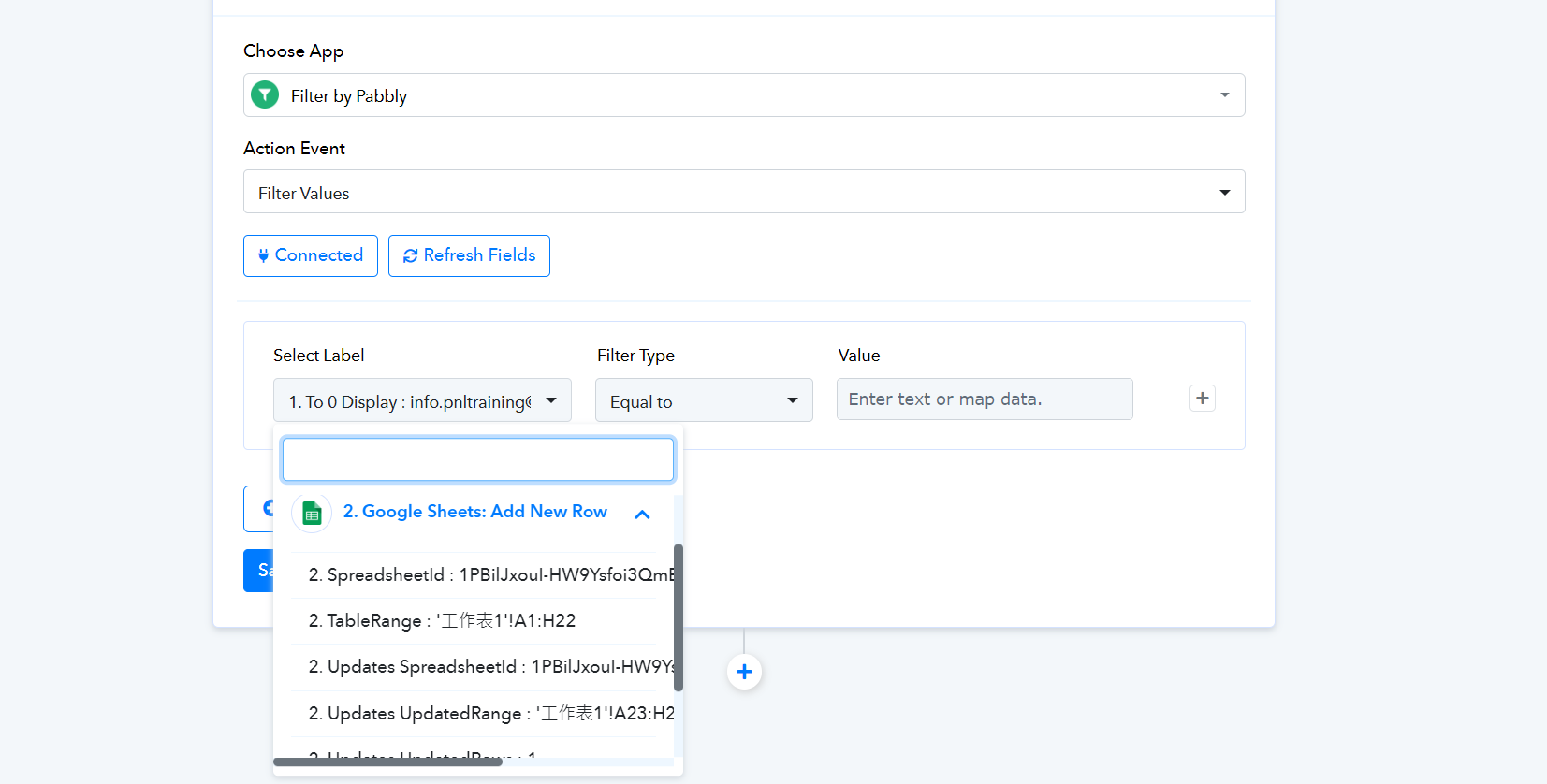
Have you given title to your column
Contact me - https://www.facebook.com/himeshsoni07
Email - [EMAIL][email hidden][/EMAIL]
Have you given title to your column?
Yes. the previous step is my connected google sheet.

You can DM me so that we can resolve this for you.
Contact me - https://www.facebook.com/himeshsoni07
Email - [EMAIL][email hidden][/EMAIL]