Google sheet to WhatsApp integration not properly working!
Status: Closed · Asked by Sandy G on · 0 views
Hello :)
I've created a workflow according to the video
youtube.com/watch?v=H0aBHNl2ICc
to send a test message to three contacts which I have organized in a google sheet. But I faced few issues here,- When I schedule it for "once" and put a future time in UTC, it sent out the message to ONLY one contact out of the three mentioned in the google sheet. I made sure the correct cell range was entered. (Also, it sent out the message immediately without waiting till the future time)
- Then to find a solution for the above I tested out the schedule option "at regular intervals" and kept the time span for 2 minutes. This workflow immediately sent out the message for only one contact first and then kept sending out messages for only two contacts every 2 minutes. (Only to the top two contacts in the G sheet)
It never sent out any message to my 3rd contact even though all the info was correct. :(
Please advice me on how to solve this issue and on how send out a WhatsApp message to all the contacts in the G sheet at once.
- My email that is associated with pabbly connect is
- My workflow name - Teachables Tutors
Thanks,
Sanudi G
Hey @Sandy G
Kindly try to map the Chat API fields directly from the Iterator action step and can avoid the JSON extractor action step from your workflow.
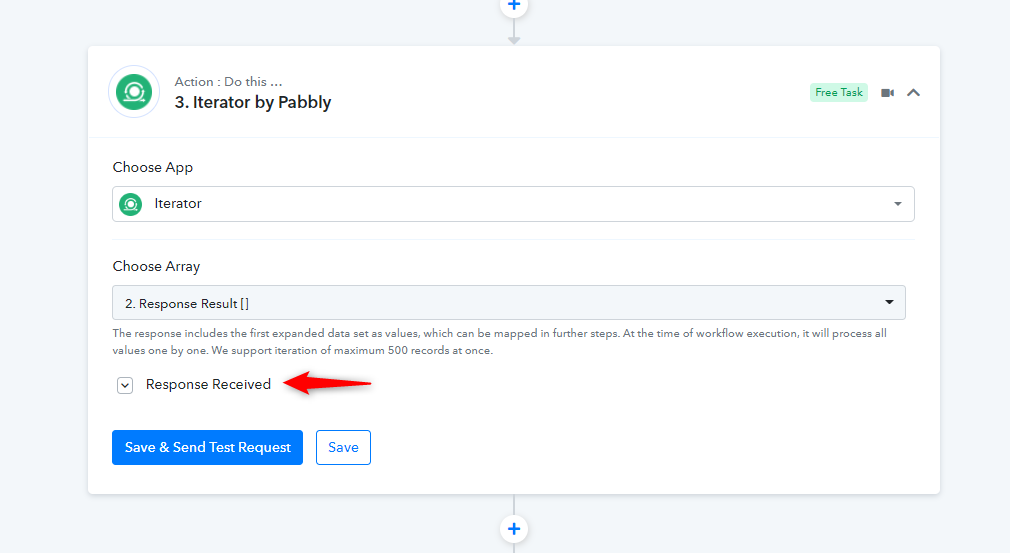
Though we have already made the changes in your workflow, please try again and let us know if that works accoridngly.