google sheet trigger not showing up
Status: Closed · Asked by lelehelloworld on · 0 views
I have set the trigger column 'G' of google sheet.
For the column G, I set a formula for days counter, so it supposed should have trigger everyday.
The action is send the message to Slack if column G updated, but I can't see the message in Slack today.
When I manually update the column G, it works.
What is the matter?
Hey @lelehelloworld
You can use "Send On Event" when setting up Google Sheets if the data is coming from a Google application or if you manually enter it.
If the data is coming from a third-party application, however, you may need to choose "Auto Send On Schedule" and "Send on Event," which will forward the data in exactly one hour.
Additionally, make sure the data is filled up to your trigger column.
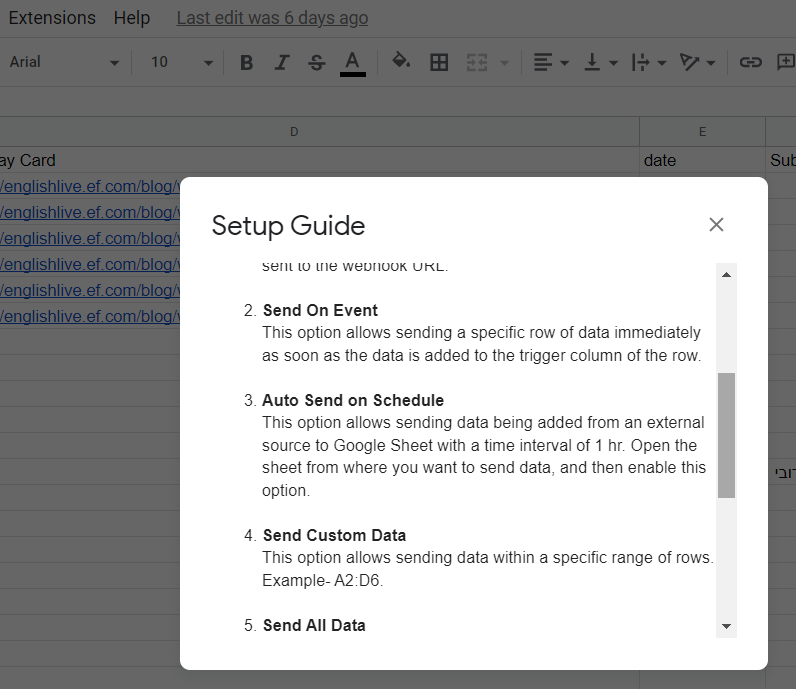
Hey @lelehelloworldYou can use "Send On Event" when setting up Google Sheets if the data is coming from a Google application or if you manually enter it.
If the data is coming from a third-party application, however, you may need to choose "Auto Send On Schedule" and "Send on Event," which will forward the data in exactly one hour.
Additionally, make sure the data is filled up to your trigger column.
I have clicked 'send on event'.
For my matter, am I supposed to also use 'Auto send on Schedule'?
Yes, you are correct.
You need to choose "Auto Send On Schedule" and "Send on Event," which will forward the data in exactly one hour.
Yes, you are correct.You need to choose "Auto Send On Schedule" and "Send on Event," which will forward the data in exactly one hour.
I have clicked both and I checked today. It still not sending the message to Slack.
Is the matter caused by the formula triggering and my machine is closed?
The formula is a day counter that I expect the update column is the day counter column.
Could you kindly confirm whether you are using the formula in the trigger column of the Google Sheet?
Please provide additional details or clarification to help better understand and assist you effectively.
Could you kindly confirm whether you are using the formula in the trigger column of the Google Sheet?Please provide additional details or clarification to help better understand and assist you effectively.
I set the formula in the whole column G with data.
Attachments
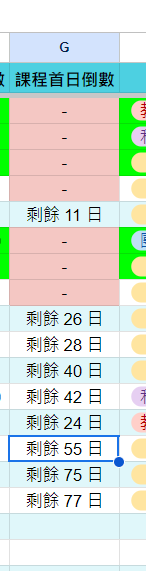

I sincerely apologize. If you've configured the formula in the Google Sheets as your trigger column, I regret to inform you that the feasibility of initiating data retrieval from Google Sheets using a formula is beyond the scope of support we can provide.
I sincerely apologize. If you've configured the formula in the Google Sheets as your trigger column, I regret to inform you that the feasibility of initiating data retrieval from Google Sheets using a formula is beyond the scope of support we can provide.
So I can only use schedule for the workflow.
What should I insert in the message for action: slack.
I want it also send message to Slack if new row have been inserted.
But now, If I insert the specific row to message, it doesn't apply for new row if new row has been inserted in google sheet.
Is there any function can do for get column? I only can see get row.
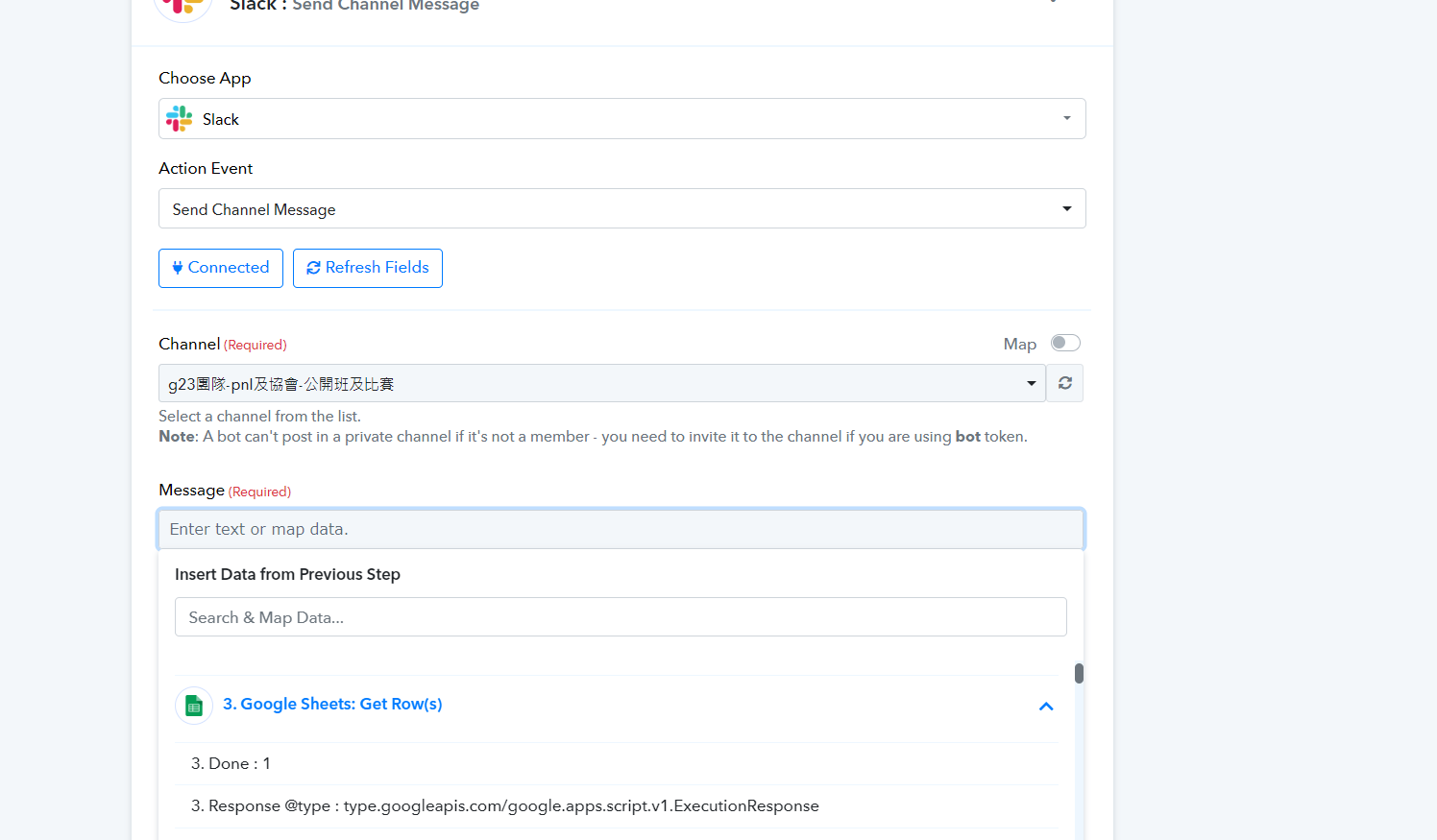
I'd like to clarify that if you include the scheduler in the trigger step and use the "Google Sheet: Add New Row" action step, every time a new row is added to the Google Sheet, it will trigger and execute the subsequent Slack action step.
Additionally, you mentioned your desire to update based on a column. Unfortunately, it's not feasible to update specifically using a column; the update is possible only based on the row.