google sheet update
Status: Closed · Asked by rjwalkerz3sm on · 0 views
I got a whole bunch of these today.
list of errors - https://connect.pabbly.com/task/history?filter_status=applied&filter_by_status=partial
Attachments
Hello @rjwalkerz3sm
Based on my understanding, I can see from your workflow that you are now facing an error of Unable to parse range: New Leads! This error has occurred which indicates that the spreadsheet or worksheet was renamed after it was selected in the workflow. This might be the reason for the error you are facing.
To resolve this issue, I recommend that you re-authenticate the action step and try again. Additionally, I suggest referring to the video provided to gain a clearer understanding of the issue and how to resolve it.
youtube.com/watch?v=1Nt_MFsR_oY
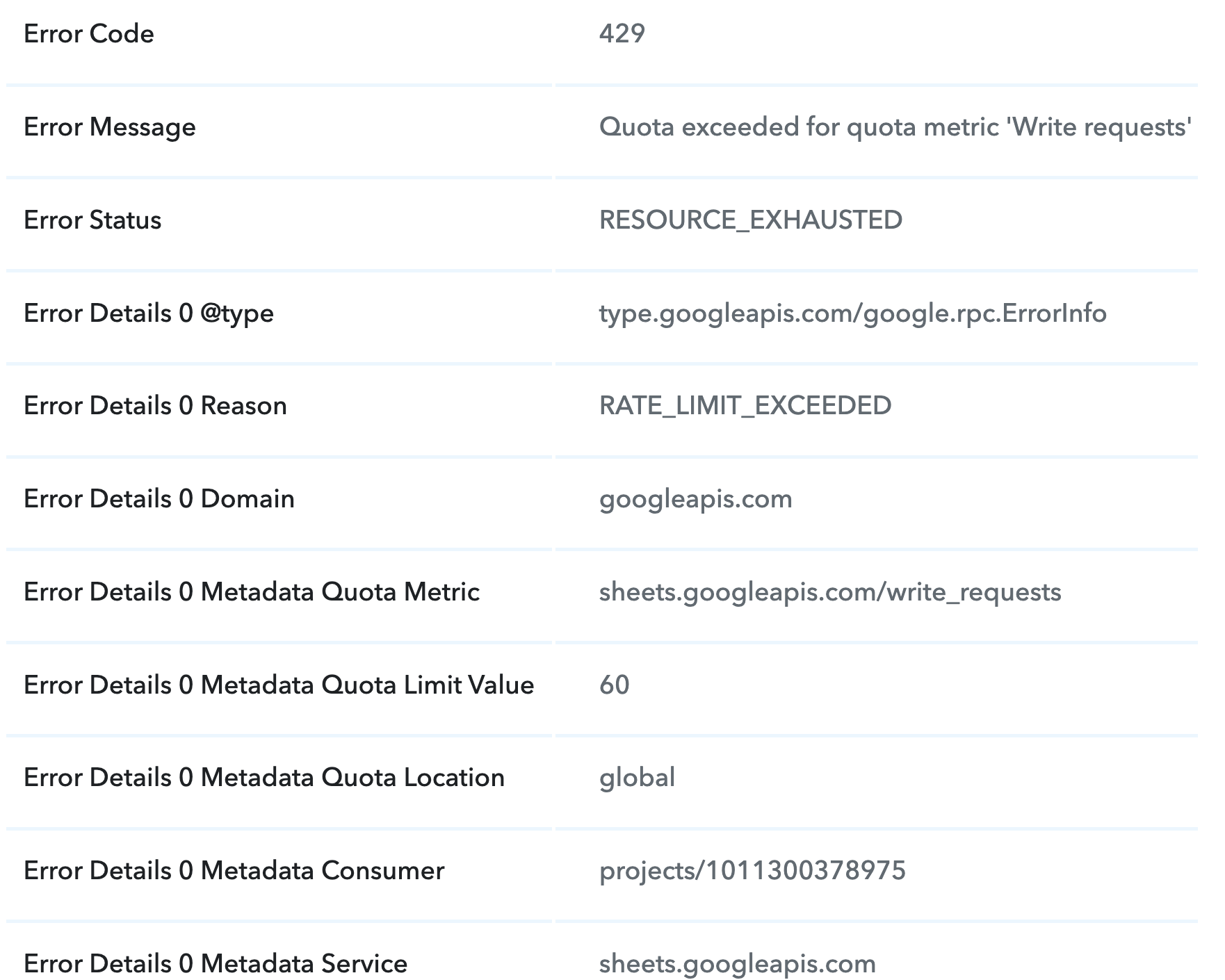
Also earlier you were facing n error of RESOURCE_EXHAUSTED and RATE_LIMIT_EXCEEDEDED which means Google Sheets has certain threshold limits set for every Google account which might have exhausted at that point of execution for your workflows.
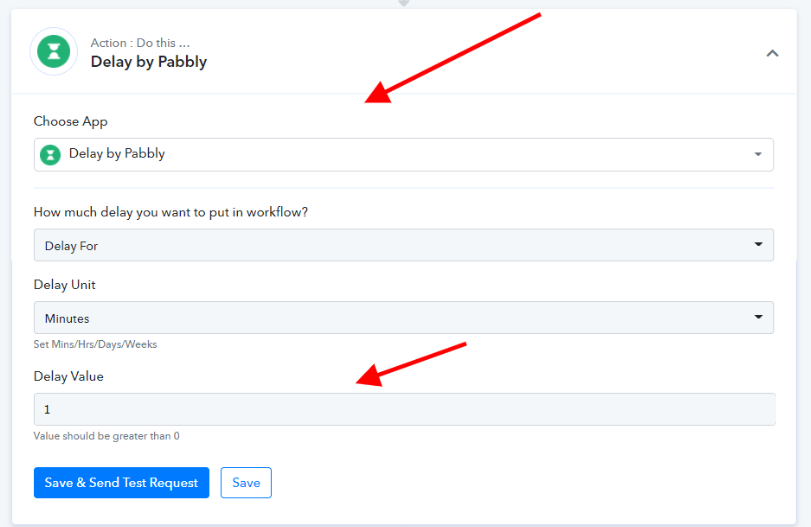
We suggest having a delay step for 1 minute that should solve these issues -
Please let me know if you are still facing the issue.