Google Sheets connection trigger not working
Status: Closed · Asked by 26leads on · 0 views
Hi
I tried to use my Google Sheets as a trigger but the connection in not working. I have no error message to tell me what the problem is.
I want to use the Google Sheet to launch a task everytime there is a new row. I followed all your recommandations on your video but the system is freezing and nothing happen Can you help please ?
Here's a print screen after I clicked on Send Test
Thanks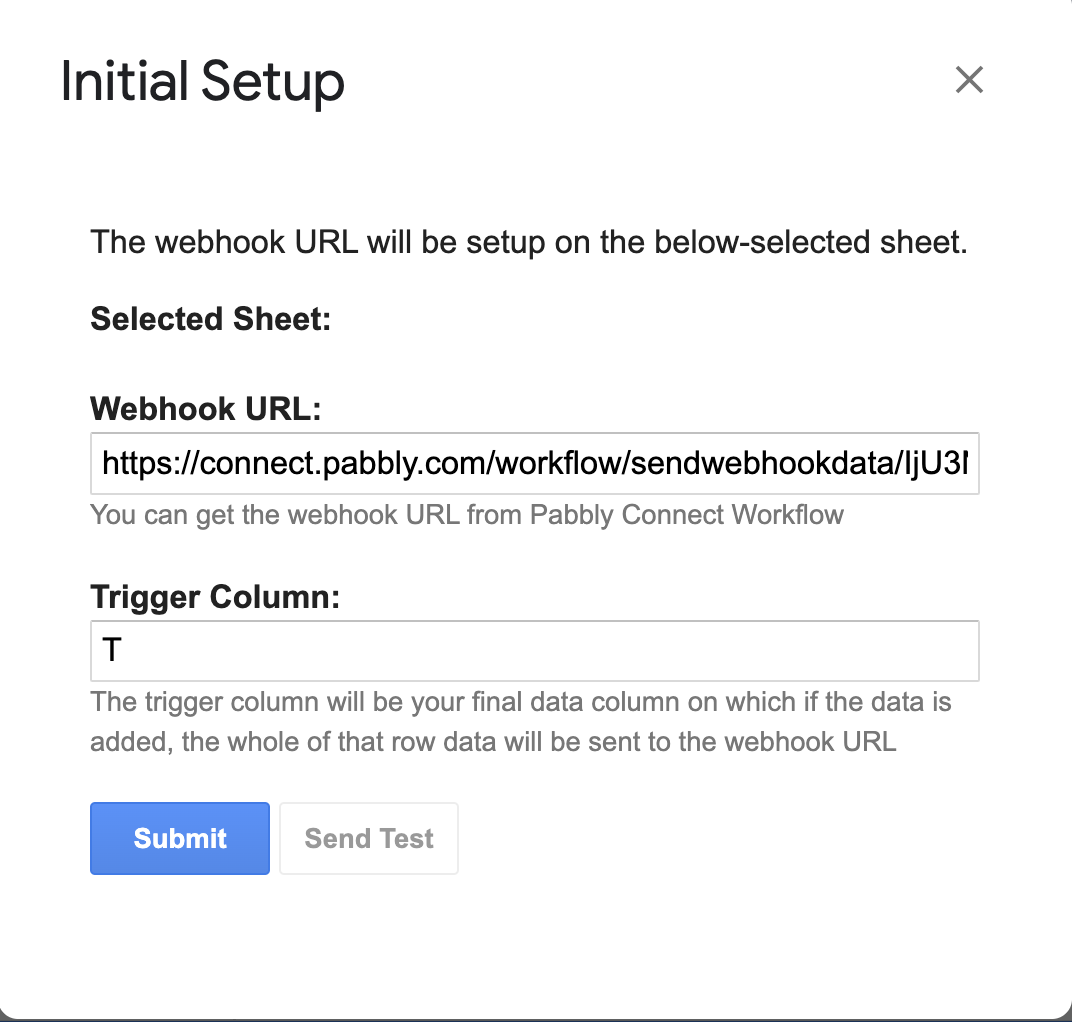
Hey @26leads
Please try establishing the webhook URL of Google Sheets in Incognito mode of your browser, since you may have logged in to many Google Accounts in your browser.
Please configure it in incognito mode and try again.
Hi @Supreme
Thanks for the help (really appreciate)
I did what you suggest. Now I have a message : No data found in Row 2
What does it mean ?
Just FYI, the sheet I use for the test is plenty of data (more than 15000).
Can you please record a short video on how you are trying to capture the webhook response?
Kindly refer to the following video lesson on how you can capture the webhook response from your Google Sheets.
(Watch the first part of the video)
I found the issue !
When you send the test, the system grab the entire row.
but make sure not to choose an empty column (that's my mistake because I put the end of the row on a empty space).
Now it's working very well.
Thanks guys
PS: of course I'm force to do this every time in incognito mode like @Supreme said earlier but it's a small problem ;-)
Thanks for the update @26leads, I hope it works well for you.