Google sheets look up error
Status: Closed · Asked by Akiladevi Shanmuganathan on · 0 views
Hi Pabbly team, The account connected to this error is [email hidden]. The name of the workflow is "Calendly (SYM-3), L1 & M1". Today at 11:55am there was atrigger from a booking from Calendly and it ended without completing the whole task. The reason for error is "Response not received in 25 seconds.....". Will you please help me solve this?
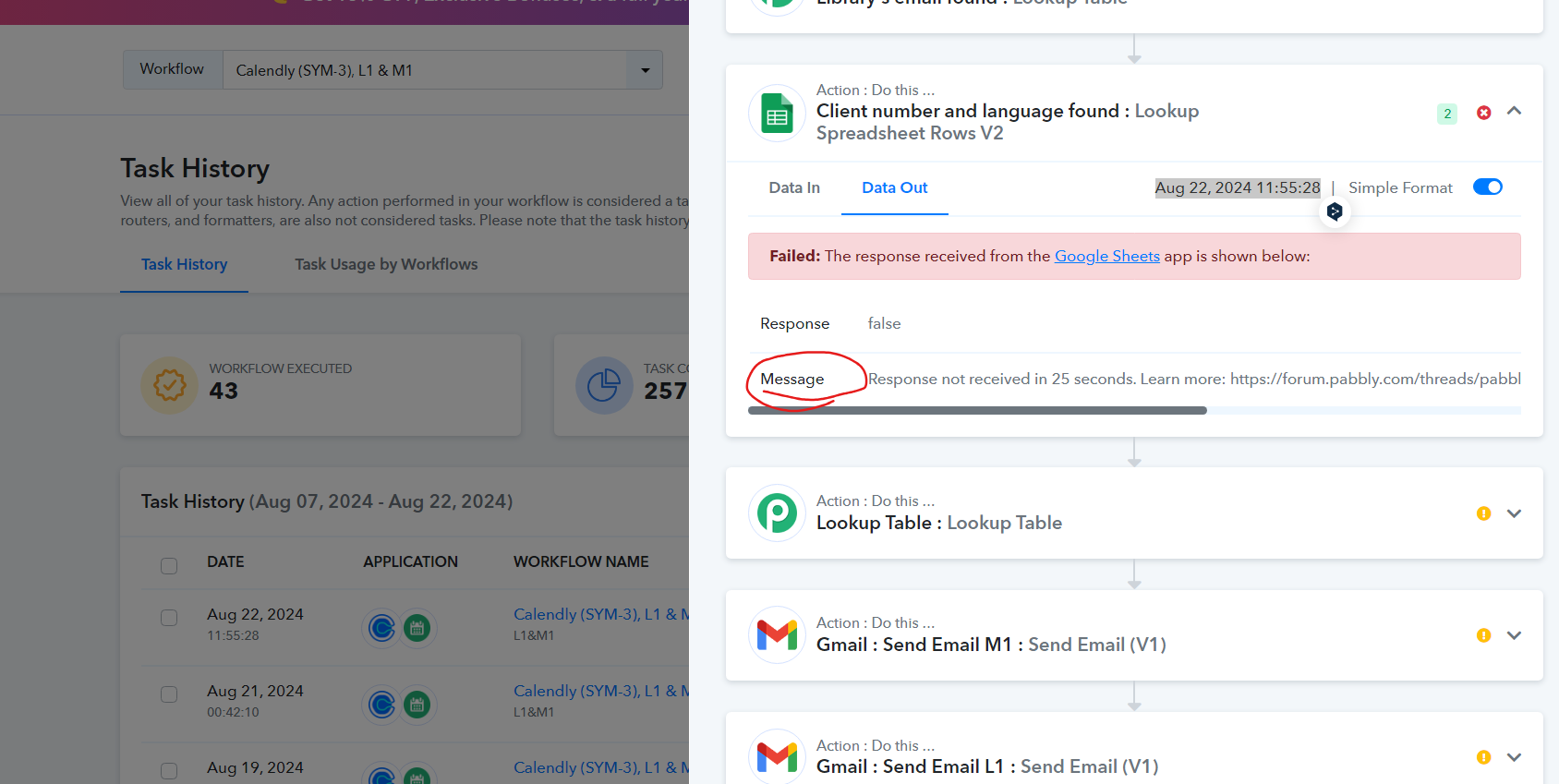
Hey @Akiladevi
Please select the sheet you are searching for in the action step and then attempt the step again.
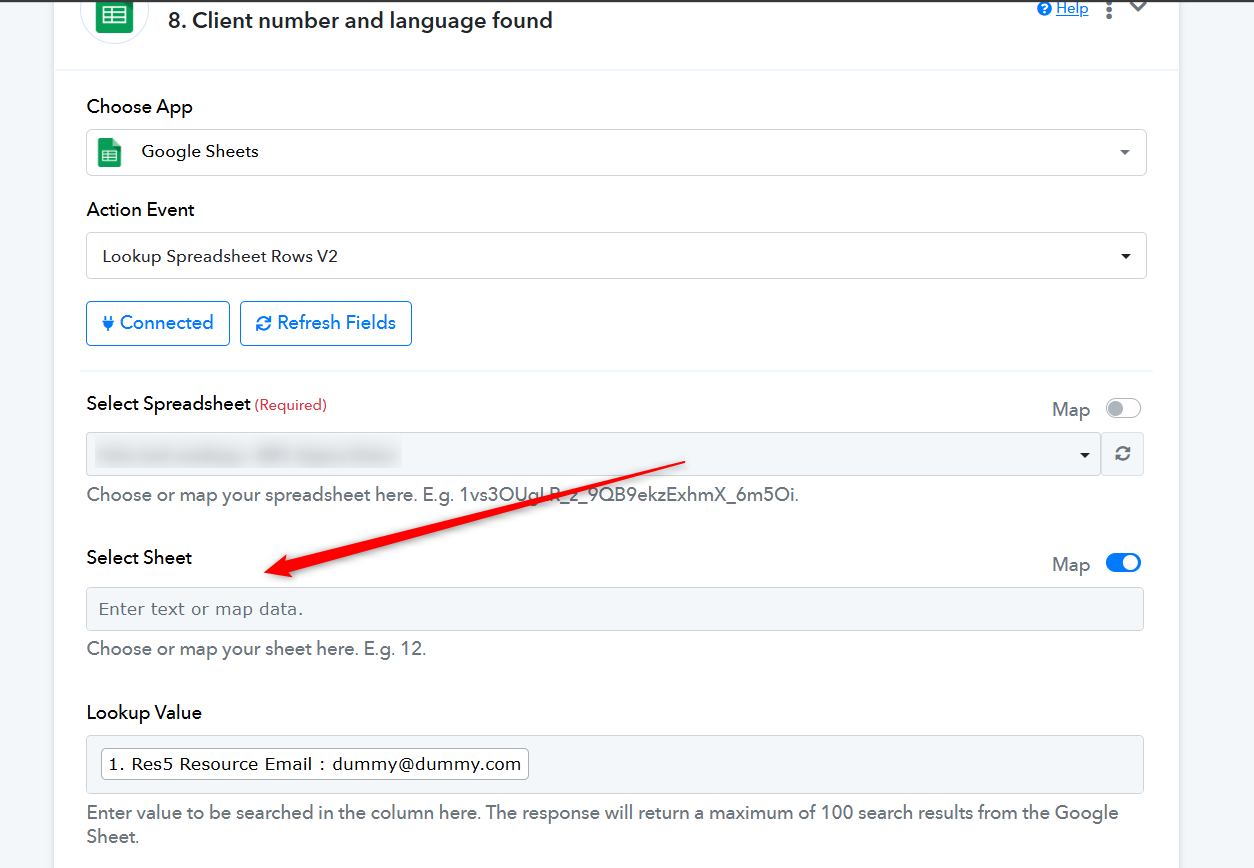
@Supreme thank you for your reply. In the Google sheet that I connected has a tab or worksheet called "Overview". I wanted to connect this sheet with the lookup process but I am not able to choose this sheet from the Google sheet that I have connected. I refreshed the fields but then it is not getting displayed. How to do that? please help me.
Kindly check your respective Google Sheets SpreadSheets to ensure that you have ample permission to use the sheet.
Hi @Supreme
I checked the permission status. It is restricted for unknown users but the email connected to pabbly account is [email hidden] that has editor access. Also this workflow works successfully in some cases. If it is working successfully sometimes then the Google sheets would have been given ample permissions. In few cases only it does not work.
Hey @Akiladevi
Can you please try making a new connection once and then try again?