Google Sheets new action 'Copy Paste Data'
Status: Closed · Asked by Kaustubh Dixit on · 0 views
I am not able to understand what value should I write in these 8 mapping fields - "source row & column start index, source row & column end index and also in destination row & column start index and destination row & column end index". I tried many ways. But failed. Error 400 is showing up. Ive attached a screenshot.
Ex - I want to copy data from D2 and paste it dynamically in D3:D1000 , in the same column & in the same worksheet.
Attachments
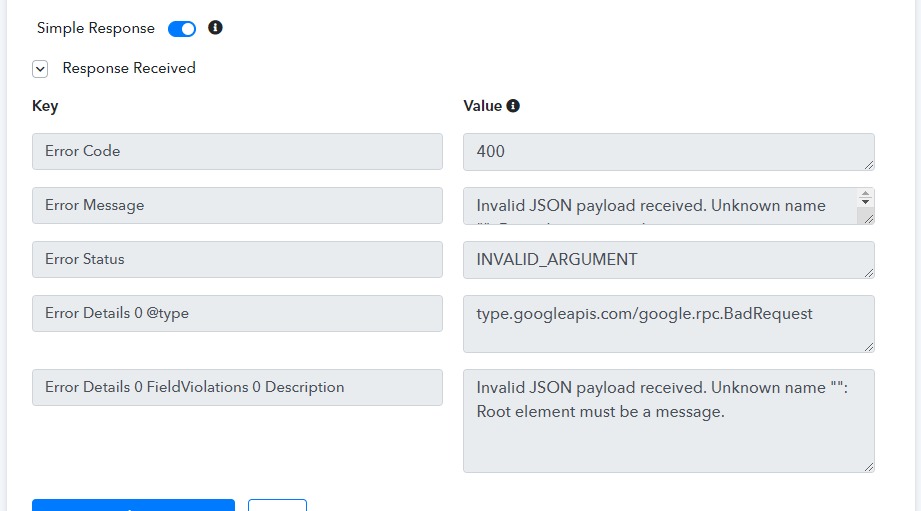
I am not able to understand what value should I write in these 8 mapping fields - "source row & column start index, source row & column end index and also in destination row & column start index and destination row & column end index". I tried many ways. But failed. Error 400 is showing up. Ive attached a screenshot.Ex - I want to copy data from D2 and paste it dynamically in D3:D1000 , in the same column & in the same worksheet.
You need to put the source row start index and source row end index. You're entering range currently which is not correct -
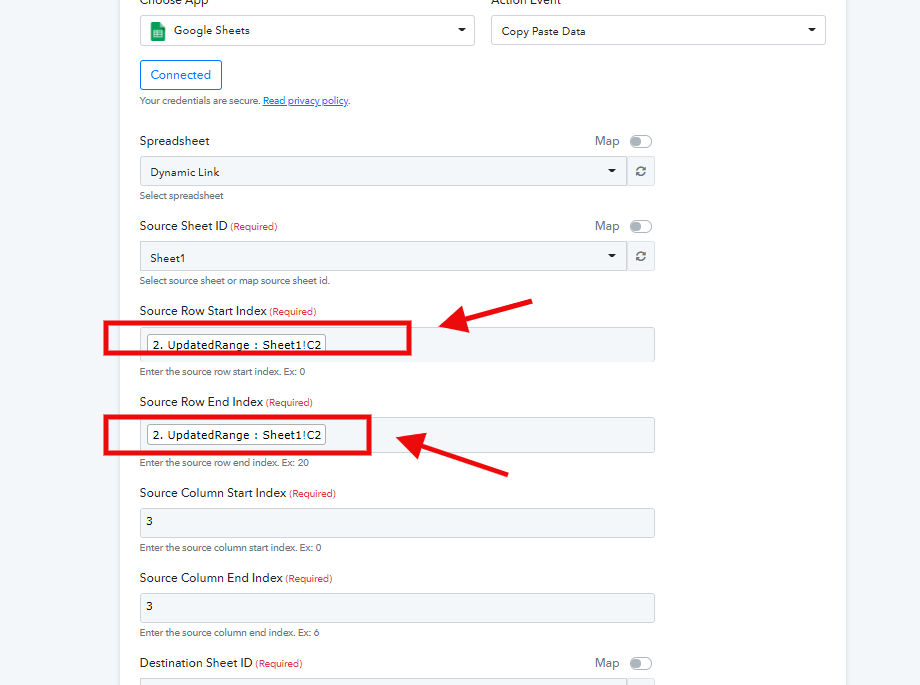
I deleted those two mapped values which you asked me to, and instead tried writing 2 statically in the mapping field. ( ex - As I want to copy data from row 2 i.e, C2. And further want the same data to be pasted from C col - row 3 to row 11 ) . But it is still showing the same error.
I've already tried all possible ways I could, since many hours now.
Actually I am not able to understand the meaning of 'source row start index etc' -- i mean - what is expected to write in the mapping field. . I even searched these terms on Google but couldnot get the answer.
Here's the screenshot showing what is row index and column index -
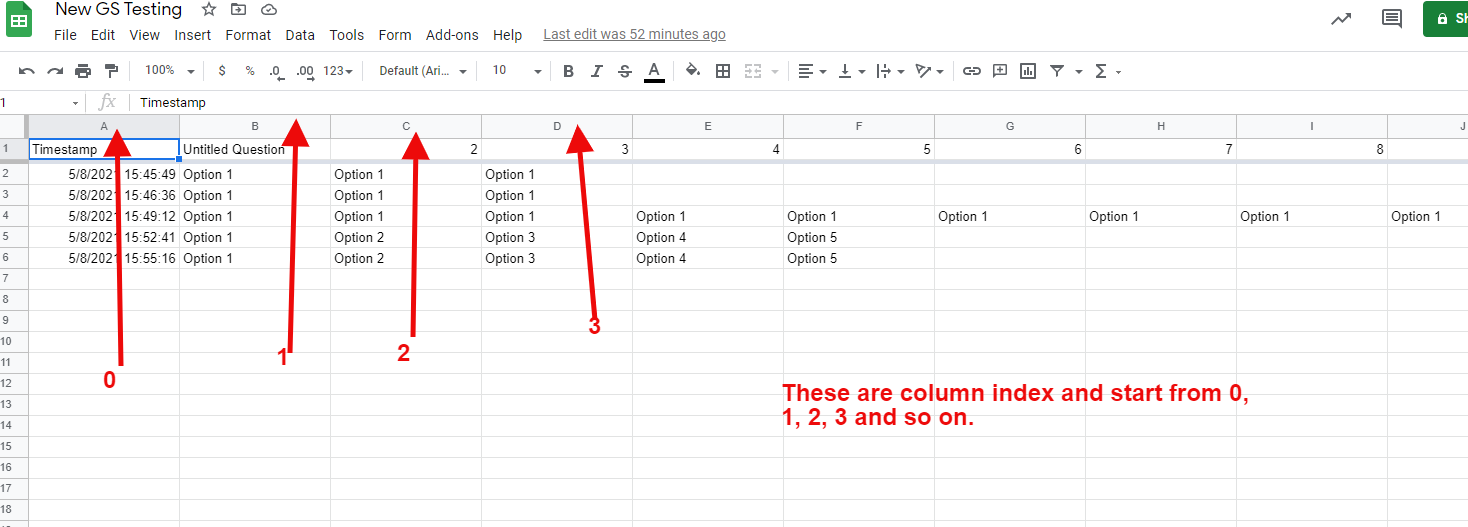
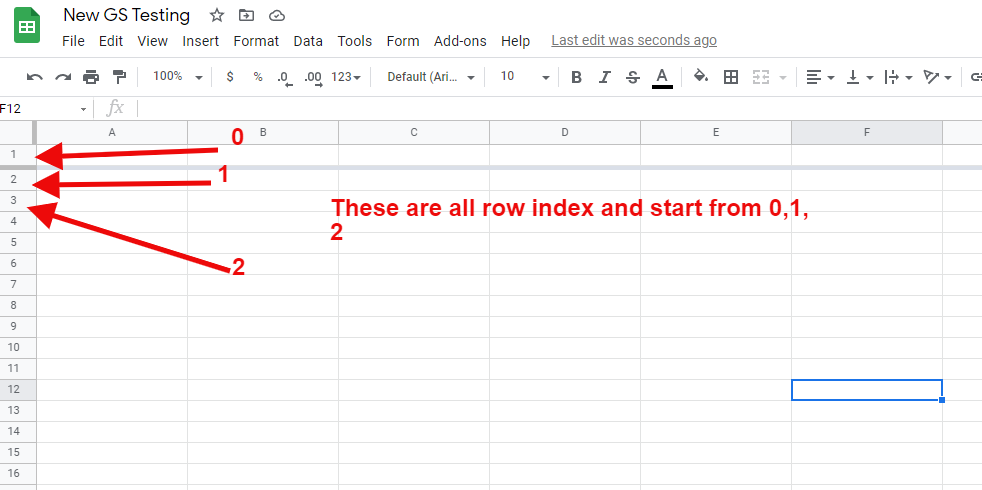
Both of them start in the following format - 0,1, 2, 3, 4, 5...and so on.
Further we will make sure to update the help instructions as well.
Thanks (y)
Thanks . Your above screenshots clarified the concept of what is row index & column index.
I tried. This time there is no error. Webhook response captured the spreadsheet ID only.
But the objective of copying data from ex - C2 and pasting it just below it , in the range C3:C100 - didn't happen. Nothing happened.
I expected copying data from a source cell range & pasting it in destination cell range from the "Choose action method-Copy Paste Data.
Is this action method meant for any other purpose ? I think a clear step by step guide will be needed.
Thanks Team Pabbly. I saw you added the instructions in every step. Thats really nice ! Now let me try this by myself
Thanks Team Pabbly. I saw you added the instructions in every step. Thats really nice ! Now let me try this by myself
Yes, we updated the help instructions. Let us know if you're still stuck at some step.