Google Sheets not getting connected
Status: Closed · Asked by csllp on · 0 views
I've an existing sheet created on google drive, and I'm trying to connect pabbly connect to the sheet, after clicking on send test nothing is happening.
I've an existing sheet created on google drive, and I'm trying to connect pabbly connect to the sheet, after clicking on send test nothing is happening.
Please share the workflow name and share the screenshot as well where exactly you're clicking on Send Test button.
Do checkout video tutorial on Google Sheets to know who to work with them - https://www.youtube.com/channel/UCVA5GKy8qpDxQR5xSt_zcJg
The connection issue is resolved, by opening Google Sheets on Incognito mode.
I've seen the videos, but everywhere the complete row is being populated but in my case, its populating only 1 column
The Workflow name is YiCards
Attachments
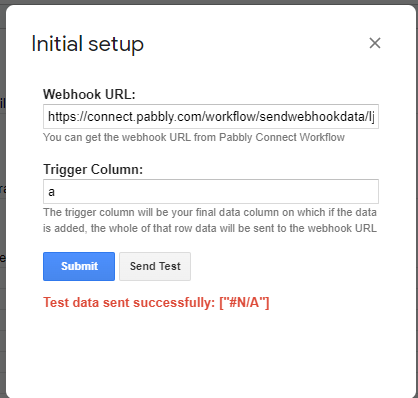
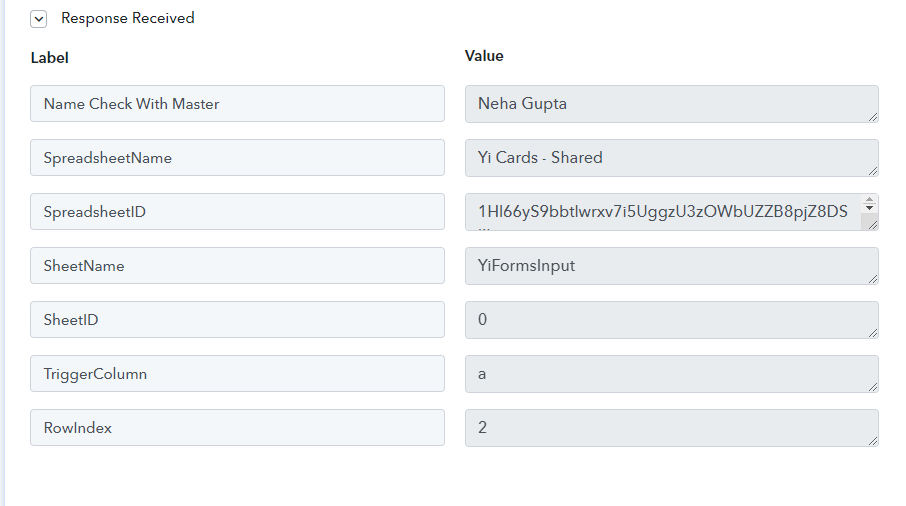
You're entering the trigger column as A.
Enter trigger columns as the last column where data is being entered and then try capturing the webhook data.
I now somehow managed to get the full row data but right now the issue is
I've set the trigger as col I and when I'm updating I col for other row, the system is not doing anything
that screenshot is old. I've already changed the trigger as I.
Now there are other rows too without col I value but the system is not triggering the next step of sending a message
Attachments
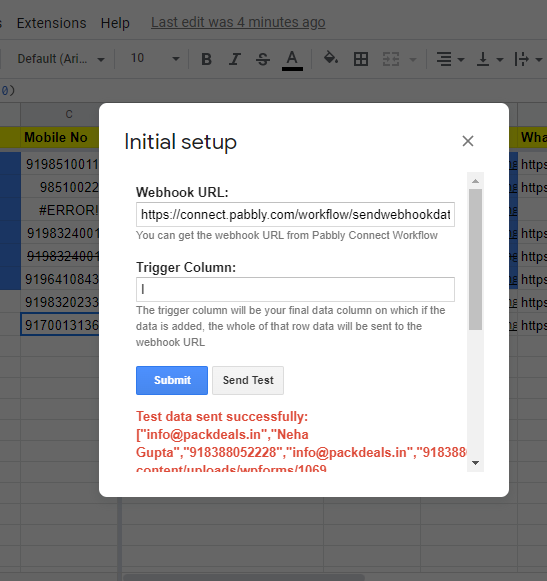
Hey @csllp
Could you pelase re-capture the webhook response again by doing the Initial Setup in your Google sheet? Also could you please tell us have checked the "Send on Event" in the Pabbly Connect add-on?
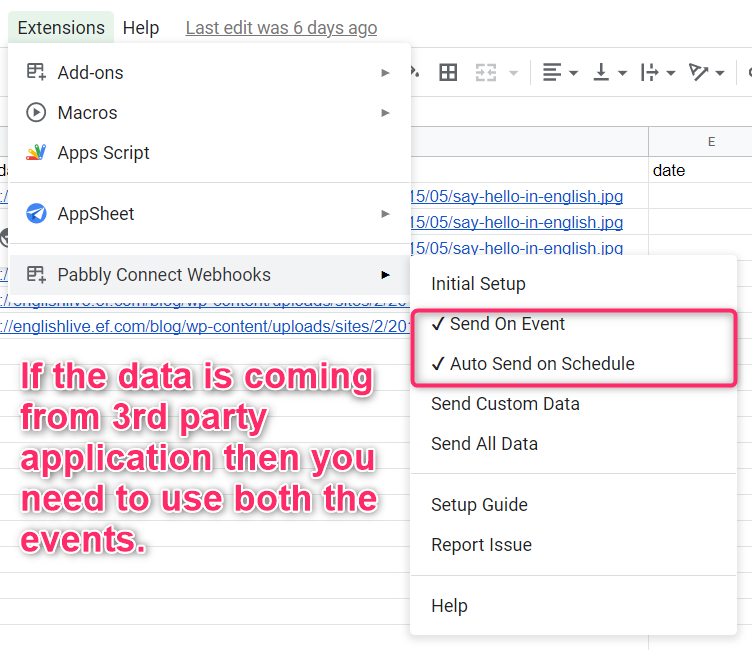
There is this another weired issue going on, I don't understand exactly
Yesterday I Scheduled messages for 10 AM everyday.
Workflow name: Payment Reminders
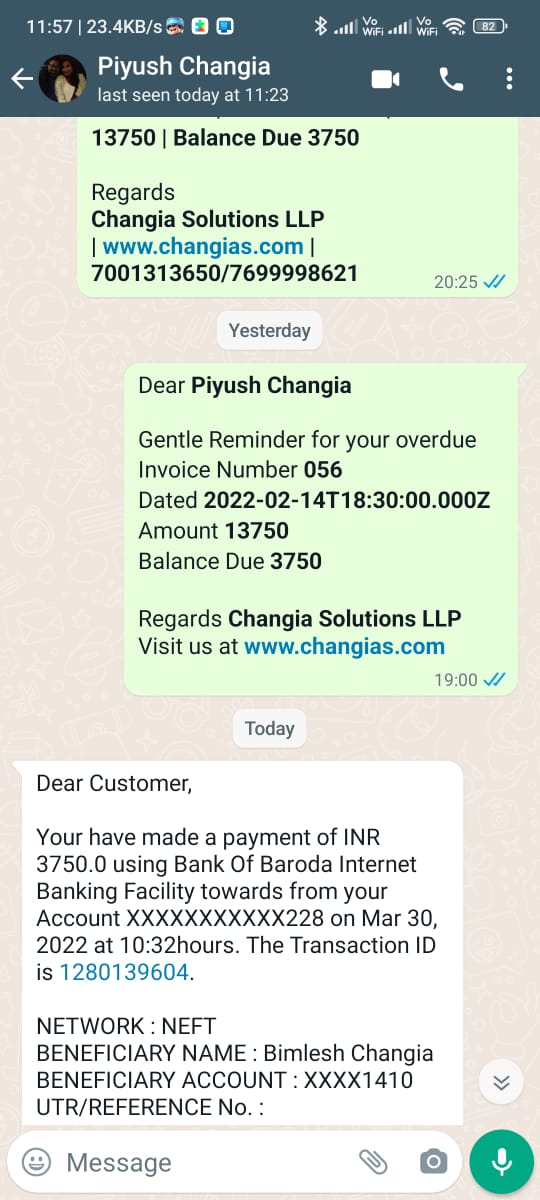
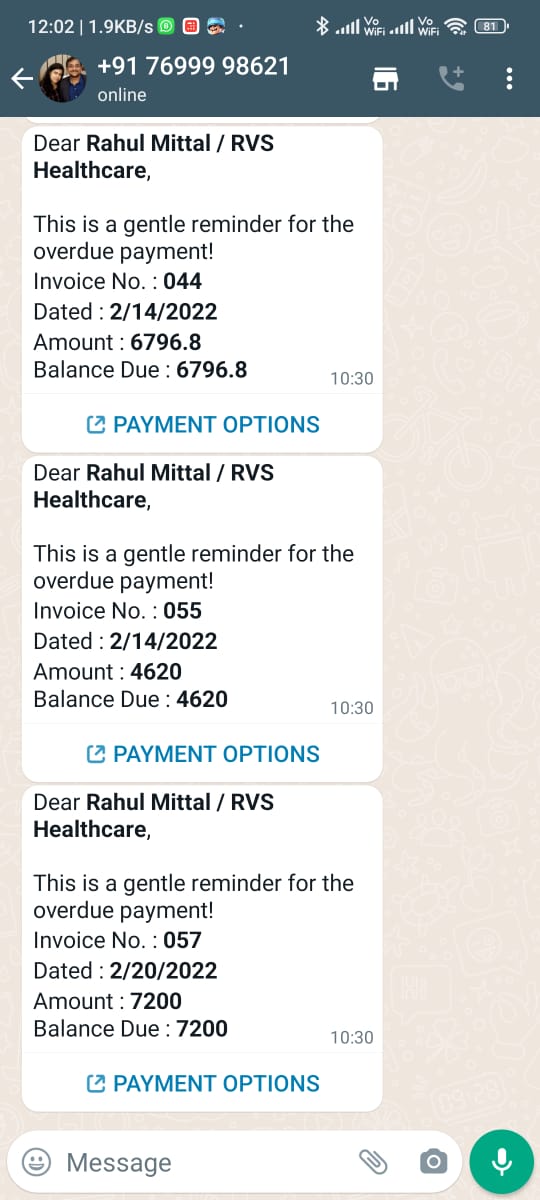
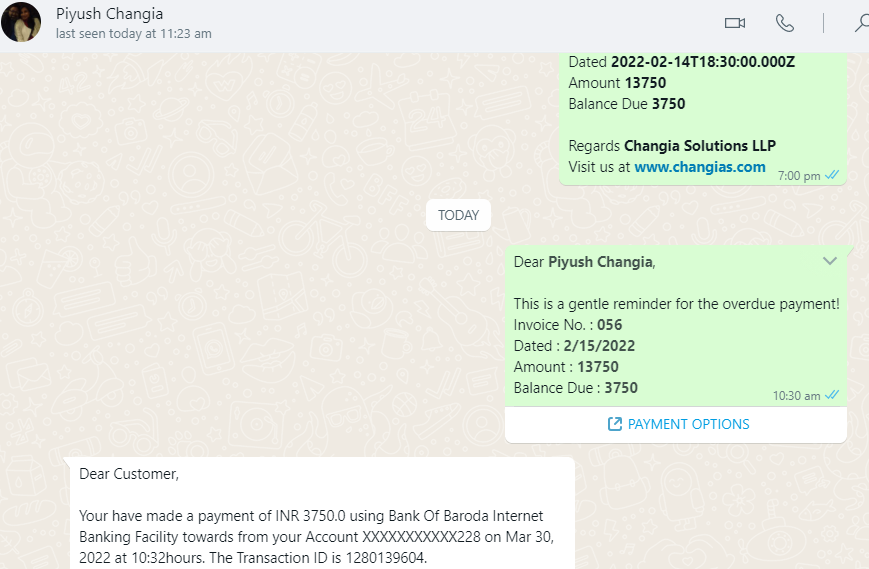
Now the weird part is on WhatsApp desktop app it shows correctly that its been sent to the specified numbers as per the google Sheet
But on WhatsApp for Mobile shows that all messages were sent to same number as sender number i.e. mine
Screenshots attached
Attachments
Hey @csllpCould you pelase re-capture the webhook response again by doing the Initial Setup in your Google sheet? Also could you please tell us have checked the "Send on Event" in the Pabbly Connect add-on?
This is now working