Google Sheets Rows not Deleting
Status: Closed · Asked by Grady8080 on · 0 views
The delete row function is not working in my workflow.
https://connect.pabbly.com/workflow/mapping/IjU3NjAwNTY4MDYzNTA0MzU1MjZkNTUzNCI_3D_pc
There was step that showed as depreciated, so I rebuilt it. But I think I'm missing something still. I am worried I might be removing the wrong row.
Hey @Grady8080 !
You need to use row number of your preceding value first in the "Start Row", and then the actual row which needs to be deleted in "End Row".
Eg-
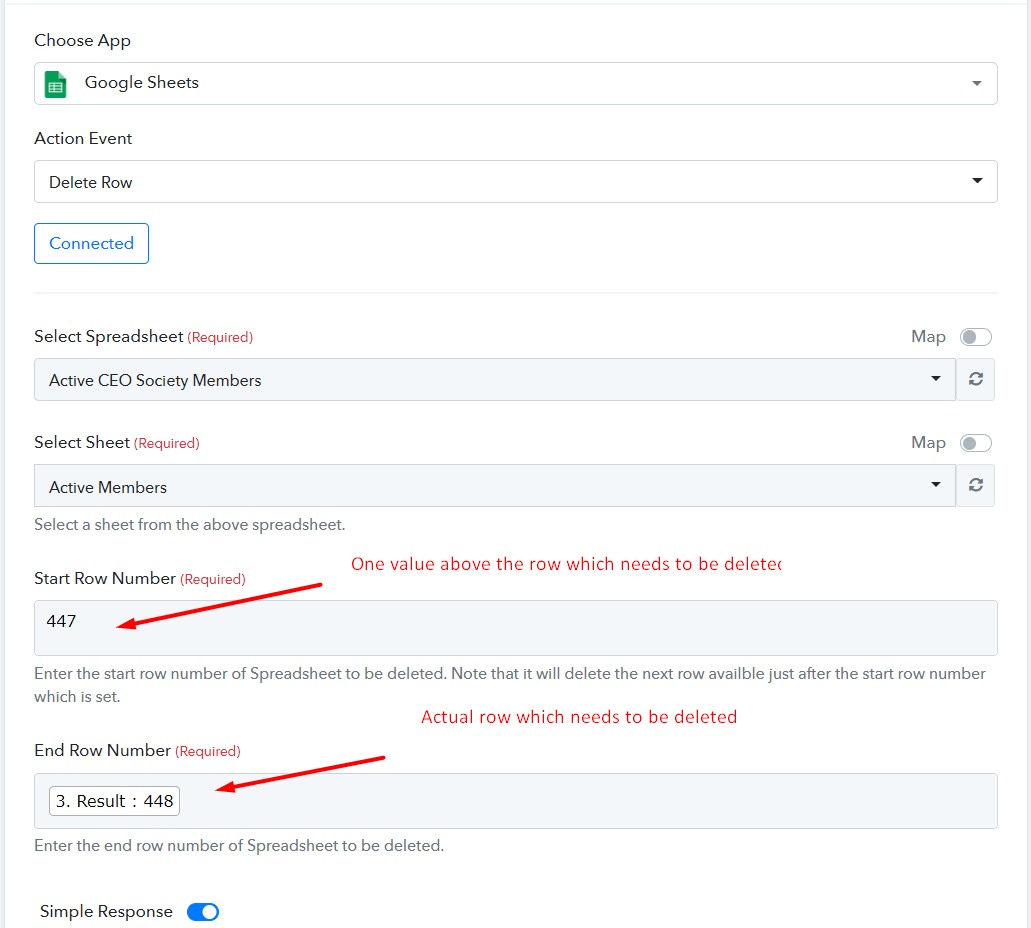
Kindly make this changes, then it will start to delete your rows for every automation.
Hope, this works for you now.
That was it. thank you.