Google Sheets - Send on event trigger not working
Status: Open · Asked by STEGE on · 0 views
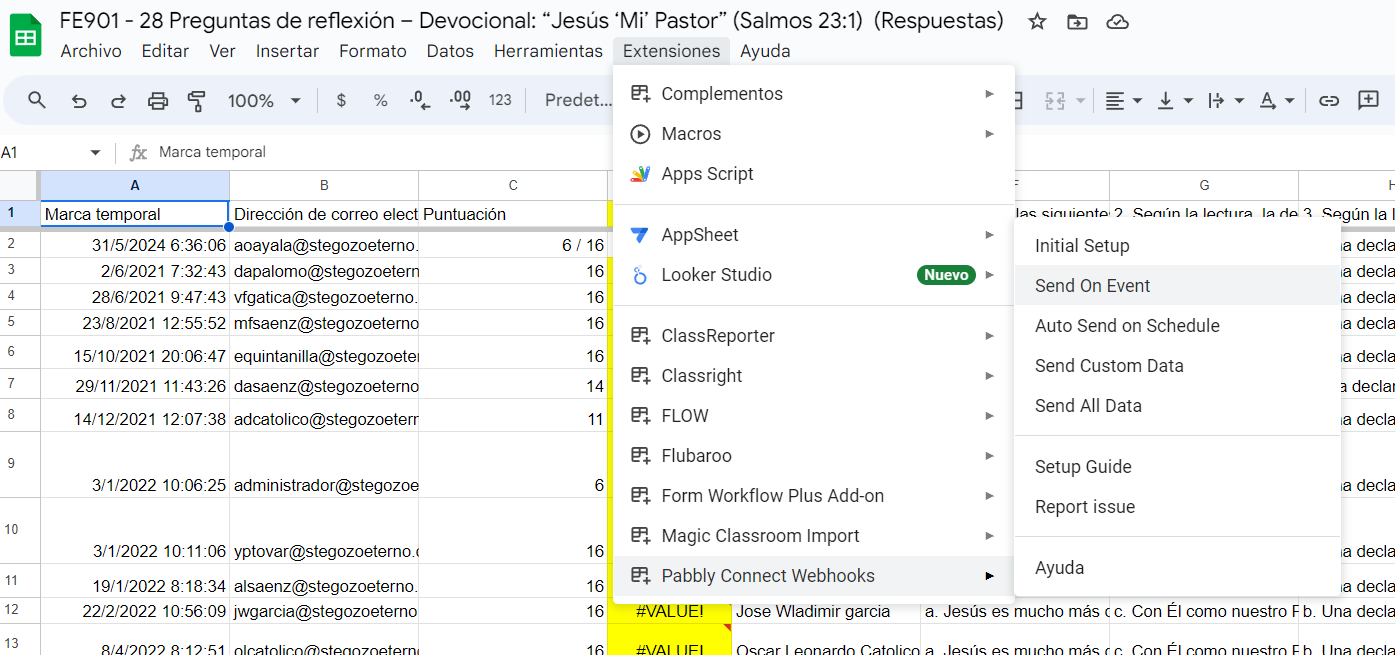
I tried doing it in incognito mode in case it's because I have too many users logged in Chrome.
Not sure why despite clicking on it, it still does not work.
I just finished re-setting the webhook successfully, but still won't enable Send on Event
Hi @STEGE-ADMINISTRADOR,
Please try hard-refreshing your browser or using a different browser/device to enable the 'Send on Event' option.
Thank you very much! I tried it and even with another browser (Edge), but it still seems to not work. Other excel sheets seem to be working.
I'm probably missing something, I'm not sure what though.
Can you please record a short video on how you are trying to capture the webhook response from your Google Sheets?
When setting up Google Sheets, if you are importing data from a Google application or entering it manually, you can only use "Send On Event". If the data is coming from a third-party application, you might need to select "Auto Send On Schedule" and "Send on Schedule", which will take exactly 1 hour to forward it.
Also, make sure to check whether the data has been filled in up to your triggering column.