Google Sheets to Airtable - numbers not working!
Status: Open · Asked by Shane Harris on · 0 views
Hi team,
Trying to pass an account value to AirTable from Google Sheets with no luck.
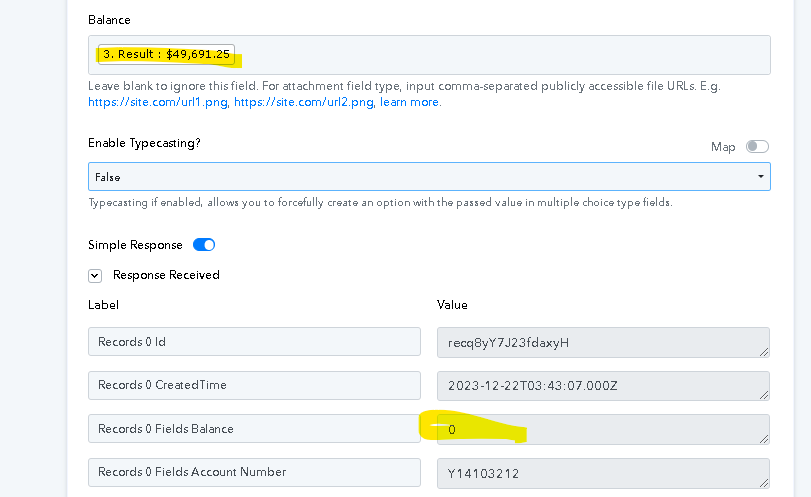
The example I have - account value is $49,691.25 and no matter what I do (formatting number or currency in Pabbly, or formatting from Google Sheet side) it either updates to $49.00 or $0
Hey @shane6836
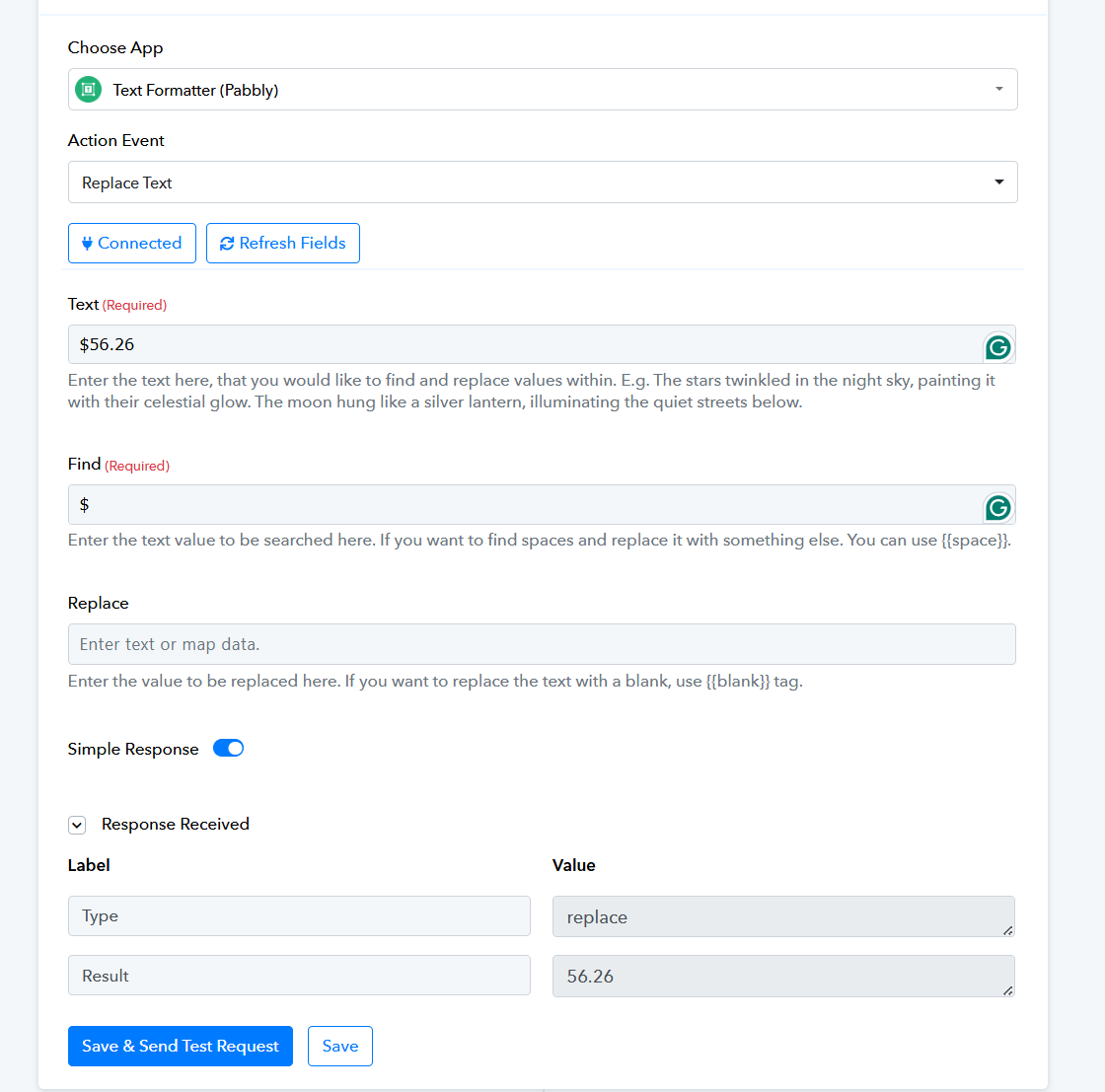
Please ensure that the dollar sign is not included in the amount field. You can eliminate the dollar sign from the number using the Text Formatter action step. The dollar sign will automatically be added by Airtable.
Hey :)
So that didn't solve the issue, however i worked out that if the ',' is removed (eg 49,691.25 to 49691.25 it solved the issue) - is there any reason we can't pass numbers with ',' to airtable?
Please allow me some time to discuss this with my team. We will get back to you with an update soon.
I had a discussion with the technical team, and they have informed me that in the Currency type field, you need to pass the value without any commas. The API does not accept commas in the amount.