Google Sheets to ChatGPT to Google Business Update
Status: Closed · Asked by mryeps on · 0 views
Hello, I am trying to create the following workflow that runs on a daily basis:
1. Google Sheet - list of topics in column A and a list of media URLs in column B. Each day 1 row contents are sent to ChatGPT with a predefined content prompt for article generation.
2. ChatGPT creates an article relevant to the topic and sends to Pabbly
3. ChatGPT Article uploaded to Google Business and media URL added
I am having issues ranging from both columns not being detected in Google Sheets. It seems to be either A or B as the trigger. I can't seem to add the media column to the Google Business post. I don't know how to make this a recurring event that happens 1x per day and uses the contents of the next row in the spreadsheet.
Hey @mryeps
The use case listed below must be followed in order to post an update to your Google Business every day using a link from Google Sheets:
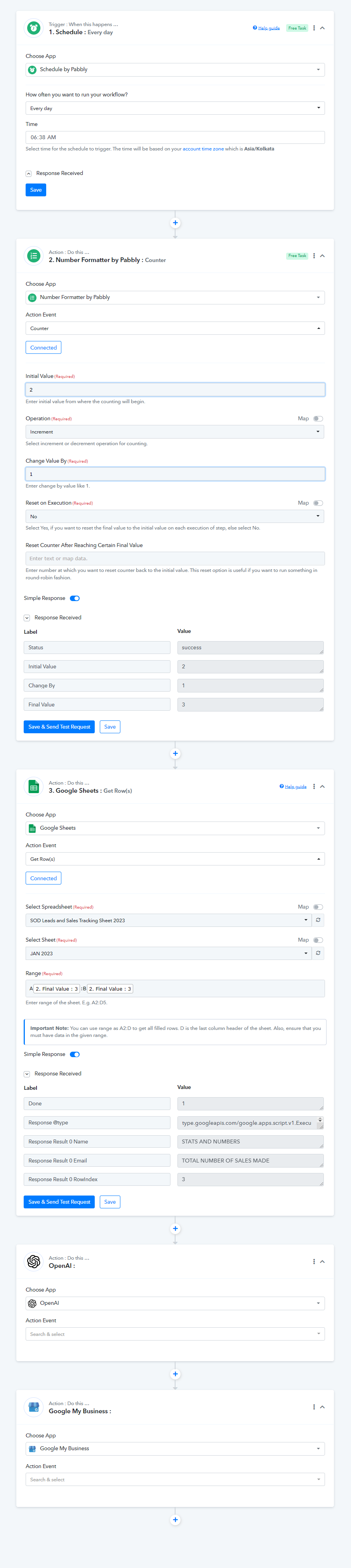
Also, while you only have a word restriction of 1500, the message content you have mapped in your action step for "Google Business" exceeds 1500 words.
Thus, please make sure that each post has a word limit of 1500.
Please let me know if you have any other issues.
Thank you! I never would have figured that out! I was able to get it to post with an image from OpenAI. The problem is that the daily automation does not appear to work.
Could you please check my workflow?
I can check that you have successfully mapped the action URL in the "Google My Business" step.
Also, we tested at our end and found the workflow is working fine now. So, I request you to wait for the scheduled time and check for the response.
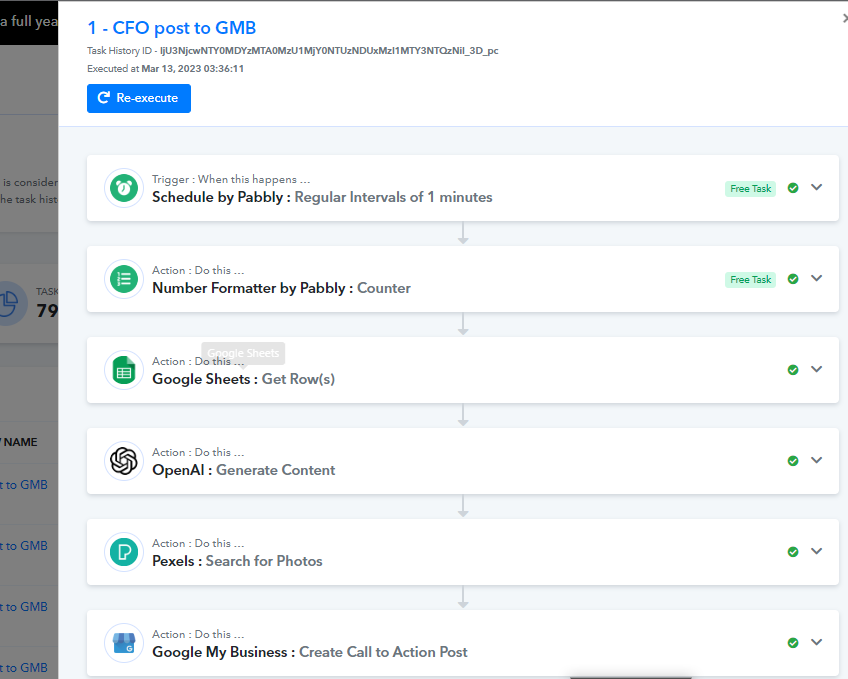
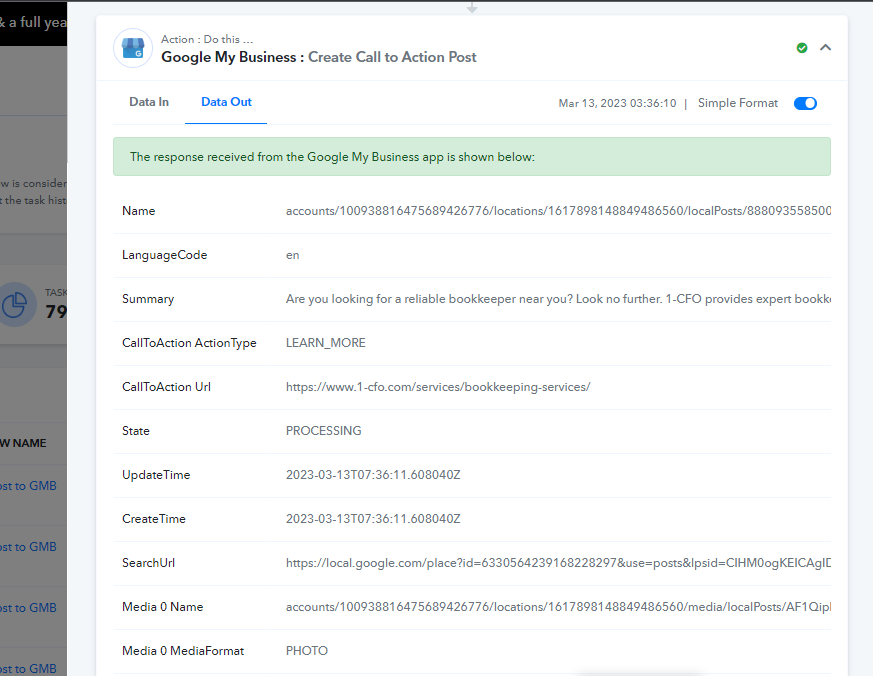
Please let me know if you are still facing the same issue.
It looks like the workflow ran again according to the schedule, but it did not choose the next (2nd) keyword in Column A or URL in Column B. It appears to have repeated the same as the previous day. Here is the output:
Could you please record a short video for this issue and share it with us so that we can check and help you?
Here is a video of the workflow and the issue of the same Row being triggered each day:
https://www.loom.com/share/217c57f29567419e8f9dbe8b5d859bc3
Thank you!
Never mind... I was able to fix it. Thank you. Please close the threa.