Google Sheets to Gmail Not Updating
Status: Closed · Asked by JoseC on · 0 views
Hello, I am trying to set up an automation where I get an email via Gmail when there is an update to my google sheet. The integration works fine when the data is entered manually or copied and pasted, however, when the data is passed via automation and automatically added to the spreadsheet it is never passed along. I have the "send on event" and "Auto send on schedule" both selected. I have waited well over an hour because I know the "auto send on schedule" takes an hour to work, but still no luck.
I recorded a quick video so you can see exactly what I am encountering here: https://www.screencast.com/t/BDKfOC6ree3A
Please help.
Thank you!
Hey @JoseC
We have checked the video and workflow as well. Could you please recapture your webhook response by doing the initial setup again and then pass the data through 3rd party app and record the video as well for our checking?
Thanks
Kunal
Hey @JoseCWe have checked the video and workflow as well. Could you please recapture your webhook response by doing the initial setup again and then pass the data through 3rd party app and record the video as well for our checking?
Thanks
Kunal
Hi Kunal,
Here is the video of the initial setup and passing the data through the 3rd party app (Responsesuite). Thanks for the help! https://www.screencast.com/t/cR8JDPczzBcZ
Hey @JoseC
Thanks for sharing the video. We have checked the workflow and history section as well. We have got the data for John Doe as you have submitted in the 3rd party app successfully. Kindly check the screenshot:-
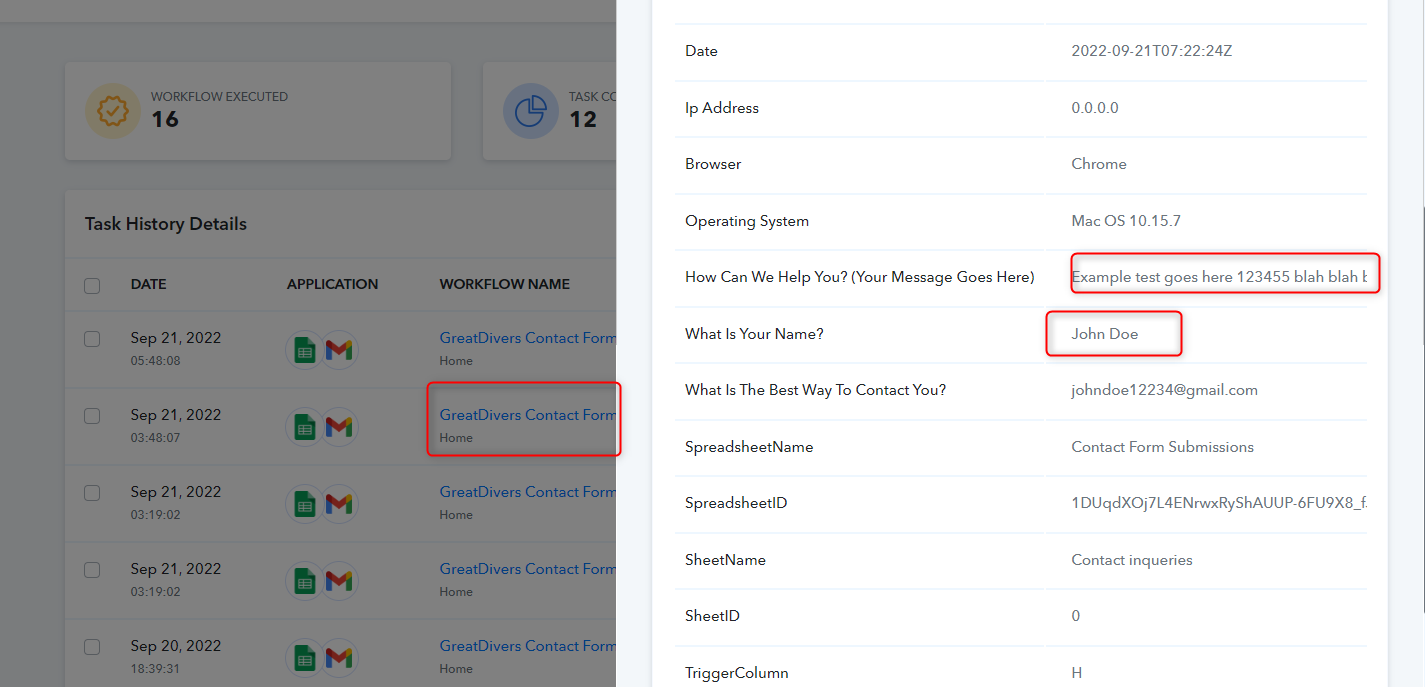
Kindly note that since you are getting data through any 3rd party app in the Google sheets therefore it will take 1 hour to process the data from Google sheets to the next app that you have integrate in your workflow.
Thanks
Kunal
Hey @JoseCThanks for sharing the video. We have checked the workflow and history section as well. We have got the data for John Doe as you have submitted in the 3rd party app successfully. Kindly check the screenshot:-
Kindly note that since you are getting data through any 3rd party app in the Google sheets therefore it will take 1 hour to process the data from Google sheets to the next app that you have integrate in your workflow.
Thanks
Kunal
Everything seems to be working now. I guess re-capturing the webhook response fixed it. Thank you for your help Kunal, I really appreciate it!
Jose
Thanks for confirmation :)