Google Sheets Update Row — Input always on first row
Status: Open · Asked by Vincenzo Tortora on · 0 views
Hi,
I've repeatedly reset a flow that starts from Google Sheets (trigger). Although everything seems correct, the data sent always refers to the first row, not the added one. What could be the cause?
Hi @Vincenzo Tortora,
It doesn’t look like your workflow has been triggered even once. Are you sending data by clicking the “Send Test” button in the Initial Setup? That will only send the data from row 2 of your workflow.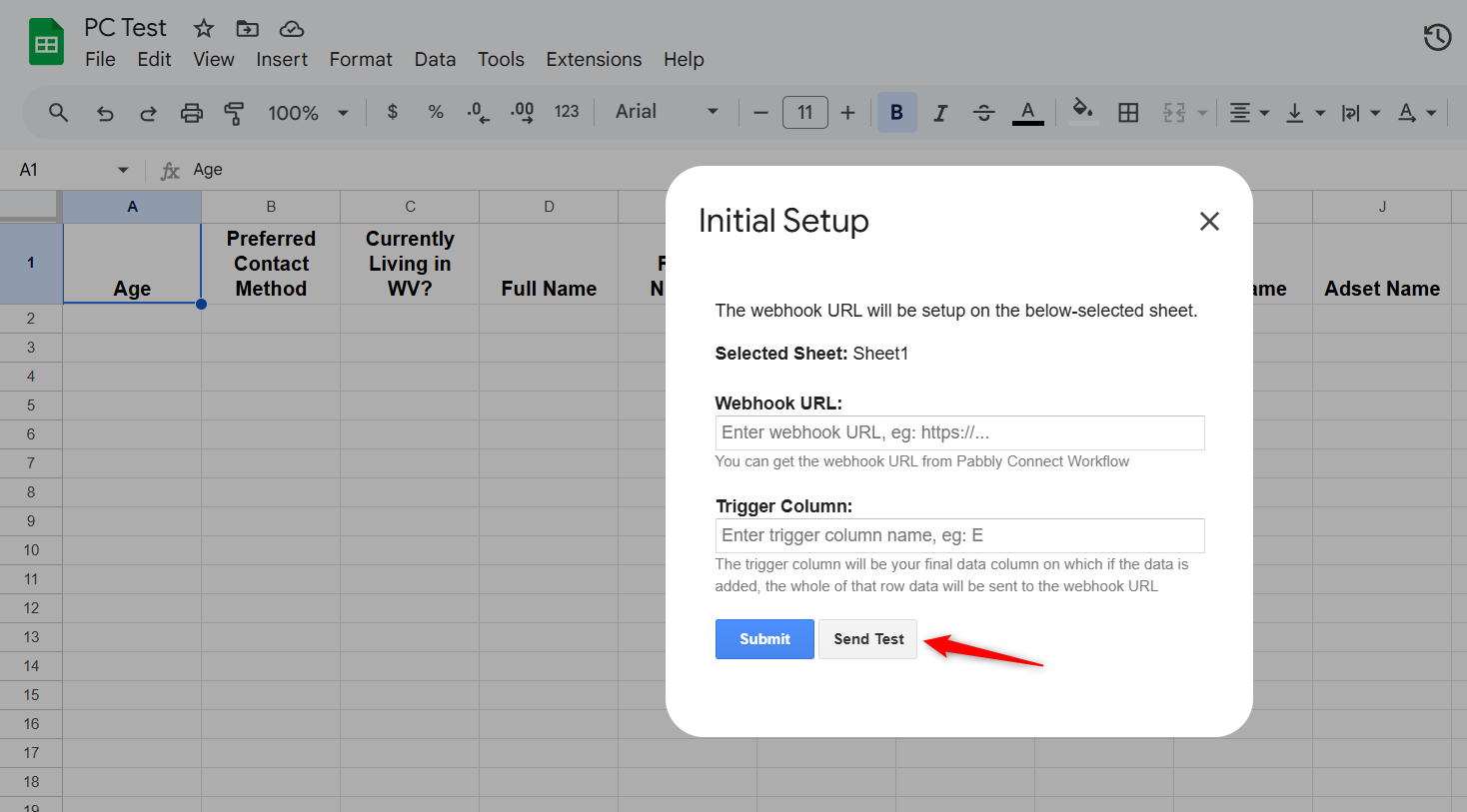
Thanks & Regards,
Arshil Ahmad
Customer Support Associate
Pabbly.com
?Rate your support
Hi @Vincenzo Tortora,It doesn’t look like your workflow has been triggered even once. Are you sending data by clicking the “Send Test” button in the Initial Setup? That will only send the data from row 2 of your workflow.
Thanks & Regards,
Arshil Ahmad
Customer Support Associate
Pabbly.com
?Rate your support
Yes,
and it works via test. But then, as you said, it was never triggered. I did this by setting it according to what we said here: https://forum.pabbly.com/threads/google-sheets-%E2%80%94-trigger-on-sheet-different-from-first.35375/#post-166372
But then, as you said, it was never triggered. I did this by setting it according to what we said here:
That is, the trigger is not on the first sheet.
Hey @Vincenzo Tortora,
To assist you better with this concern, it would be best if we could connect over a Google Meet call. Kindly book a convenient slot using any of the links below and let us know once done:
https://calendly.com/d/cxtm-k5q-wjd
https://calendly.com/arshil-ahmad/new-meeting-1
Hey @Vincenzo Tortora,To assist you better with this concern, it would be best if we could connect over a Google Meet call. Kindly book a convenient slot using any of the links below and let us know once done:
https://calendly.com/d/cxtm-k5q-wjd
https://calendly.com/arshil-ahmad/new-meeting-1
Done!
Thanks for the update.