Google Sheets Webhook Error Using All Allotted Tasks
Status: Open · Asked by simcalister on · 0 views
I have a workflow that worked great: workflow link. Whenever new data is entered into a Google sheet, it does a few calculations, does date/time formatter, uploads an event to my Gmail calendar.
My Google sheet changed to a new sheet. I duplicated the working workflow, updated according to the new Google sheet, connected the webhook. Every test response works. It will not run on it's own. Pabbly is not picking up new entries into the sheet. I must push the data manually. When I do that, the workflow goes through thousands of tasks and creates hundreds of duplicate calendar entries. Broken workflow (current disabled).
Does anyone have ideas?
Hi @simcalister,
When adding the data into your Google Sheets, make sure to add the data to your trigger column as well in order to trigger the workflow.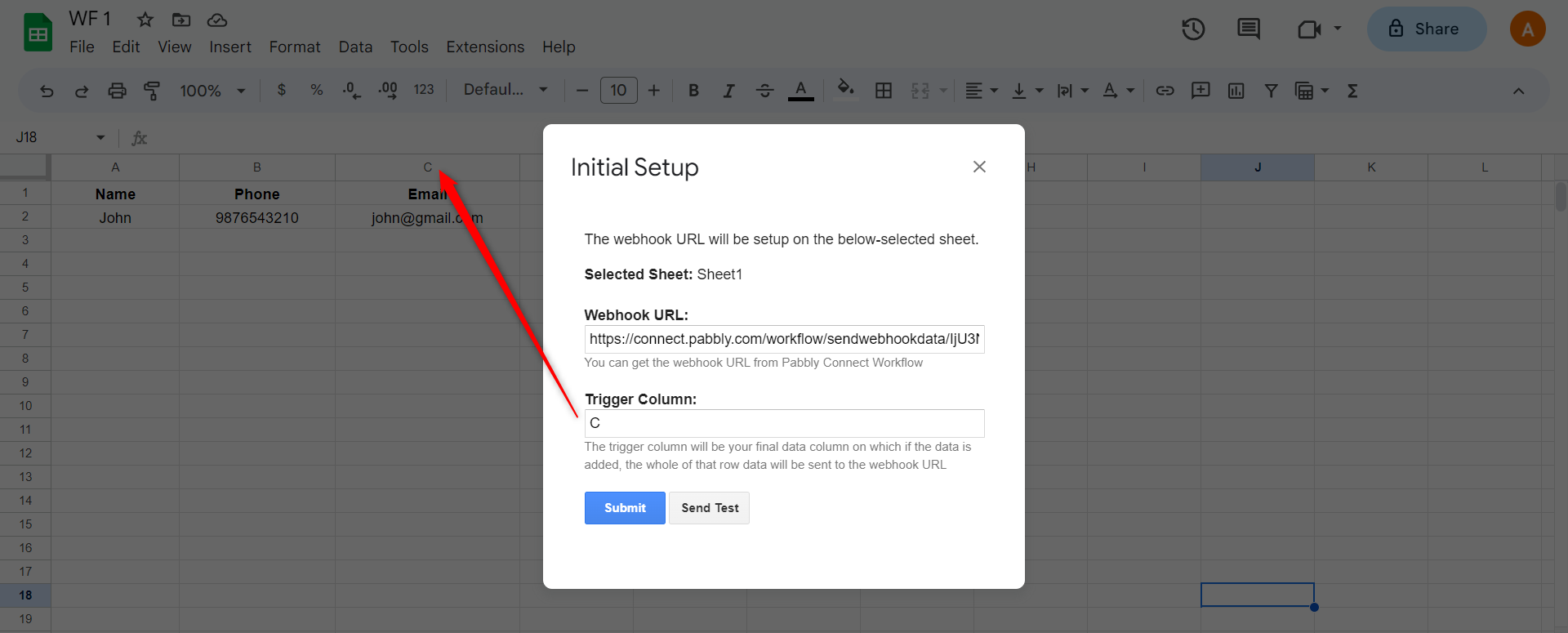
To make automation work, you need to enable 'Send On Event' if you're manually entering data into your Google Sheets.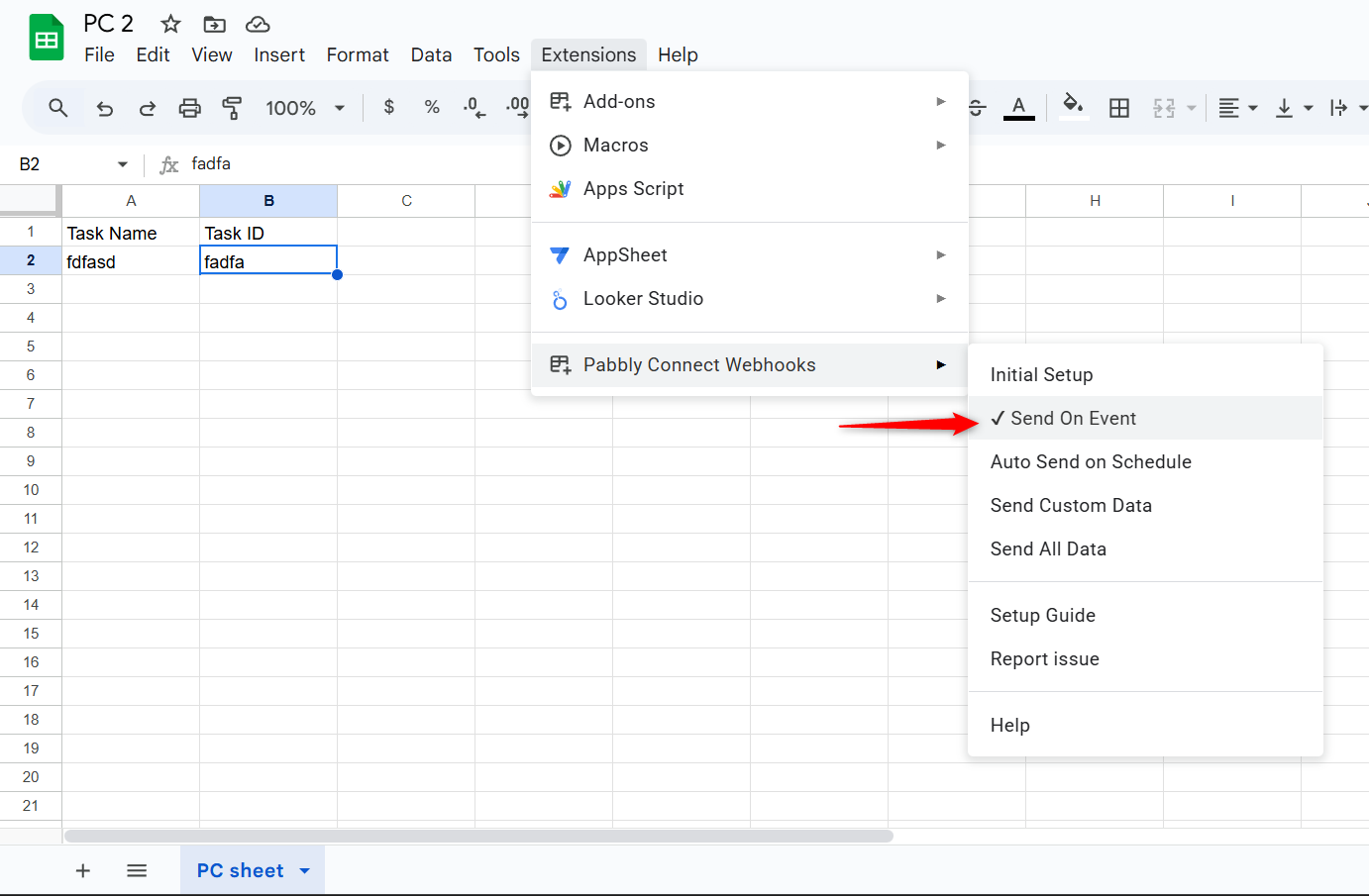
If the data added to your Google Sheets comes from another API or third-party application, you need to enable 'Auto Send on Schedule'.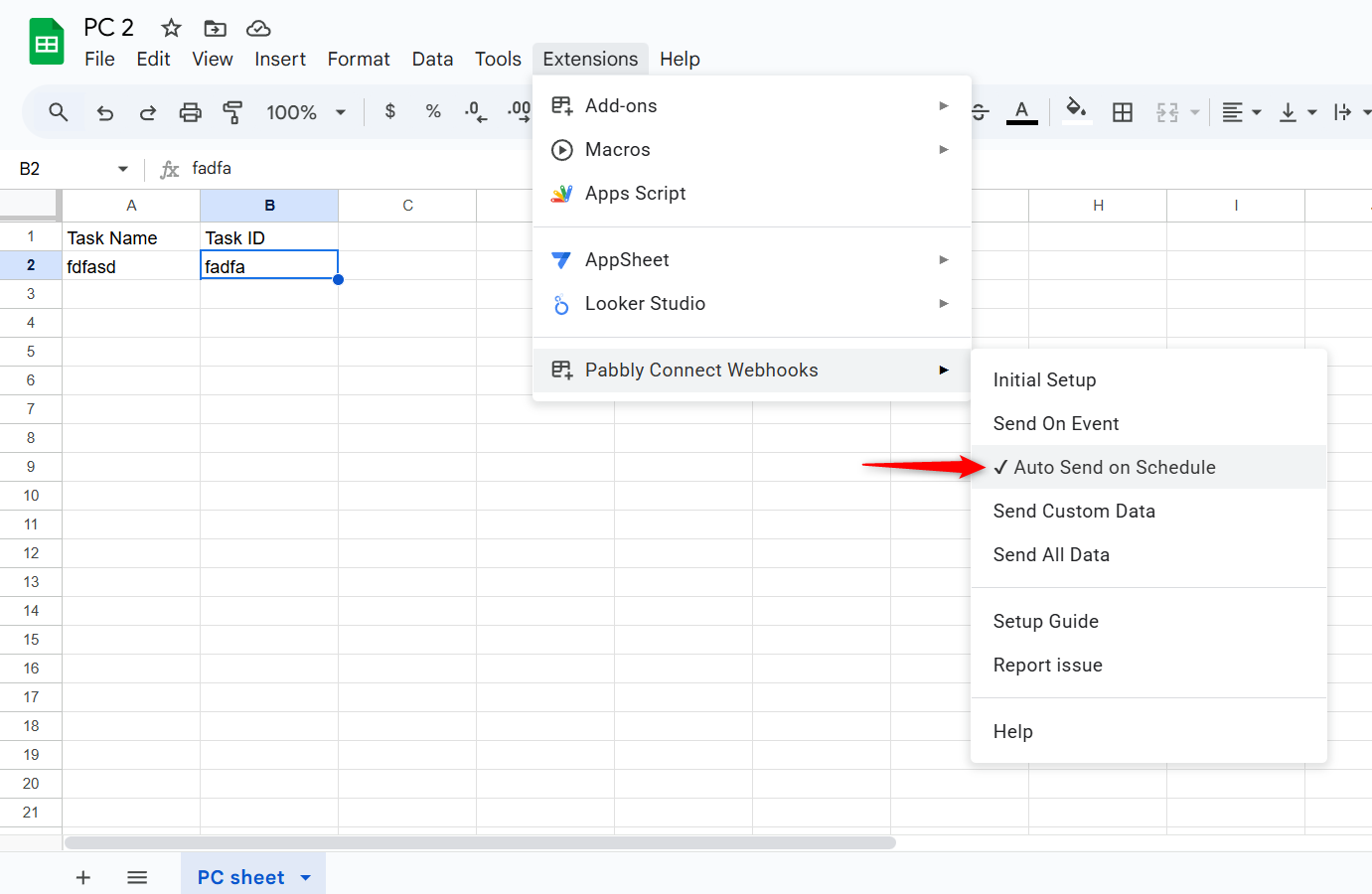
Note: If your data is being added from an external source/API, your workflow will take up to 1 hour to get triggered.
Thanks & Regards,
Arshil Ahmad
Customer Support Associate
Pabbly.com
?Rate your support