Google Workspace Admin (Create User - Primary Email issue)
Status: Open · Asked by STEGE on · 0 views
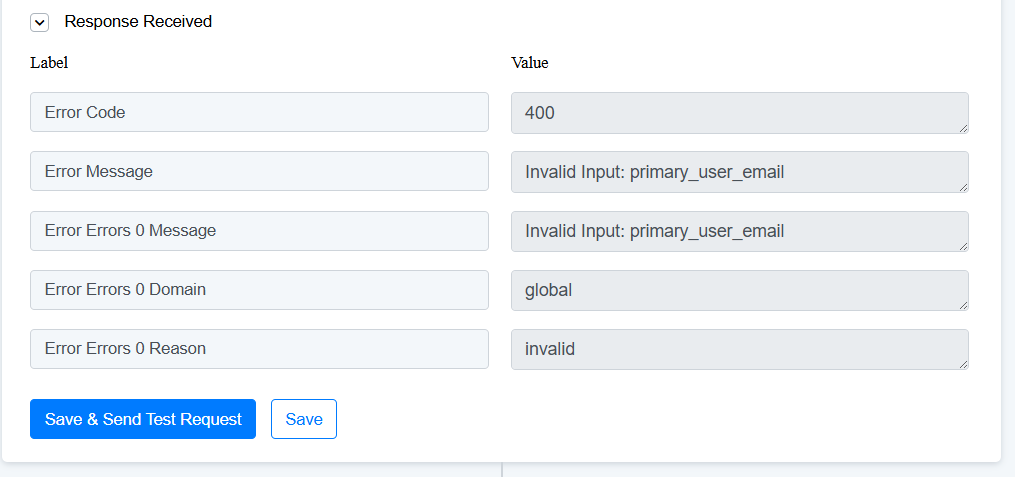
Hello, please help. I am having the following error despite inputing: username, [EMAIL][email hidden][/EMAIL]
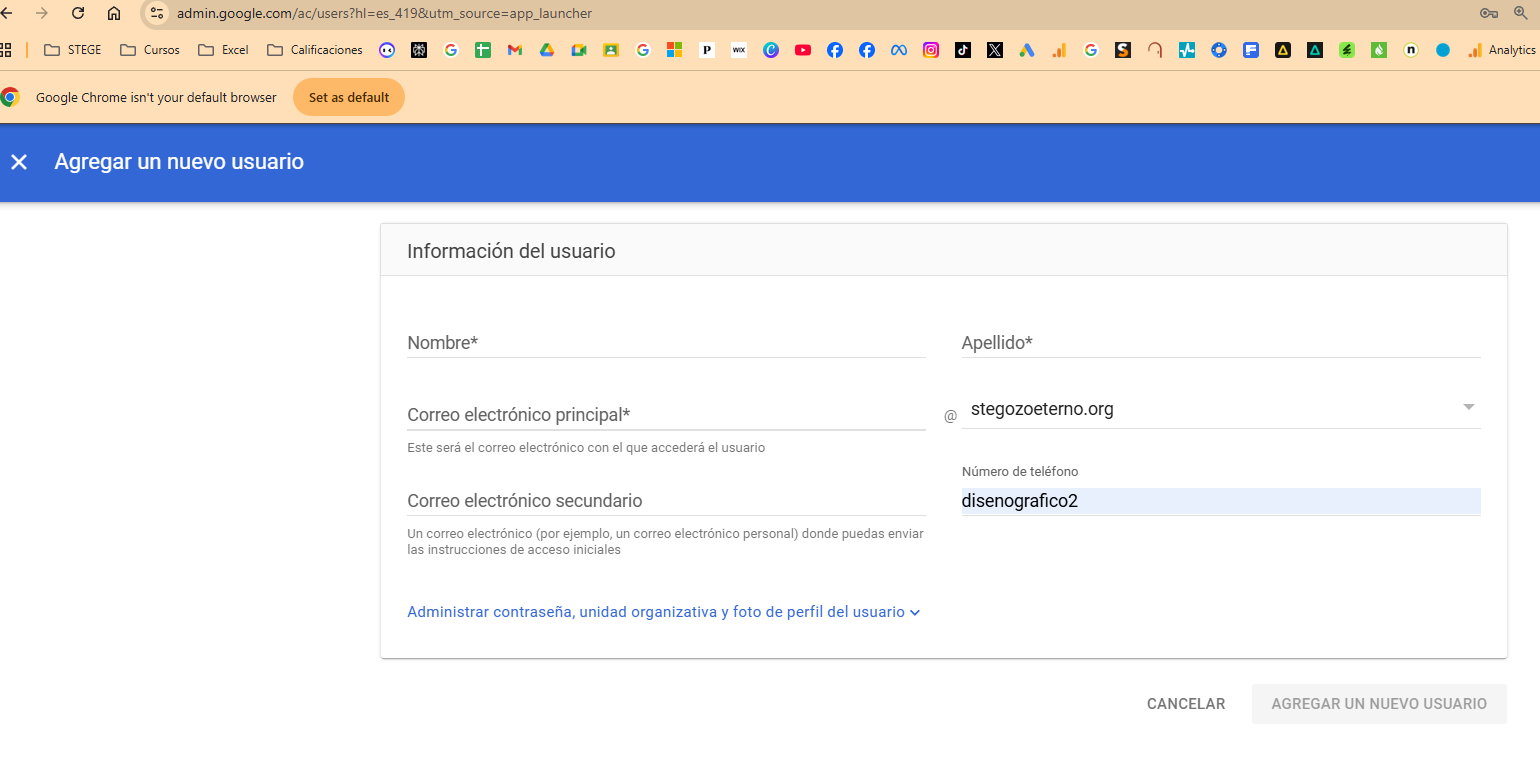
Our domain is: "stegozoeterno.org". Thus, "arañete" or "arañ[EMAIL][email hidden][/EMAIL]" both do not work.
I tried both inputting manual and dynamic variables, but none seem to work.
Admin Google asks for just the username (image 2). Nonetheless, it still does not seem to work.
ISSUE at STEP 9 of my workflow
Hello @STEGE-ADMINISTRADOR,
Thank you for sharing the workflow URL.
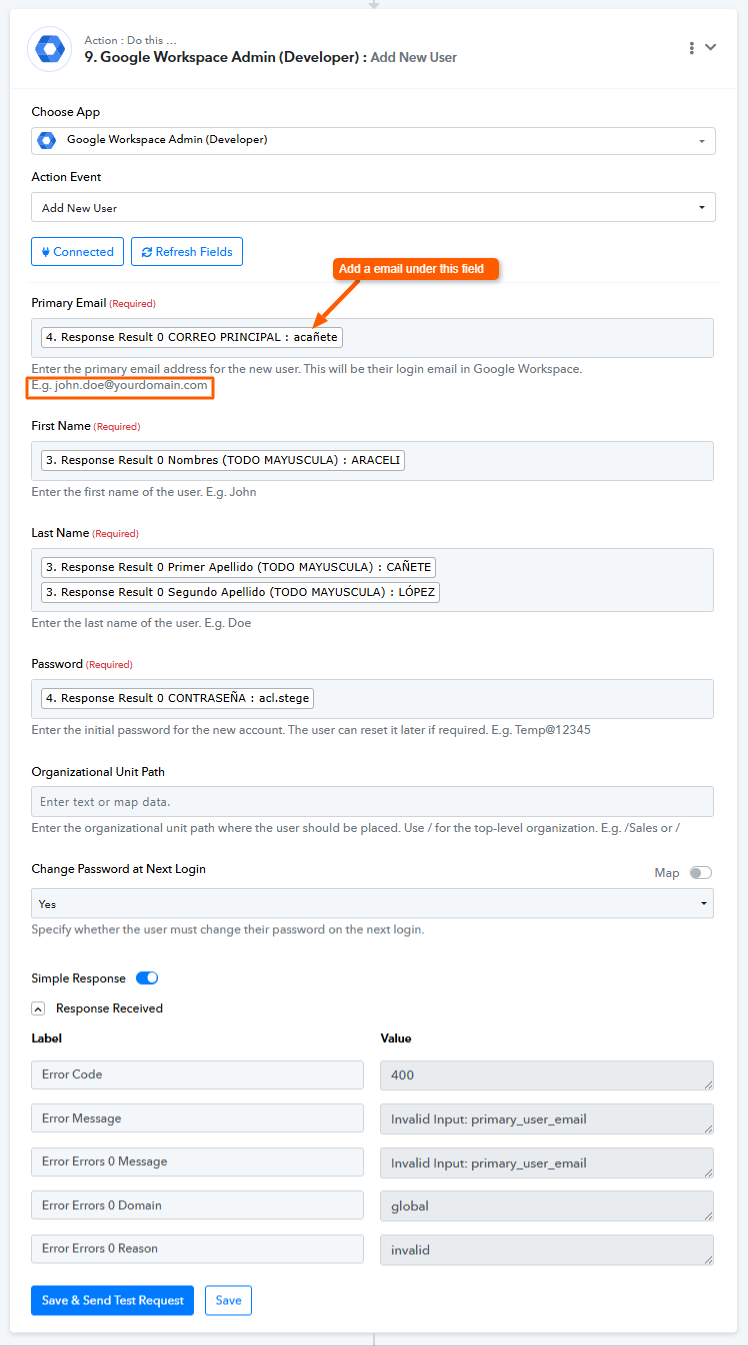
Upon checking, we noticed that a text value has been passed in the Primary Email field instead of a valid email address. This is causing the issue.
Please update the field by passing a proper email address, and the issue should be resolved. Refer to the attached image for better clarity.
Let us know if you need any further assistance.