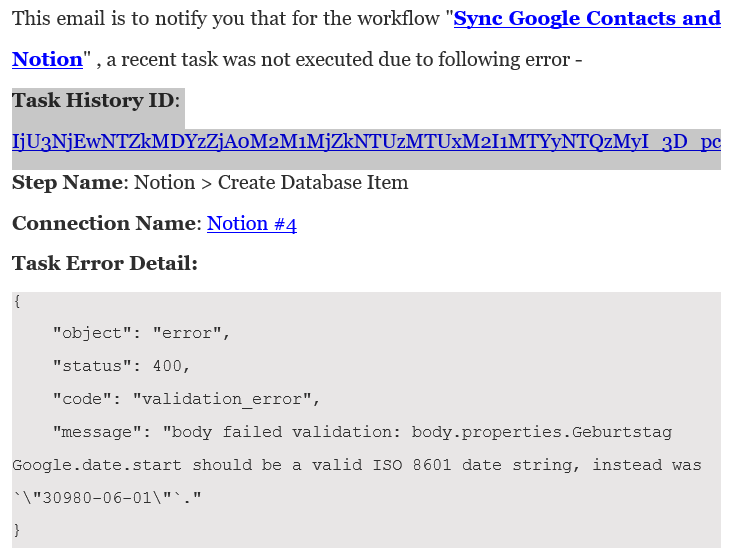
Google.date.start should be a valid ISO 8601 date string
Status: Open · Asked by Antenne on · 0 views
Hi,
I have started copying my google contacts to Notion upon update/creating new with Pabbly connect. And it basically works fine. Except for the birthday date.
If I format this as text in the Notion database, it works, but not if I try to use date format in my Notion database. I somehow can only transfer the birthday in text format, which prevents me from using it e.g. for a birthday calendar in Notion. Any idea what I am doing wrong?
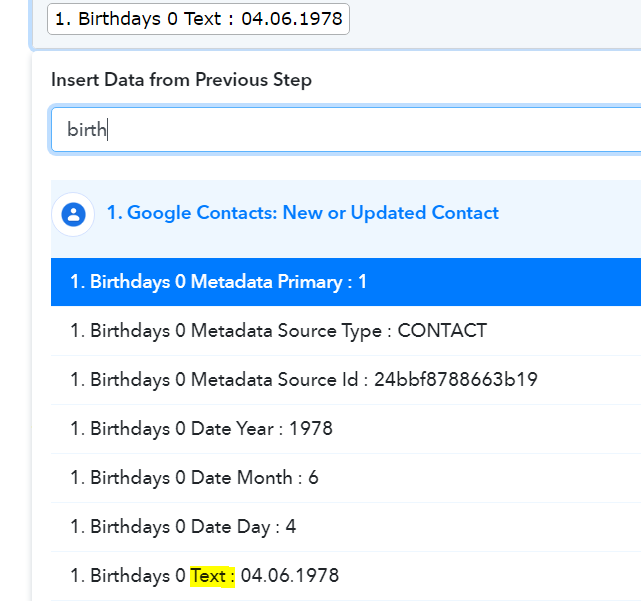
This is the error message I get: body failed validation: body.properties.Geburtstag Google.date.start should be a valid ISO 8601 date string, instead was `"04.06.1978"` And I cannot find any full date in date format to refer to ... just Birthdays 0 Text for the full date or Birthdays 0 Date Month or Birthdays 0 Date Day or Birthdays 0 Date Year (see attached screenshot).
In case this matters somehow ... I am located in Germany and Google requires me to enter dates in format DD.MM.YYYY. I have already tried to change my settings in Google (change language to English / US) to maybe change the date format as well ... that did not work.
One more thing ... if I export a contact from google contacts, the date format seems to be fine and according to ISO 8601:
[xxx] ,1978-06-04, [xxx]
Thanks in advance for the the info.
Attachments
Hi @Antenne,
You can add a Date Time formatter to your workflow to change the format of your date. For now, I have added one for you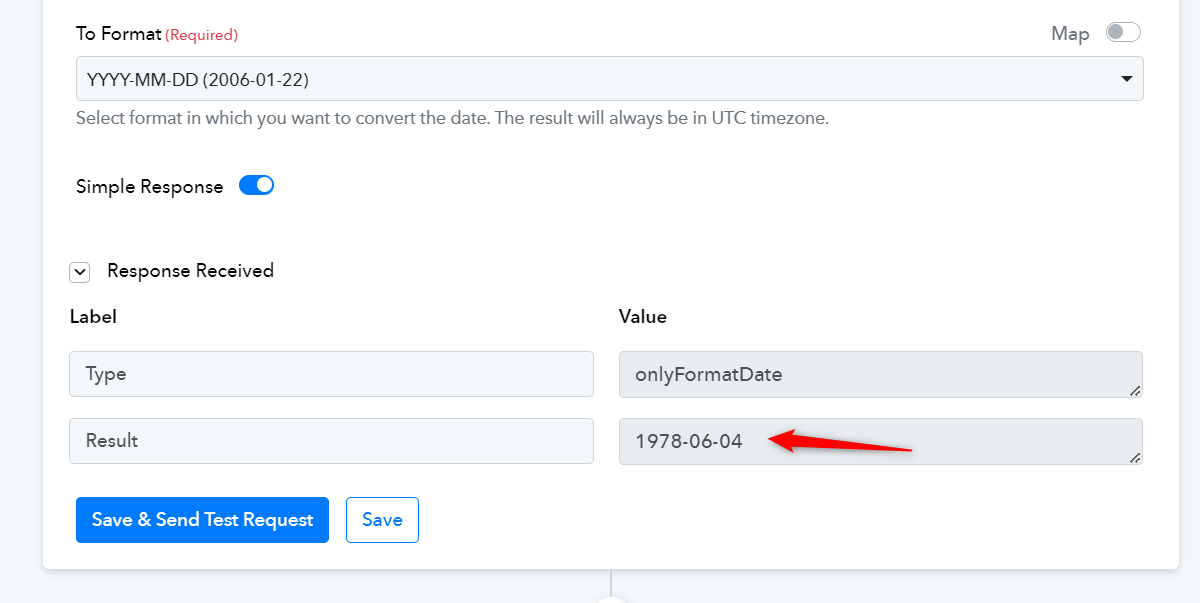
Hi,
thanks a lot. But unfortunately, this still did not do the magic.
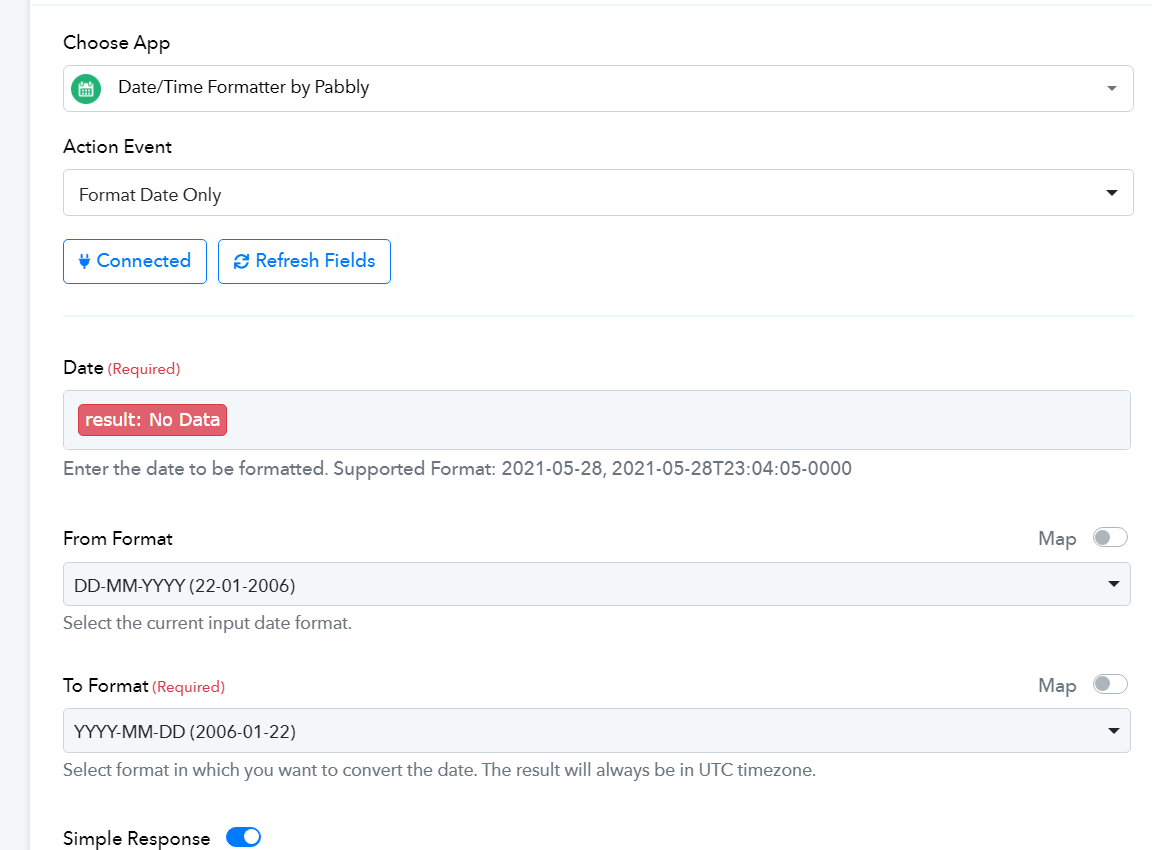
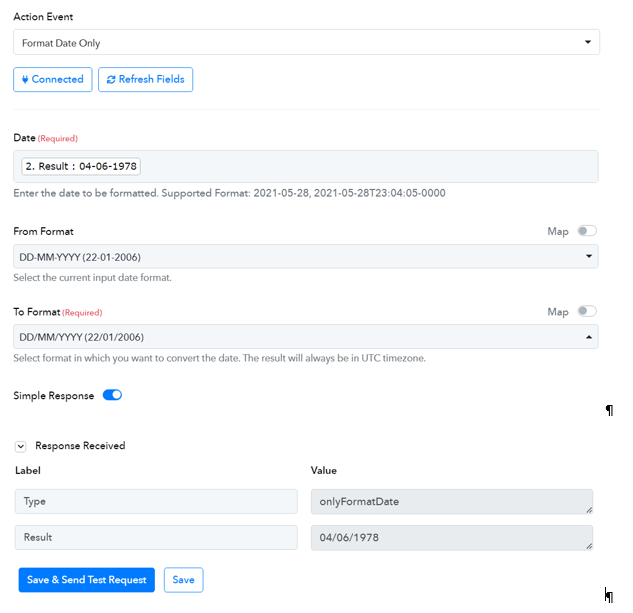
Date/Time Formatter Result: No Data (see screen shot Pabbly_NoDate)
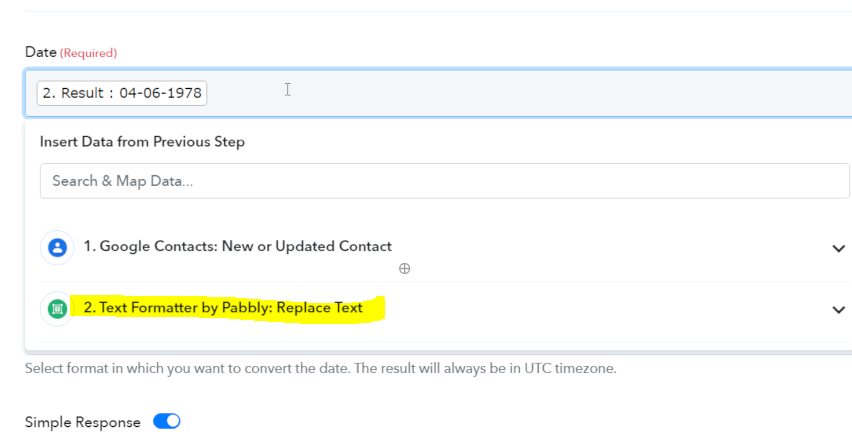
I have also tried to pick the date instead of leaving this field blank (see screen shot Pabbly_Date_ReplaceText).
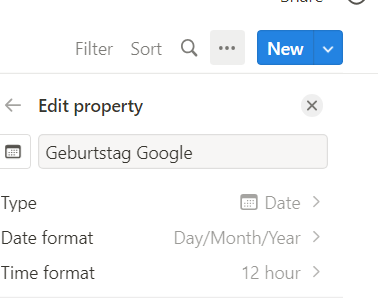
And I have tried changing the date format in the Date/Time Formatter so that it matches the format in notion (see screen shot Notion_Date_Format).
But none of this works ... even though it looks nice all the way ... (see screen shots Pabbly_DateFormatter_SetUp and Pabbly_Geburtstag_Google)
I have even tried to play around further, but no luck and I am going to skip the details here.
Any other idea? BR, Antenne
Attachments

Hi,
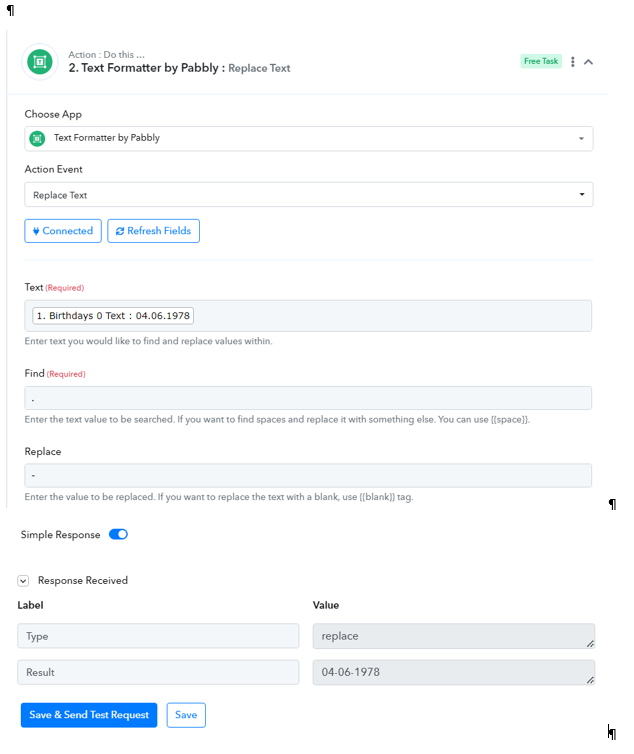
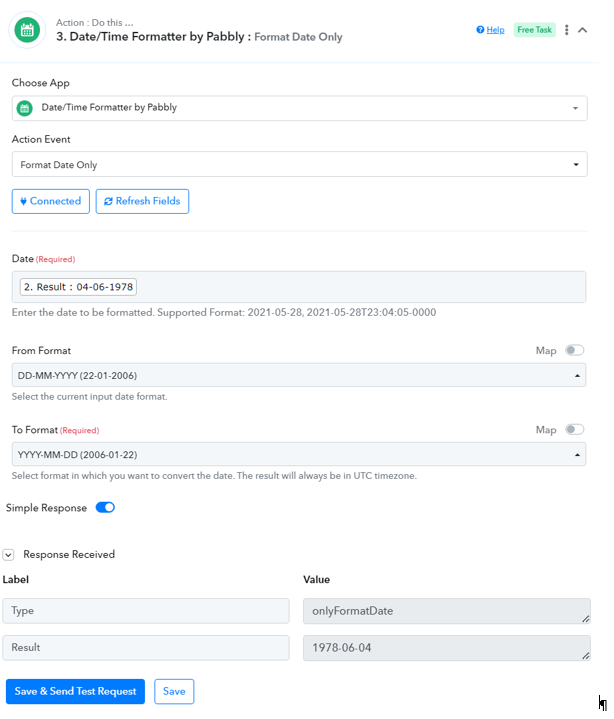
me again ... I managed ... I kept playing around and after all it worked ... thank you so much for the support. Let me add with which settings it worked for me (so that this might be of help for another person some day).
Thank you so much for helping me fix this. With this great support, I like this tool more and more.
BR,
Annette
Attachments
Hi,
and me again ... it worked for the test contact ... but it did not work for the next real contact to be transferred.
Task History ID: IjU3NjEwNTZkMDYzZjA0M2M1MjZkNTUzMTUxM2I1MTYyNTQzMyI_3D_pc
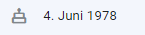
The contact is Denise and you can see how her birthday is set in Google Contacts (see screen shot).
I have also attached the date format in Google Contacts of my test contact Martina (see screen shot).
Any idea what is going wrong now? BR, Antenne
Attachments

In order for this automation to work, the input date format coming from Google Contacts has to be constant. It cannot change; otherwise, your Date/Time Formatter will not be able to generate the correct date, and your workflow will fail.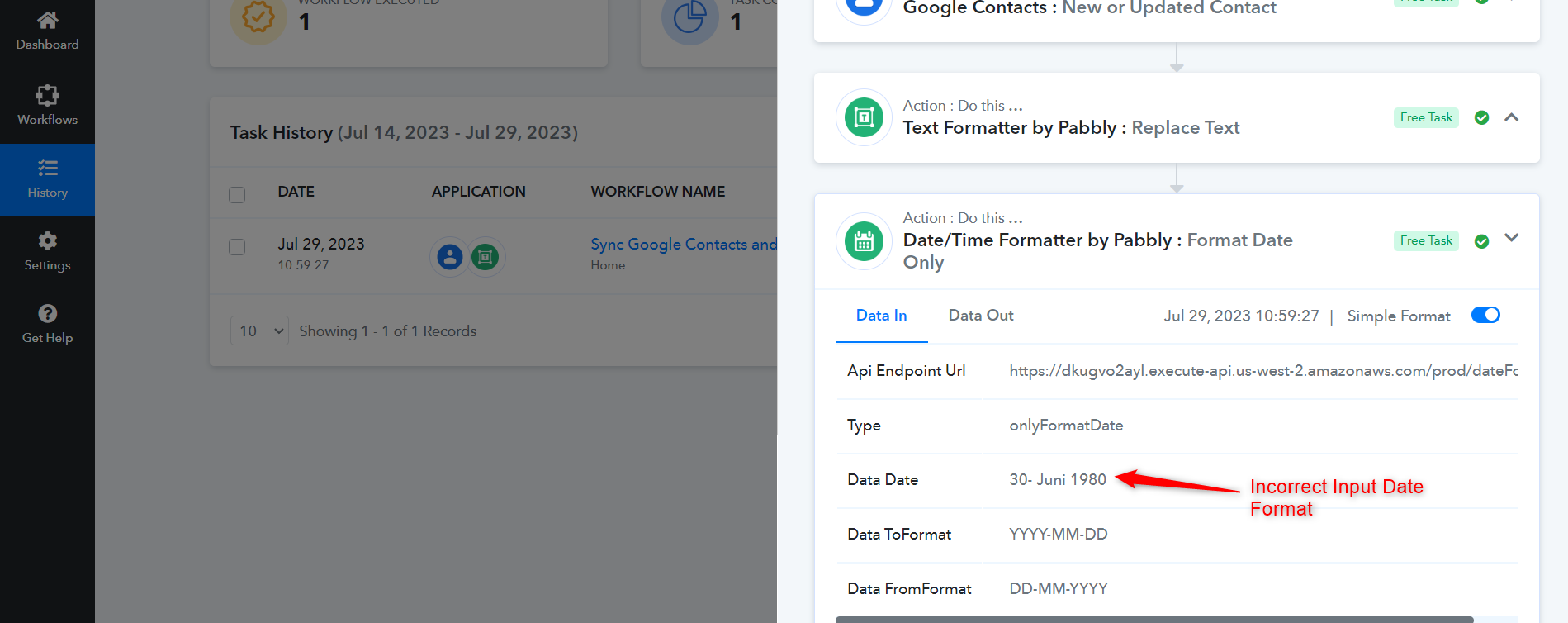
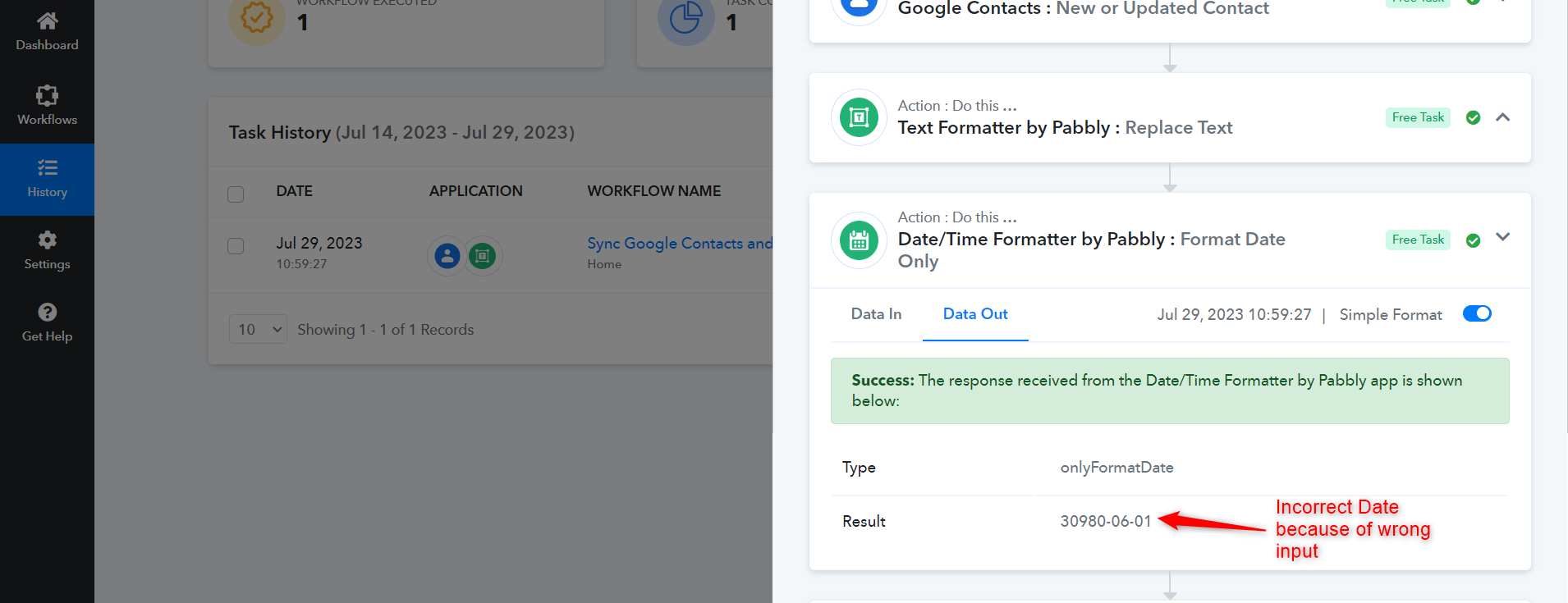
The way your workflow is currently setup, only DD.MM.YYYY format will work.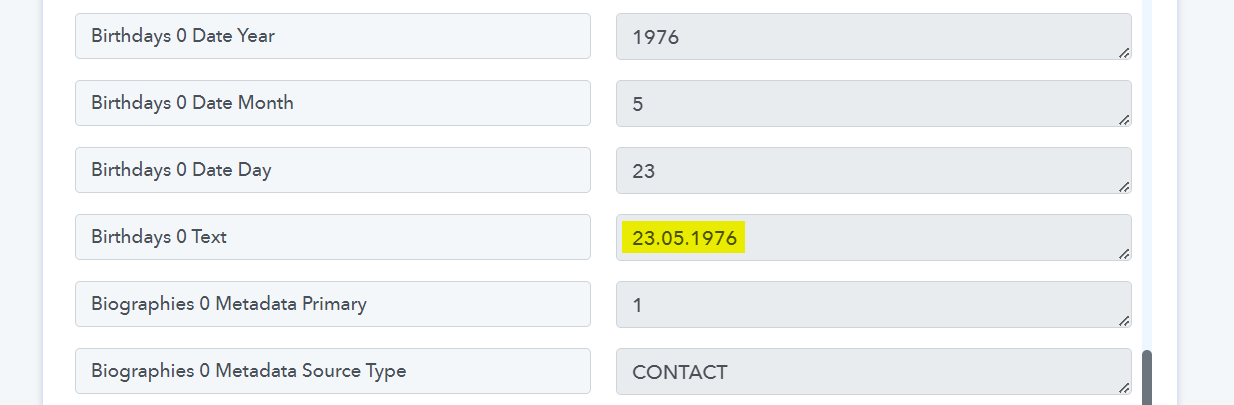
In order for this automation to work, the input date format coming from Google Contacts has to be constant. It cannot change; otherwise, your Date/Time Formatter will not be able to generate the correct date, and your workflow will fail.The way your workflow is currently setup, only DD.MM.YYYY format will work.
Hi, thanks a lot. But how can they differ. Because Google Contacts only gives me one way to put the date. I cannot change anything there. I have played around further, then managed to get one more contact synchronized and am now waiting for the next one (checking whether there will be an error message or whether this one will work). How can I make sure that Google Contacts is consistent with the dates? Thanks in advance for your help. Br, Antenne
Based on your task history, it does differ from task to task.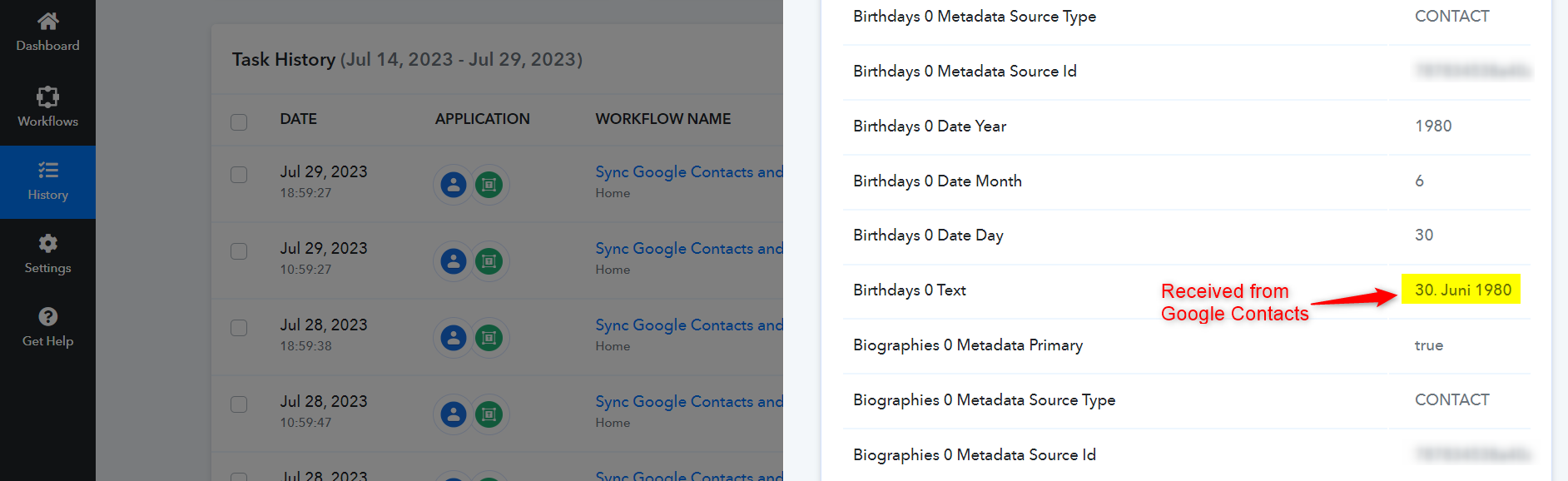
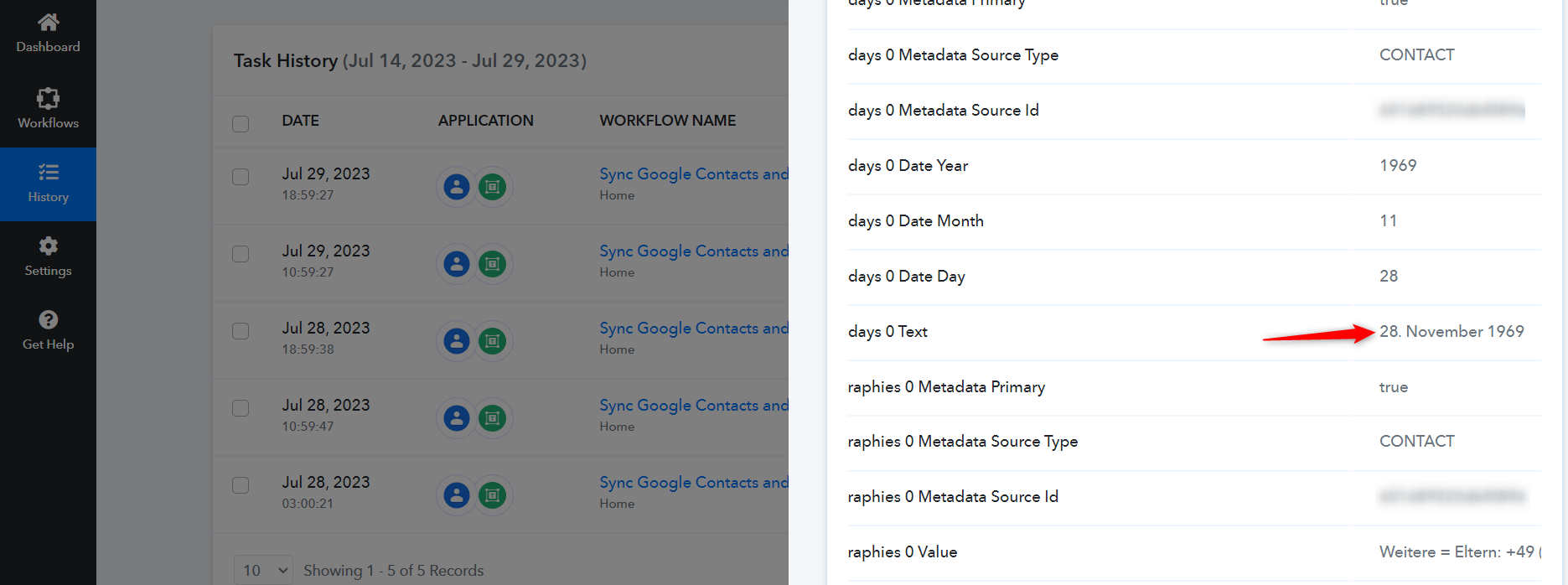
Anyway, I have made some changes to your workflow which should help you with this issue.
Based on your task history, it does differ from task to task.Anyway, I have made some changes to your workflow which should help you with this issue.
Ah, I see, now you are combining the parts (day, month, year) that stay stable in Google with the Date/Time Converter. Let me try it ...