Gsheet integration is not working
Status: Closed · Asked by daffy on · 0 views
Gsheet integration is not working
Original sheet isn't passing the proper data, new sheet will not connect to new workflow
Hey @daffy
Could you please try recapturing the webhook response once and please check if you can only use "Send On Event" when setting up Google Sheets if the data is coming from a Google application or if you manually enter it? If the data is coming from a third-party application, however, you may need to choose "Auto Send On Schedule" or "Send on Schedule," which will forward the data in exactly one hour.
Additionally, make sure the data was filled up to your trigger column.
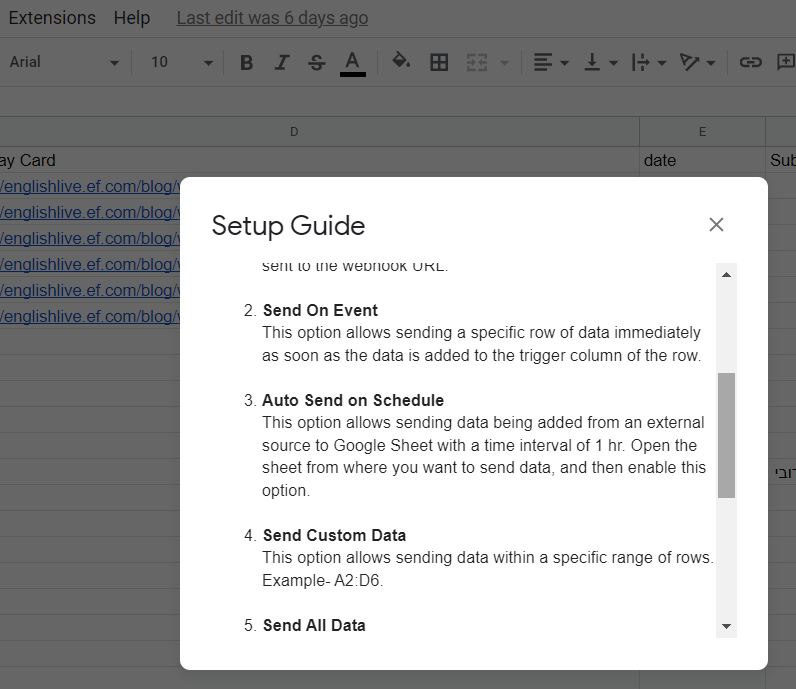
I figured it out by using a different browser, it attaches now, however now the issue is the same with the original document, the information passed from JSON Post isn't giving my other API the correct information
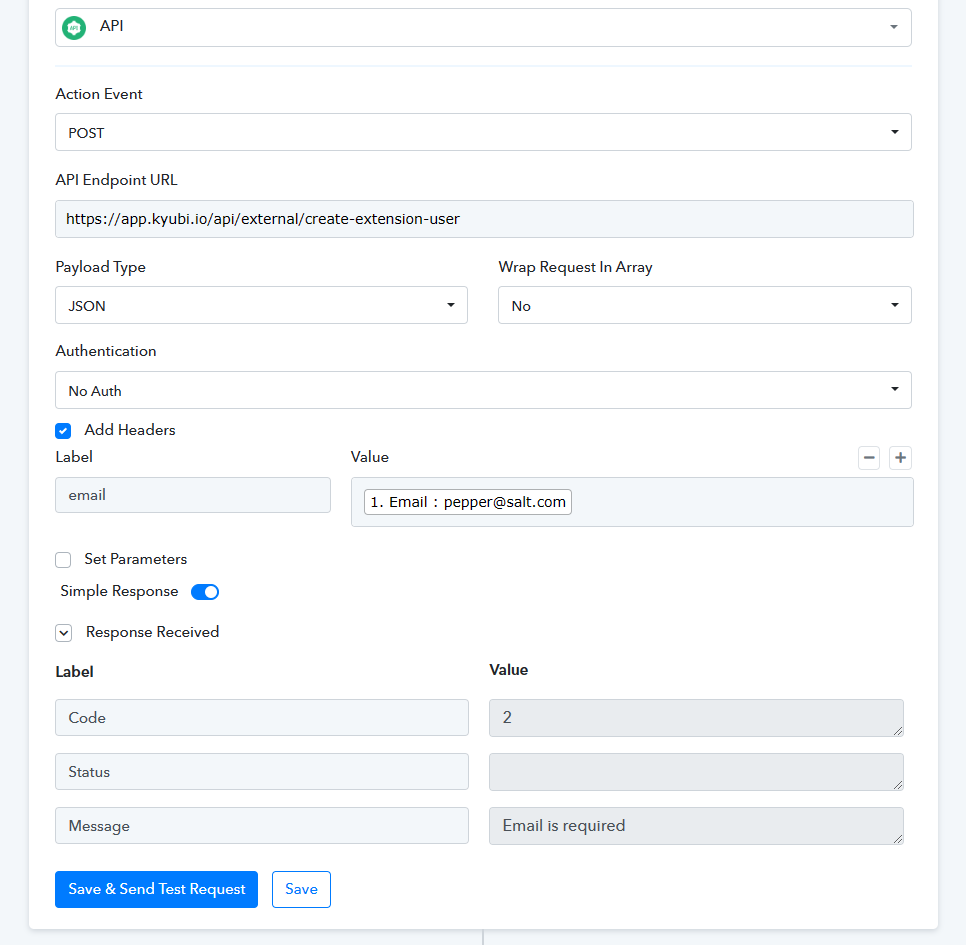
Hey @daffy
Can you please share the workflow's name and the REST API of the application you have tried in the API by the Pabbly action step?
I have attached a screenshot of the interface
Attachments
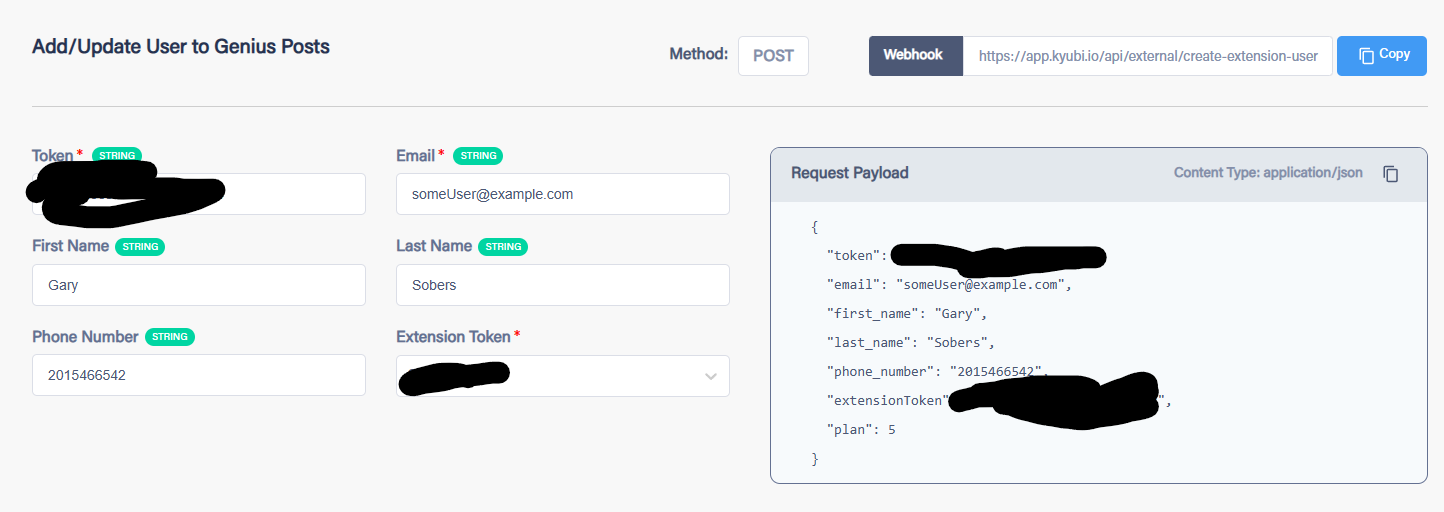
Kyubi Test 1234567890
is the workflow name
Hey @daffy
Seems like you haven't configured the API by Pabbly action step according to the API, as some of the fields are not mentioned which is required and because of that the action step is not performing.
Please refer to the following video tutorial once and the entry again.
youtube.com/watch?v=bmf4och_kTk
Also, if they still persist then kindly contact the application's support team or share the curl request of the API request.
This is a new workflow to test, the only required element is email, the others are not required, the old workflow with a different sheet has been working for months and then just stopped working, which made me make a new workflow to test.
Please check the API request and try again.
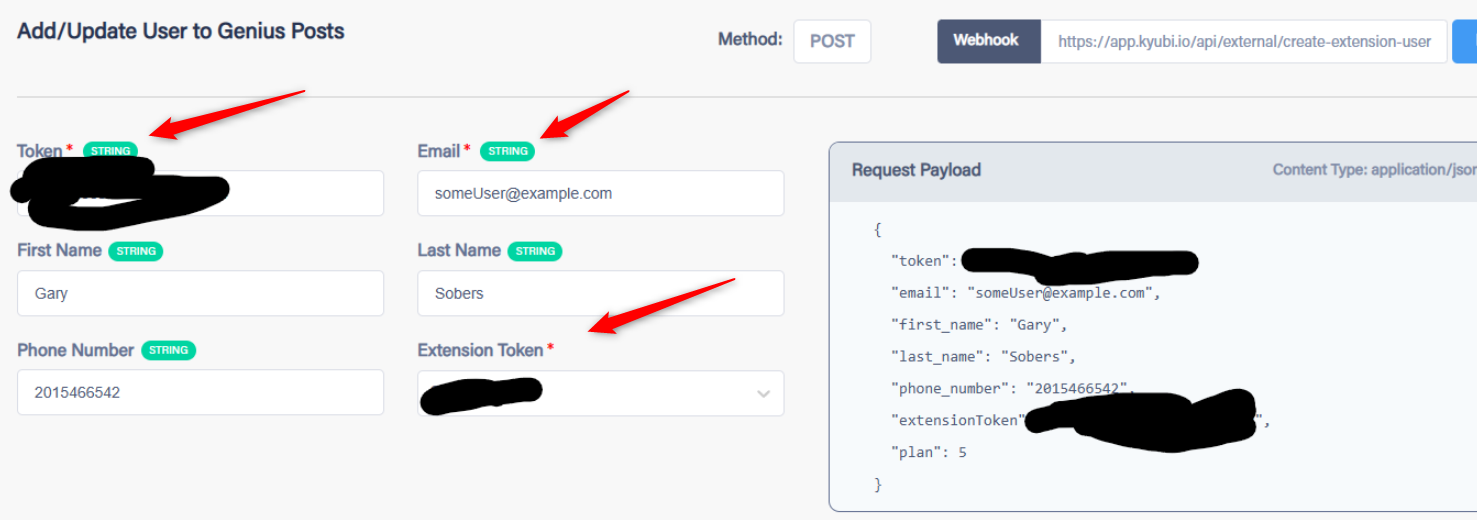
You can use the " Custom Request " in the API by the Pabbly action step.
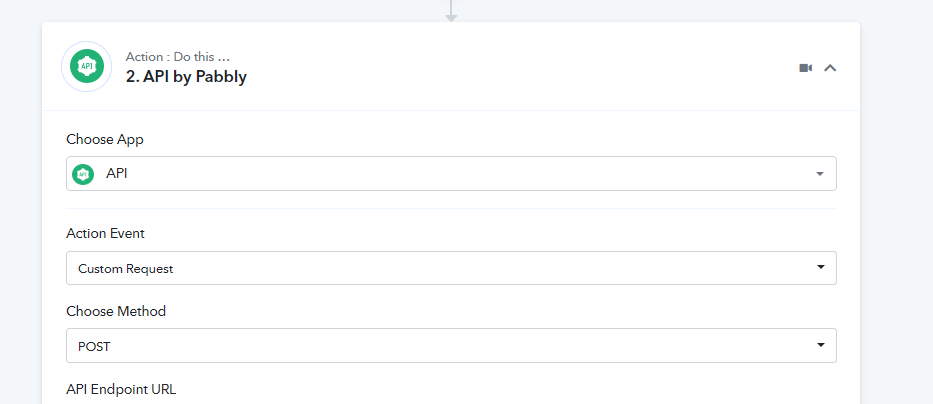
Ah yes, I have placed those in now, still the same result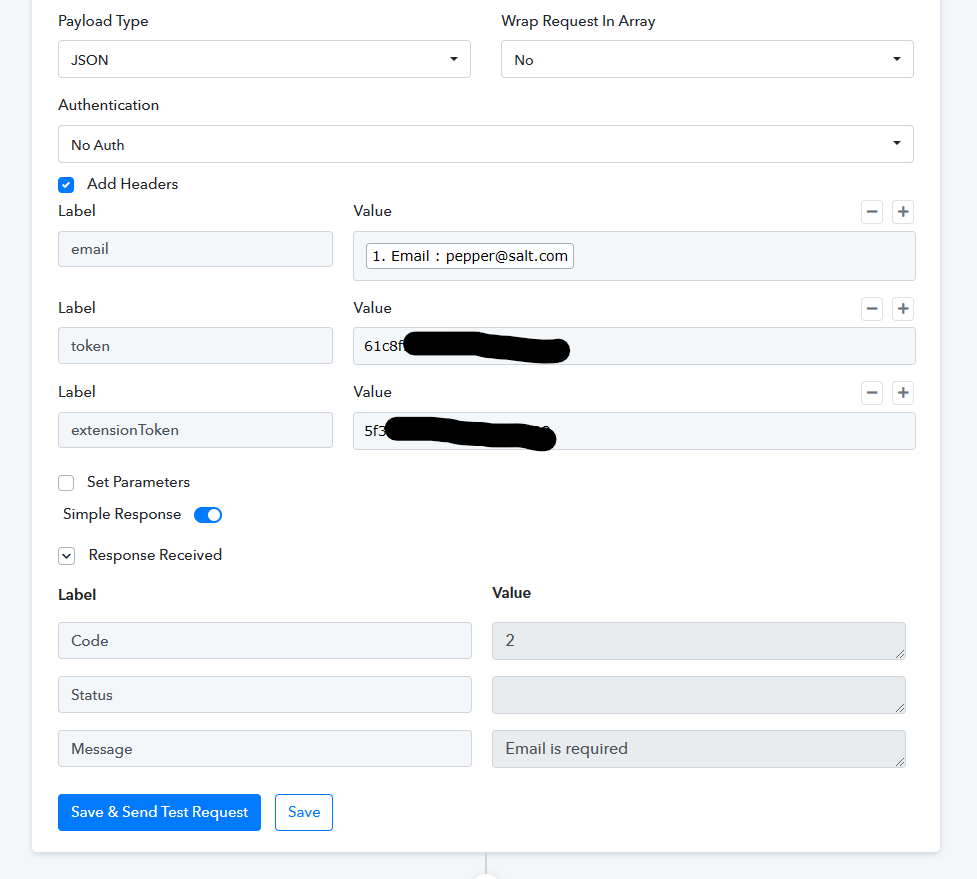
We can see that you haven't changed the API method in that as stated before.
You can use the " Custom Request " in the API by the Pabbly action step.[IMG width="560px" alt="1675061508204.png"]https://forum.pabbly.com/attachments/1675061508204-png.21043/[/IMG]
I spoke with the developer and it needs to be sent as parameters, not headers, it was working before, but they are at a loss to why. The method specified in their documentation is JSON POST, what does the "custom request" do or change? Just want to know for future purposes.
Please refer to the following video tutorial once and the entry again.Also, if they still persist then kindly contact the application's support team or share the curl request of the API request.
Did you watched the video which we have shared in terms to use the API by Pabbly?
youtube.com/watch?v=bmf4och_kTk
Also, share your JSON payload along with the CURL request with us.