Gsheet lookup
Status: Closed · Asked by Subin Kumar on · 0 views
I have setup a workflow to send review form from wati after the woocomerce order status has delivered.
Now my question is If I received WooCommerce order from same customer every month, this flow is perform as usual.
How to stop sending review form to repeated customer?
@Fagun Shah replied me "Whenever you send them the review form message first time, add them to gsheet as well. And before the whatsapp step add gsheet lookup step and filter to only allow if not found in gsheet.
My question:
My flow is here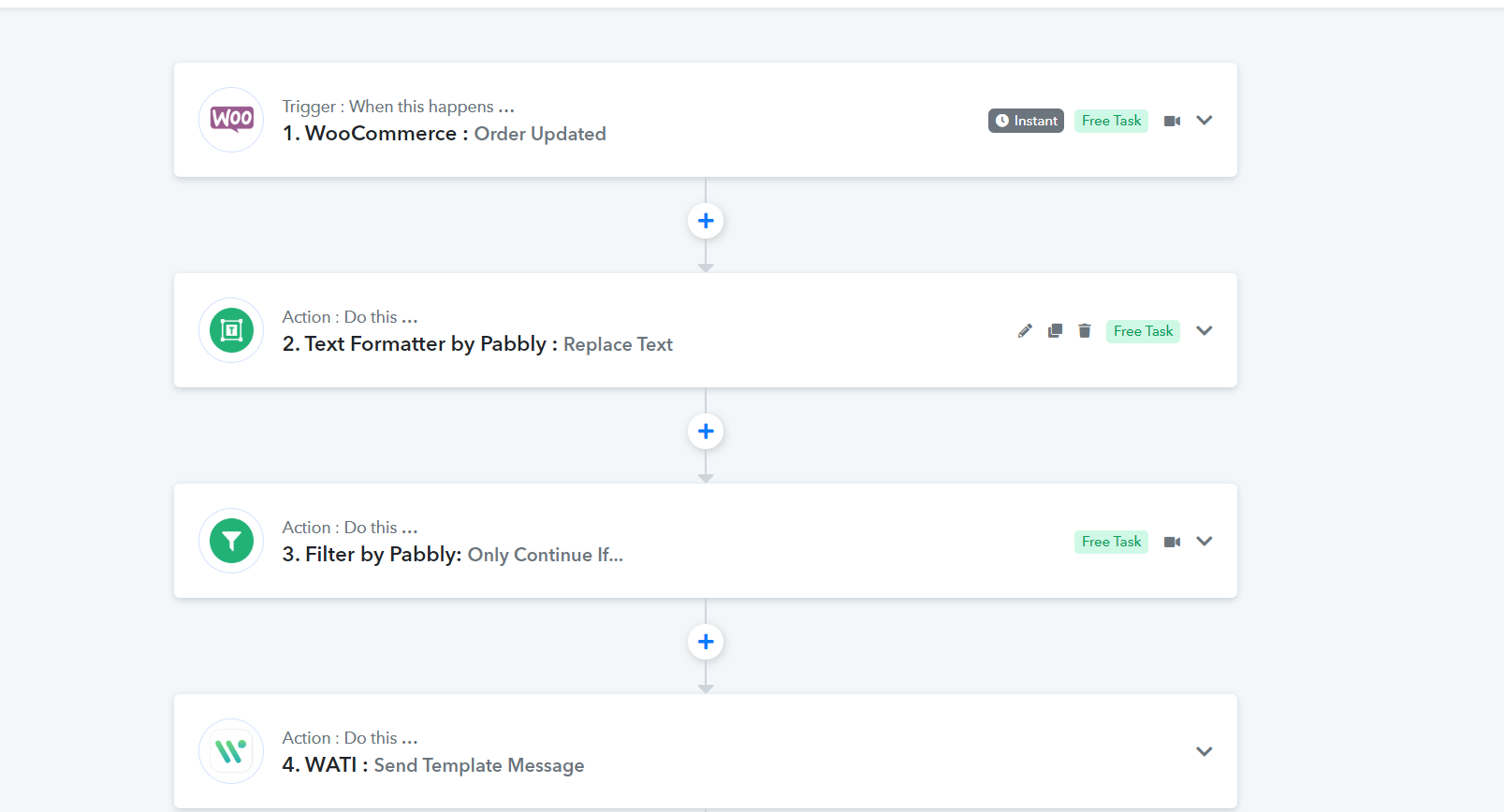
In the 4th step I am senting a order delivered notification by wati.
Next,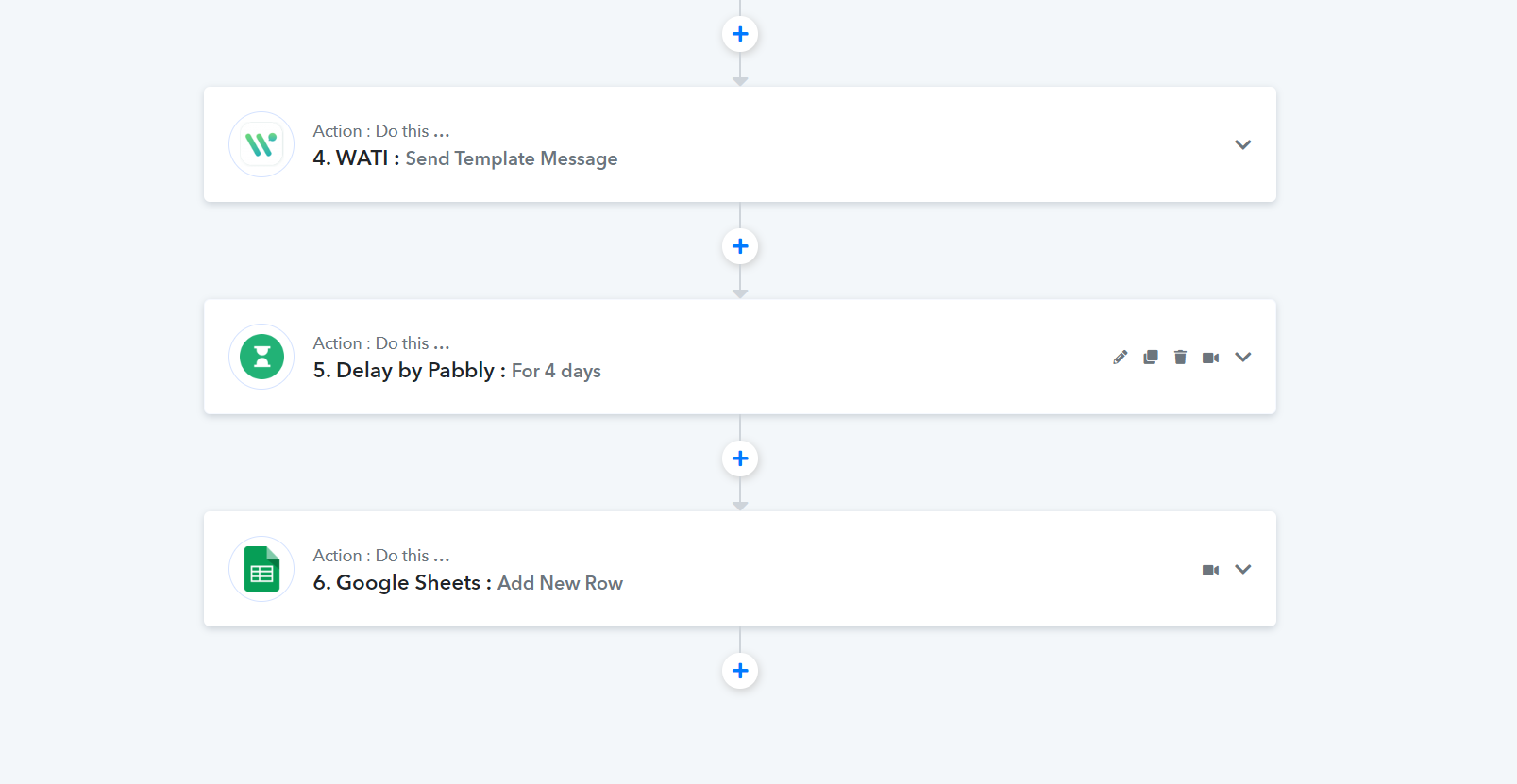
After delaying 4 days,these are recorded in gsheet.
Now I wanted to lookup my customer number which are repeated customer i don't want to sent review form again. So How to continue the flow now?
Hey @vmpetsmart
You need to place the "Google Sheets: Lookup Value" action event on the 2nd step to validate whether the user is coming was already in your Google Sheets or not.
Then kindly use the "Google Sheets: Add New Row" action event on the 3rd step to add the customer's data.
Yes, But I need to send the order delivered message first before sending the review message. How can I achieve that If I place Lookup one 2nd step?
Hey @vmpetsmart
Yes, But I need to send the order delivered message first before sending the review message. How can I achieve that If I place Lookup one 2nd step?
Then you try placing the Lookup action step before the Delay action step at any position.
@Supreme Yes I have place that .Now I add lookup to check the number is present on that sheet, it give me the following response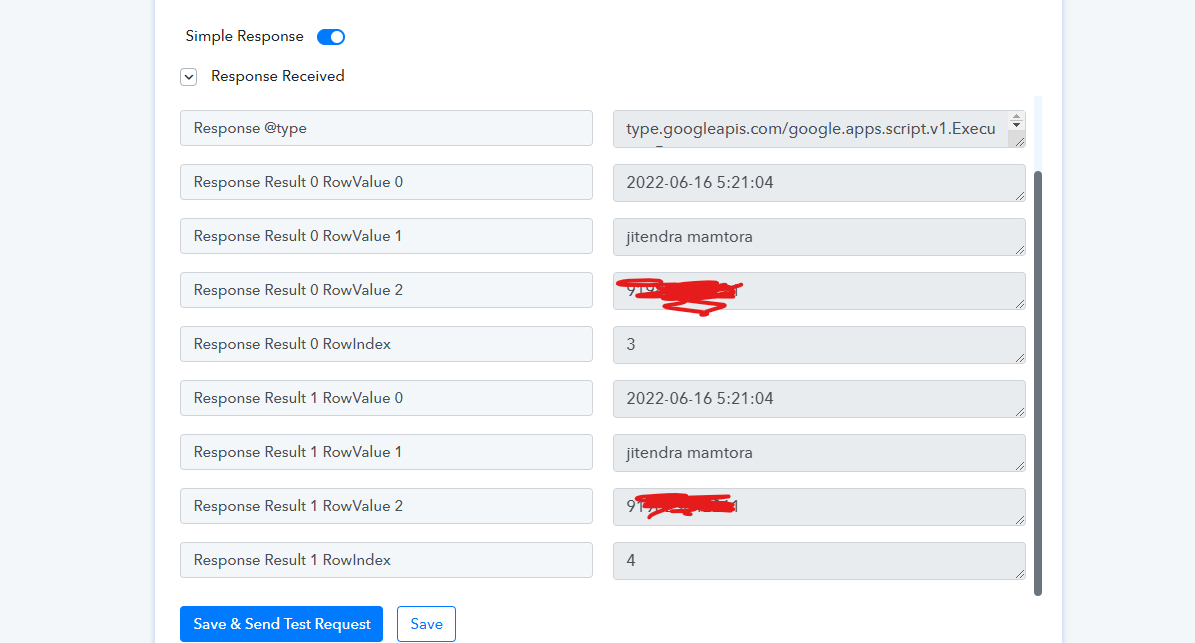
The above image shows that number is already present on the sheet. Next, I add Two Router for
1. If the number exists, do not send any message simply end the task.
2. If the number does not exist add the number in that respective gsheet and send a message for review.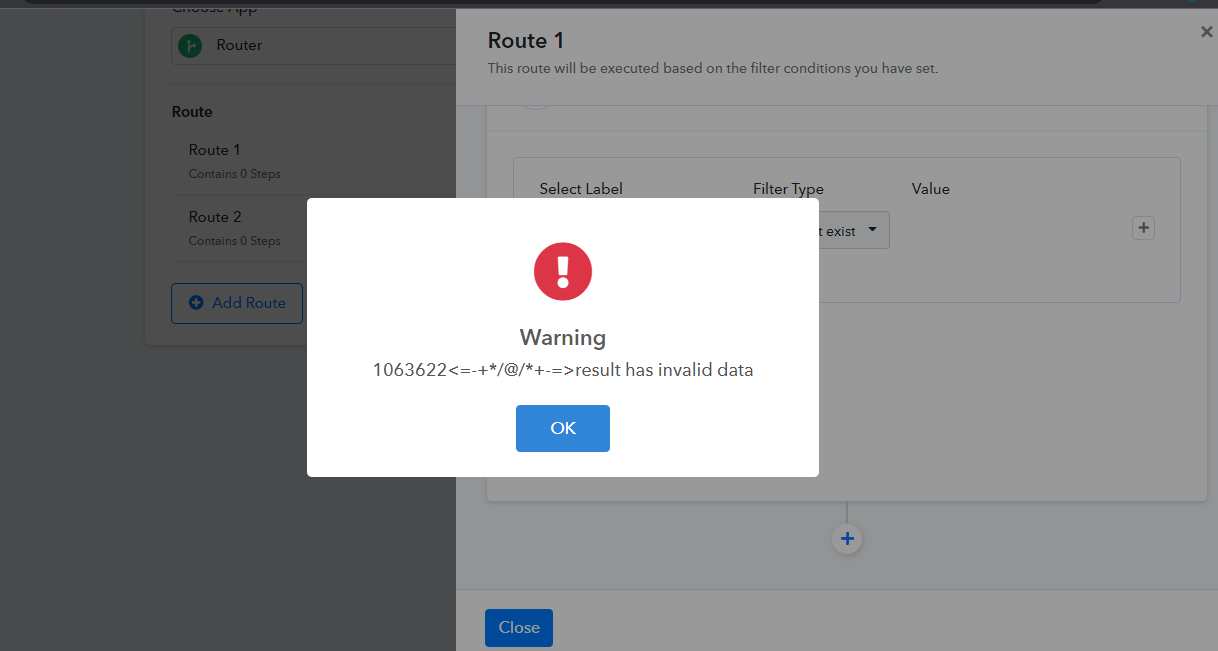
Above image is an error that occurred when I ran the 1st route.
Kindly help me with this.
@Supreme Please check if this flow is correct.
https://connect.pabbly.com/workflow/share/CUFTYQBTBi4CSwldBUYDY1tPCjMDSVMFUzQDEQ##
@Fagun Shah
Hey @vmpetsmart
Kindly give it a try and let us know if you get stuck at any step.
Hey @vmpetsmartKindly give it a try and let us know if you get stuck at any step.
I have tried still getting that error on router.
I have run a response. These are the results please find the solution.
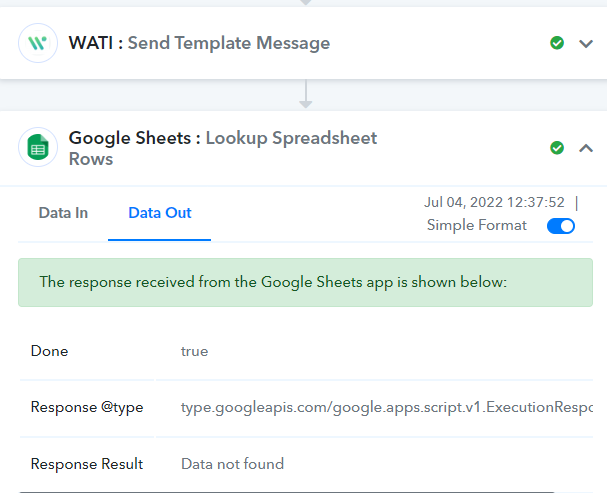
Here in lookup response result is not found. Next step
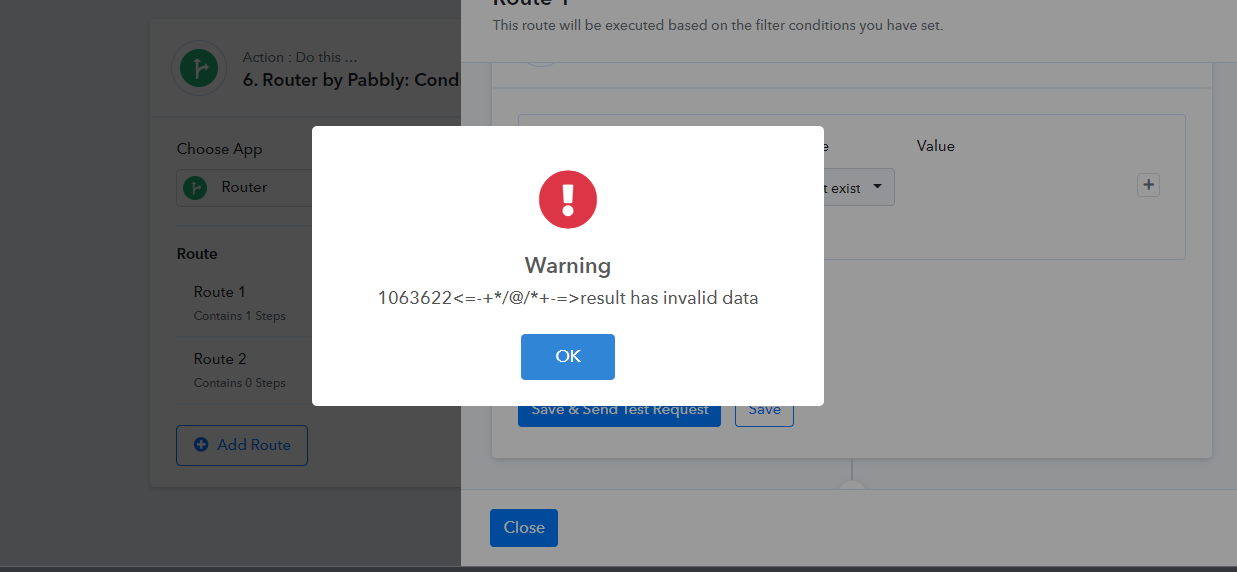
I have set up a filter to check whether the number exist on the previous step lookup spreadsheet. Error coming like this.
See this where I am stuck into. 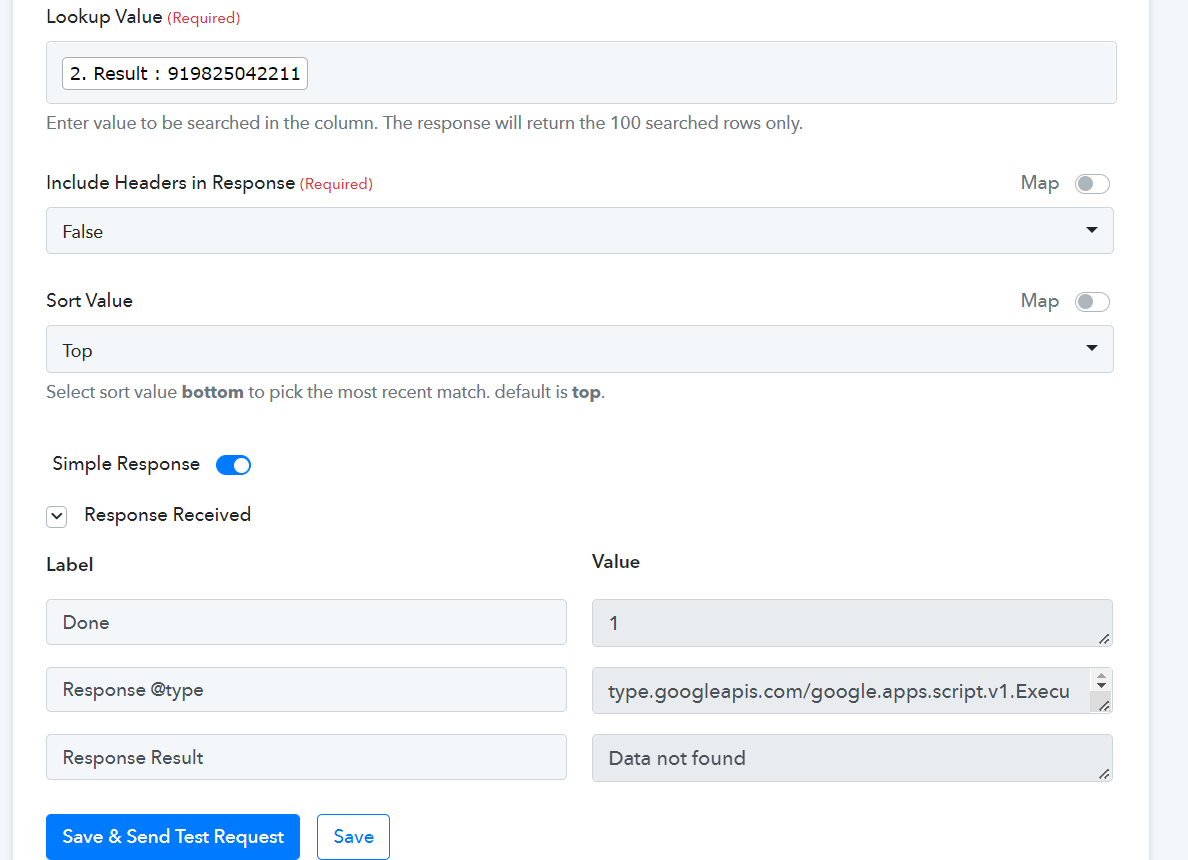
above picture shows that lookup value on that number is not found on sheets. Note this response received "Response Result = Data Not Found". If the number is found on sheets Response is showing as Response Result 2 row like this name.
Now I created a router see below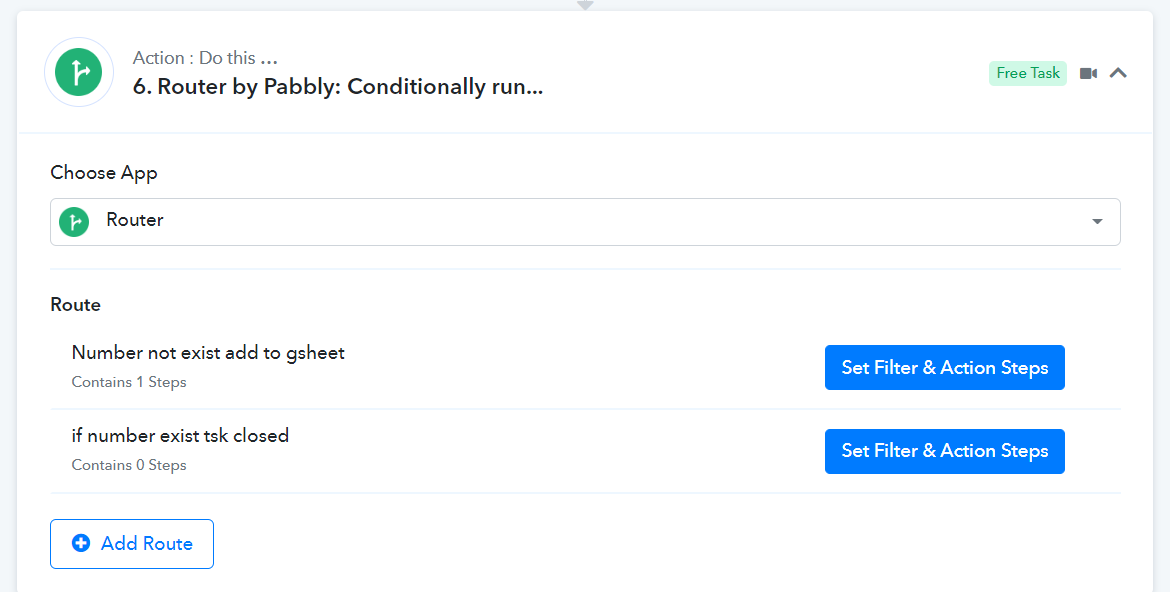
Where I getting trouble is see Below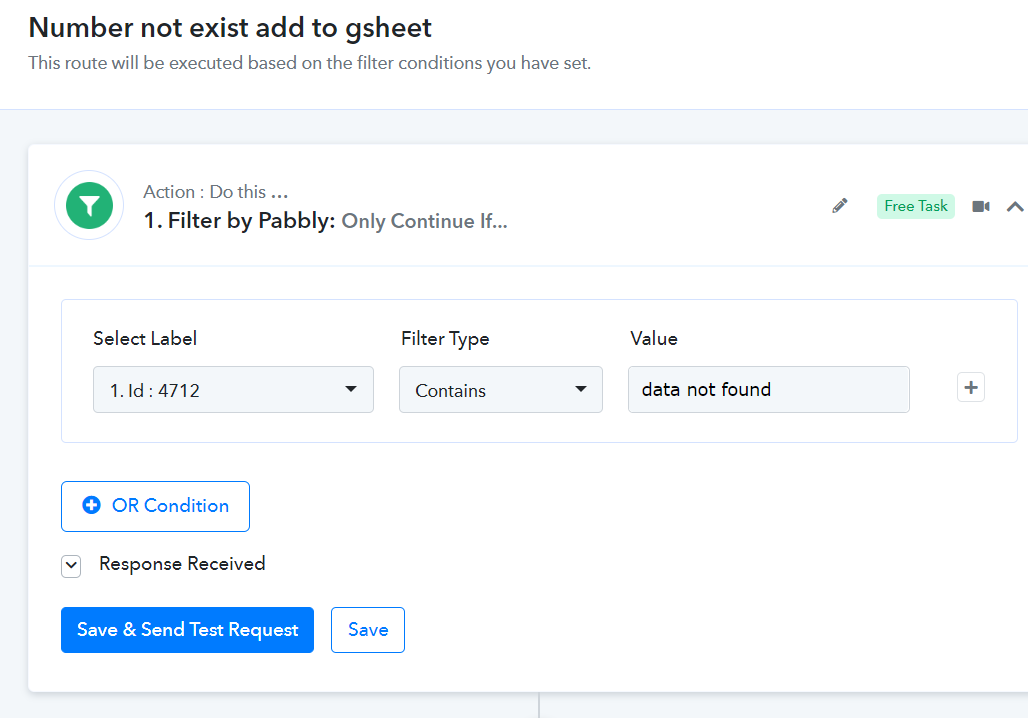
See the label is automatically changed to :4712 if the number is found or not found on lookup sheet @Supreme @Neeraj
Hey @vmpetsmart
As we can see from your workflow, you have already corrected the filter condition. Kindly try it once and let us know if that works for you.
Yes. Workflow performs well. Thread closed.