Gsheet Not Sending Webhook
Status: Open · Asked by epinela on · 0 views
Hi All,
I have other google sheets connected with the extension and sending the new rows just fine to pabbly.
This one is running into a hiccup. I have "send on event" activated and even tested it. it worked fine during test as indicated by Task ID
IjU3NmMwNTZmMDYzZTA0MzQ1MjZhNTUzMDUxMzA1MTYwNTQzOSI_3D_pc
Now, I do not believe google sheets is sending the new rows even though settings have not changed and pabbly is turned on. I check task history and nothing. No errors, nothing. Why would it work when testing and successfully provide a task id. And few hours later test it and no go?
Hi @epinela,
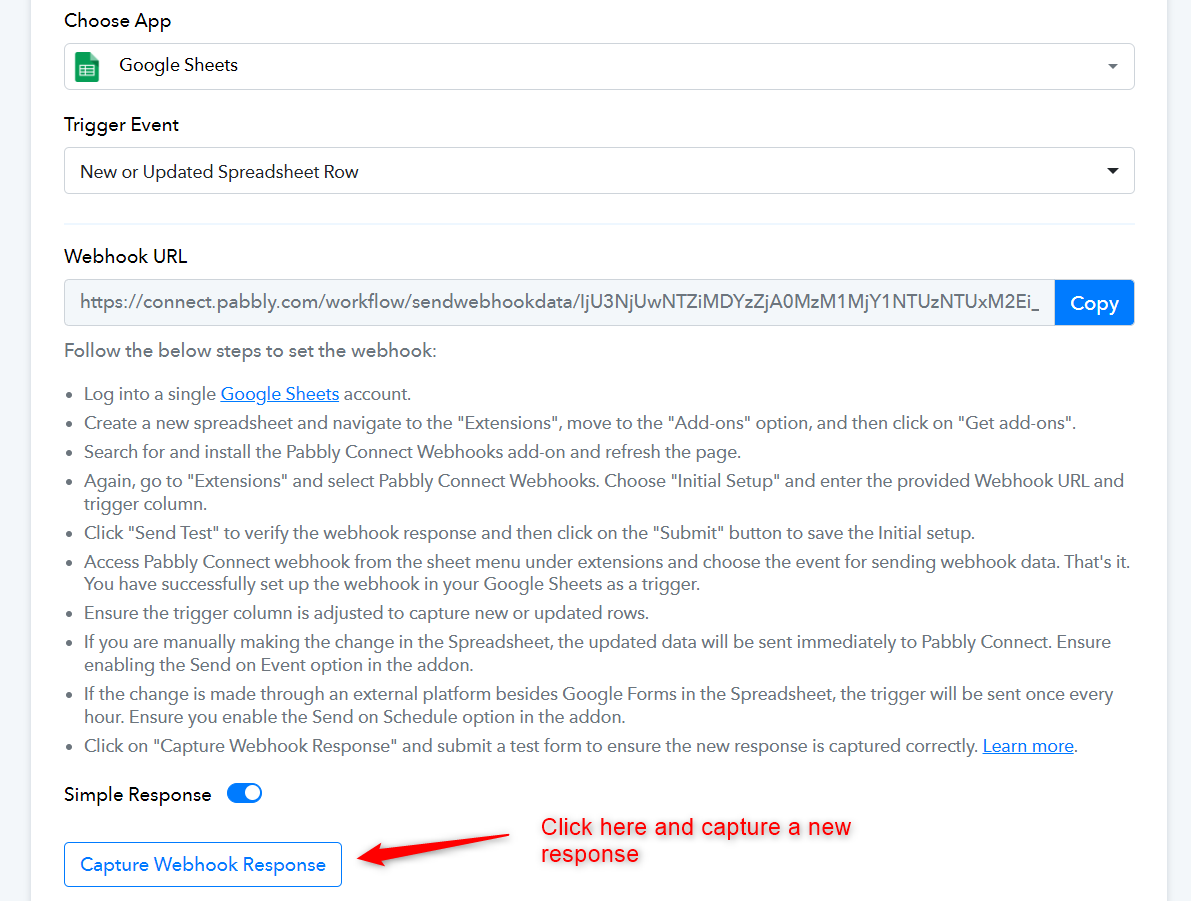
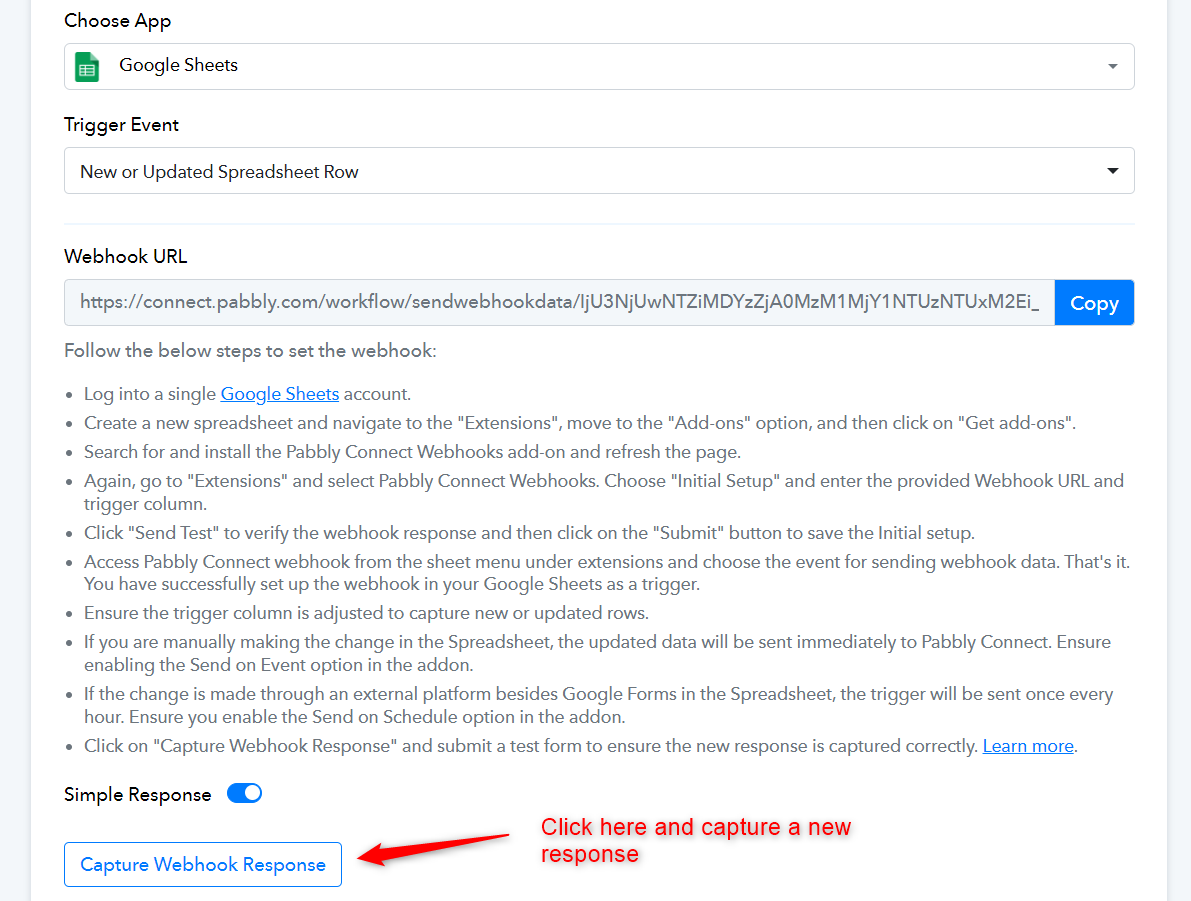
Please click on the 'Capture Webhook Response' button and add the data to your Google Sheets spreadsheet to capture the response in your trigger step. Once you have captured the response in your workflow setup, add data to your spreadsheet once more and see if that triggers your automation.
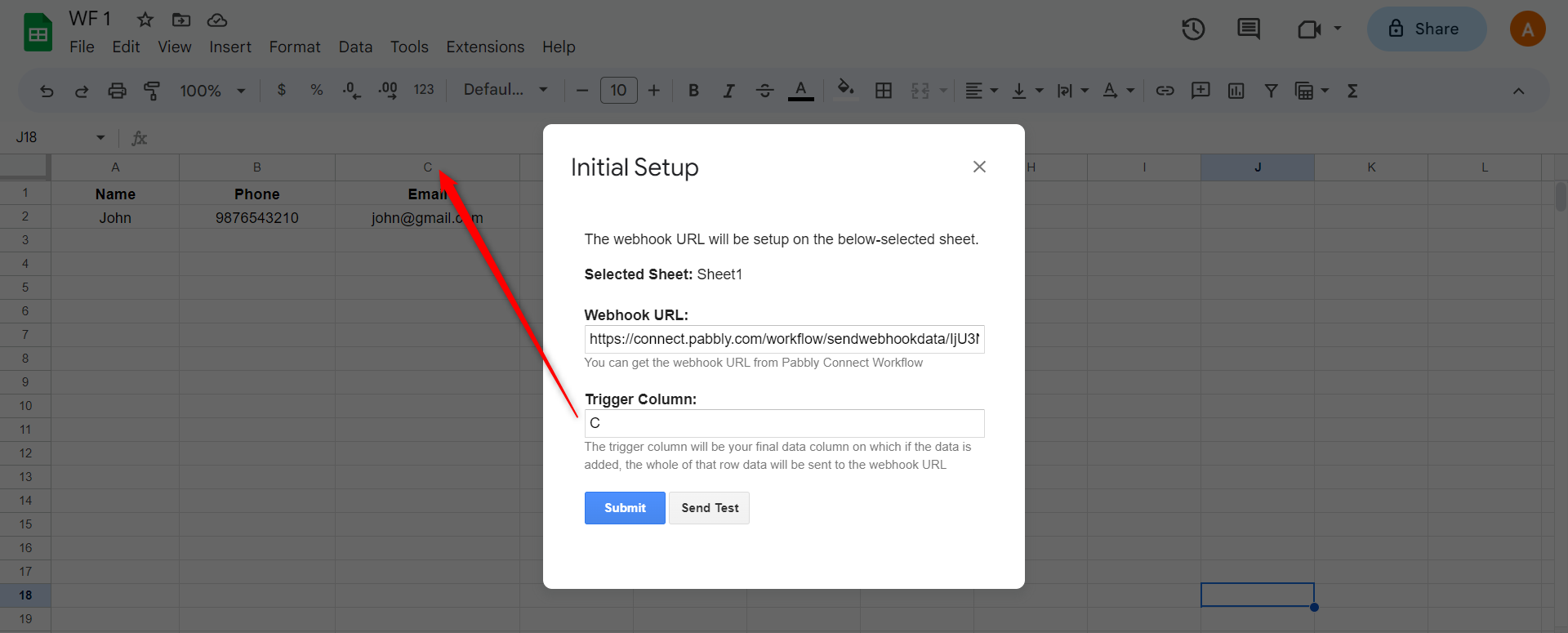
When entering the data into your Google Sheets, make sure to add the data to your trigger column as well in order to trigger the workflow.
To make automation work, you need to enable 'Send On Event' if you're manually entering data into your Google Sheets. If the data added to your Google Sheets comes from another API or third-party application, you also need to enable 'Auto Send on Schedule'.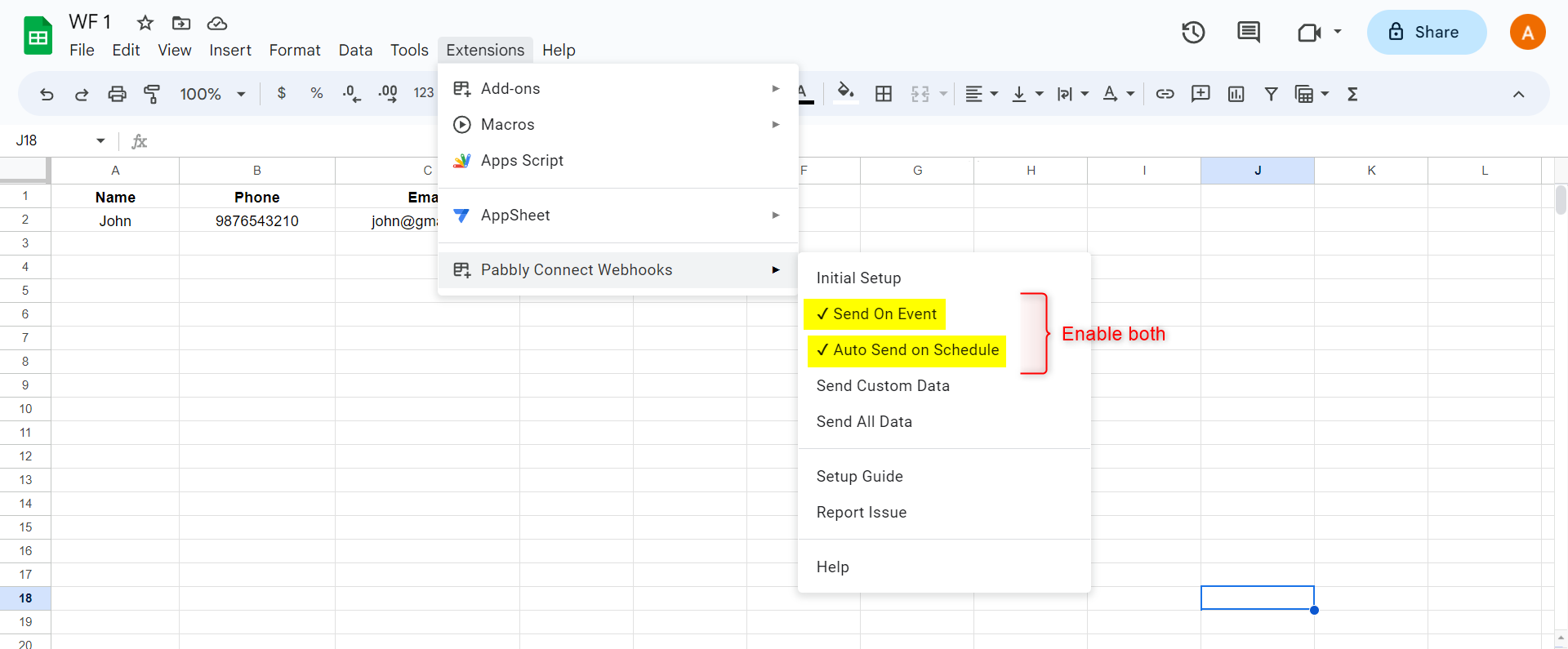
Note: If your data is being added from an external source/API, your workflow will take up to 1 hour to get triggered.
Attachments