Gsheets 'Send On Event' Not Working
Status: Closed · Asked by David Ho on · 0 views
- New rows are added by my other automation tools to Google Sheets
- Pabbly Connect webhooks doesn't pick up these rows and does not perform the action to "send on event"
What did I miss and how could I resolve this?
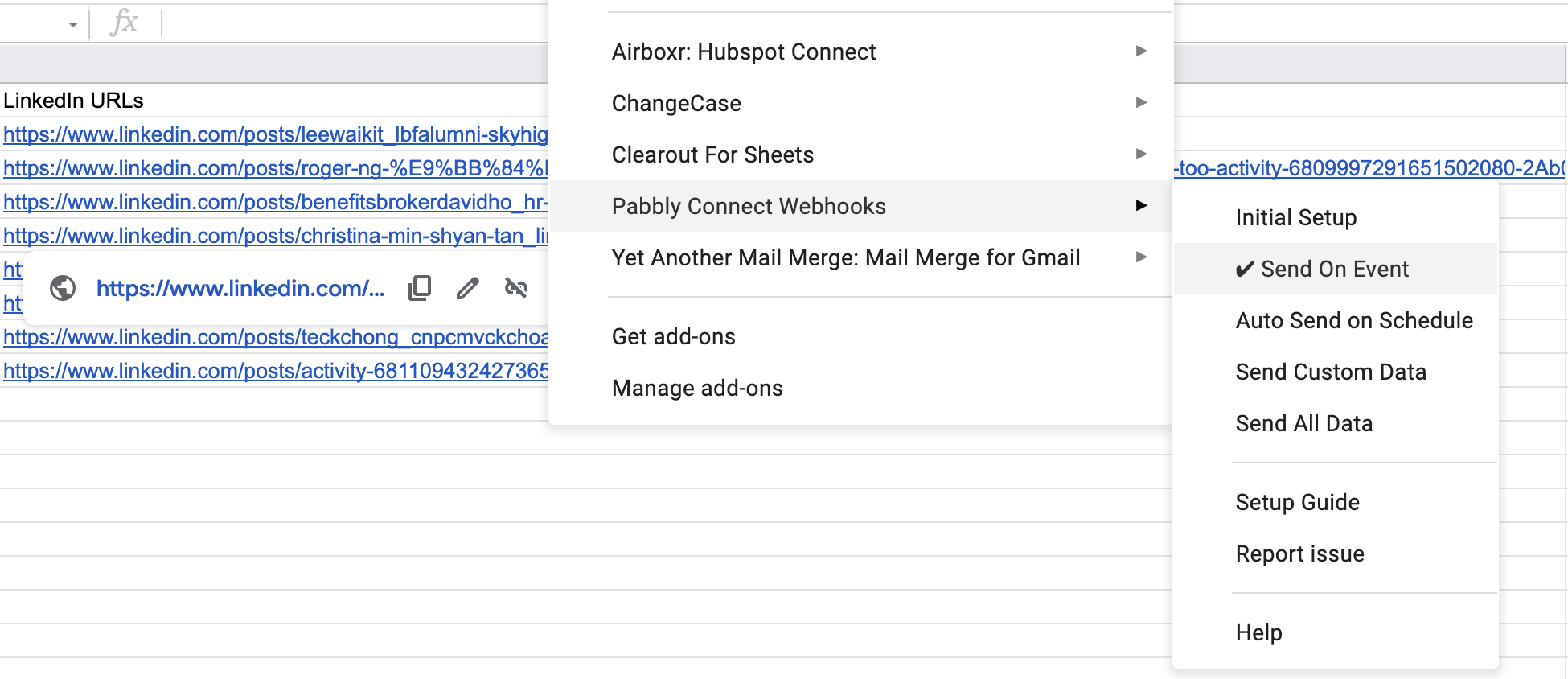
If new rows are added other than Google Form or manually then you need to select send on schedule also, and it will send all new rows only once per hour.
So try keeping Send on Schedule check marked and check if all new rows gets trigger in next 1 hour or not.
Do you mean I cannot use Send on Event but I should use Auto Send on Schedule?
Yes, if data is added to google sheet using third party automation softare/API checkmark both Send On Schedule and Send on Event.
And google sheet will send all new rows to pabbly connect every one hour.
Curious why shouldn't it be Send on Event?
- Third party tools send data to Google Sheets row [Event]
- [Event] trigger Pabbly Connect to "Send On Event"
- Why is send on schedule still required?
- How can I change the interval time from 1 hour to 30 mins?
Curious why shouldn't it be Send on Event
- Third party tools send data to Google Sheets row [Event]
- [Event] trigger Pabbly Connect to "Send On Event"
- Why is send on schedule still required
- How can I change the interval time from 1 hour to 30 mins
It is just how it works I think, don't know technical details of it. So tagging @Pabbly to help you here.
And I think it is not possible to change interval time to 30 min.
Curious why shouldn't it be Send on Event?
- Third party tools send data to Google Sheets row [Event]
- [Event] trigger Pabbly Connect to "Send On Event"
- Why is send on schedule still required?
- How can I change the interval time from 1 hour to 30 mins?
In case you're adding data to Google Sheets manually or through Google forms, then those data will be transferred to your Pabbly Connect workflow immediately.
But if you're adding data to Google Sheets through an external application then it will take 1 hr for the data to be transferred to your Pabbly Connect workflow. The data will not be added immediately if the data is being added from an external application. That's how it works currently.
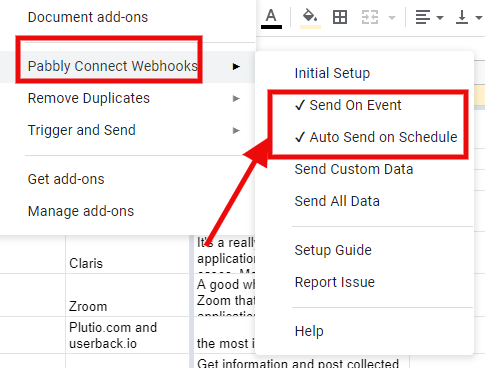
You will be needing to select both "Send On Event" and "Auto Send on Schedule" as shown below -
Regarding your question "How can I change the interval time from 1 hour to 30 mins?", as of now we don't have the option to change this. In near future, possibly you will be seeing an option for the same.
Thanks!
@Pabbly Thanks. Why doesn't "Send On Event" work with external applications? I want data to be sent immediately, how can I do it?