Hashtags with Wordpress and Instagram connection
Status: Closed · Asked by tarot.del.futuro.1962 on · 0 views
Hi!
I'm trying to pass tags of wordpress post with hashtags in Instagram, but every tag appears separated individually, could can I do to add all hashtags in one row?
Thank you very much in advance!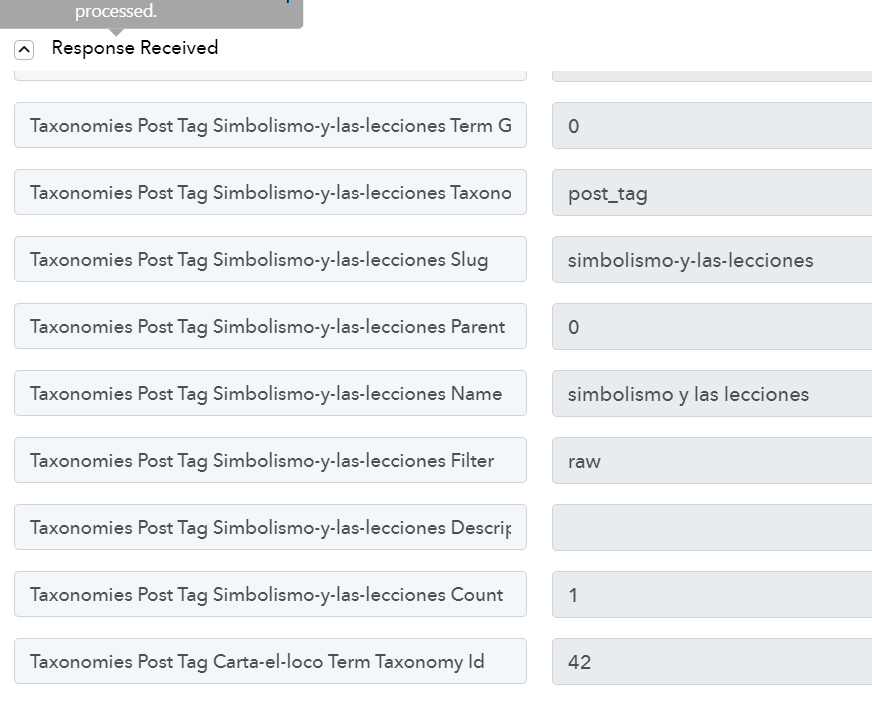
Hello @tarot.del.futuro.1962 please refer below screen shot. You need to fetch tags from api the use text formatter for hashtags. And after that publish it to social media.
Feel free to contact me if you face any issue

Contact me - https://www.facebook.com/himeshsoni07
Email - [EMAIL][email hidden][/EMAIL]
Thank you very much! I have not been able to follow the son of what to do as the screenshots are in low quality.
Do you have a video to with the steps? Thanks in advance!
It'll take some time to make video. Or I'll upload a fresh screen shot allow me Some time.
Contact me - https://www.facebook.com/himeshsoni07
Email - [EMAIL][email hidden][/EMAIL]
It'll take some time to make video. Or I'll upload a fresh screen shot allow me Some time.
Ok! thank you very much!
Hello @tarot.del.futuro.1962 , Please find this screenshot it'll be helpful.

Contact me - https://www.facebook.com/himeshsoni07
Email - [EMAIL][email hidden][/EMAIL]
Hello @tarot.del.futuro.1962 , Please find this screenshot it'll be helpful.
Hi Himesh!
Thanks for your response. I have many work and today I'm cheking your screenshoots, I don't understand the image 3. What parameter from my wordpress I should add in fields:
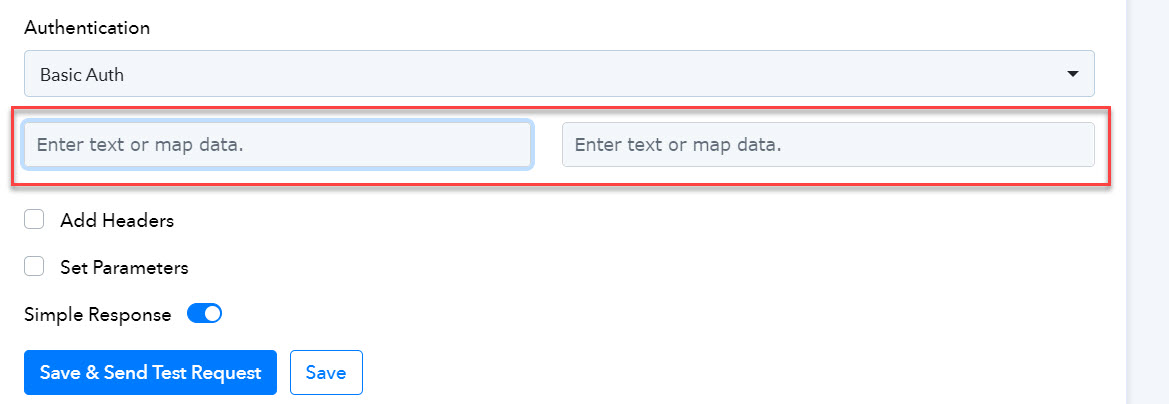
Thank you very much in advance! And Sorry for the delay.
Thanks for your response. I have many work and today I'm cheking your screenshoots, I don't understand the image 3. What parameter from my wordpress I should add in fields:[IMG alt="3-point-api.jpg"]https://forum.pabbly.com/attachments/3-point-api-jpg.34366/[/IMG]
Please enter the username and password separately into their respective fields for proper authentication and access.
Hi thank you for the screenshot, i did it, it works.
I have another issue is , when my tags from wordpress are come with space (eg: Digital marketing), how can can remove the space in between? since hashtag doesn't recognise space or any other symbol.
Hey @metalabteam
Can you please elaborate on your concern briefly and also share the workflow URL in which you have tried the same?
Hi Supreme , thank you for your response. My workflow is actually similar to the screenshot share by Himesh. Everything is working well , just one more small step to make it a perfect one.
Example ;
I published a post from wordpress with the tag (Digital Marketing, Online Marketing, Facebook Marketing),
the post is auto posting to my facebook page ,
however the hashtag turned out to be (#Digital Marketing #Online Marketing #Facebook Marketing instead of #DigitalMarketing #OnlineMarketing #FacebookMarketing)
Much appreciated if you could advice the correct way to remove the space between.
This is the outcome for your reference.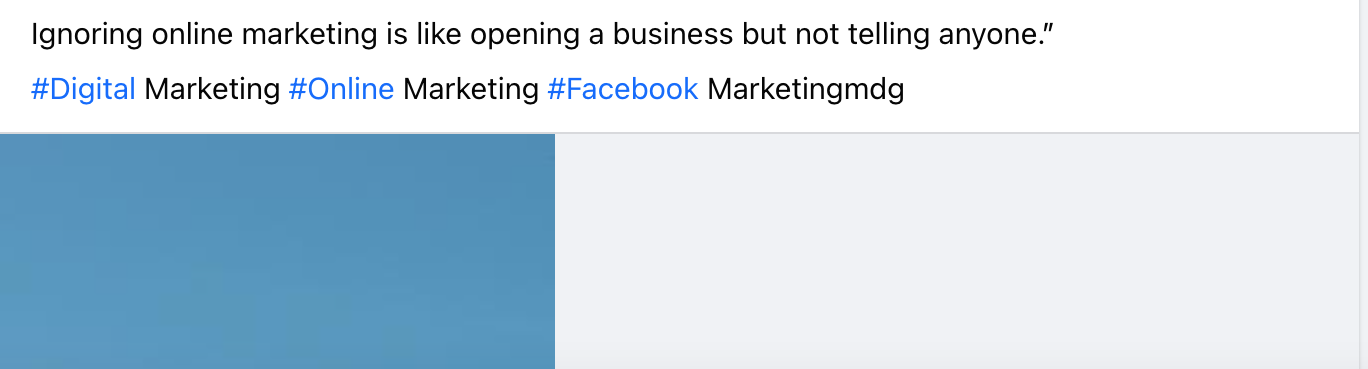
Hello @metalabteam,
You can use TextFormatter By Pabbly connect. 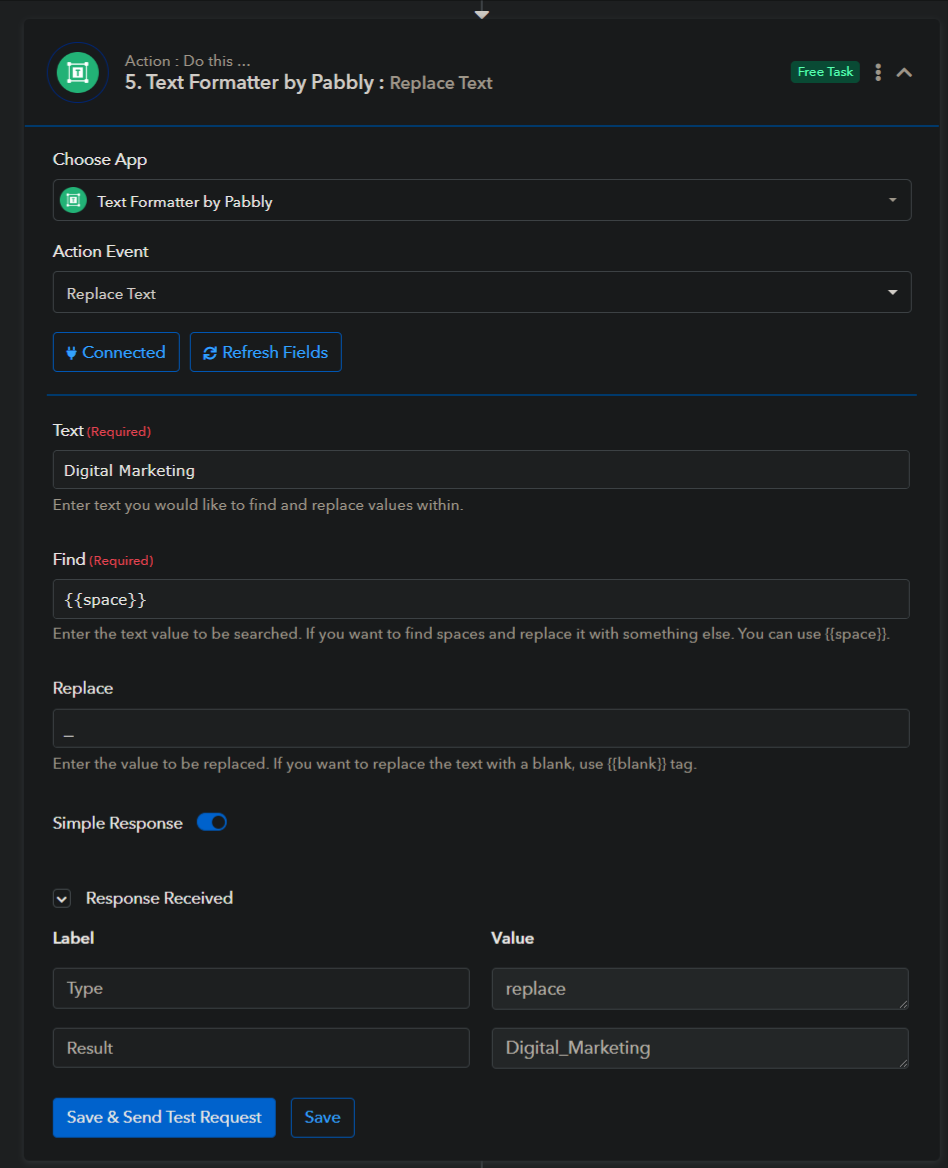
Contact me - https://www.facebook.com/himeshsoni07
Email - [EMAIL][email hidden][/EMAIL]
Hi , i follow the exact step , however the autopost is not as consistent.
I got trap at step 3, the response turned out with no value.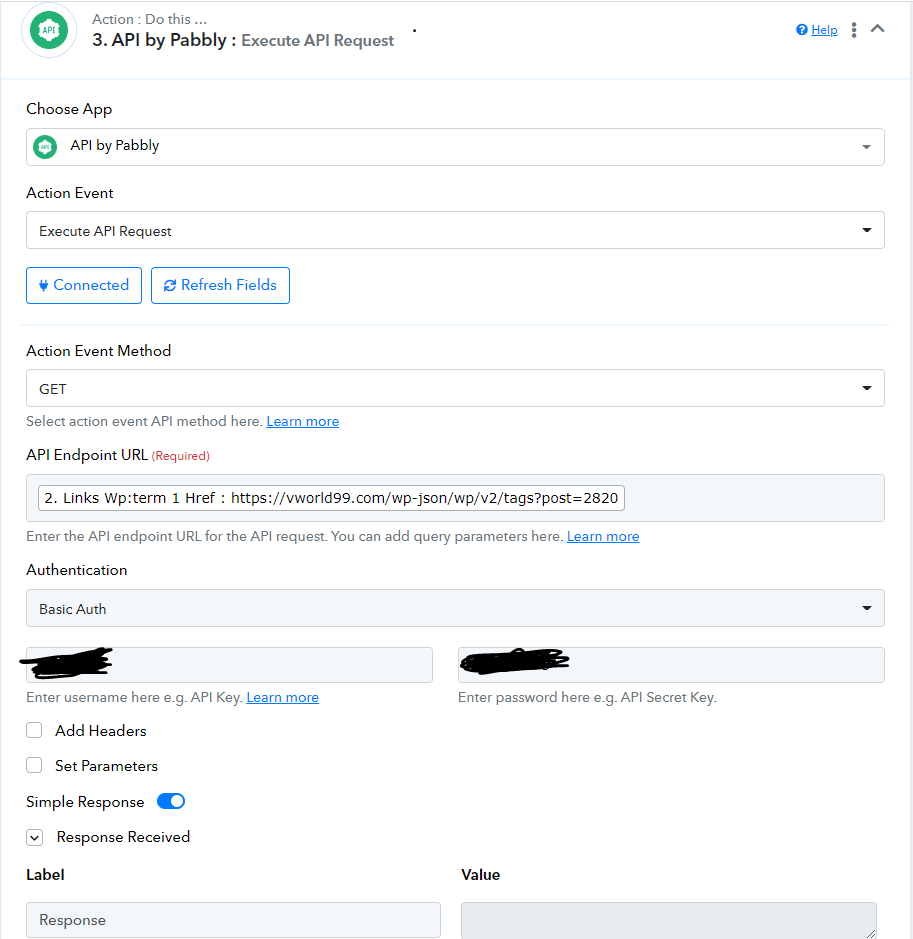
Can you please send the workflow URL in which you have tried the same?
Hi Im sorry , i shared. my link yesterday. i saw your reply early today , but it just disappeared.
Do you mind to share the advice again ?
It seems like you have deleted the thread.
https://forum.pabbly.com/threads/hashtags-with-wordpress-and-instagram-connection.19051/
Further, as mentioned the API you are trying to run is showing a null response, so we recommend you contact their support team for the same.
ok thank you for your advice, what question should i ask WordPress site for this issue ?
Hi , i follow the exact step , however the autopost is not as consistent.
I got trap at step 3, the response turned out with no value. [IMG alt="1704185688339.png"]https://forum.pabbly.com/attachments/1704185688339-png.35980/[/IMG]
Feel free to inquire about the reasons behind the API request's failure to work on both Postman and the Pabbly API platform with the WordPress support team.