having an issue with mapping a value in my Google Sheets
Status: Open · Asked by Alaa Bebar on · 0 views
having an issue with mapping a value in my Google Sheets
after I map a value in my automation process, I get an error and after closing and reopening the step I have a red mapping I faced a similar problem with this mapping column in a previous automation with no success resolving it.
please help!!
here a screenshot of the mapping: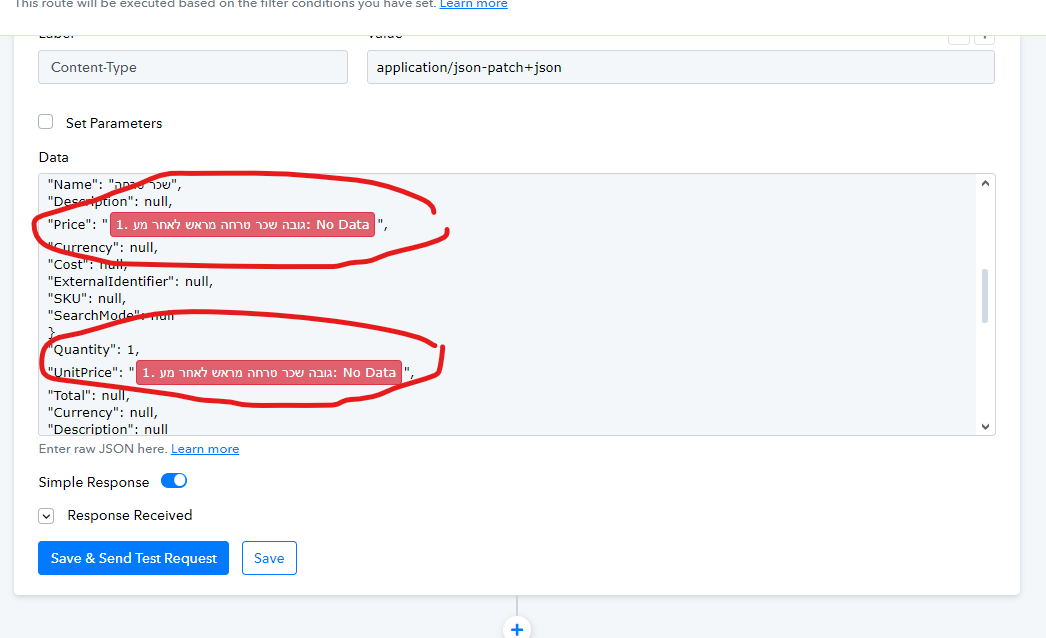
Please record a short screen recording demonstrating the process you have described and showing the mapping issue. Additionally, please share the Workflow URL where you have encountered this concern.
here's a screen shot of my mapping bug
https://drive.google.com/file/d/1oVcUNsJG1E3D3LL2B2OxGe5psD4INPH6/view?usp=sharing
Here is the workflow URL:https://connect.pabbly.com/workflow/mapping/IjU3NjUwNTZlMDYzZjA0MzY1MjY4NTUzNTUxMzUi_pc
Please allow us some time to look into this concern. We will get back to you with an update soon.
Hey @alaa bebar !
Kindly check on the image below-
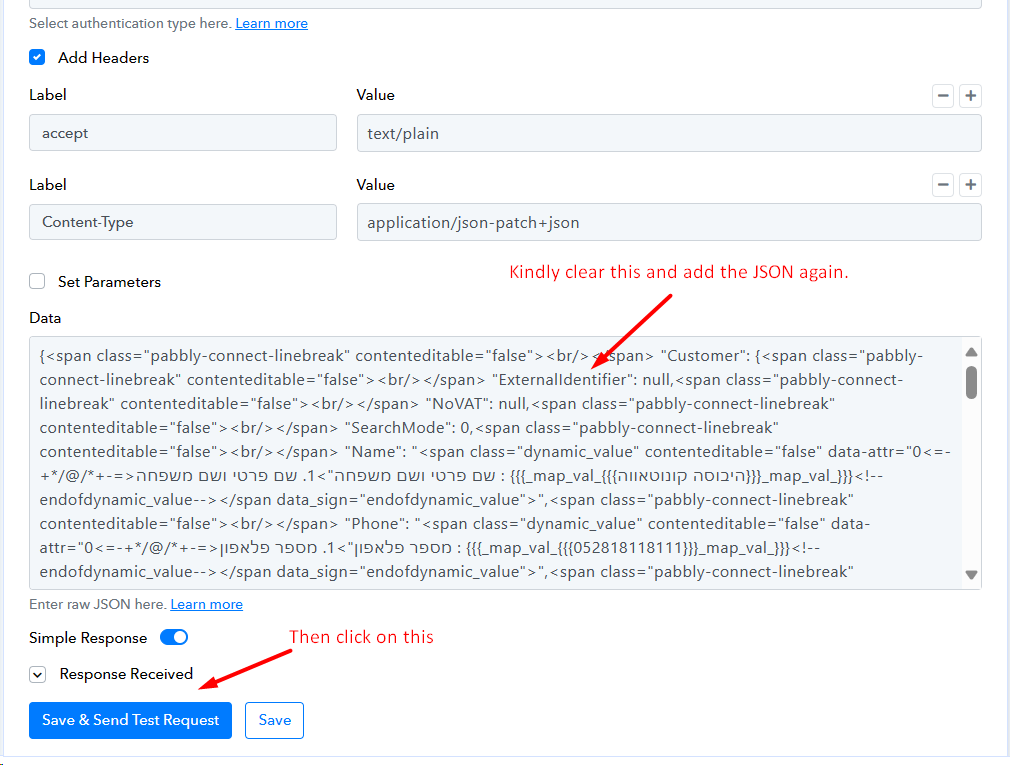
When checking upon your account, for the effected router, it seems that the data got removed.
So kindly add the JSON again, map the fields and click on "Save & Send Test Request" and check further if the data is coming or not.
if I understand you correctly @Subin I need to remove the headers content type and add it again from Postman
, I didn't get the idea of how that would fix my mapping the value issue.
can we please set a Google Meet it would be more efficient for both you and me.
Please allow me some time to discuss this mapping-related issue with my team. We will get back to you with an update soon. In the meantime, kindly refrain from making any changes to your workflow.
You need to 'Refresh Fields' and then map the data.
https://drive.google.com/file/d/194t-8GnqLToYdXutRIA_HRcxIt2kiH4R/view?usp=sharing
I have mapped the Price and Unit Price on your behalf.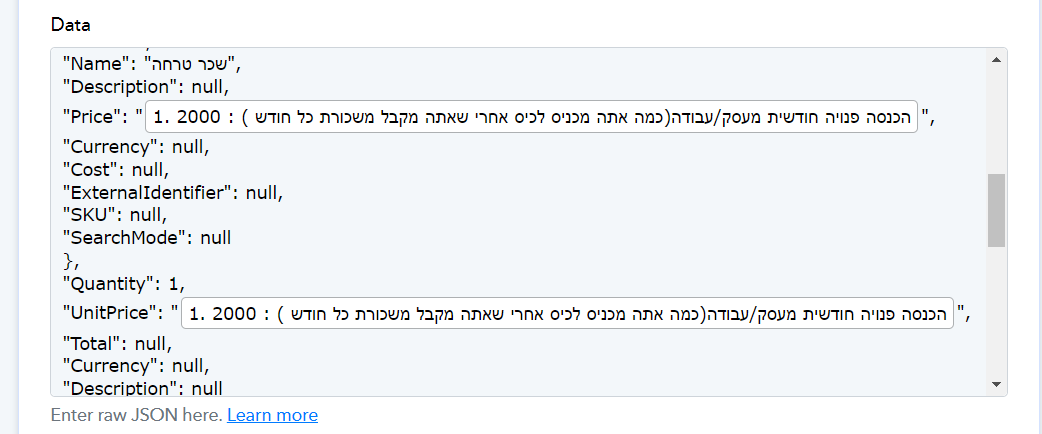
Hello Arshil you mapped the wrong column,I having a problem with column T, you have access to my Google sheet to look it up
I have set a new API action, I will send a recording of what I did on pabbly so you can guide me through
I have sent the recording to you and the support team
thanks, buddy
Remove the quotation mark and then try to execute the endpoint.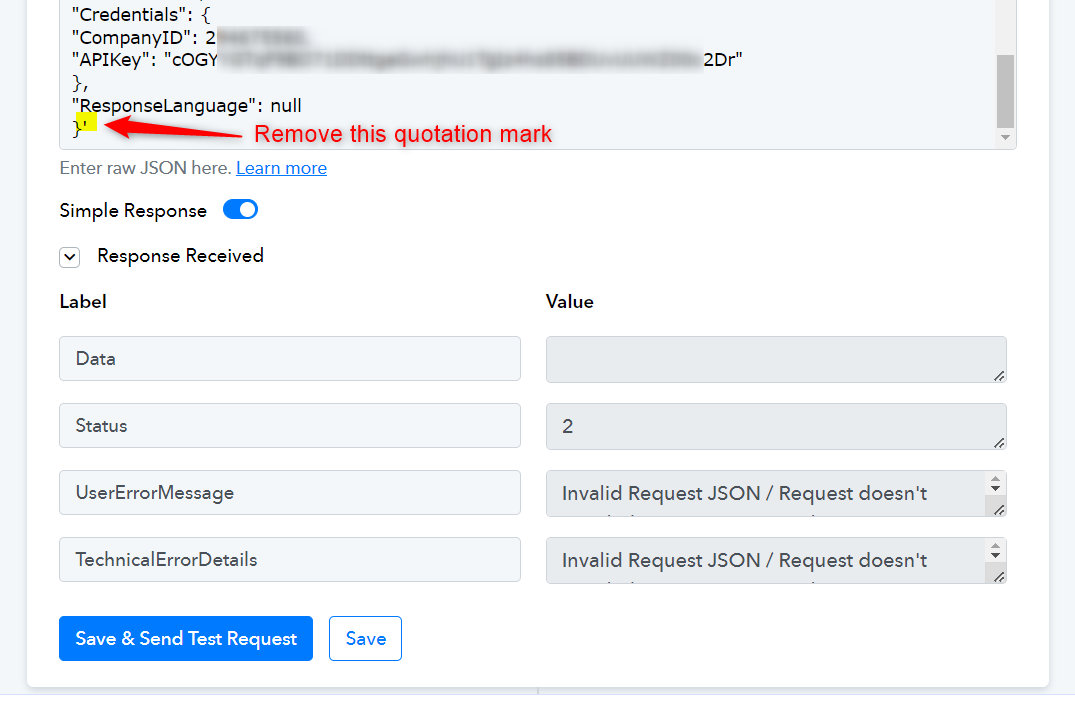
hello arshil,im getting an message like this ,what is the cause of that of happening,
and i, intentialy added manual values in the price tab ,so i can resolve this invalid customer first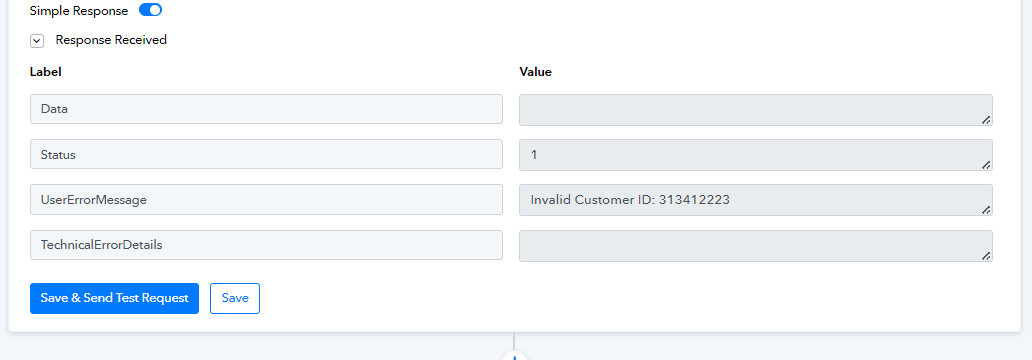
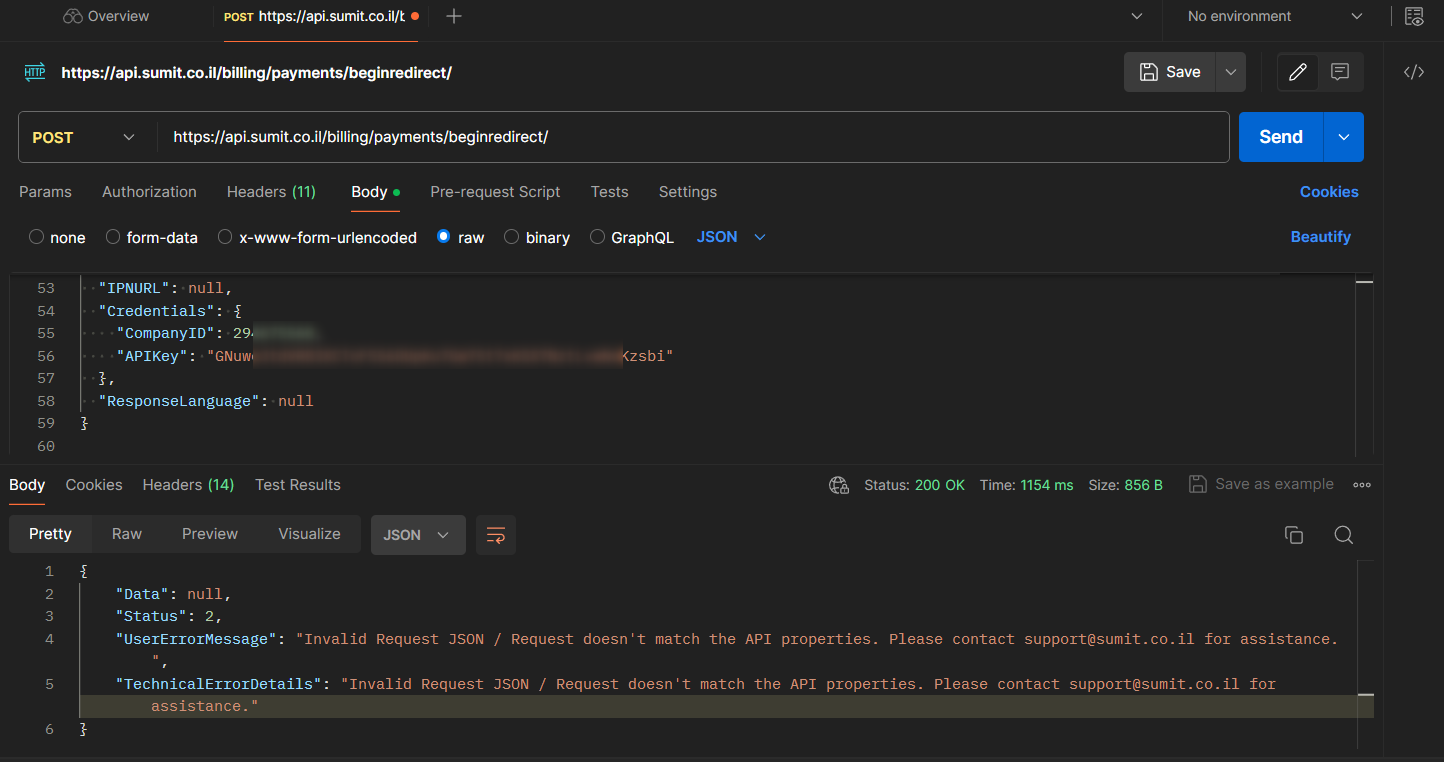
I tried to execute this endpoint with the details you have used in Pabbly Connect and got this error on Postman as well. Please get in touch with your application's support team to gain a better understanding of this issue.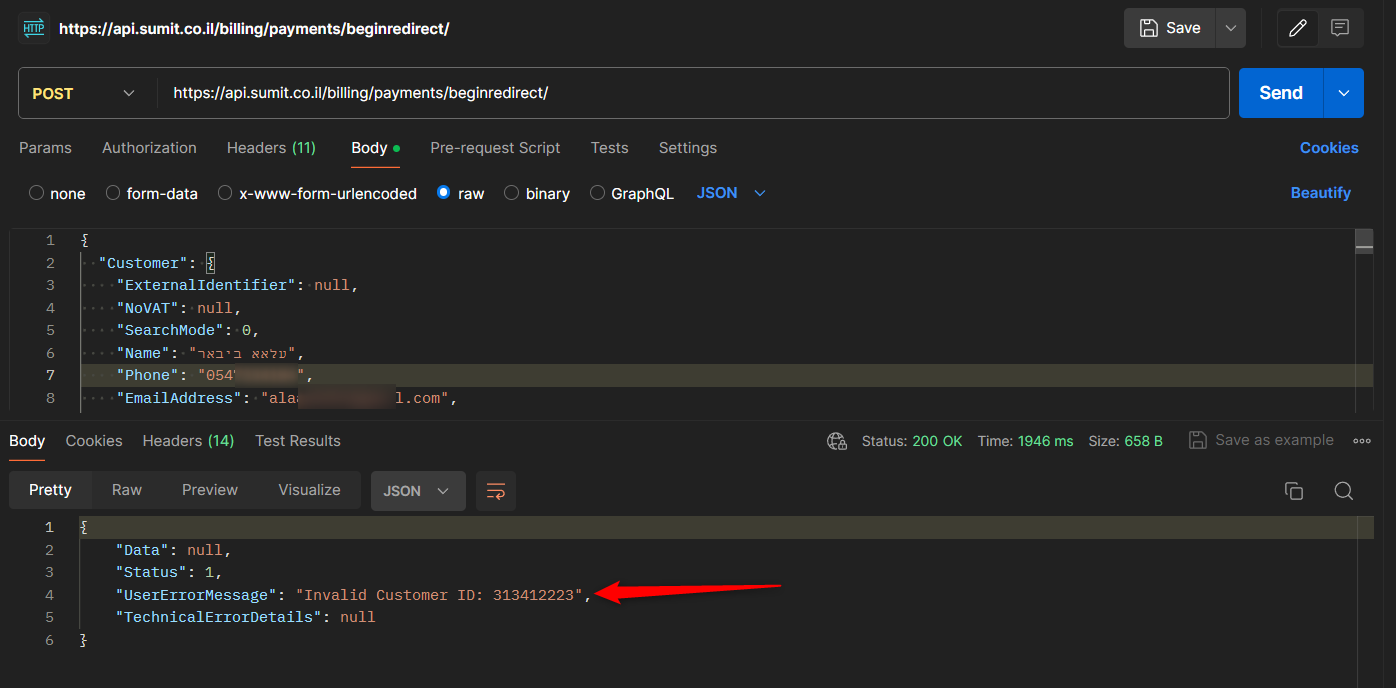
In the meantime, I will have my technical team look into the mapping related issue. Refrain from making any changes to the trigger step of your workflow.
okay , i have set a new one for compression I got this message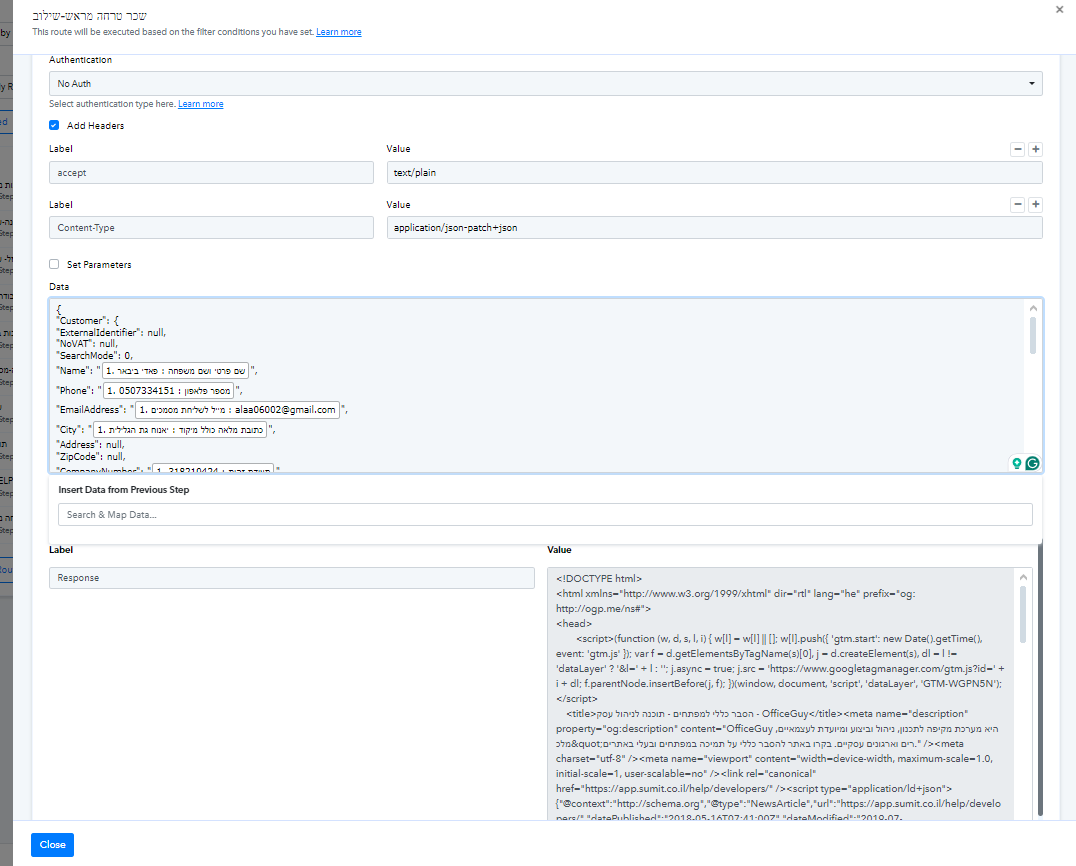
what is the problem with this one?
what is the problem with this one?
You were using Get request.
I changed the request to 'Post' and got this result in Pabbly Connect.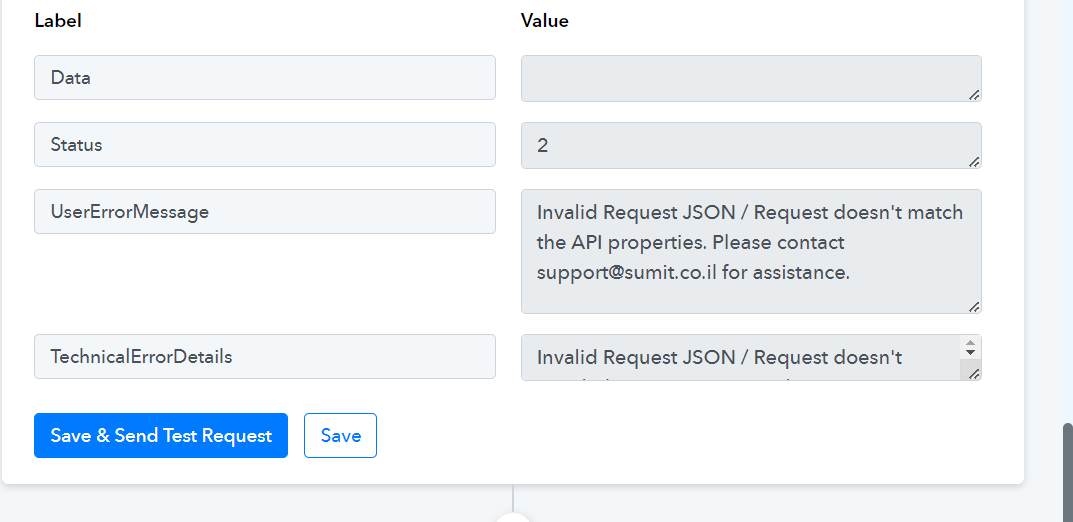
I got the same result in Postman as well.