Having trouble scheduling Pinterest
Status: Closed · Asked by mrfernando on · 0 views
So I have been following this video -
youtube.com/watch?v=WqSteamAldE
However I am trying to schedule to Pinterest, the pins I try to schedule to Pabbly are not working, I don't know where I am going wrong? I am testing Pabbly before I purchase a plan but I am still having difficulty. Can someone please assist
Hey @mrfernando
Seems like the From Format you have selected doesn't fit with the date and time you are getting from your Google Sheets.
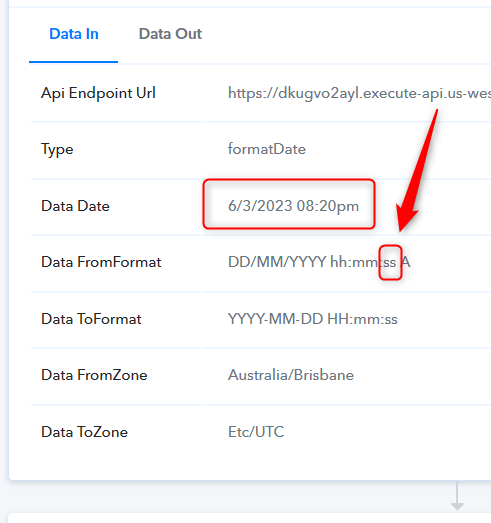
So, please pass the exact format in which the DateTime is coming.
Hey @mrfernandoSeems like the From Format you have selected doesn't fit with the date and time you are getting from your Google Sheets.
So, please pass the exact format in which the DateTime is coming.
Hi @Supreme ,
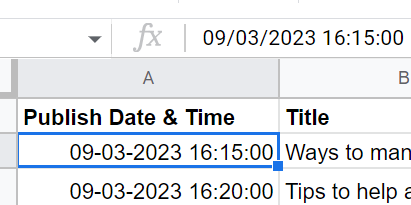
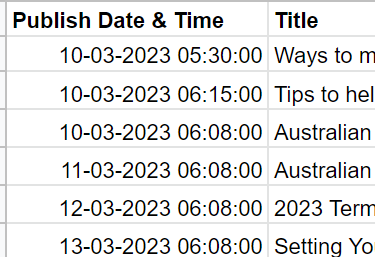
I just adjusted the date and time, however it still does not work? I notice that the dates displayed is actually different to the data when inputting on google sheets, see attached, is this where I am going wrong?
If so, how do I fix this? Seems that even when I type it manually it changes it to look like that in sheets?
Attachments
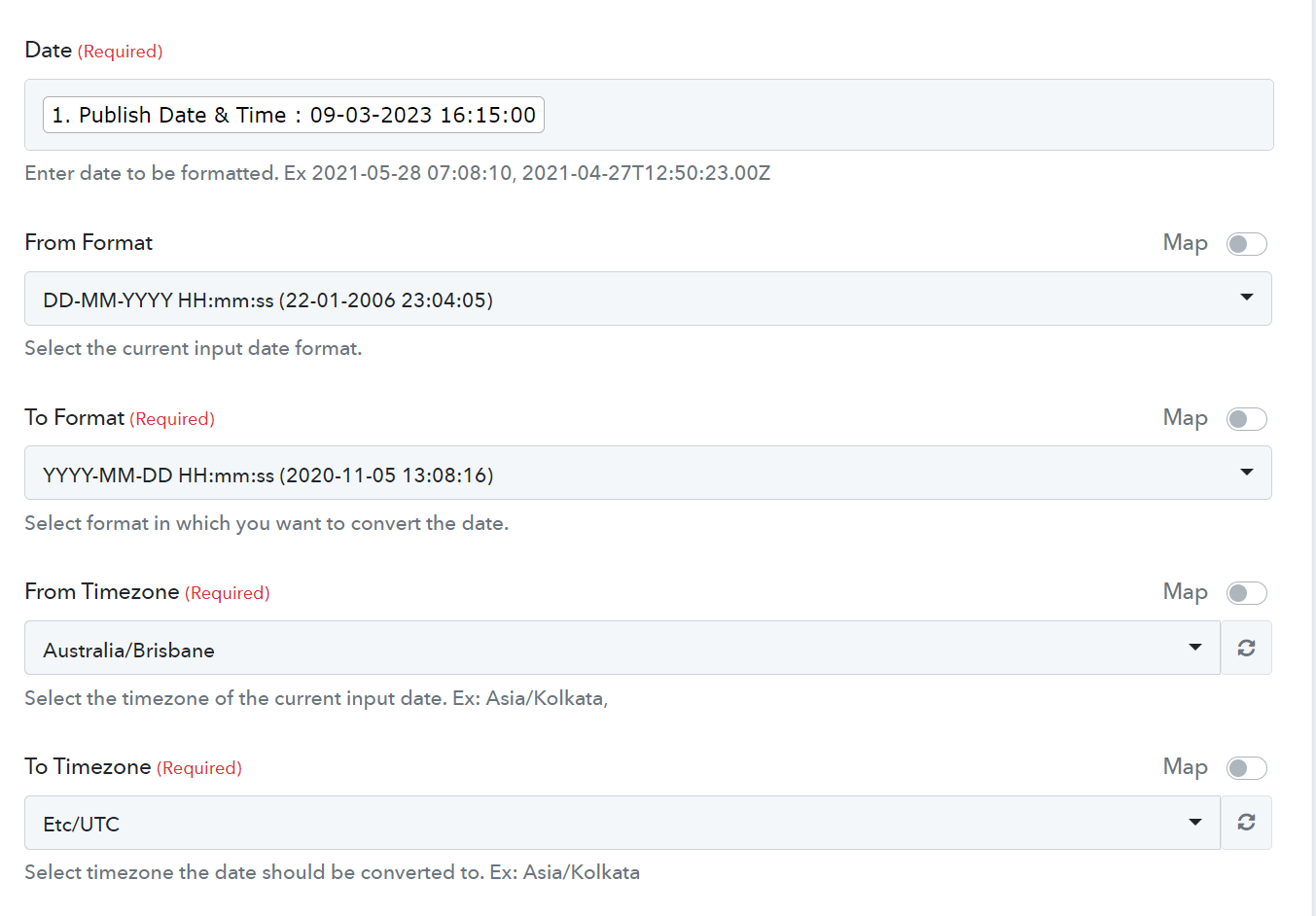
We cannot see any changes in the From Format since we can see you are getting the second from your automation and the format doesn't match with the from format.
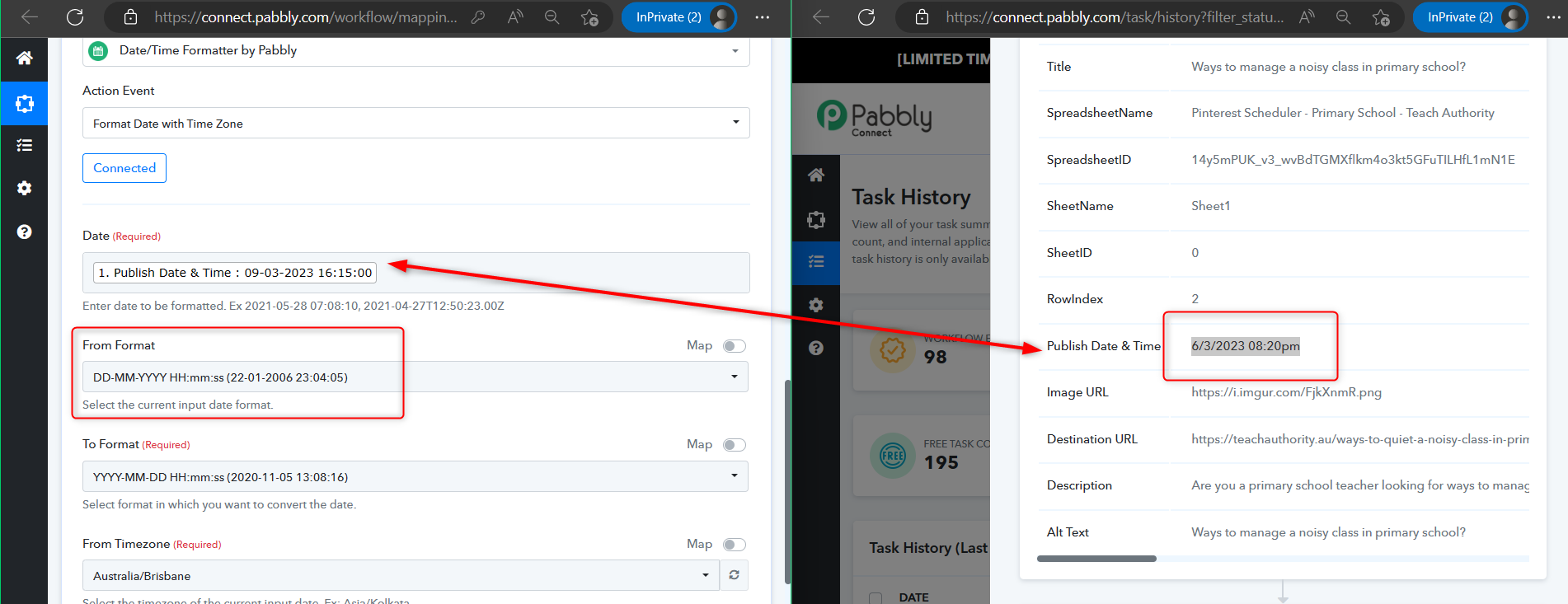
Can you please re-capture the webhook response in which you have the correct DateTime format and then configure the From Format in the "DateTime Formatter" action step?
Hey @Supreme
I recaptured the webhook and also configured the From Format Date, however still no luck?
Hey @mrfernando
As we can see from your latest task history id, your automation is working accordingly.
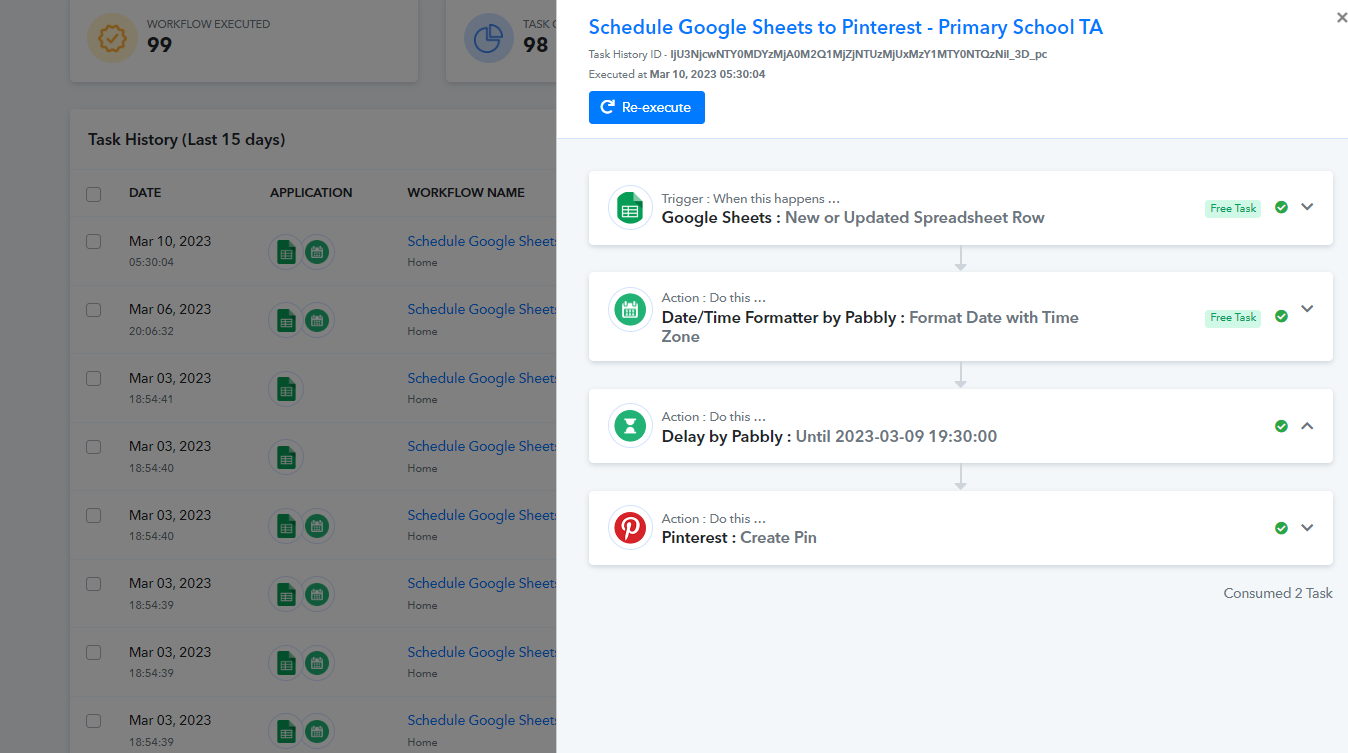
I just added content dates for scheduling, the first ones never were posted on Pinterest, also if they were successful, should they be in my history workflow? Or will it initiate when the date/time passes? Do I have to press enter for each cell manually for it to be initiated?
Attachments
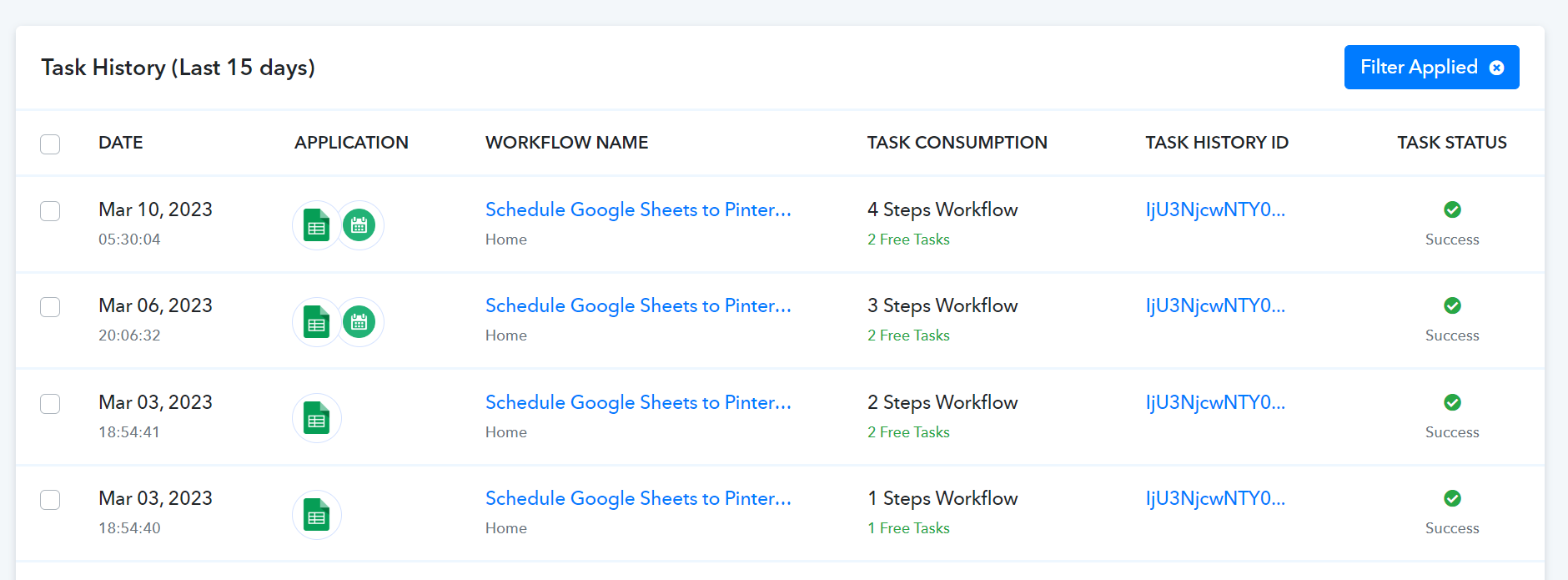
Hey @mrfernando
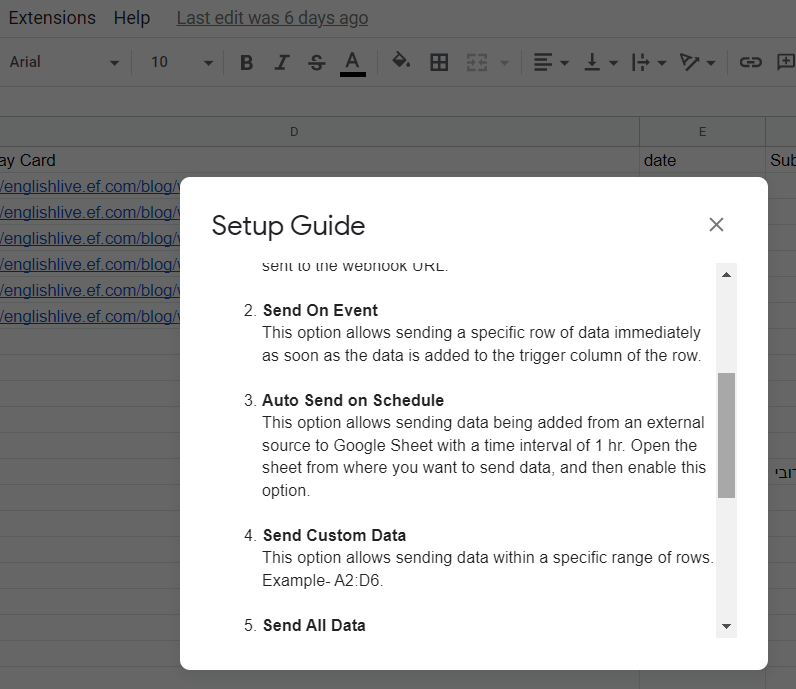
If the data is coming from a Google application or if you manually enter it. If the data is coming from a third-party application, however, you may need to choose "Auto Send On Schedule" or "Send on Schedule," which will forward the data in exactly one hour.
Additionally, make sure the data was filled up to your trigger column.
hey @Supreme ,
Thank you so much for your assistance, this was my first time dabbling in automating google sheet interface, I was able to fix the situation by removing all data and resubmmitting it within the designated rows. I appreciate your patience and assistance.