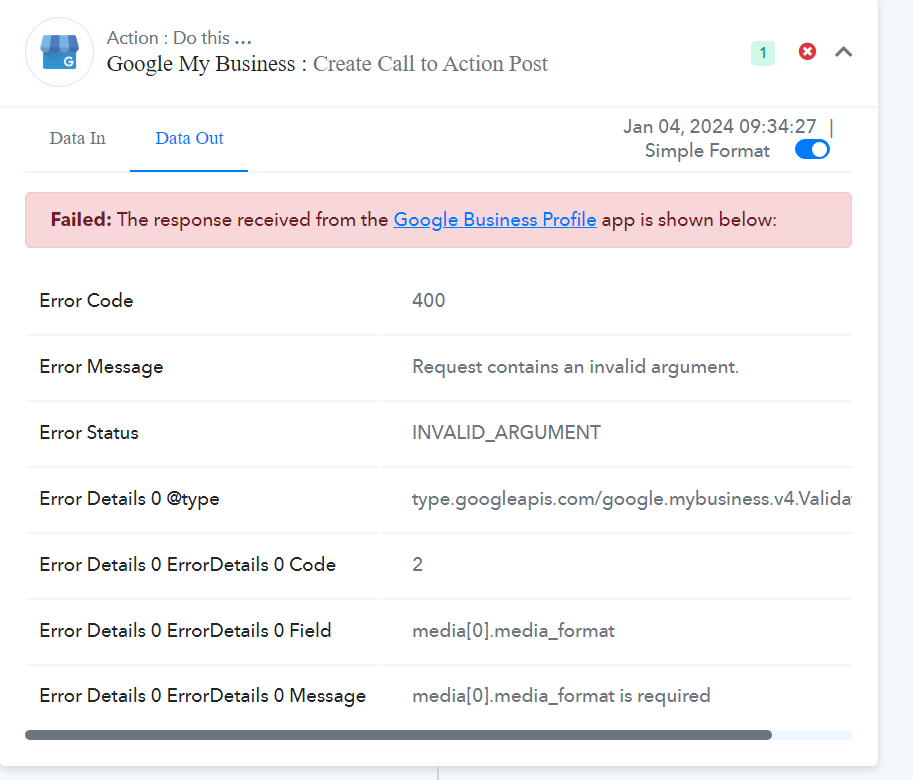
Hello, I have a problem adding a post on Google My Business
Status: Closed · Asked by max4321 on · 0 views
Hello, I have a problem adding a post on Google My Business
Attachments
Hey @max4321
Please provide the downloadable link within the Imgur action step to convert the file into an accessible format. You can then pass this converted file in the GMB action step.
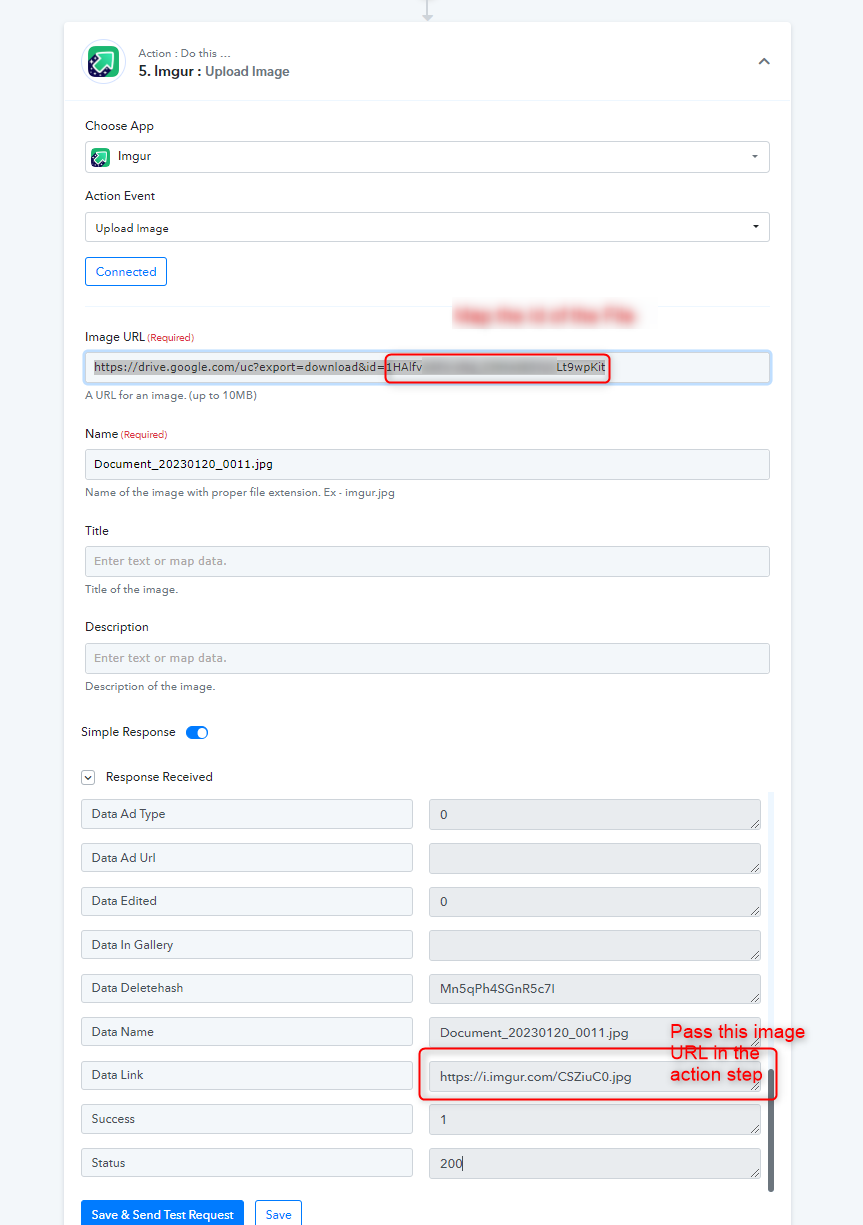
Hey @max4321Please provide the downloadable link within the Imgur action step to convert the file into an accessible format. You can then pass this converted file in the GMB action step.
What format should I convert to?
What format should I convert to?
You can try with .jpg file extension.
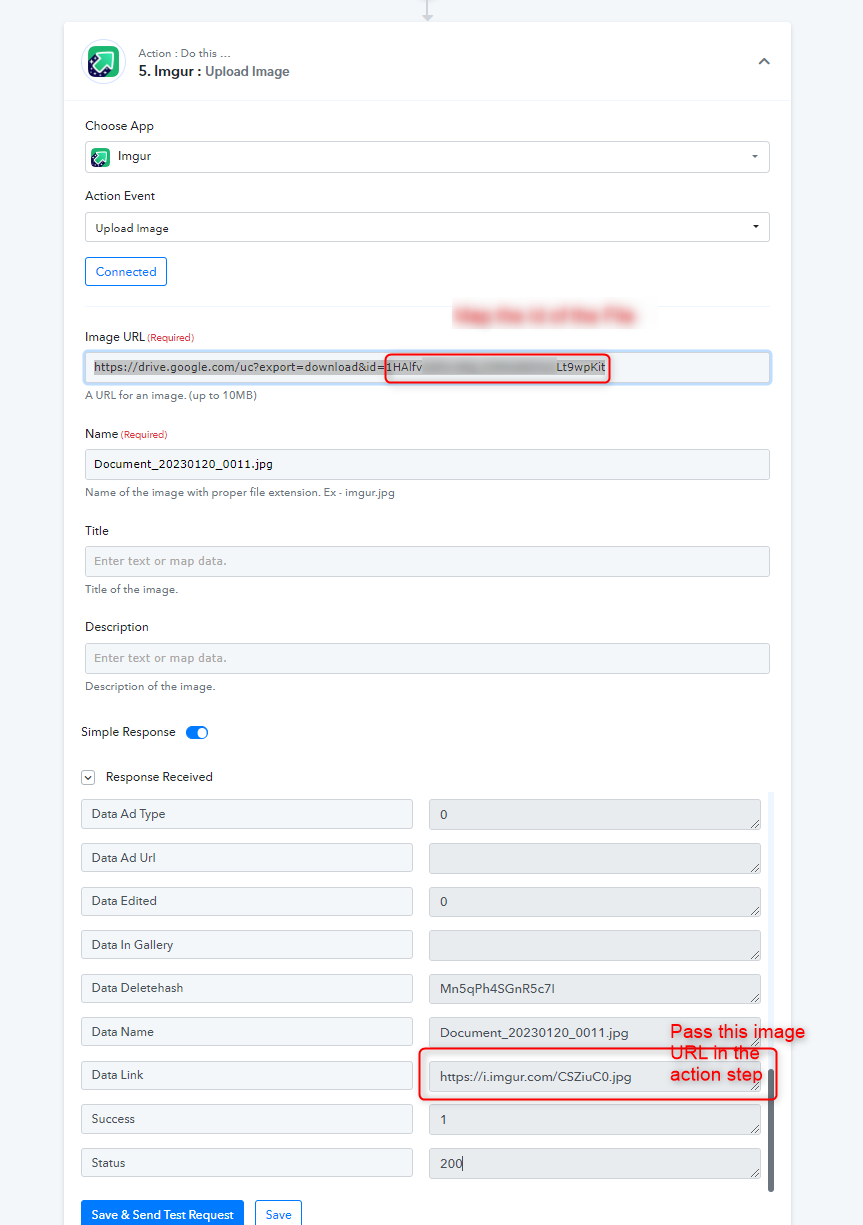
You can try with .jpg file extension.
except that I provide a link to a jpg photo: https://scontent-lhr6-2.xx.fbcdn.net/v/t39.30808-6/411459168_122101122584152126_7516290513091928480_n.jpg?_nc_cat=105&ccb=1-7&_nc_sid=3635dc&_nc_ohc=3_3JfPZZfVAAX81Az3s&_nc_ht=scontent-lhr6-2.xx&edm=AKIiGfEEAAAA&oh=00_AfAUg-sdhz0es9bV_dx_oX4-VKBJuTnTySDnqEC94YNoGg&oe=659B1B83 it worked before but now an error occurred. it works on another account but not on this one
Could you please share the workflow URL in which you have tried the same?
Could you please share the workflow URL in which you have tried the same?
https://connect.pabbly.com/workflow/mapping/IjU3NjcwNTZiMDYzZTA0MzA1MjY0NTUzMyI_3D_pc In this scenario everything works, but unfortunately not in the other one
Could you please share the workflow URL in which you have tried the same?
the scenario that doesn't work is practically a copy and I don't understand why it doesn't work. it's connected to another account but it's a copy
Hey @max4321
Based on the recent task history in your workflow, it's evident that the image is successfully posted on your GMB location.
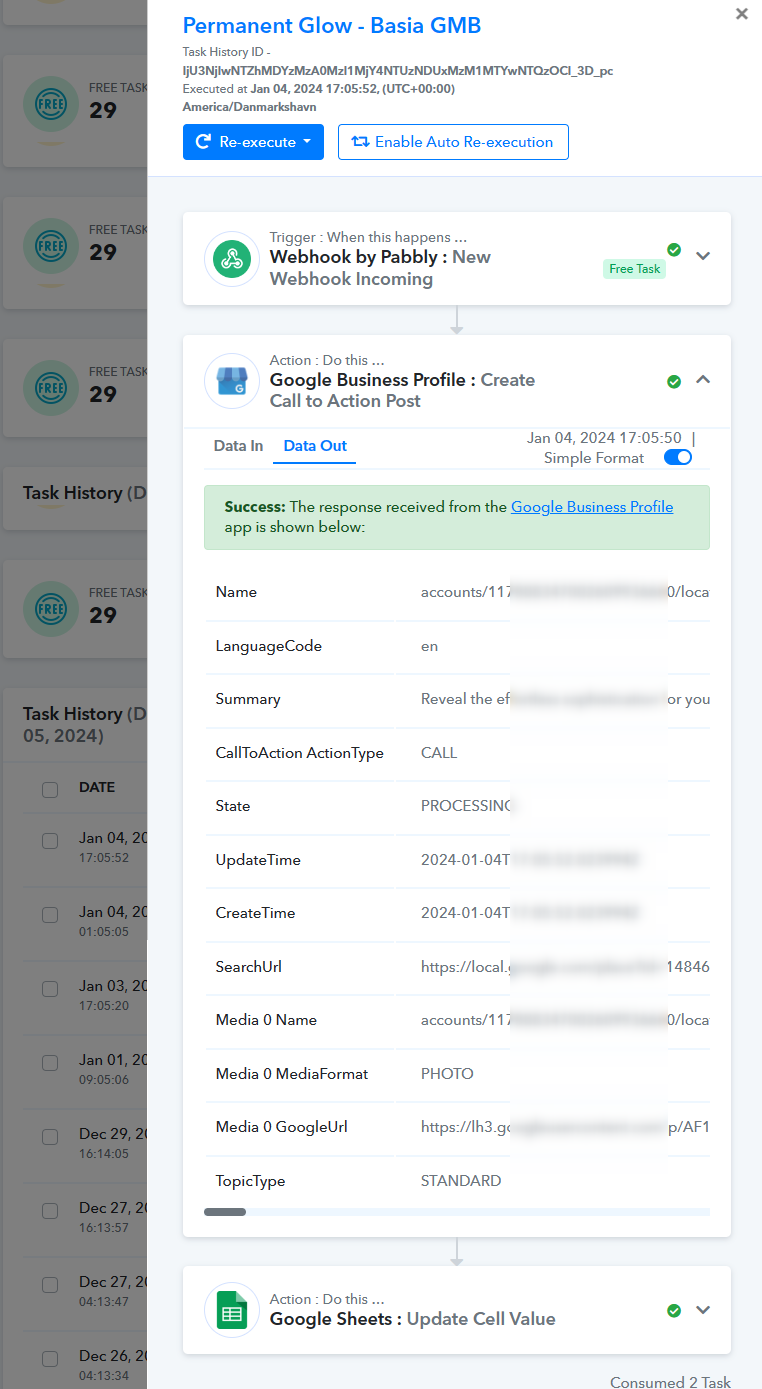
Hey @max4321Based on the recent task history in your workflow, it's evident that the image is successfully posted on your GMB location.
yes, this scenario works, but not this one, although it is a copy only connected to another account https://connect.pabbly.com/workflow/mapping/IjU3NjUwNTY5MDYzMDA0MzU1MjY0NTUzNDUxMzQi_pc
Have you tried selecting the Media Format to "Photo" in your GMB action step?
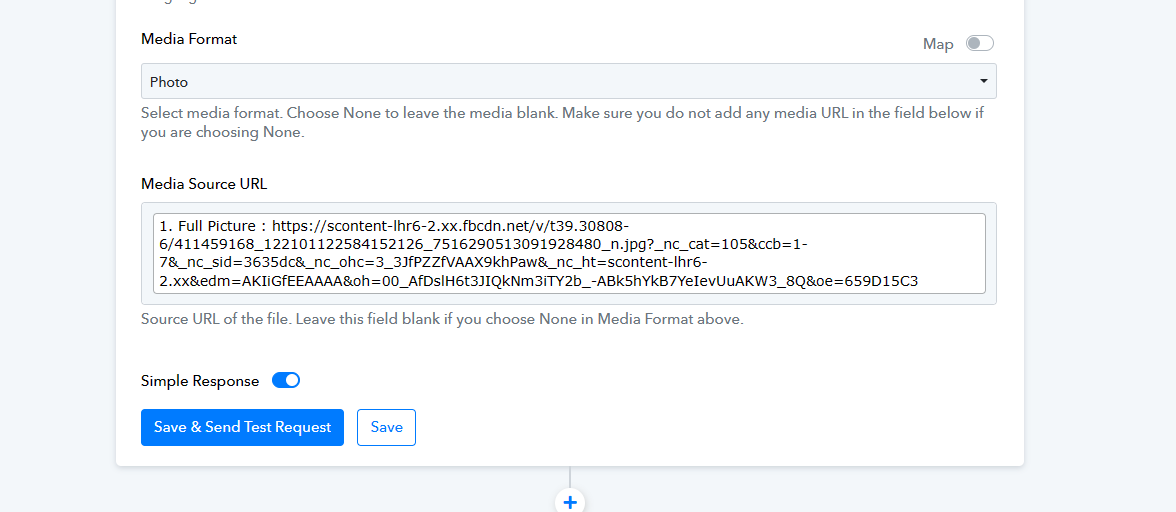
Have you tried selecting the Media Format to "Photo" in your GMB action step?
I didn't have to do this because everything worked in the previous scanari. I just don't understand why it doesn't work on copy.
Have you tried selecting the Media Format to "Photo" in your GMB action step?
Both scenarios receive the same photo links. The only difference is that the copy scenario is connected to a different account. In practice, a copy scenario should also work, but unfortunately it does not.
I didn't have to do this because everything worked in the previous scanari. I just don't understand why it doesn't work on copy.
Once you clone the workflow, you will be required to configure the trigger event in your application again to run the cloned workflow.