hello i need support with this automation
Status: Closed · Asked by Alaa Bebar on · 0 views
hello, I need support with this automation
for some reason the routing part doesn't work and the template doc part error message file doesn't exist.
here's the workflow history of the execution: https://connect.pabbly.com/task/history?filter_status=applied&filter_by_workflow_id=IjU3NjUwNTZlMDYzZjA0MzY1MjY4NTUzNTUxMzUi_pc
Hey @alaa bebar
We checked from our end and it appears that all the routes and filters are working correctly according to the way you set them up. Further, you need to make sure that the string you are searching for, in the Google Drive, should be the exact same as it is put in Google Sheets. Or else, if it is similar or the string contains the name but is not the full name, you can choose "Substring" instead of "Exact".
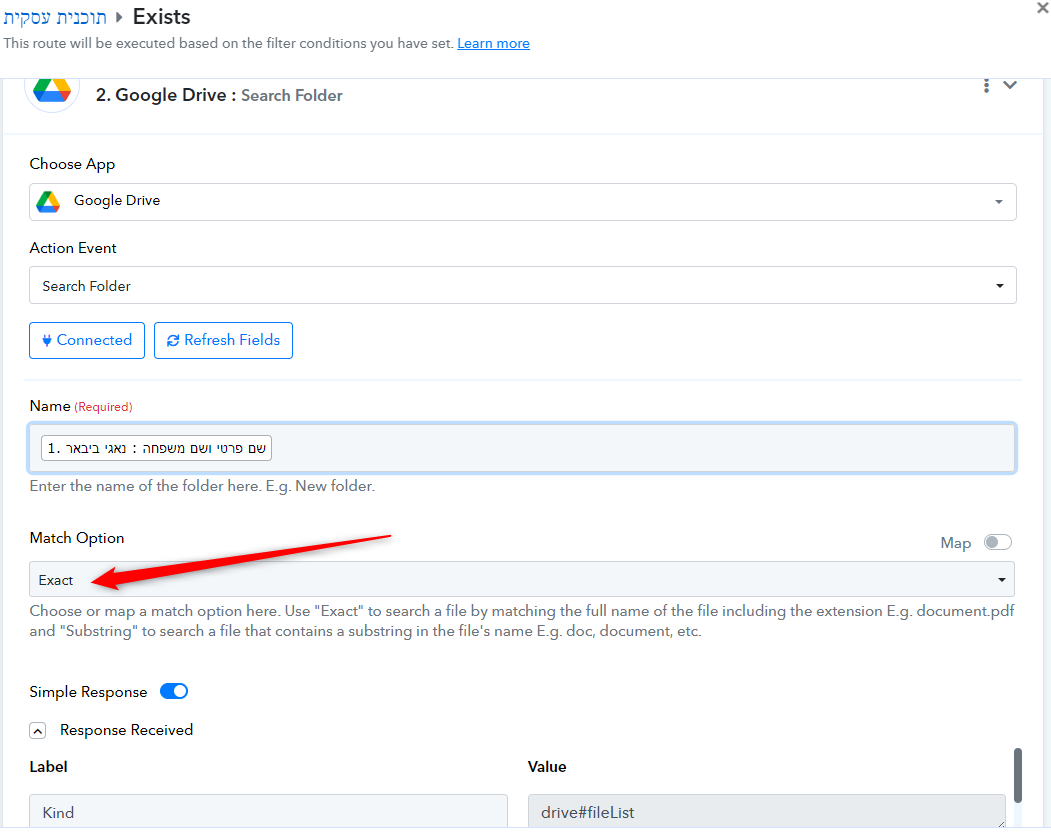
after I changed the option in route 1 to "substring"
I'm getting the same error message for some reason can you look into it please Luv?
here's the workflow history:https://connect.pabbly.com/task/history?filter_status=applied&filter_by_workflow_id=IjU3NjUwNTZlMDYzZjA0MzY1MjY4NTUzNTUxMzUi_pc
@Luv
Hey @alaa bebar
There's just one value that isn't passing through or being found in the "Search Folder" action step. It's "טספלט נתוני תוכנית עסקית פאדי ביבאר". Please ensure that a file with this name exists and it is in the same Google Drive account you're currently using in you workflow.
this automation is working if the folder already exists in Google Drive I tested it, but the route for don't exist isn't working properly the not found should create a folder that stores the dynamic file.
the main idea of this automation is the folder already created uploads the doc file to the existing folder if not it will create a new folder and then generate a doc file
here's the history ID for the last workflow I tried to execute: https://connect.pabbly.com/task/history?filter_status=applied&filter_by_workflow_id=IjU3NjUwNTZlMDYzZjA0MzY1MjY4NTUzNTUxMzUi_pc
Hey @alaa bebar
Please grant us some time to investigate this matter. We will promptly get back to you once we have identified a solution.
Hey @alaa bebar
Thanks for your patience. It appears that you have applied the filter inside the router in the wrong way. Firstly you would need to search the File, then you would need to create the file/folder. You will need to apply a "Search Folder" step before the router for "Exists" and "Doesn't Exist". Refer to the image below for more instructions -
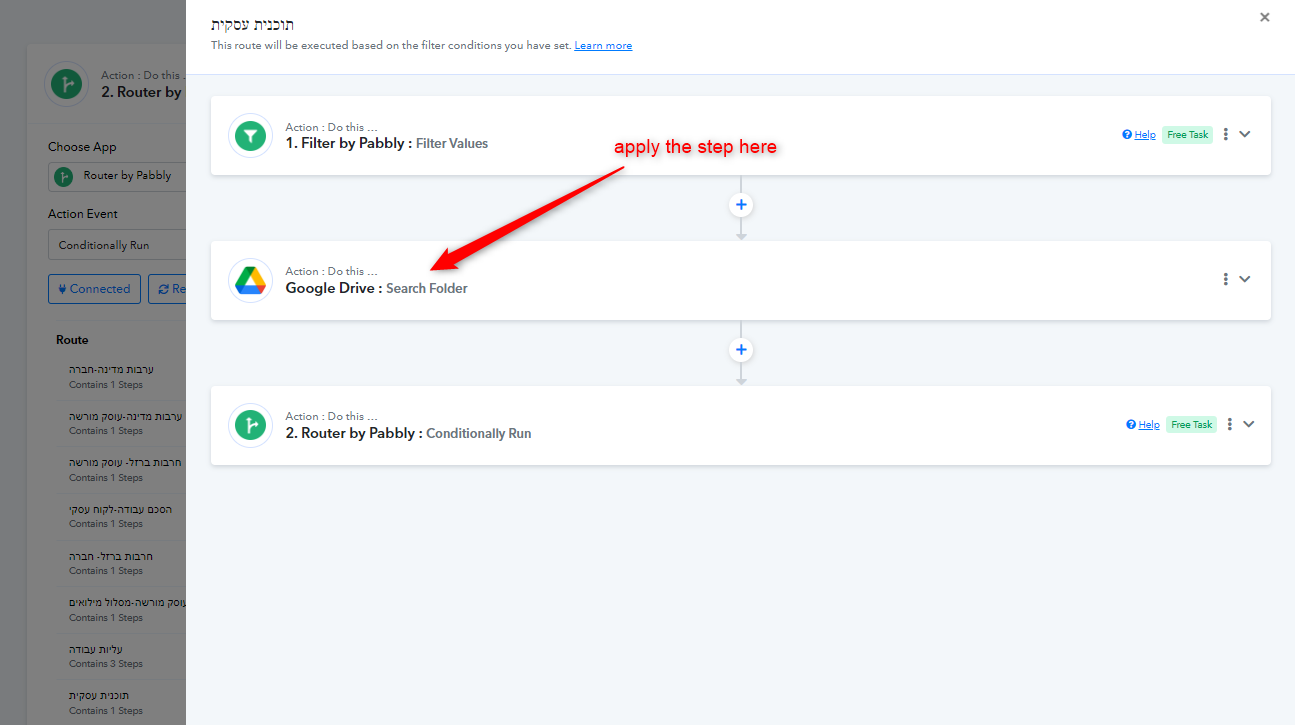
After this, you can apply the filter in the routes below accordingly. Map the "File not found" response for "Not Exists" route.
thanks, @Luv ill test the change and keep you updated