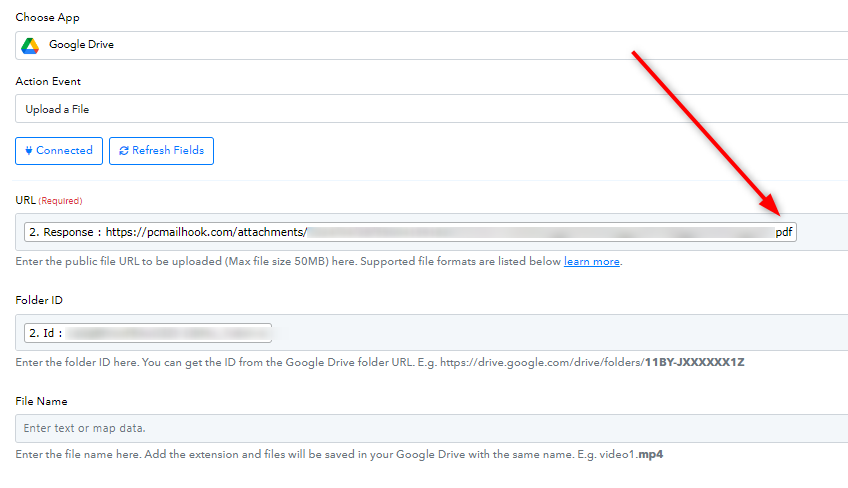
hello pabbly team I need assistance regarding, my use case
Status: Closed · Asked by Alaa Bebar on · 0 views
hello, pabbly team I need assistance regarding, my use case.
I have set up an automation that gathers documents and creates folders on the email address with the help of @ArshilAhmad
I want to set an automation for my accountant that does order invoices in Google Drive:
1-searching the suppliers list from a Google sheet that I write in a column, the automation will search these folders in Google Drive.
2-after that the automation will create a folder from the list of suppliers list that is provided.
3-the automation will filter the documents in each Google Drive and open a folder for each month:
for example, the folder in the main account Google Drive is named Alaa, the automation will create in the other account Google Drive a folder named Alaa and filter the date uploaded, and create a folder for the month and year period.
I hope I elaborated my use case well.
I'm adding a screenshot explaining what I, trying to accomplish:
screenshot of the main account automation that gathers documents: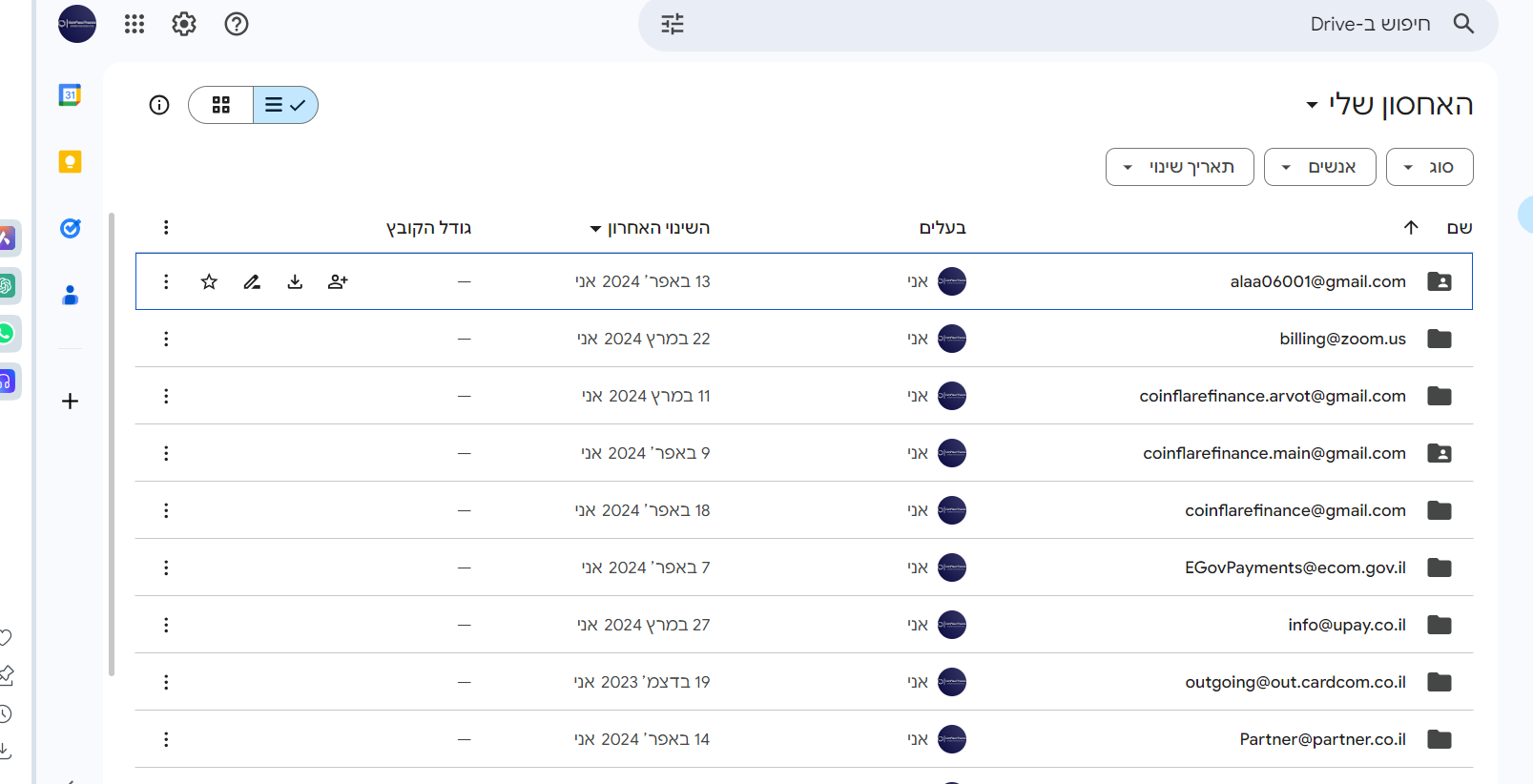
what im trying to accomplish in my other account will look like this:
the autoamtion will upload to my other drive account in the folder named expenses:
after then the automation will create the suplliers folders by the email adreeses i provided im google sheet i have set: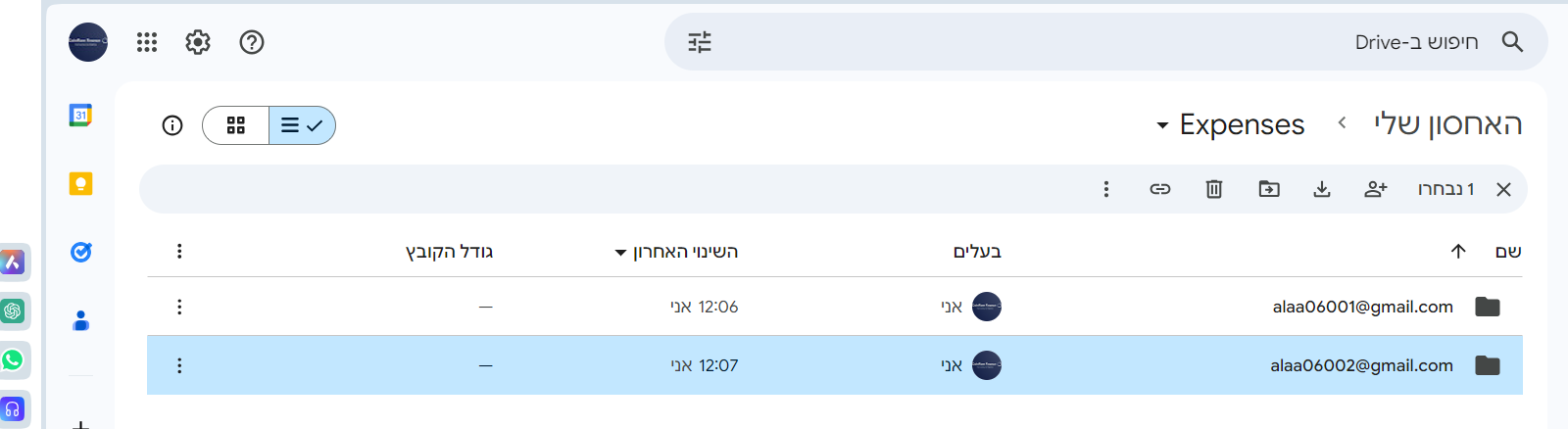
after that the automation will filter the the date of file uploaded to the drive and creates a folder named bt the month and year: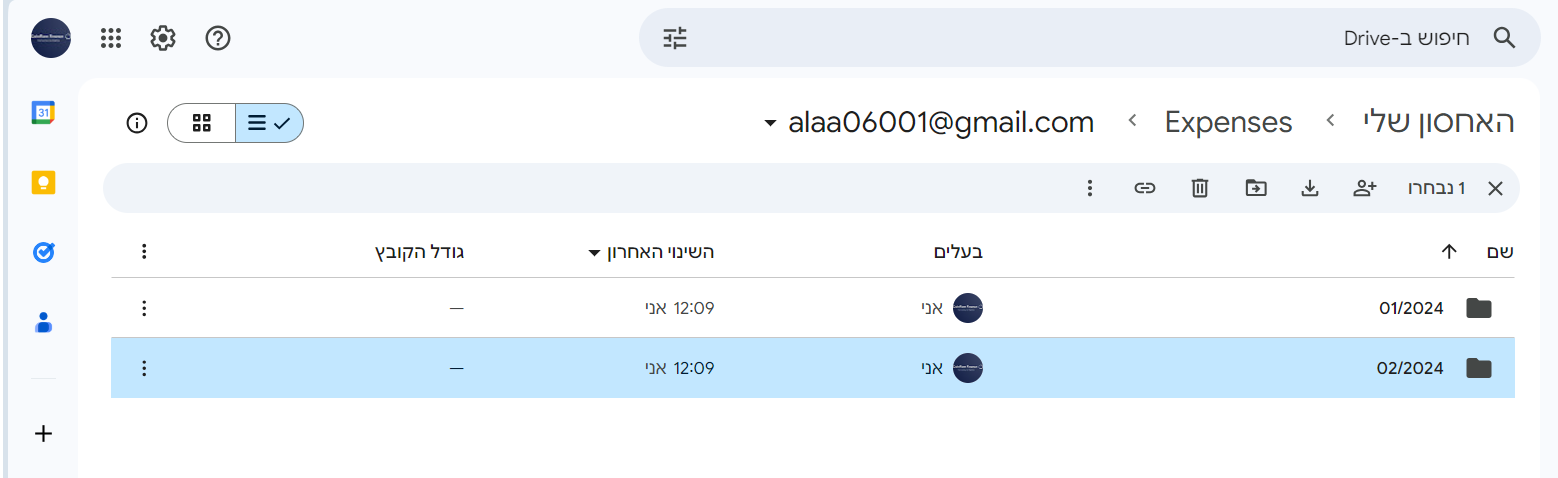
after that it will upload the ducuments depends on the date and year the uploaded in the main google drive account: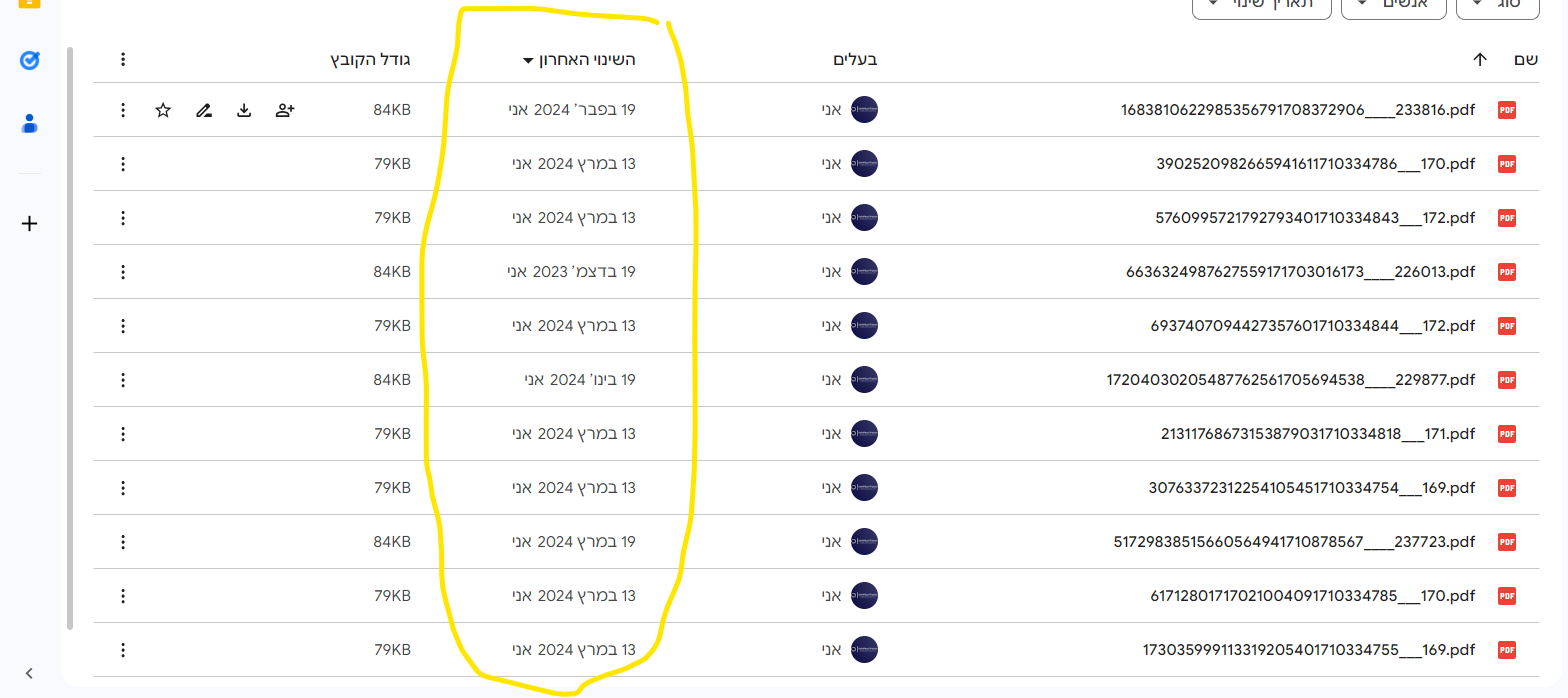
and I want this to trigger once a month on a 1 of the following month
or more simply i want the automation will gather all documents from the supplier email address list to the January folder etc etc....
Hey @alaa bebar
We have checked into the possibility of building this workflow. So, while this scenario seems achievable, it's quite complex and intricate for us to assist you with every individual step. We suggest considering consulting with an expert for this task, as our support is primarily focused on addressing any issues or bugs you encounter during your use of Pabbly Connect.
Kindly refer to this thread - https://forum.pabbly.com/threads/pabbly-connect-experts-and-consultants.22/
Further you can also ask for hiring automation expert in our Facebook group over here - https://www.facebook.com/groups/pabbly.connect/
hello @Luv, I did explain myself wrong I know how to build most of the workflow, just need basic assistance.
I'll share it with you or @ArshilAhmad OR @Supreme since I joined Pabbly I get guidance and help from them, if I share my workflow and can give me a headstart or guidance I'll be grateful to you.
hello, I have set the workflow to the point that the automation defers if the email address is related to a revenue invoice or expense invoice.
what should I implement further on the router?
the next step is creating an action that creates a month/year folder in revenue or expense if the time the automation triggers if there a new documents and uploading them to each category.
here's the workflow till now I, continuing to try proceeding just give me guidance or aware me if I settled something wrong regarding my use case
https://connect.pabbly.com/workflow/mapping/IjU3NjUwNTZiMDYzZjA0M2Q1MjY4NTUzNDUxM2Ii_pc
should i capture the header date and forwarder function in order to create a file for each month 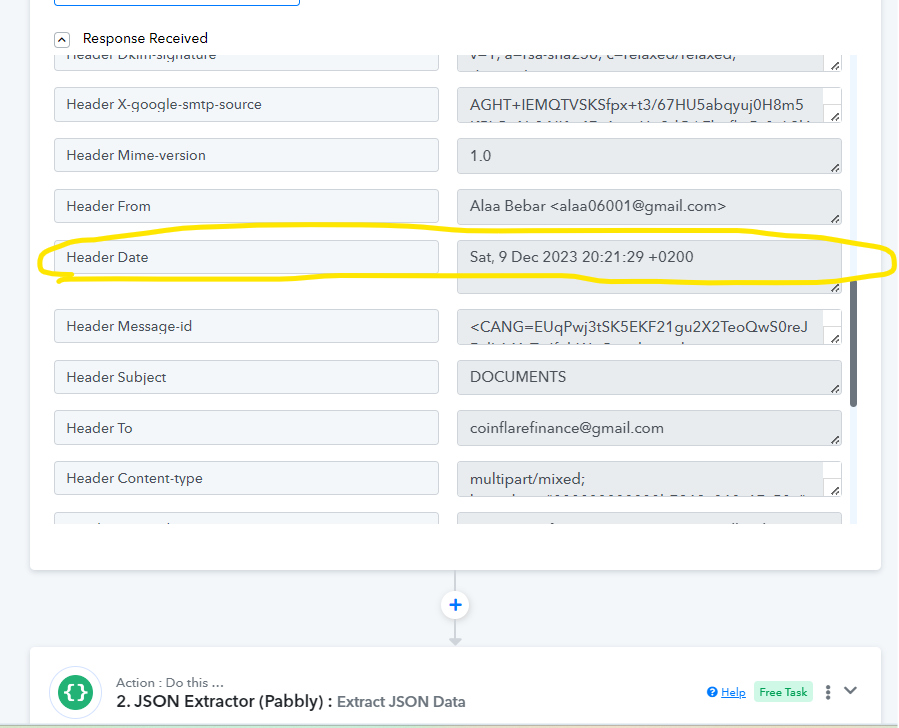
and then use the forwarder to my forkflow, and i need some guidance here where are you @Supreme @Luv @ArshilAhmad 
the problem here that my first trigger action is scheduled in my flow, help, please!!!
Hey @alaa bebar
Sure, you can use the "Header Date" to create the folder for month. Although, for extracting the month name only, you will have to use Text Formatter.
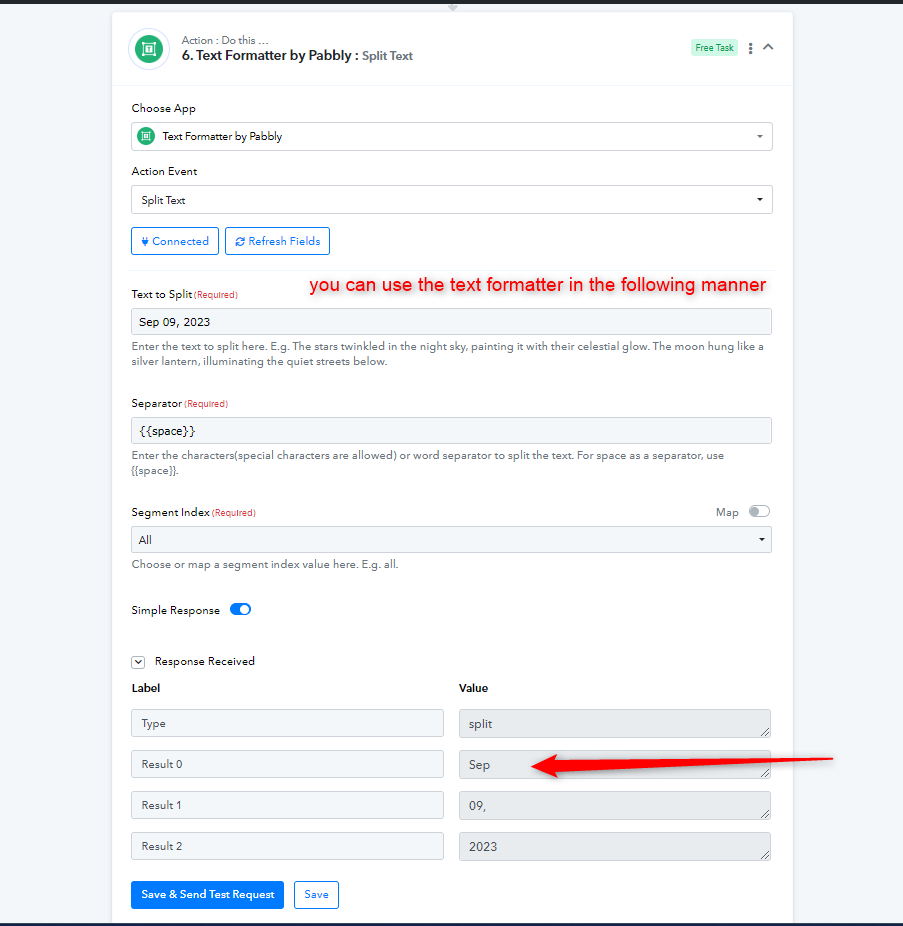
Further, you have scheduled the trigger to run once every week, in that manner, your workflow will create a folder with the same month name four times. For this, we would recommend you make another workflow dedicated to creating the Month Folder only. You can schedule it for once a month so that you do not end up with multiple folders for the same month.
Also, let us know if you want to search Google Sheets for revenue only or both revenue and expenses, so that we can assist you accordingly.
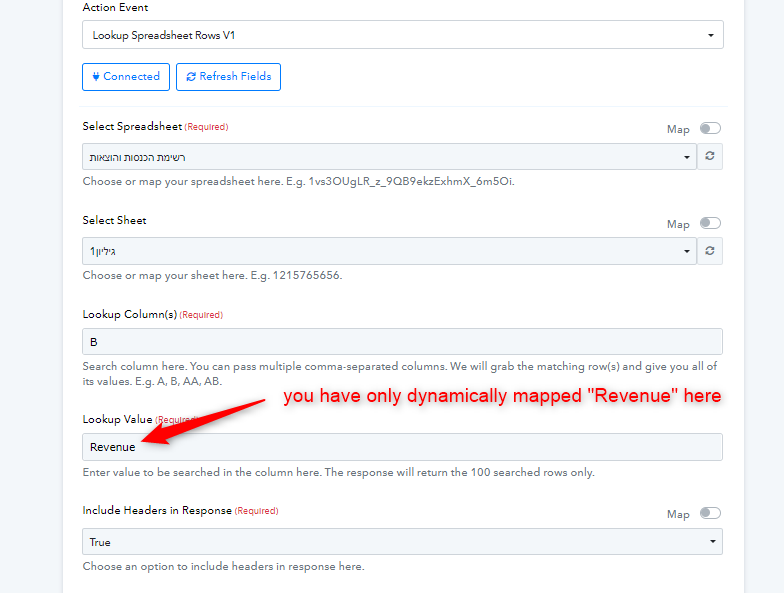
hello @Luv , the answer is yes I want to look I want to map both revenue and expenses before the automation gets to the point of the router the automation will start there if the email address is related to revenue category or expense category.
can I have further guidance or help to set the counting part with the formatting part and how should continue the automation after it gets to the stage or routing the response for both categories?
can you have a look and guide me further please I did set a webhook action to capture the header date, how should I trigger it once a month for the 1/month/year, and how should I continue building this process?
after I set the form, after the thing I need to create a folder for this month in each revenue and expenses folder.
should this be before getting into the action steps in the router?
and how can I add the part you mentioned regarding expenses?
here's the updated workflow i have built
https://connect.pabbly.com/workflow/mapping/IjU3NjUwNTZiMDYzZjA0M2Q1MjY4NTUzNDUxM2Ii_pc
can you help me please it seems luv isn't available @ArshilAhmad ,@Supreme
Hey @alaa bebar
The "Create Folder" workflow is meant to be scheduled monthly and is exclusively for generating folders. It's important to keep it distinct from the base workflow.
Furthermore, to better assist you, we require clarification on any additional functionalities you desire for the workflow beyond the basic task of transferring invoices from one Google Drive to another, organized by month within their respective folders.
Please provide further details so we can tailor our assistance to your specific needs.
hello @Luv , can take a look at the workflows that I'm using and what should I adjust accordingly, additionally can you guide me or share a demo action step structure that can achieve and use the case:
this is my automation that I, getting the header date to filter further the documents: https://connect.pabbly.com/workflow/mapping/IjU3NjUwNTZlMDYzZTA0MzU1MjY4NTUzMjUxM2Ei_pc
here's my automation workflow I should have a webhook to capture the head date so the trigger should be a webhook.
can you share with me a demo workflow with structured actions, please?
I see you have a delay in your response @ArshilAhmad can help I worked with him, in the past a lot and his work hours match mine.
thanks alaa
Hey @alaa bebar
As Schedule would be an important step in your desired automation, instead of using Webhook you can use the response from the Google Sheets to create the folder. You can have the date mentioned with the email in your Google Sheet, or else we can have a workaround for it.
You can use "Current Date" action step of "Date/Time Formatter" to get the month name.
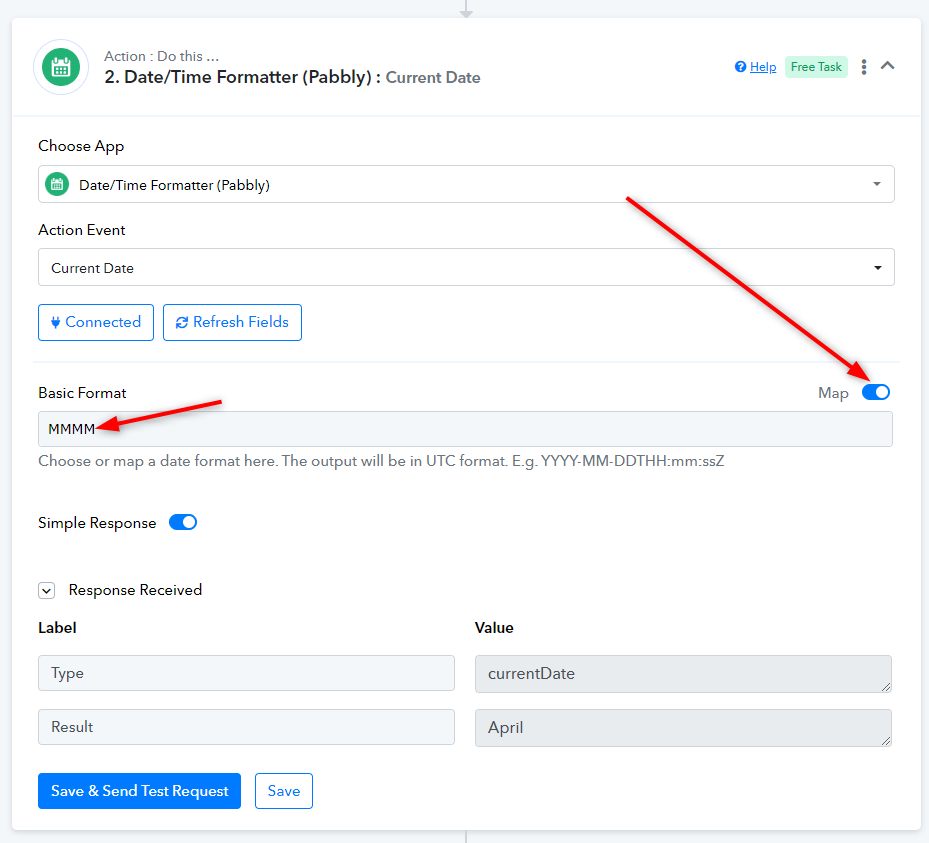
Additionally, we highly recommend consulting with an expert to streamline the process for your convenience.
Kindly refer to this thread for the same - https://forum.pabbly.com/threads/pabbly-connect-experts-and-consultants.22/
Further you can also ask for hiring automation expert in our Facebook group over here - https://www.facebook.com/groups/pabbly.connect/
Hello @Luv ,as i mentioned earlier i dont see the necessity for a hired services.
I know the Methodology i just need guidance on how to apply it with the tools given.
Ill contact you tomorow for a close montiring ,please just help an guide me further if you see your self bussy i can open a new ticket tagging other staff member for help.
Thank you alot @Luv appreciate your effort so far.
Hey @alaa bebar
We're dedicated to supporting you with any difficulties or glitches you might come across while using Pabbly Connect. However, it's important to note that we're unable to provide assistance in creating workflows from scratch. Further, the recommendation to seek expert advice was simply to ensure a quick and convenient resolution.
hello @Luv , as I mentioned previously im not asking to create workflows from scratch.
I seek guidance regarding using the tools to set my desired application.
ill continue building the workflow I shared with you today, and ill reach out for help here in the forums when I struggle.
much appreciated Alaa.
@Luv how should I get the date header from, this workflow : https://connect.pabbly.com/workflow/mapping/IjU3NjUwNTZlMDYzZTA0MzU1MjY4NTUzMjUxM2Ei_pc
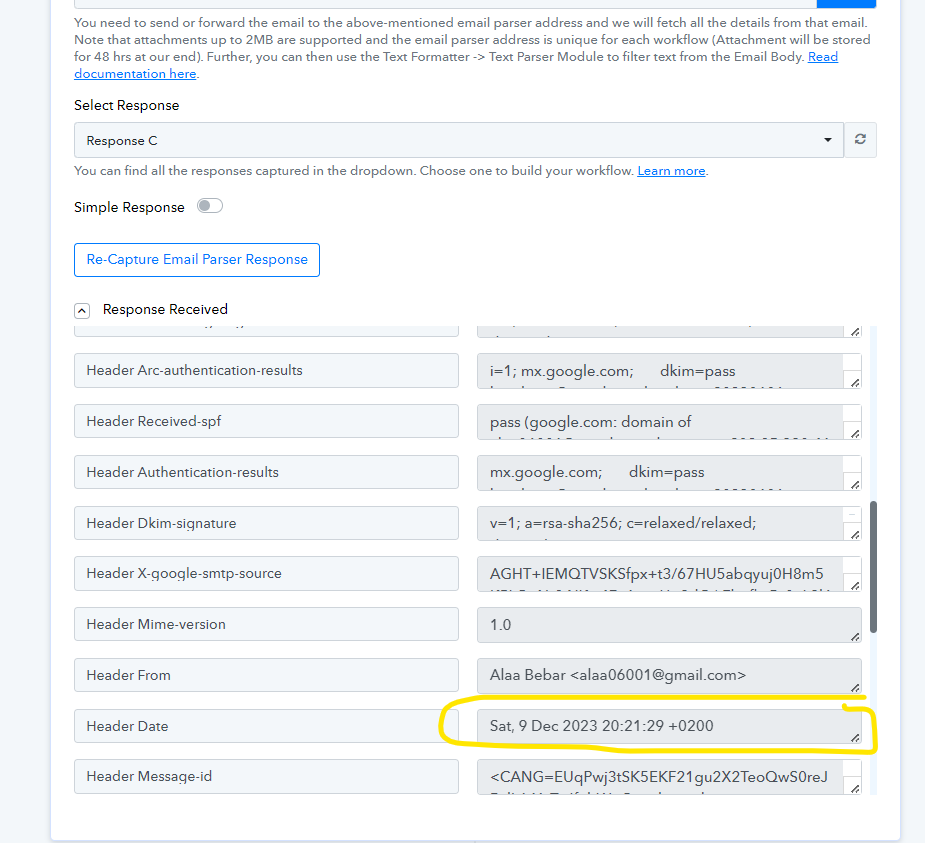
and how you suggest i continue from the work flow i created from the webhooks that captures the dare header fro this workflow, so i can continue building the 2nd workflow.
Hey @alaa bebar
As I previously mentioned, If your need the date in header only for creating the folder name according to month, you can use "Date/Time Formatter" with action step "Current Date" as explained in our previous reply.
Hey @alaa bebarAs Schedule would be an important step in your desired automation, instead of using Webhook you can use the response from the Google Sheets to create the folder. You can have the date mentioned with the email in your Google Sheet, or else we can have a workaround for it.
You can use "Current Date" action step of "Date/Time Formatter" to get the month name.
Additionally, we highly recommend consulting with an expert to streamline the process for your convenience.
Kindly refer to this thread for the same - https://forum.pabbly.com/threads/pabbly-connect-experts-and-consultants.22/
Further you can also ask for hiring automation expert in our Facebook group over here - https://www.facebook.com/groups/pabbly.connect/
Kindly let us know if there is any other use of date so that we can look into it more and suggest you some work arounds.
hello @Luv , here's the updated workflow I achieved to the point of making a folder related to the month and the email address how can include the expenses lookup value also?
I need a hint for using my parser that captures the documents and stores them, or another option to access my main drive account where all folders already exist them the files with the time and date the document added
here's the updated workflow with the router to create and filter the addresses: https://connect.pabbly.com/workflow/mapping/IjU3NjUwNTZiMDYzZjA0M2Q1MjY4NTUzNDUxM2Ii_pc
Hey @alaa bebar
You likely have two separate Google Drive accounts: one for capturing invoice details and another where you want to create folders based on months and update dates for invoices. Each account requires its own connection. The primary drive account, which already contains invoices, should be linked in Google Drive under "Search Folder." Additionally, the second account needs to be connected in Google Drive under "Create File," which will be used in the router.
It's important to note that the first drive account won't have folders based on months, whereas the second one will. Therefore, in the separate workflow dedicated to creating folders based on months, you should connect the second drive account.
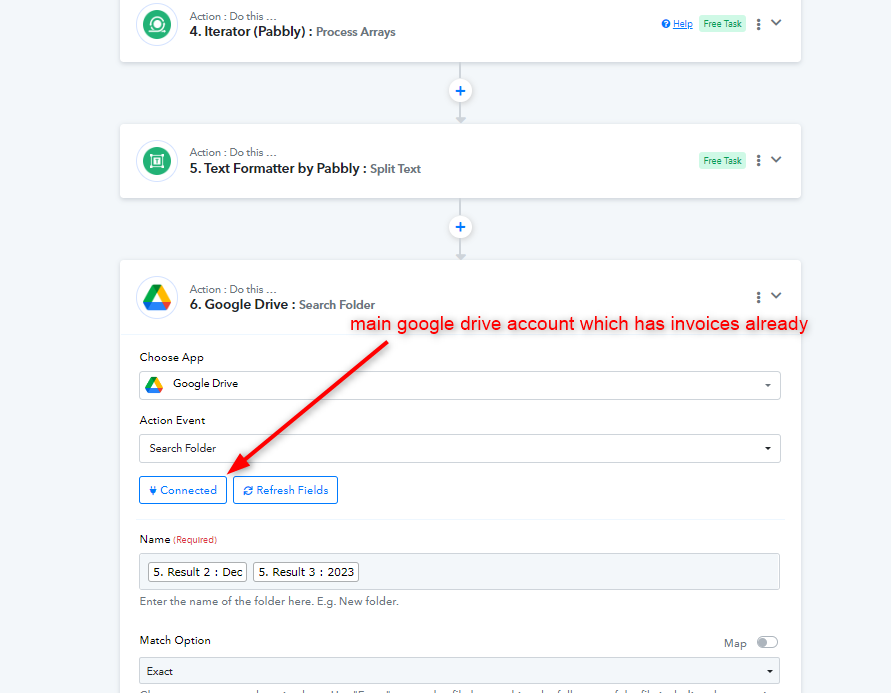
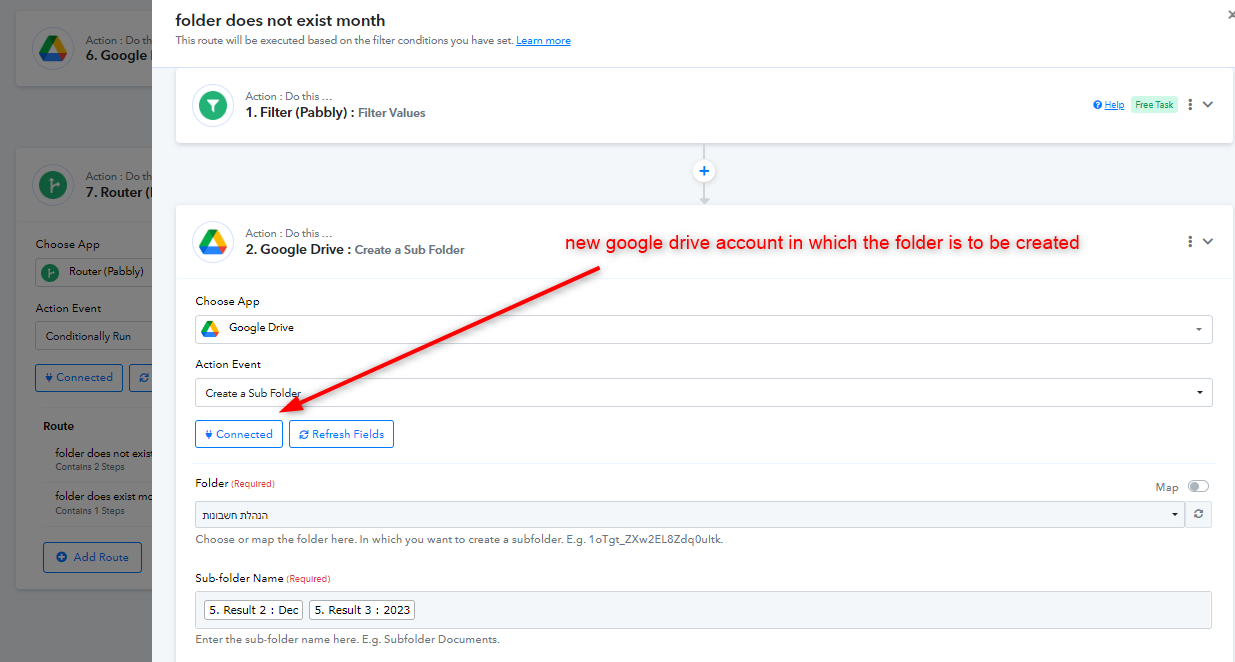
Please ensure that you set up both workflows and these steps accordingly to facilitate effective assistance.
I have adjusted the workflow as you requested, how can I get the document array from the parser step and filter it regarding the month?
and how I shall include the expense values also in my google sheet part lookup value.
i tried to lookup also expenses to the lookup vlaue in googlesheet action part to lookup values from the list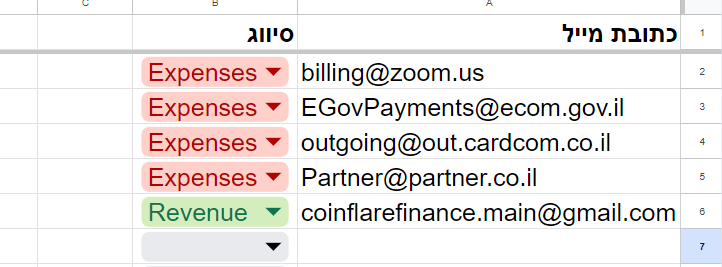
i got an error message regardign the attempt ,how can i do the desires use case in my senario 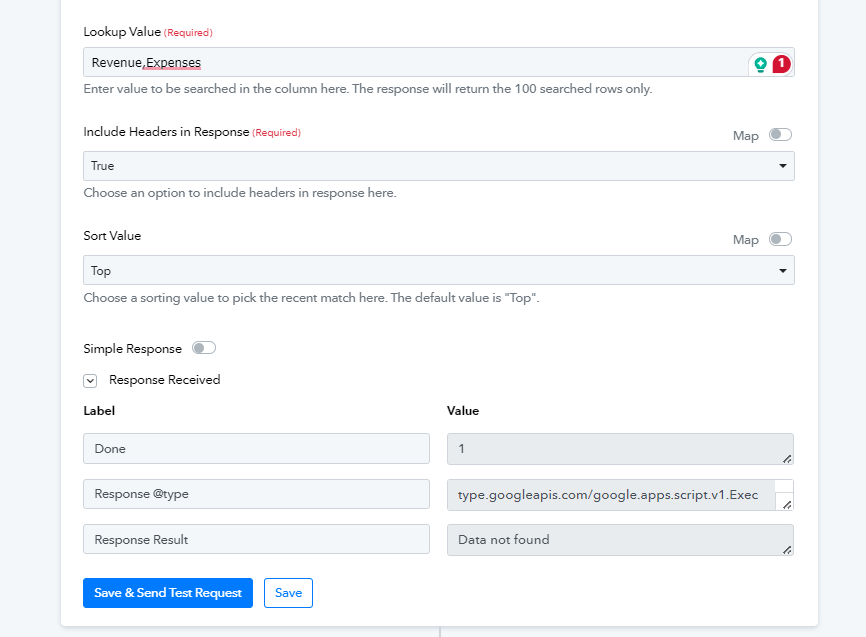
and cointuintion ill try to forward the document array fro, the other workflow and how can deal with it for the meanwhile
I tried to upload the file to the revenue folder created in the 12 Dec folder I got an error message, note: tried to map the id for the search folder "revenue" and the mapped id from step 5 as you mentioned to connect the main drive with all the attachments.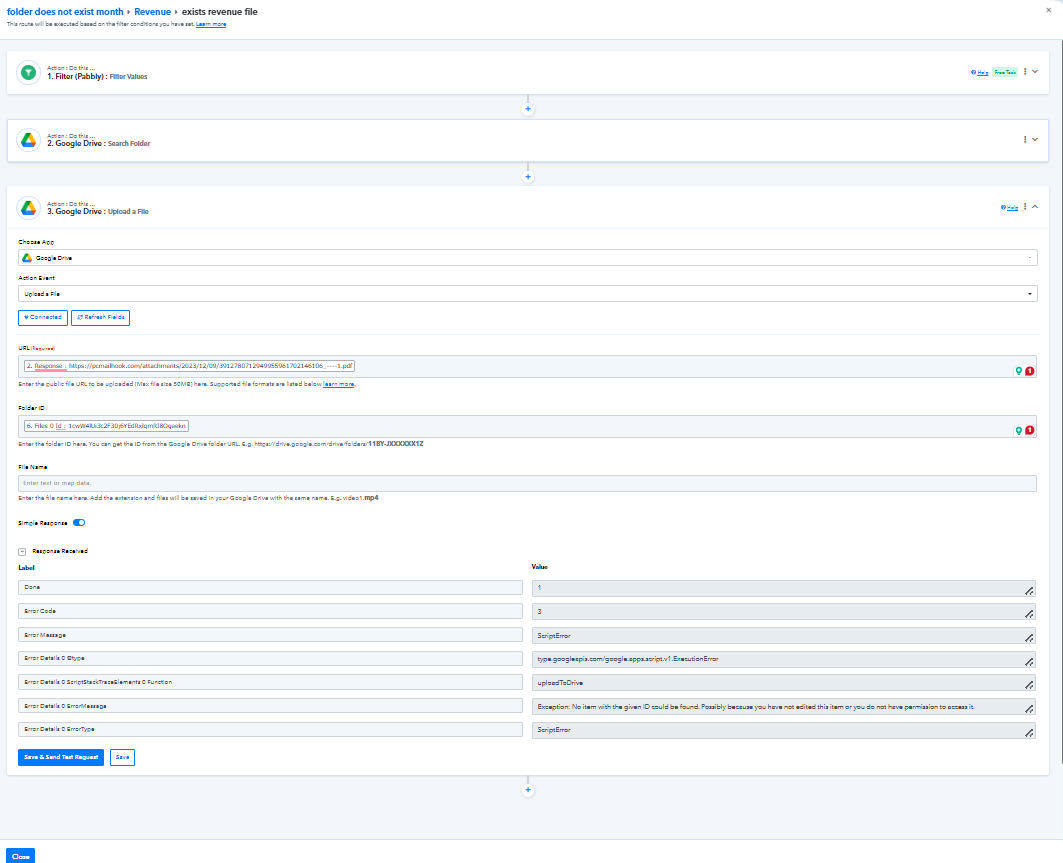
hello, @Luv I have reached the part where I want to upload the files, I need help with the router part if the revenue/expense folder exists in the month in the file, also the upload art I'm getting a script error after capturing a new response to test the automation with no success.
also, I need to include the expense part from my google sheet.
Hey @alaa bebar
Based on your workflow, it appears you've configured the routers to handle both income and expenses. Could you please specify at which step you're encountering the 'script error'? Additionally, please clarify how you intend to incorporate the expenses—should they be reflected in the title or within the invoice content.
hello @Luv , Here is a recording of what I'm facing regarding my use case
https://drive.google.com/file/d/1Cw75xgTmWBV_J1XiQr5-aRXeJkbwWaup/view?usp=sharing
Hey @alaa bebar
We have checked the router part and yes it will not duplicate any folders, rather, it will create new folders only.
Further, for the create file route, you should use a permanent link, rather than a view link. You can set it up as mentioned in the image below,