Help me set the WhatsApp sequence (delayed msgs feature) using Google sheets
Status: Closed · Asked by Hardi H on · 0 views
Hello,
I want to set up a WhatsApp sequence with Google Sheets where the msgs get sent to the data on day 1, day 3, day 5, and so on. Can someone please help me how to do this? It's a little urgent, please.
Hi @Hardi H,
You can set up your workflow in this manner, so that any time you add data to your Google Sheets, a message will be sent on Day 1, another message on Day 3, and another one on Day 5. You can add more Delays and Interakt action steps to continue sending the message for more days.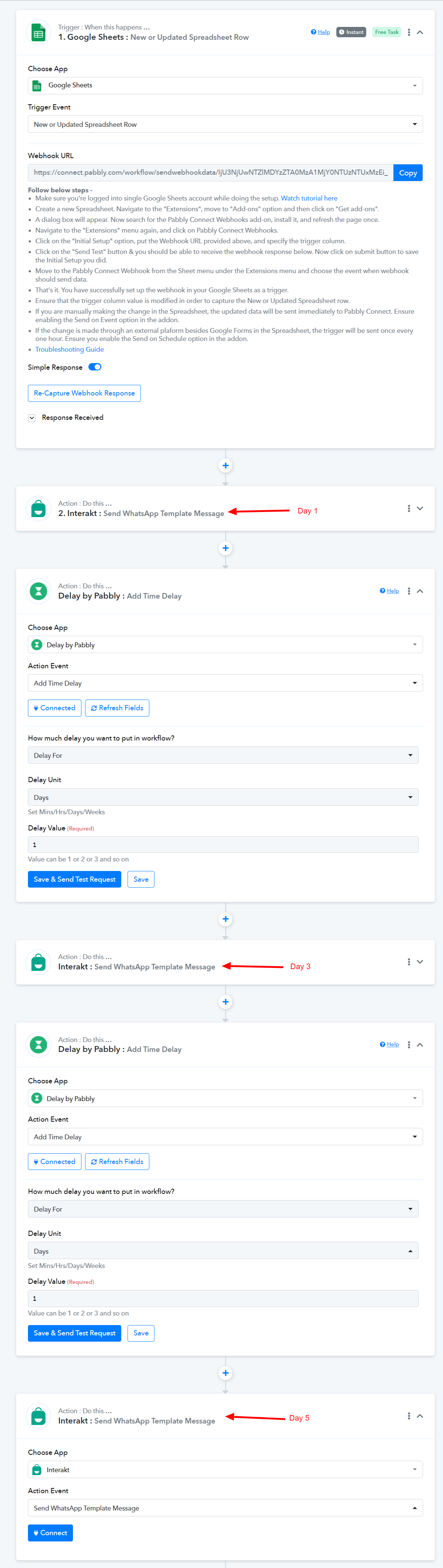
Ok, thanks! Will try this soon.
Can you tell me if these delayed msgs will work on the data that I've already filled?
The sheet I've used already has some data and I'll be adding leads every day to the sheet.
So will this delayed feature work on the past data too or only on the new ones that I'll be adding?
Thanks for your previous answer btw! ? Awaiting your response on this soon! :)
Can you tell me if these delayed msgs will work on the data that I've already filled?
Preexisting Google Sheets entry will not work automatically. But you can use the "Send Custom Data" from the Pabbly Connects extension from your Google Sheets to manually send the row entire to your workflow.
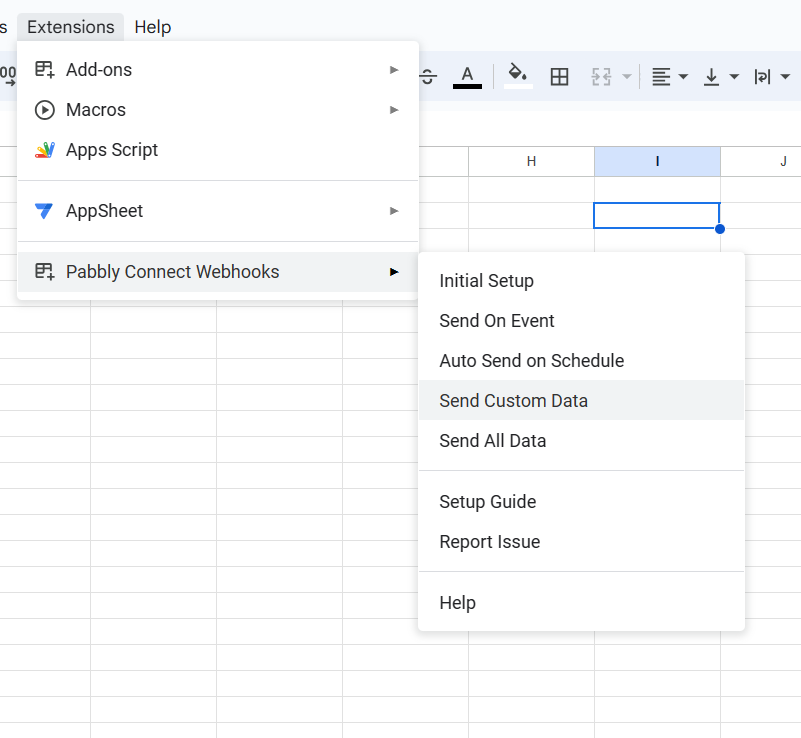
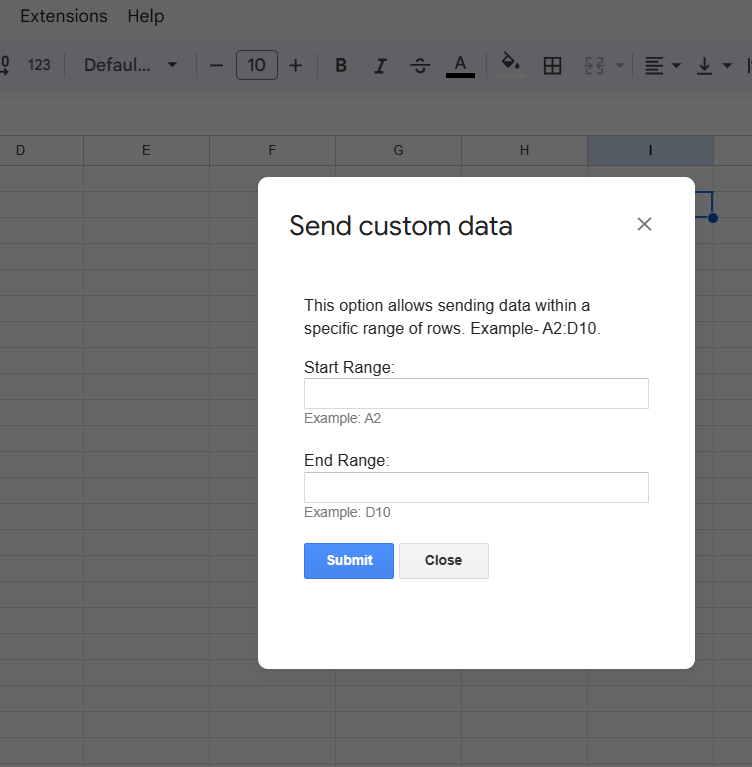
Select the range from your Google Sheets to process the previously entered rows.
Ok, thanks a lot! This means a lot! ?