[help!] My agent was deactivated for no apparent reason; when I try to reactivate it, I get an error message, but ...
Status: Open · Asked by f g b on · 0 views
1. We noticed that the agent wasn't responding to new messages:
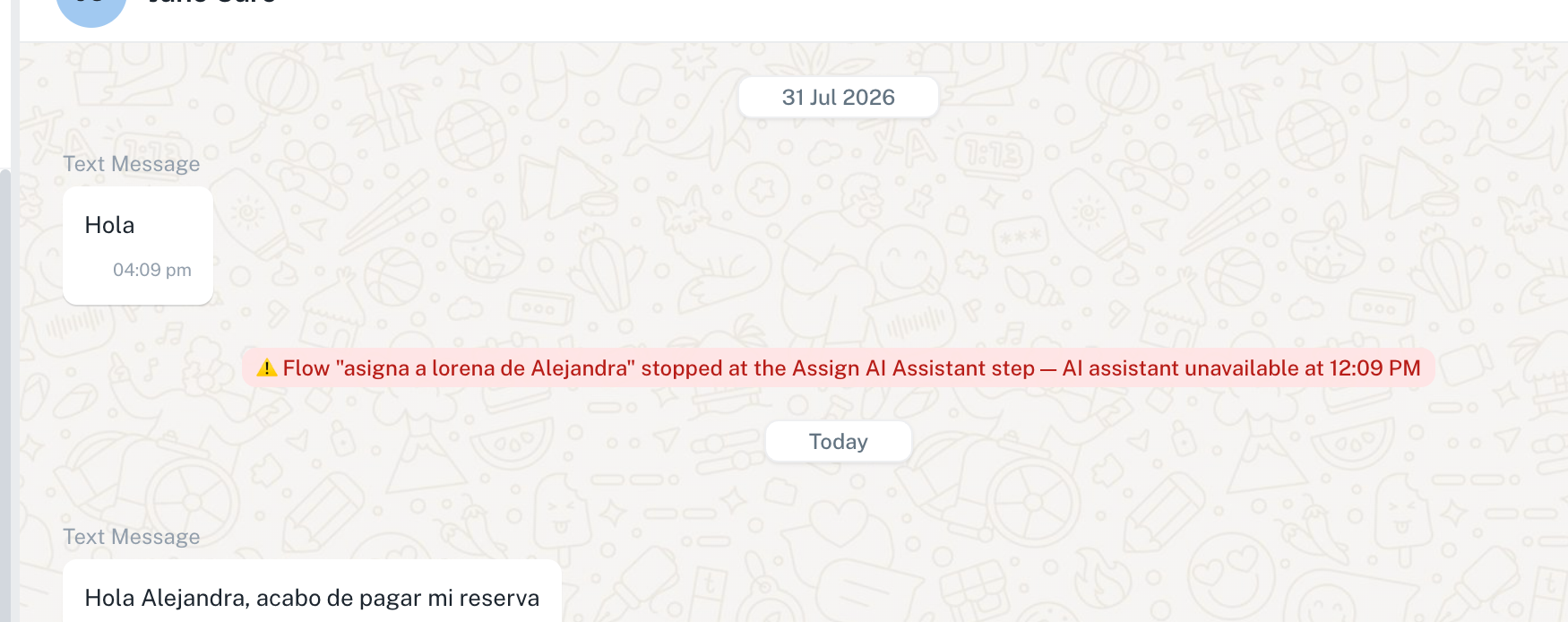
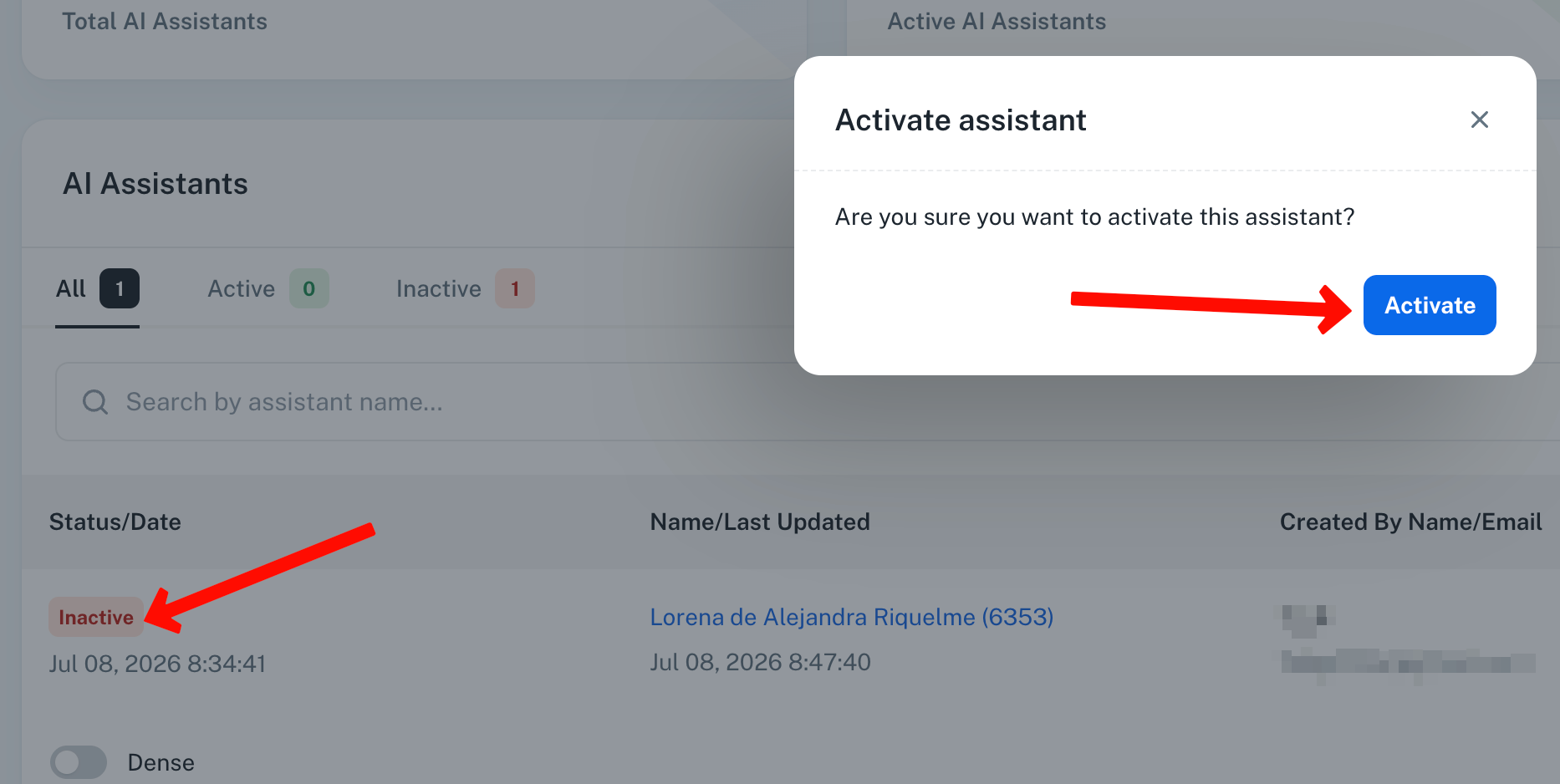
2. Upon checking, we found that the agent was deactivated. We didn't deactivate it; I'm the only one who manages it, and I'm sure I didn't do it. I tried to reactivate it:
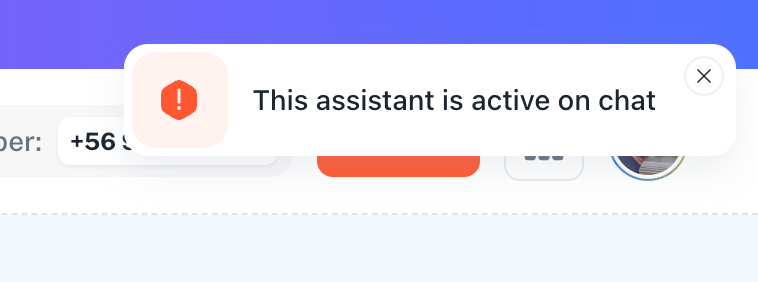
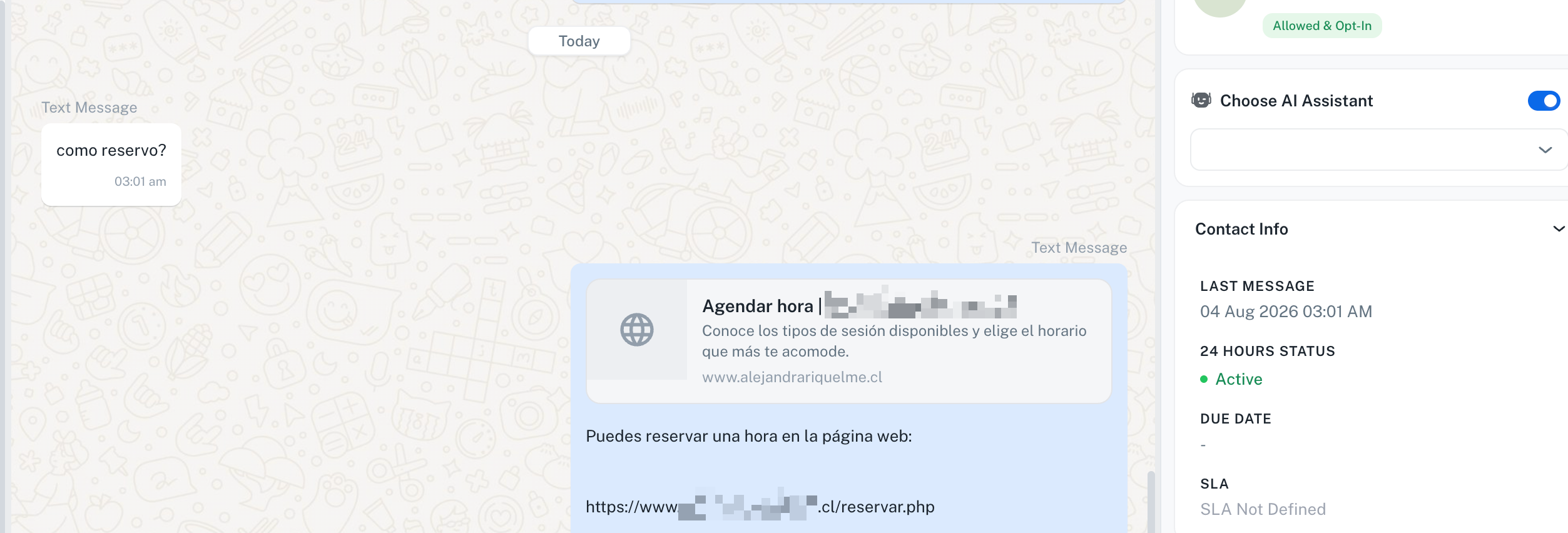
I need this to be enabled so that the flow can assign an agent to new customers who submit inquiries.
Hello,
Thank you for reporting the issue and for sharing the screenshots.
We have escalated this issue to our technical team for further investigation. They will analyze why the AI Assistant is showing an inconsistent state, where it appears as Inactive in the AI Assistant section but is reported as active in the chat, preventing it from being activated and assigned correctly.
We will keep you updated as soon as we receive any findings from the team. We appreciate your patience and understanding in the meantime.
Thanks and Regards,Preeti Paryani
Customer Success Associate,
Pabbly.com
Hello,
Thank you for your patience.
We're happy to let you know that the issue has now been resolved.
Going forward, the AI Assistant should work correctly for all new chats, and you should no longer encounter the issue where the assistant could not be assigned or was unavailable.
Kindly test it from your end and let us know if everything is working as expected. If you notice any further issues, please don't hesitate to reach out.
Hello,
Thank you for reporting the issue and for sharing the screenshots.
We have escalated this issue to our technical team for further investigation. They will analyze why the AI Assistant is showing an inconsistent state, where it appears as Inactive in the AI Assistant section but is reported as active in the chat, preventing it from being activated and assigned correctly.
We will keep you updated as soon as we receive any findings from the team. We appreciate your patience and understanding in the meantime.
Thanks and Regards,
Preeti Paryani
Customer Success Associate,
Pabbly.com
Thanks and Regards,
Preeti Paryani
Customer Success Associate,
Pabbly.com