Help with a successful but unsuccessful streak call
Status: Closed · Asked by Jeff-Blackout on · 0 views
Hello,
I am honestly about to go back to Zapier because things just worked. Pabbly is frustrating me beyond belief.
I have a simple Stripe call to action when I get a new sale to import the contact into a new contact and attach that contact to a new box in Streak. I simply want to add a note when it creates the box with the user's location. When I look at the task history it looks as if the task was successful - green checkmarks everywhere. But when I open my Streak - there is absolutely no information in that notes field. Who can find out more about what is going wrong here?
Also for some reason I have people who put their middle name or initial in a form. John Clancy Doe. is there a text formatter option to grab the first and the LAST objects? If I run a test through it I only get this 0, or 1 element to map. I don't have an option for last.
Hey @Jeff-Blackout
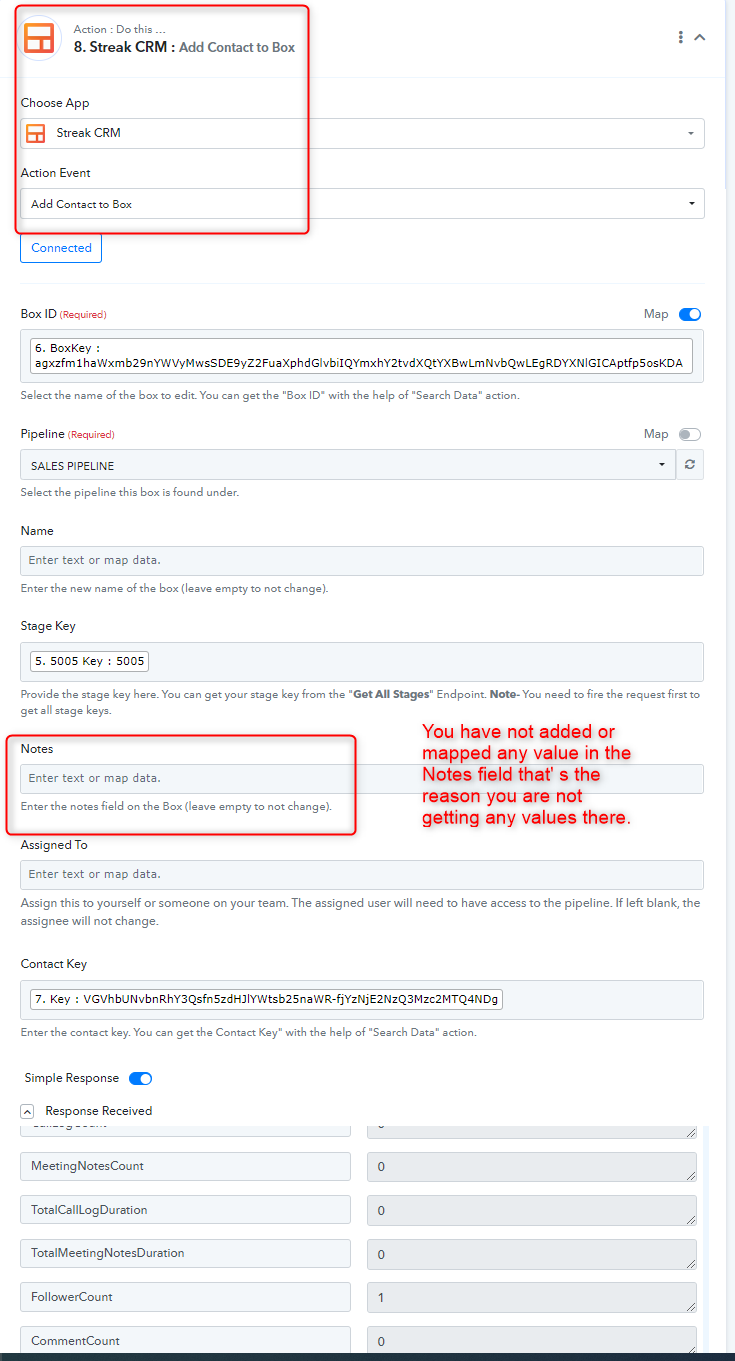
We have checked the workflow and found that you have not added or mapped any values in the Notes field that's the reason you are not getting any values in the field. Please add or map any values to get the data correctly.
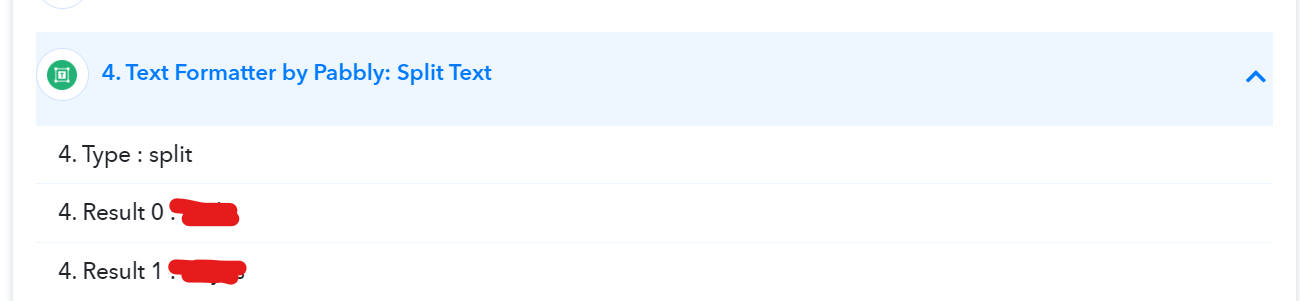
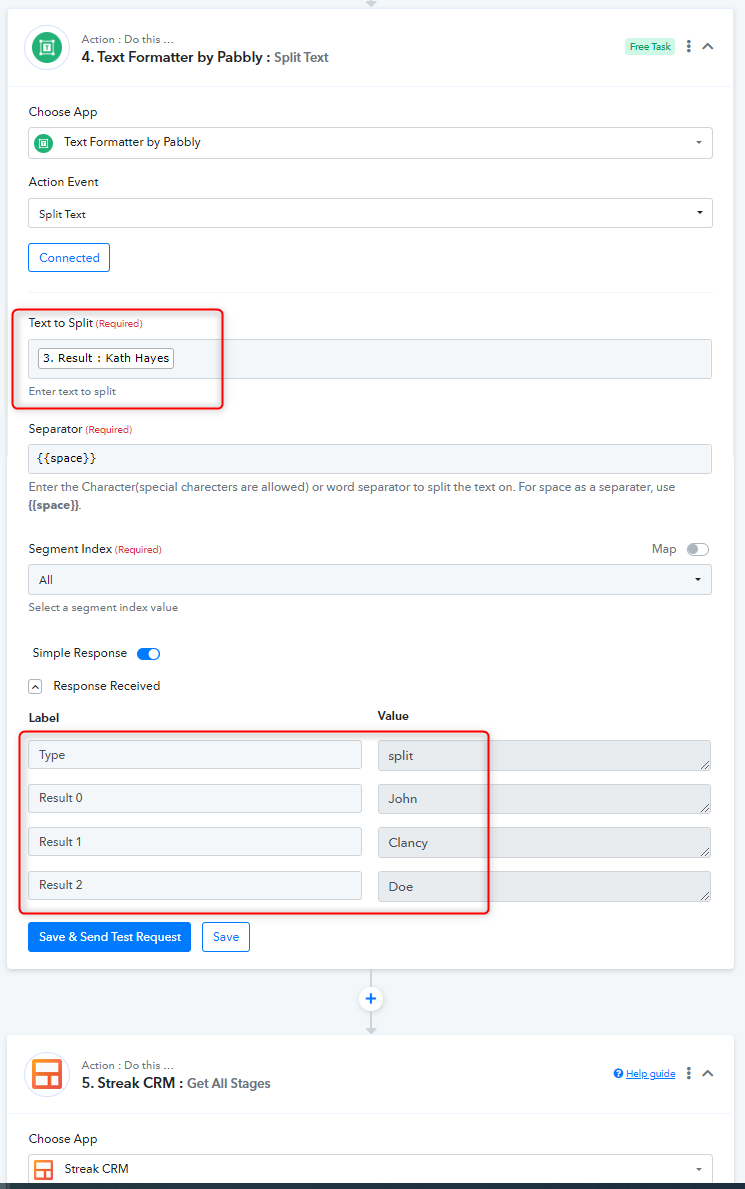
Regarding your 2nd question, we have manually entered the value "John Clancy Doe" and run the test and you are getting the data in the required format and then reverting back the changes and saved it as well. From now onwards you will get the data in the required format.
Please once check the results and let me know if you have any questions or comments.
Thanks
Kunal
Hi Kunal,
Thanks for your answer. However, I see you are looking in the notes field in the "Add contact to box" but I've already added in the notes field upon creation of the box. Leaving it blank in a later step should not wipe the data but leave it unchanged am I incorrect?
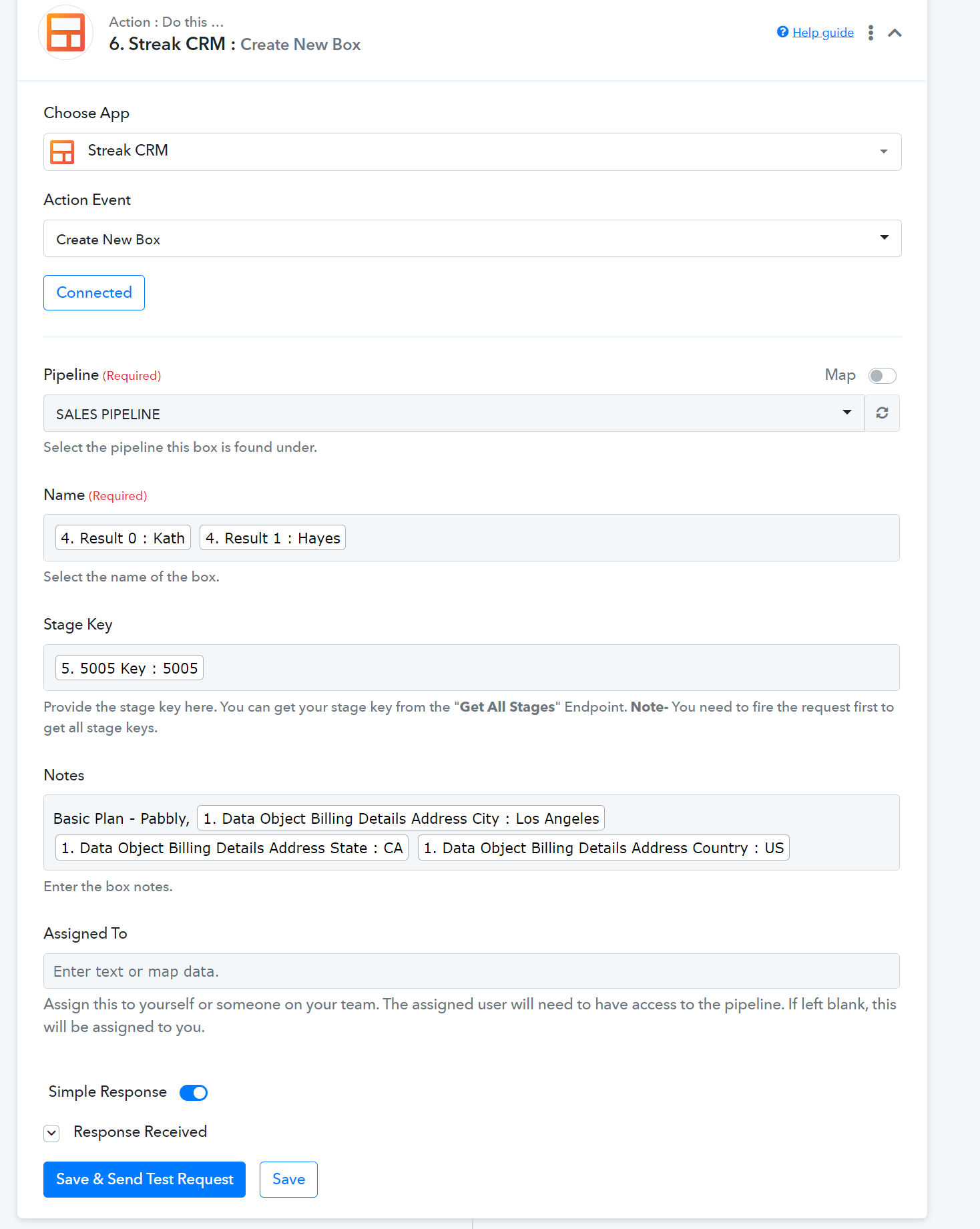
As for the 2nd question I'm not clear on what you changed. Your API runs from sample data so if I only have a user with a first and last name I cannot split the text properly. I need a sample data with at least 3 names but more importantly, I should not be using the front INDEX of the array, I should be using the back index so I need (Array(-1)) Right now I can only get Array(0) or Array(1) but this does not help in cases where the user has more than 3 names
Please check your workflow with the 4th and 5th steps where we have managed to split the First and last names of both if it takes the 3rd name in it.

However, I see you are looking in the notes field in the "Add contact to box" but I've already added in the notes field upon creation of the box. Leaving it blank in a later step should not wipe the data but leave it unchanged am I incorrect?
Can you please record a short video or screenshot on the same, so that we can look into it.
Ok cool I see what you did here and that's clever - you split the text into first word and then the rest of the words which works. So just to clarify I now need to remap the manual text input "John Clancy Doe" into what I'm getting from my initial titlecase text formatter - the output right?
As for the notes field I will send screenshots when I get a chance later today
So just to clarify I now need to remap the manual text input "John Clancy Doe" into what I'm getting from my initial titlecase text formatter
Yes, please map the correct data label with the name here and try.
Ok now I seem to be getting more errors. Can you see why? I think I've done this correctly replacing the first string in the array of the user's name with '' which should give me the rest of the array but it is giving me an error.
We couldn't find any issue in your shared workflow URL, so can you please let us know the workflow name in which you have faced the problem?
Here is the task history ID of one of them: IjU3NjAwNTZkMDYzNTA0M2M1MjZjNTUzMjUxMzc1MTYxNTQzNSI_3D_pc
As we can see from your workflow, you haven't configured the 4th action step to split the name, and where you have only pressed the "Save" button instead of the "Save & Send Test " button.
Though we have corrected it for you and it should work accordingly.
Ok thank you. That was not clear from your guides. I thought save and send test was just to send a test to the server but save would save the action without the test.
Hey @Jeff-Blackout
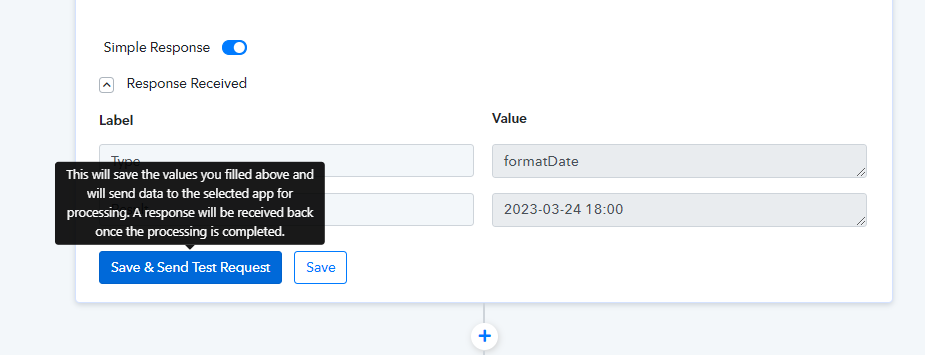
If you hover the cursor on the "Save & Send Test Request" button, you will get the line that will post the API request for your application; pressing the "Save" button will only save the mapped data.