Help with error message(Memberpress and Zoho CRM Deals module)
Status: Closed · Asked by itstit on · 0 views
Hello There,
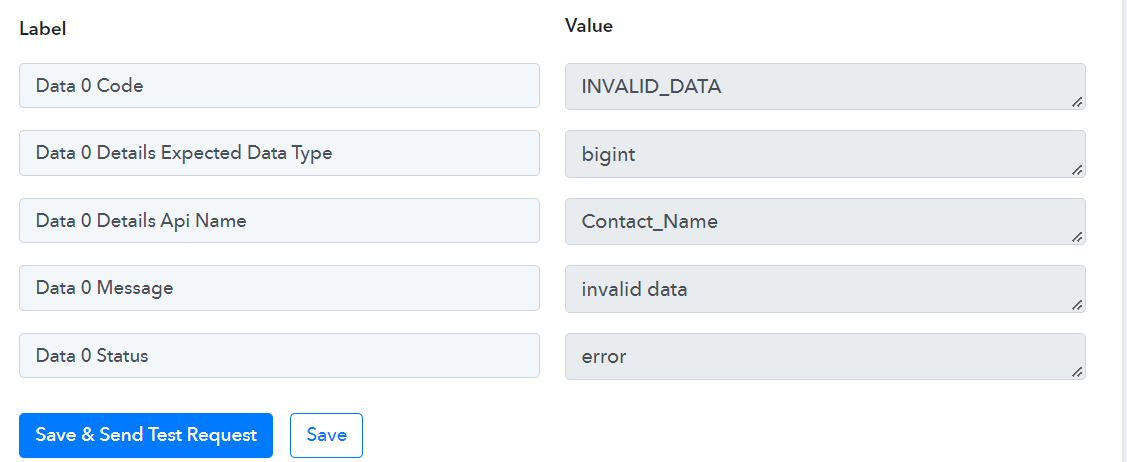
Can anyone please help me understand the below error and its fix?
[{"code":"INVALID_DATA","details":{"expected_data_type":"bigint","api_name":"Contact_Name"},"message":"invalid data","status":"error"}]
Regards,
Deepak
Hey @itstit
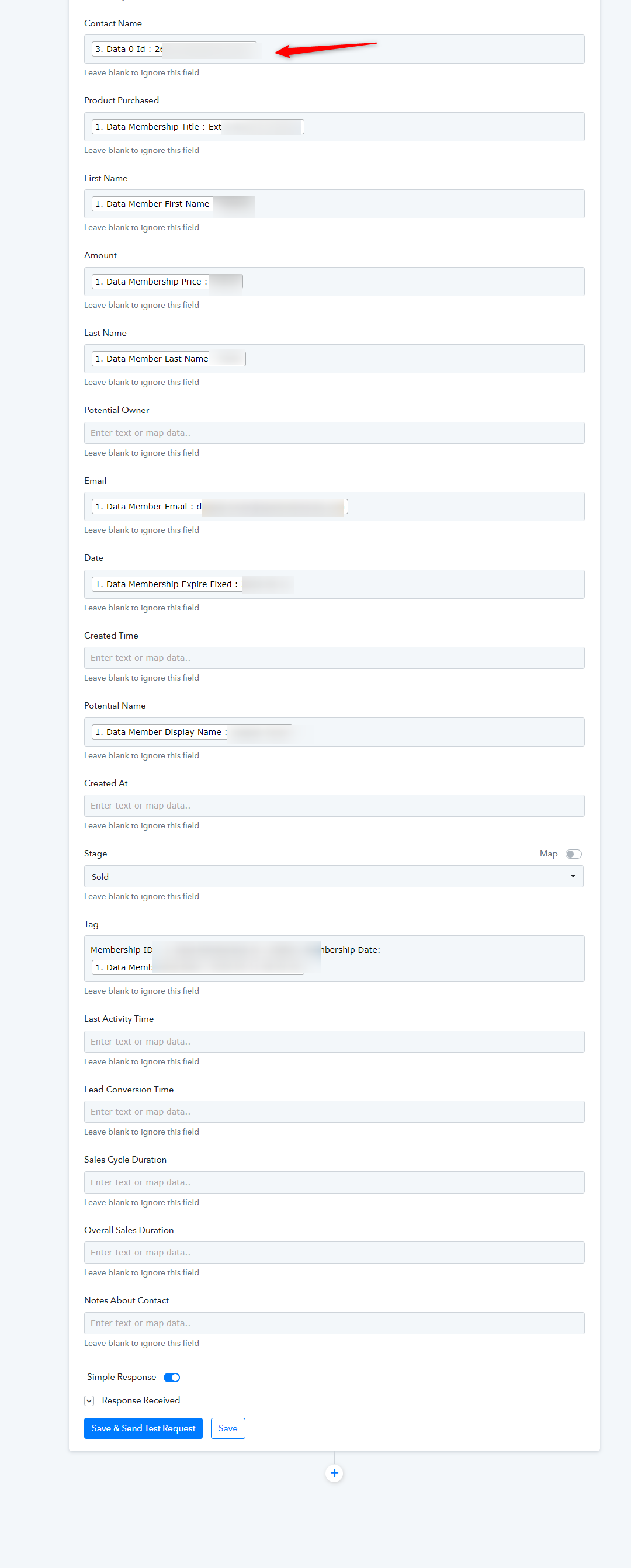
In the Contact Name field, you have to pass the Contact ID instead of the Name you use "Zoho CRM: Search Contact". Then kindly pass all the name fields which you have made mandatory.
Thank you!
Hello,
My MemberPress-Zoho CRM flow is inserting data 3 times on Zoho deals, whereas on Zoho contacts it inserts the data only once, which is correct. Could you please help me fix the duplicate entry on Zoho deals?
Regards,
Deepak
Hey @itstit
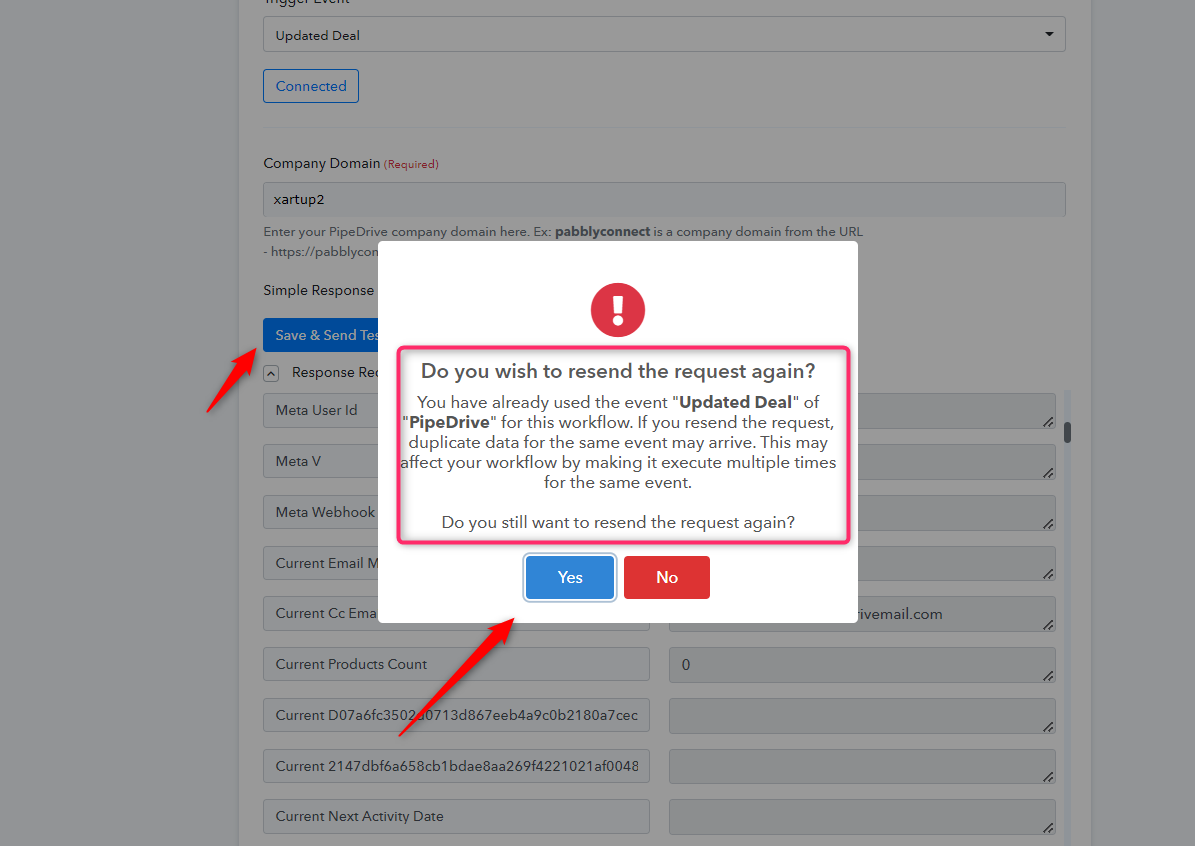
As we can see from your workflow, you are getting the same trigger response multiple times and because of that, your leads are getting the same messages multiple times.
And the reason behind that is perhaps you have used the same webhook URL multiple times which has created the webhook in your MemberPress multiple times.
Solution -
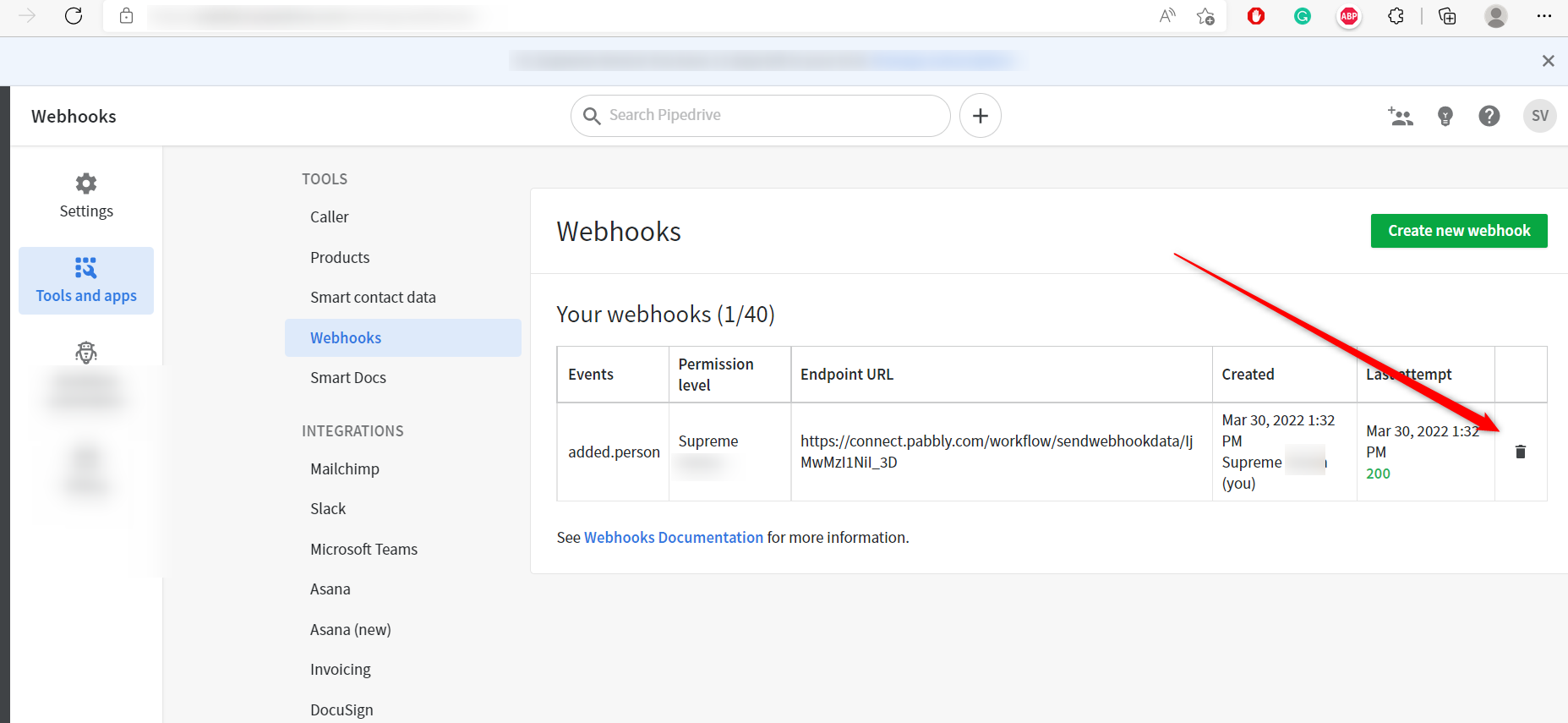
1. You can delete the multiple webhooks from your MemberPress account as mentioned in the following screenshot.
2. You can use the Filter action step after the trigger event where you can use the Webhook ID/unique data mentioned in your trigger response.
Eg-
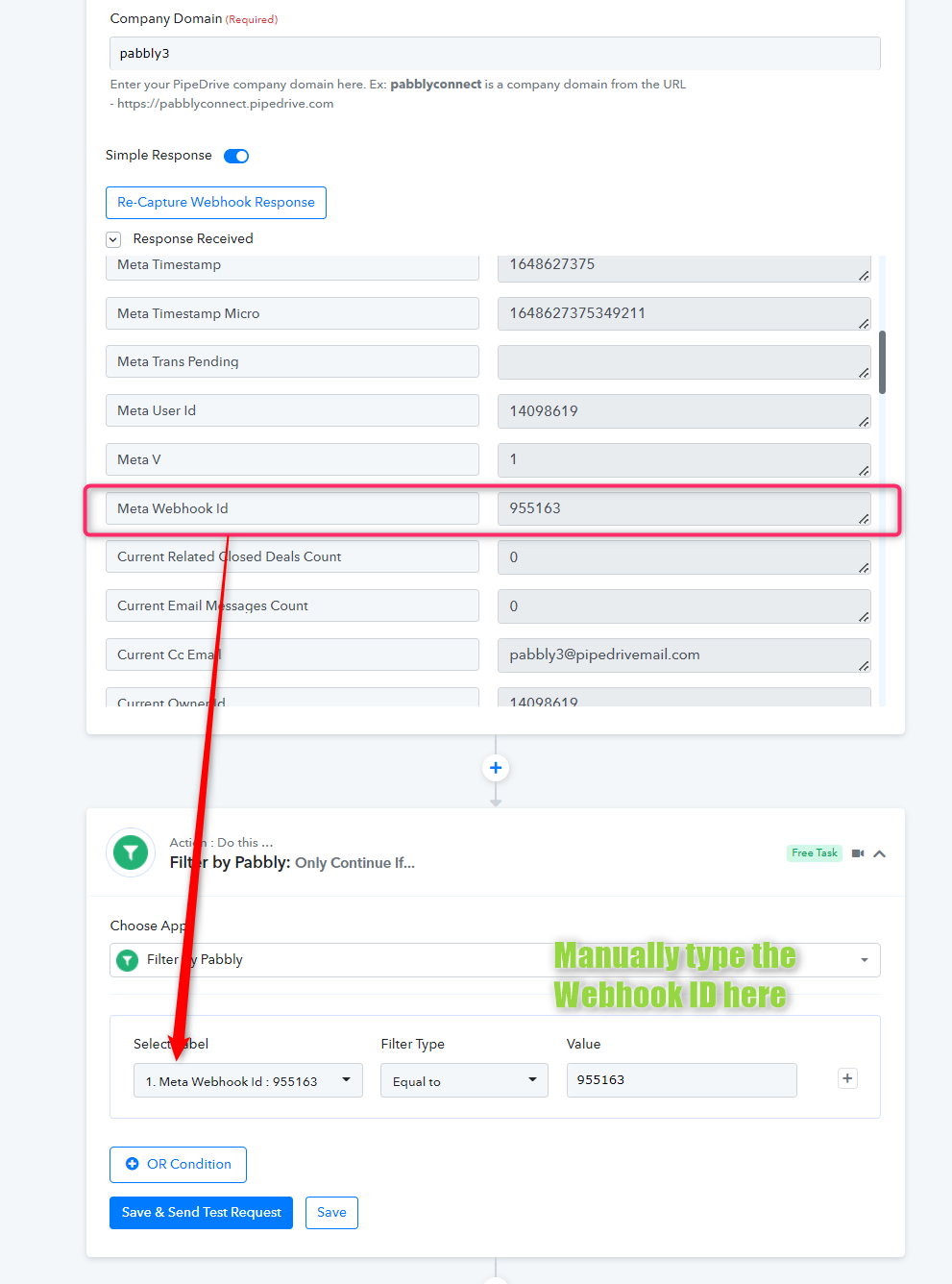
3. You can create a new workflow and delete the previous one which will create a new webhook only once and can send the data one time.
Thank you. The only data I'm not receiving on Zoho deals is the date and all the date formats are coming as timestamp from MemberPress. Any solution what can be used for date(Creation date)?
Hey @itstit
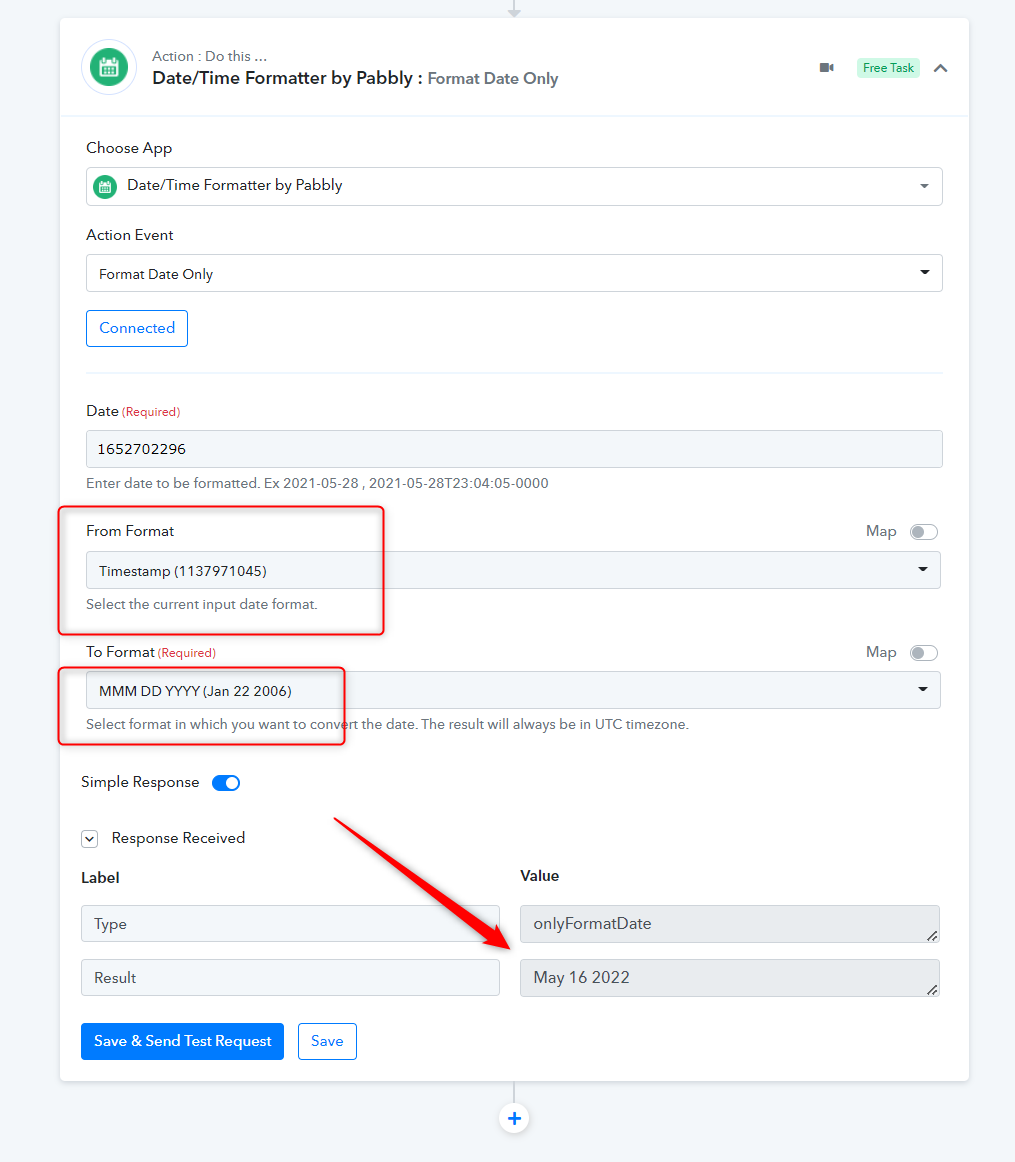
you can use the "Date/Time Formatter by Pabbly: Format Date Only" action step to convert the DateTime from Timestamp. Please refer to the following attachment and try the same at your end.