Hexowatch to Gmail
Status: Closed · Asked by Bram on · 0 views
The task executed but I didnt receive the email. I dont understand why not?
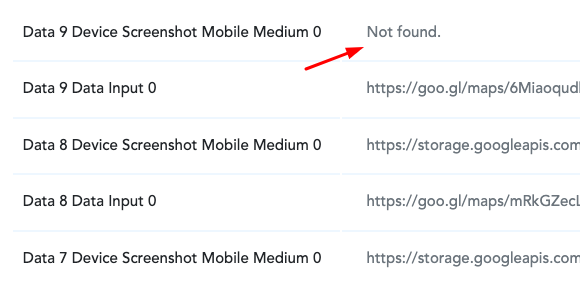
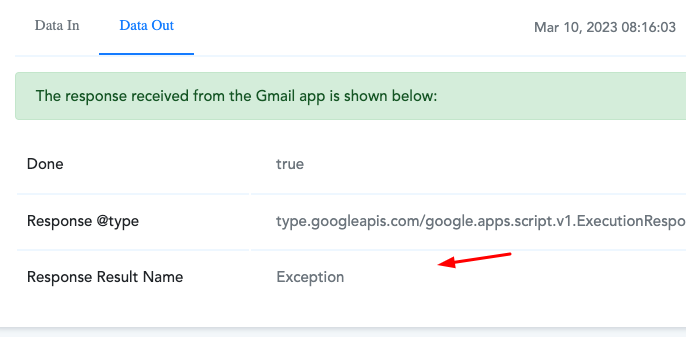
Hey @robbiereyes
Can you please cross-check from your history log whether you got the correct data from your mapped label in the Gmail action step?
Hey @Supreme Im not exactly sure what you mean. This is from the history log:
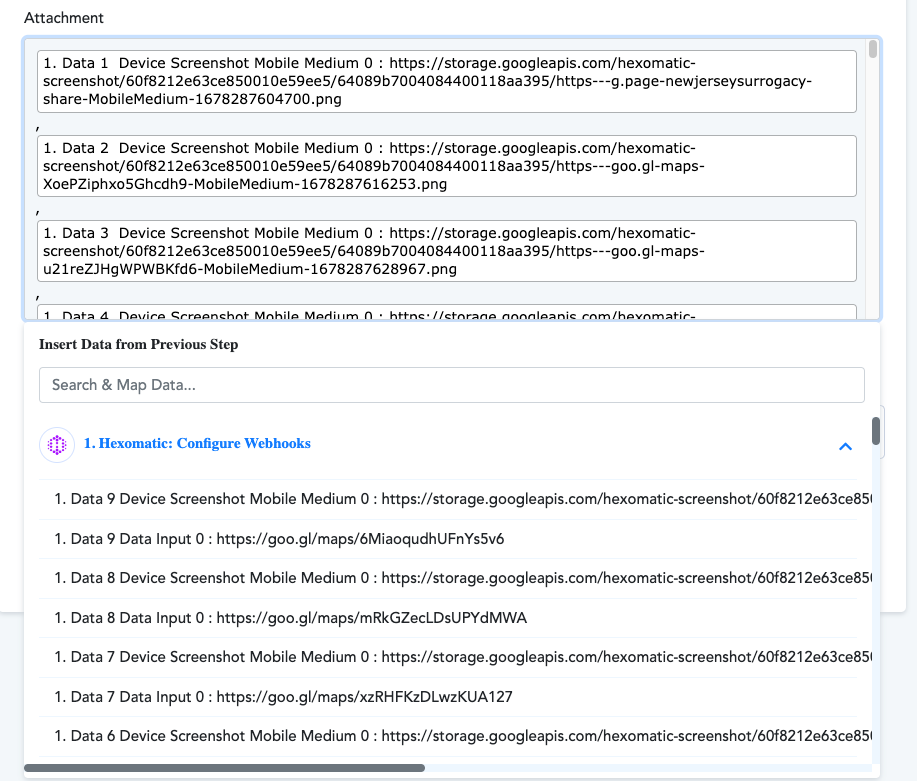
Please check the following screenshot from your history logs where you will see some of your mapped attachment URLs didn't come in automation from your Hexowatch account as a result only the commas went throw which didn't process by the Gmail action step.
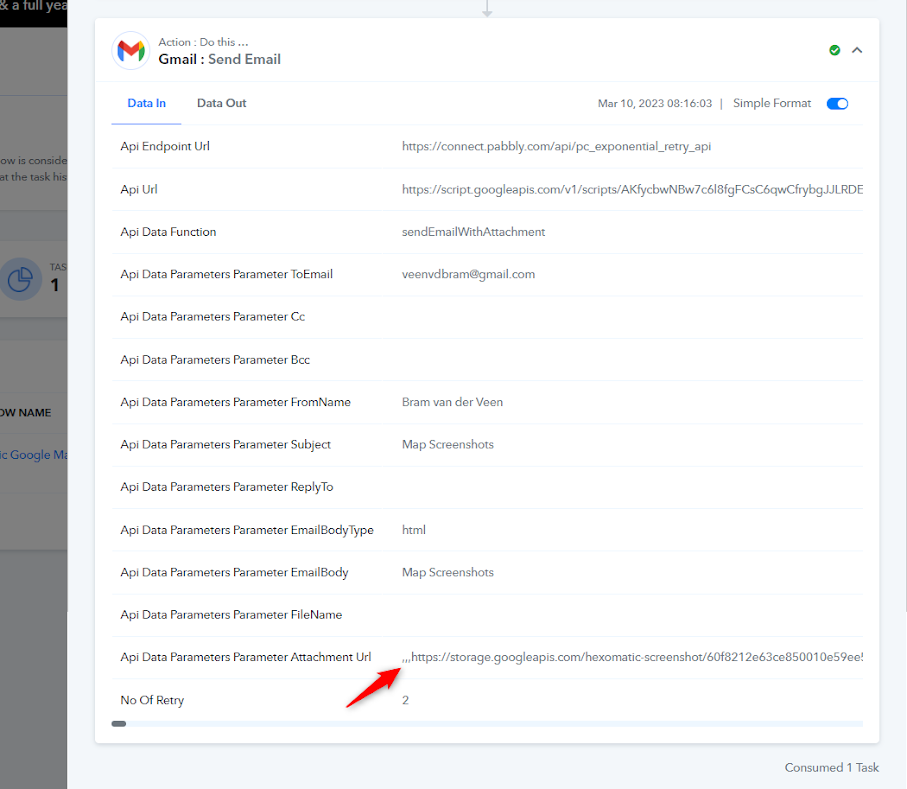
So, if the attachment URL is coming in a varying number, we recommend you use the Line Itemizer action step after the trigger event to pass the comma-separated attachment URL in the attachment field of Gmail.
@Supreme Thank you for your support. I've now added the Line Itemizer but I still cant get it to work. Could you please take a look?
Hey @robbiereyes
In the Gmail action step, you haven't parsed the data in comma separated manner and because of that the action step wasn't able to send the emails.
Though we have set the Gmail action step for now, so please check this once and then try accordingly.
Hi @Supreme
Thanks for looking in to this. I just hit "Save and send request" but not receiving the email.
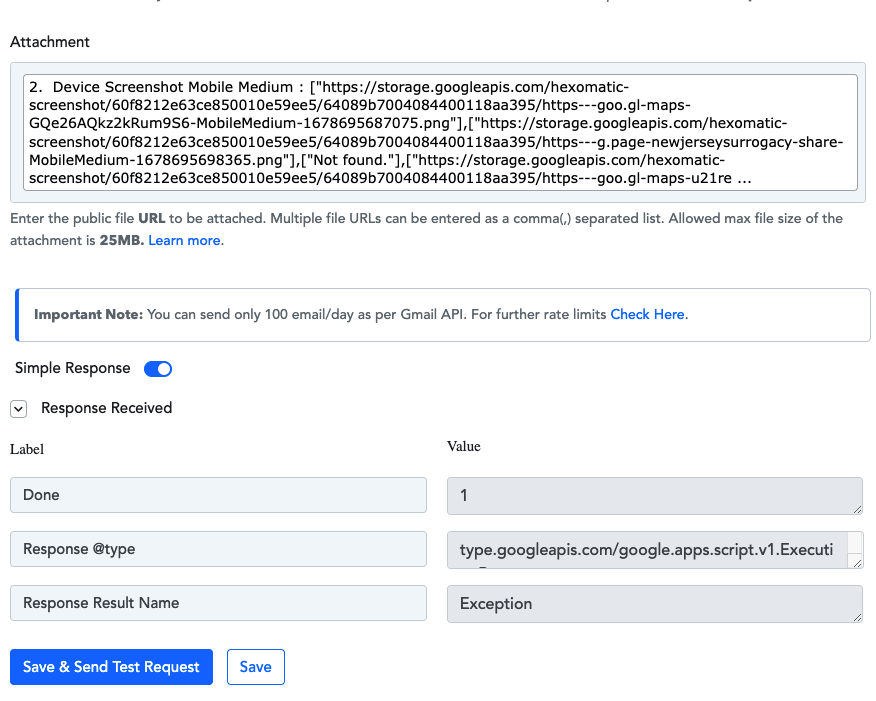
Seems like you have erased the steps which we have added for you to parse the comma-separated manner.
Please check carefully and do not make any changes to your workflow, we have redone the action steps for you.

Thank you!